






Study Guide Generator for Focused, Source-Grounded Exam Review

Paste class notes or source excerpts with the exam scope. Build a structured study guide with key concepts, definitions, examples, self-check questions, and a coverage review.

AI writing
Claude
GitHub
Google
Linear
Microsoft
Monday
Netlify
Notion
OpenAI
Sentry
Slack
Stripe
Supabase
Claude
GitHub
Google
Linear
Microsoft
Monday
Netlify
Notion
OpenAI
Sentry
Slack
Stripe
Supabase
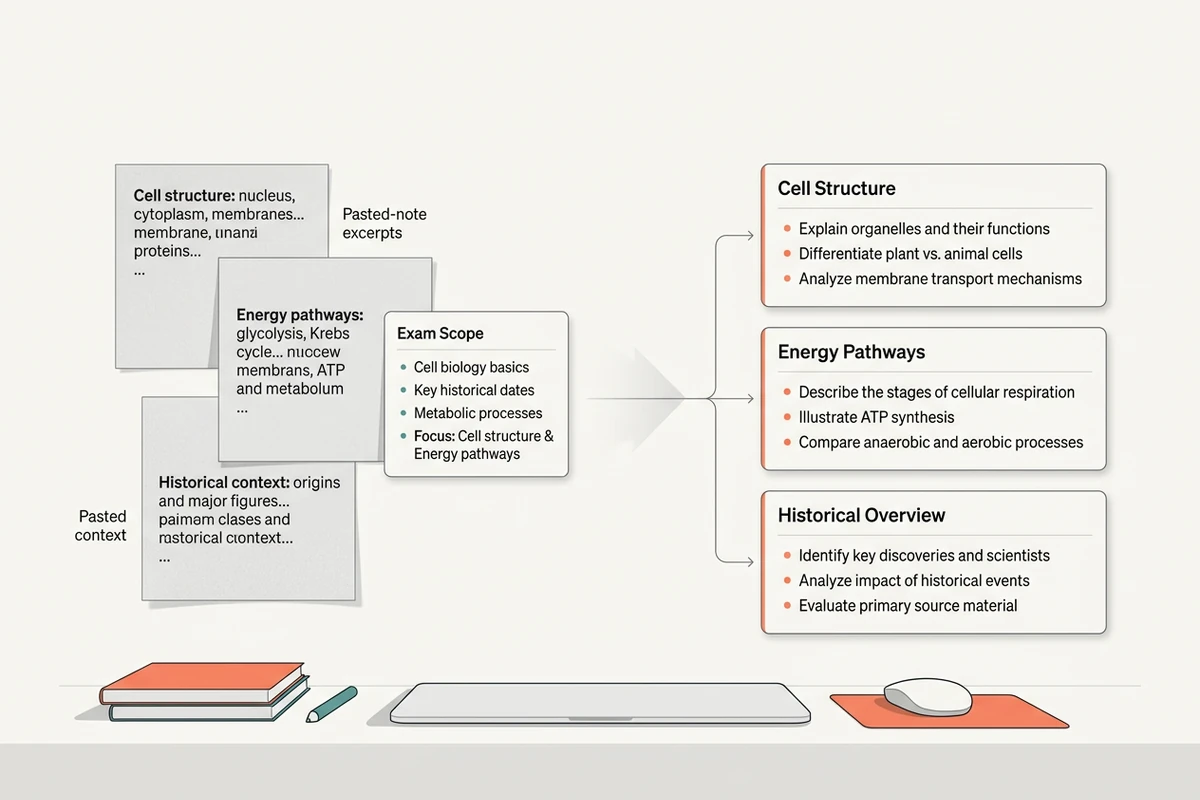
Class note excerpts and an exam scope flow into organized topic groups in a study map.

Map your notes to the exam scope

Paste the notes or source excerpts you are allowed to study, then add the exam scope or learning objectives. The study guide generator can group that material by topic and mark an objective as unsupported when your notes do not cover it. If your starting material comes from a class discussion, structure it first with the AI Note Taker.
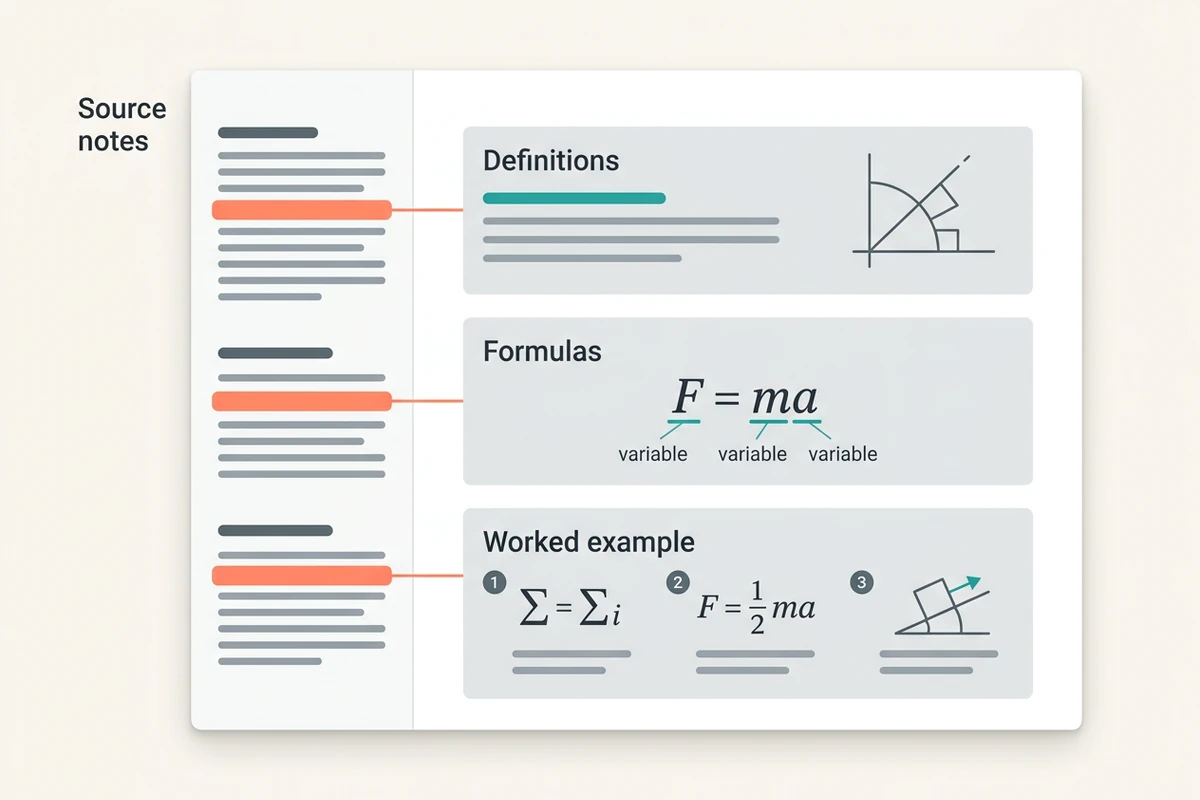
A source notes rail connects to study guide sections for definitions, formulas, and a worked example.

Separate concepts, definitions, formulas, and examples

Ask for distinct sections instead of a generic recap. A useful study guide names each concept, defines it from the pasted source, records any formula with its variables and conditions, and pairs it with an example. Use the Text Summarizer when your actual goal is only a compressed summary rather than an exam-ready learning structure.

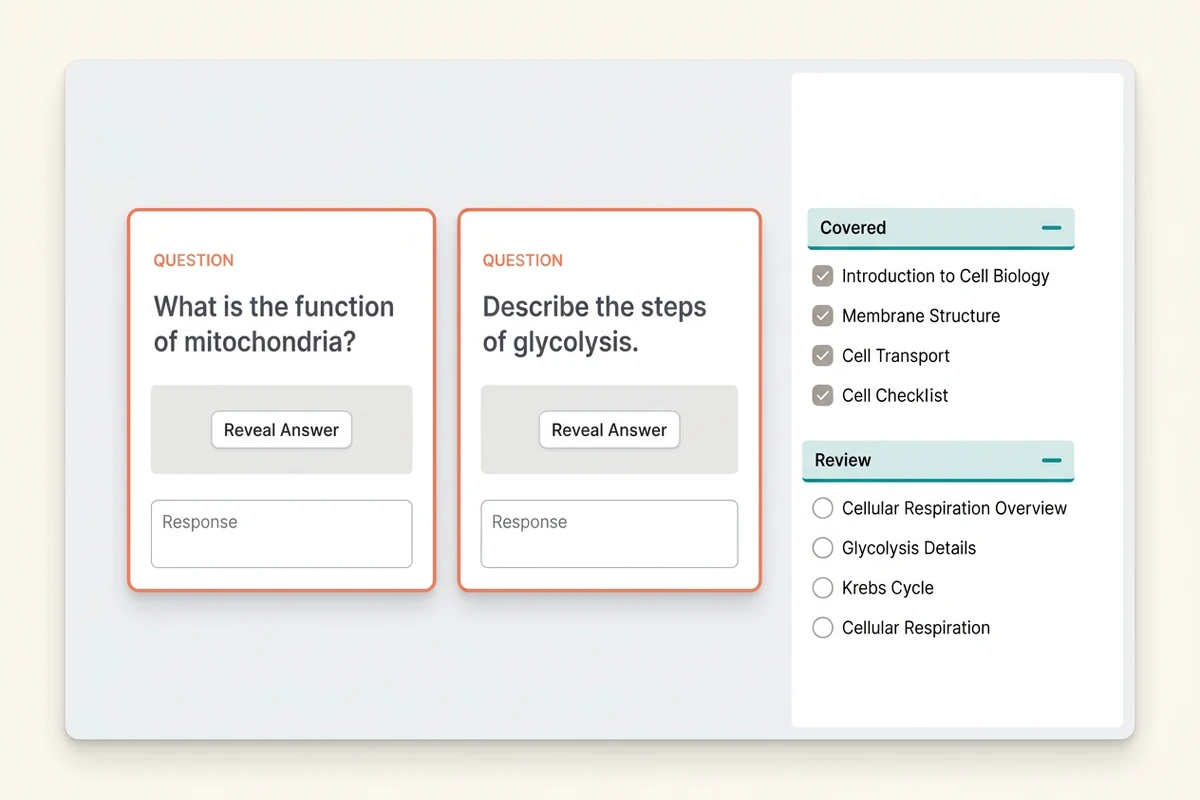
Self-test question cards sit beside a checklist of covered topics and topics to review.

Test recall, then check source coverage

Request short-answer and exam-style questions that can be answered from your excerpts, with answers kept in a separate key. Then compare every learning objective with the resulting study guide: covered, partly covered, or missing from the supplied material. For gaps that require further reading, compare options in best AI research assistants.

How to use this study guide generator

Step 01

Paste sources and scope

Add relevant note excerpts, then name the exam date, course level, learning objectives, and topics your instructor says are in scope. Exclude material you do not want used.

Step 02

Choose the guide structure

Specify the sections you need. Ask the study guide generator to distinguish source-supported content from gaps instead of filling missing material with plausible-sounding facts.

Step 03

Run recall and coverage checks

Answer without looking at the key, verify each response against your notes, and use the final coverage checklist to decide what needs another source or instructor clarification.

Why creators choose Ottermind

Scope before generation

Define learning objectives first so the study guide stays centered on what the exam is expected to cover.

Your excerpts set the boundary

Keep the source material beside the generated structure and ask Ottermind to flag claims the excerpts do not support.

Revise one weak section

Rework a confusing definition, formula explanation, or question set without rebuilding the entire study guide.

Compare review formats

Try a concept map, formula sheet, or question bank against the same scope before choosing how to review.

Continue with the verified material

Keep the accepted study guide with its source context, then turn a supported topic into a longer draft with the Essay Writer.

FAQ

What should I paste into the study guide generator?

Paste the relevant class notes or source excerpts, followed by the exam scope, learning objectives, and any required terminology. Say which sections you want and instruct the tool to flag unsupported objectives rather than invent missing content.

Can I upload a PDF or connect my course platform?

Not on this landing-page tool. It accepts a prompt, so paste the relevant text from your notes or sources. It does not claim PDF upload, learning-management-system integration, or automatic access to your course materials.

How is this different from a text summarizer?

A summary compresses a source into fewer words. This study guide generator organizes material around exam objectives, separates definitions and formulas, creates source-grounded self-check questions, and audits coverage. For compression alone, use the Text Summarizer.

Will every definition and answer be accurate?

No. Generated content can conflict with your textbook or notes. Check each definition, formula condition, example, and answer key against the original material. When evidence is missing, label the gap and ask your instructor or consult an approved source.

What kinds of self-check questions should I request?

Mix definition recall, explain-why prompts, worked problems, comparisons, and short exam-style questions that match your course. Require each answer to trace back to the pasted excerpts, and keep the answer key separate while testing yourself.

Can this guarantee a higher grade or track mastery?

No. The page does not promise grade gains, spaced repetition, mastery tracking, or recommendation accuracy. It helps you create a review structure; you still decide whether your answers are complete and what to study next. For longer academic writing, continue with the Essay Writer.

Discover more

What they say about Ottermind

Ottermind helped us turn a rough campaign brief into several strong visual directions without losing the original intent. We could compare different compositions, keep the references beside the work, and refine the strongest concept in one place. That made the entire review process feel faster and much more focused.

Maya Chen - Product Marketing Lead

More from the blog

Build a study guide from your own notes

Paste source excerpts and exam objectives. Organize a study guide, test recall with grounded questions, audit the coverage, and verify every important detail in Ottermind.

Create study guide


