Halloween Makeup
Ideas
Explore cute, glam, and spooky Halloween makeup ideas — then see how your favorites look on your own selfie with AI.
Find your after-dark look.
From playful clown makeup to dramatic vampire looks, find a Halloween style that feels like you. Pick a favorite and make it your own, or explore the Halloween collection →
How to create your Halloween makeup look
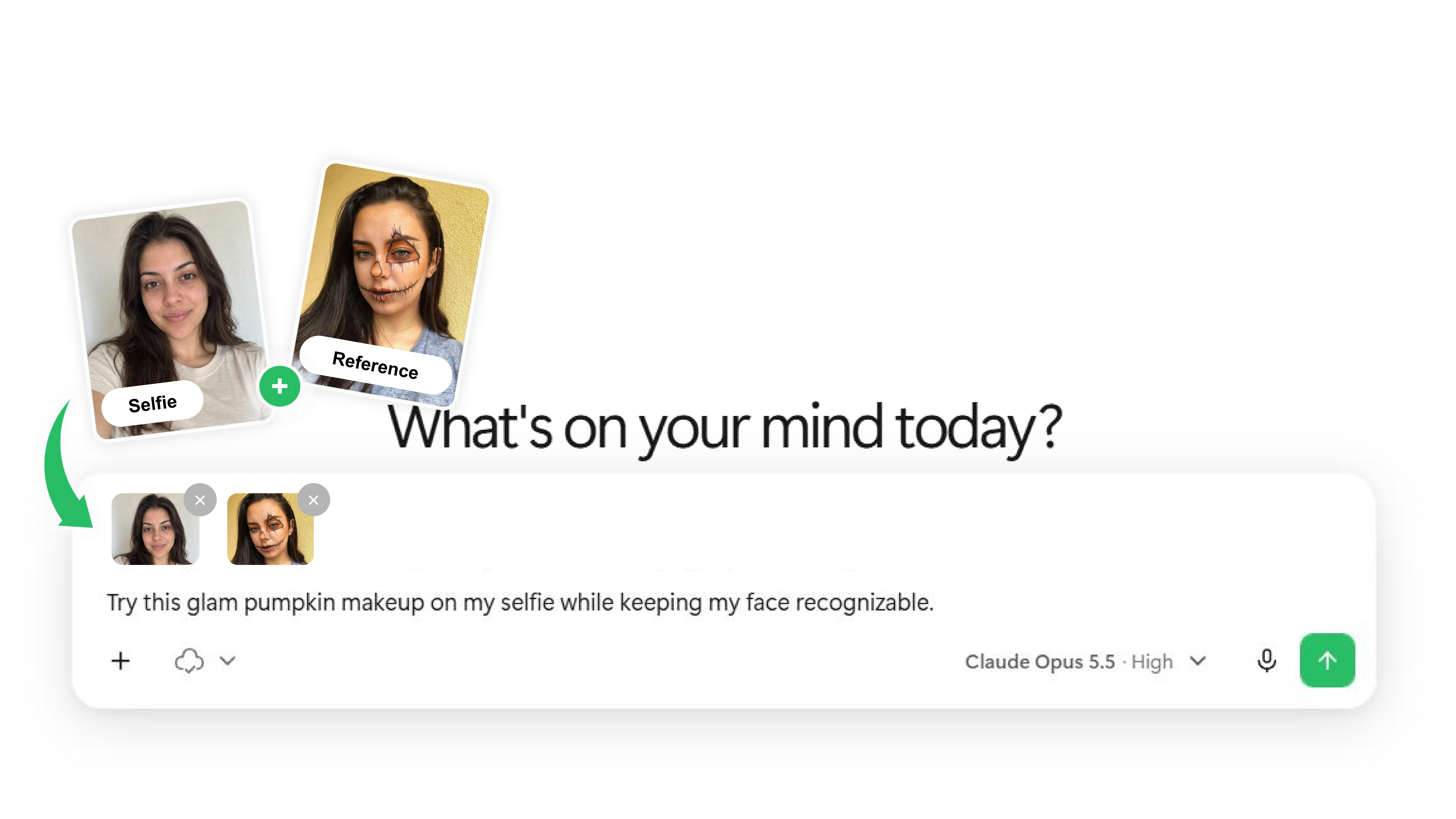
Start with a clear selfie and a makeup reference you love. We'll use a glam pumpkin look to show you how it works.
More ways to make magic.
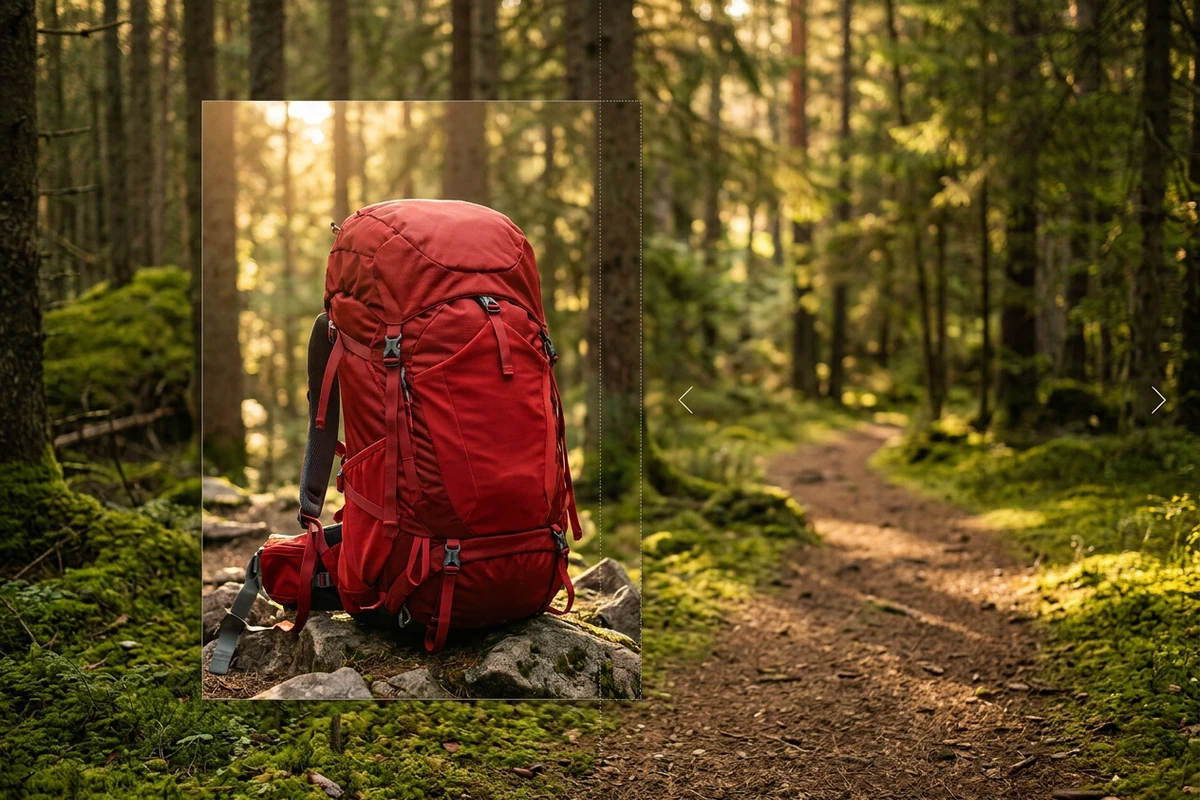
AI Image Uncrop
Give your Halloween portraits more room by extending the background beyond the original frame.
Give your frame room to breathe.
Describe the target ratio and where to extend. Ottermind continues the background so your subject, headline, or product has the space it needs.
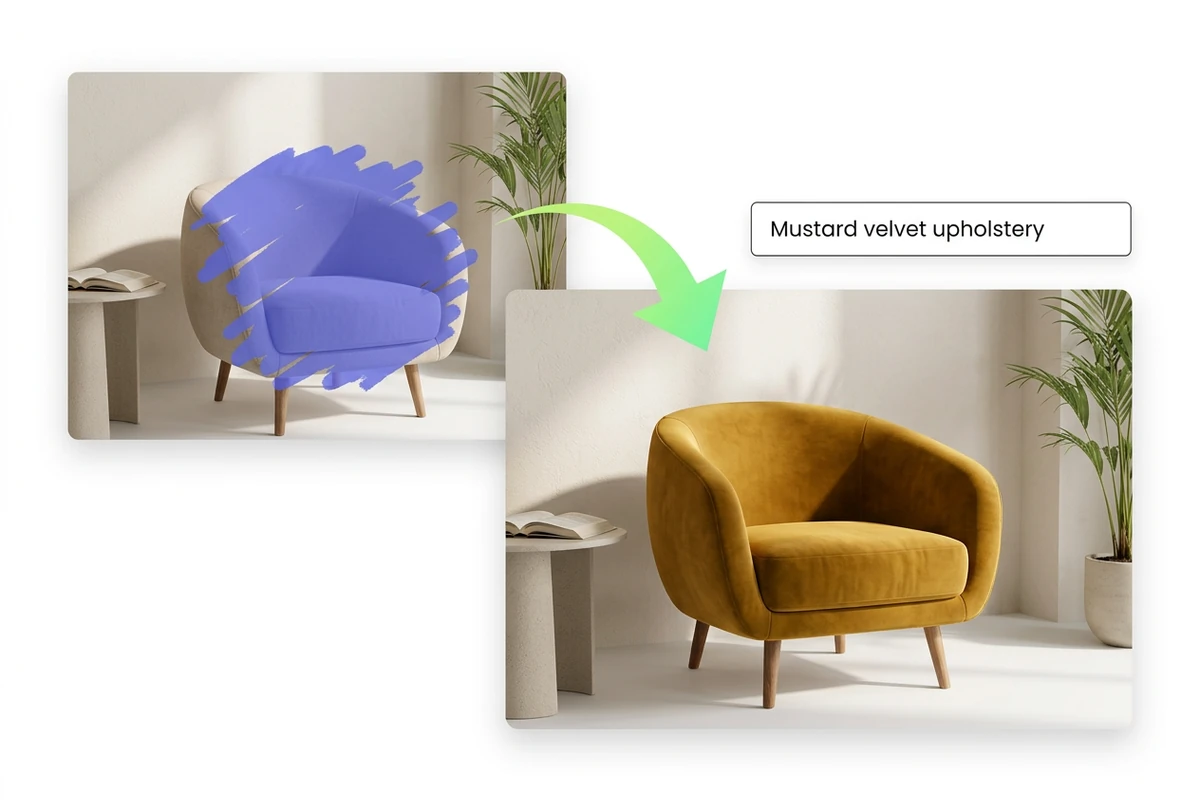
AI Inpainting
Want to change one little detail? Edit specific parts of an image without starting over.
Direct the edit precisely.
Mark the region, describe the replacement, and review how the new object fits the light, edges, and surrounding scene.

AI Image Editor
Refine your Halloween creations, make quick edits, and add your own finishing touches.
Describe the change and keep the rest locked.
Describe what to change and what to preserve, such as your makeup, facial features, background, or layout. Review the result before you export.
Questions,
answered.
Still curious? Get in touch ↗
What can I use Halloween Makeup Ideas for?+
Find inspiration for your Halloween costume, explore different makeup styles, or see how a look might suit you before trying it in real life. You can also create fun Halloween portraits to save or share with friends.
How can I try Halloween makeup on my own photo?+
Upload a clear selfie and a makeup reference you like. Add a short prompt describing the look you want, and Ottermind will generate an AI makeup preview from your photo. Try as many styles as you like until you find your favorite.
Do I need makeup or photo-editing experience?+
Not at all. You don't need to know how to apply makeup or edit photos to get started — just upload your selfie, choose a reference, and describe the look you want. The AI takes care of the visual transformation.
Will the AI-generated makeup still look like me?+
Ottermind starts from your selfie, and you can ask it to preserve your facial features while changing the makeup. Results vary, but a clear photo and instructions like “Keep my face recognizable” help you get a more consistent look.
What kind of selfie works best for AI Halloween makeup?+
Choose a well-lit photo where your face is clearly visible. A front-facing selfie with minimal makeup, no heavy filters, and little hair covering your face usually works best — it gives the AI a clearer starting point.
Are my uploaded selfies and reference images private?+
For details on how your uploaded photos are processed, stored, and handled, see Ottermind's privacy policy.