






AI Prompt Generator for Clear, Testable Work Briefs

Turn a rough request into a structured prompt with the missing context, explicit constraints, output schema, acceptance criteria, and critique steps needed for reliable work.

AI writing
Claude
GitHub
Google
Linear
Microsoft
Monday
Netlify
Notion
OpenAI
Sentry
Slack
Stripe
Supabase
Claude
GitHub
Google
Linear
Microsoft
Monday
Netlify
Notion
OpenAI
Sentry
Slack
Stripe
Supabase
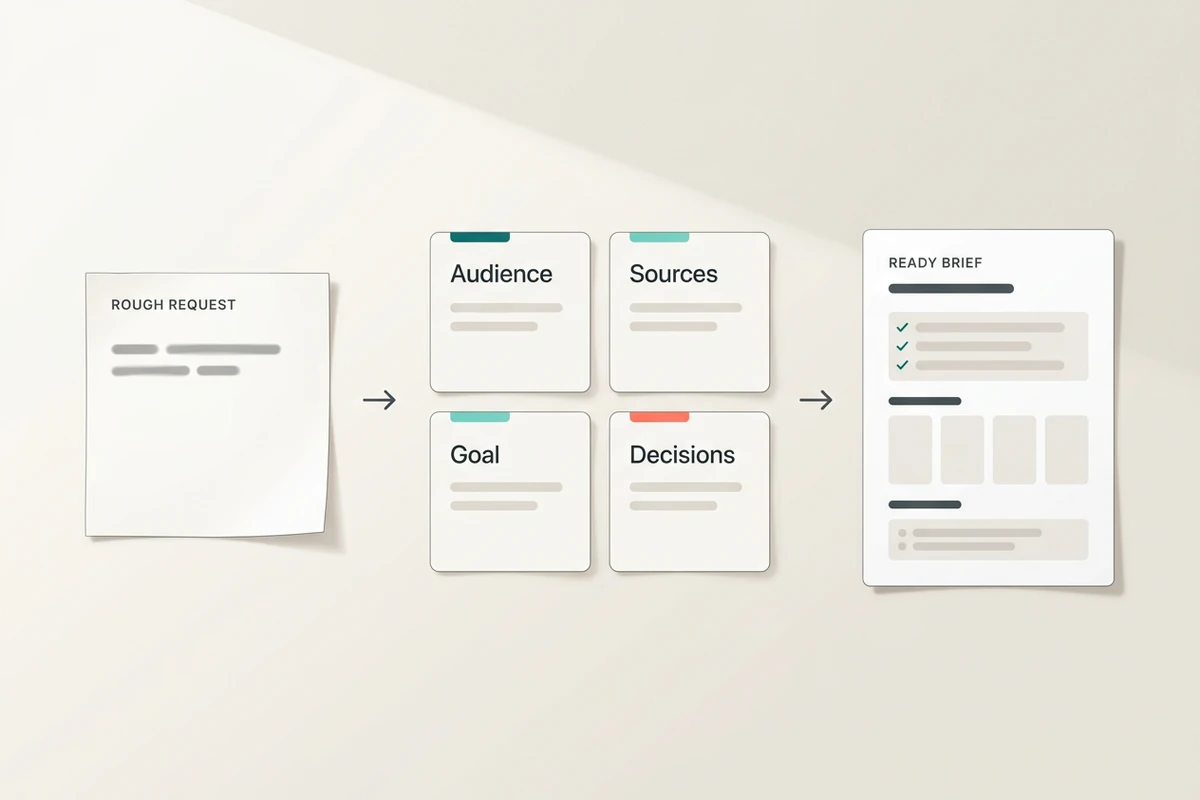
A rough request progresses through audience, sources, goal, and decisions cards into a ready brief.

Discover what the prompt is missing

Start with the request you actually have, even if it is incomplete. The AI prompt generator identifies the audience, source material, goal, decision context, and unknowns that could change the result. Bring in meeting evidence from the AI Note Taker, then keep verified statements separate from assumptions while the brief takes shape.
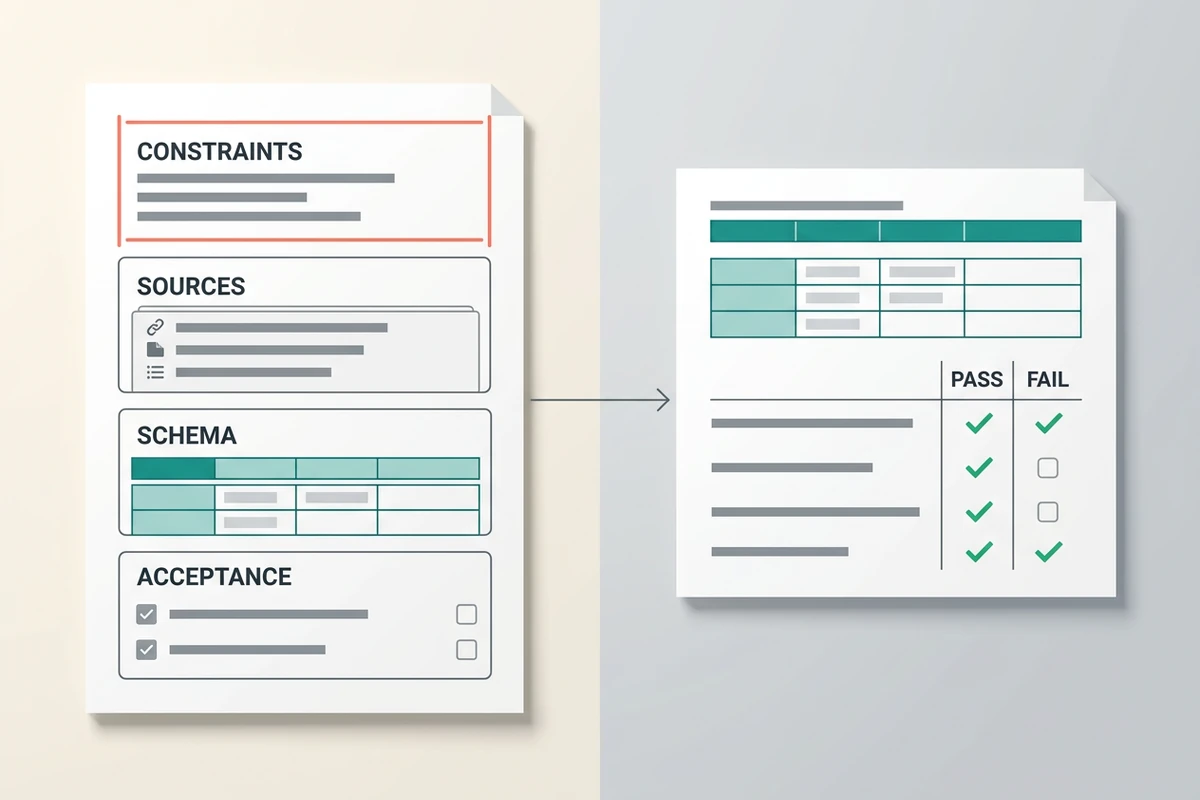
A structured prompt defines constraints, sources, schema, and acceptance checks beside a pass-fail validation table.

Turn intent into an output contract

Define what the model may use, what it must avoid, and exactly how the result should be organized. Add required fields, ordering, length, source boundaries, and measurable acceptance criteria. If the source pack is too long to inspect quickly, use the Text Summarizer first and carry the verified essentials into the prompt.

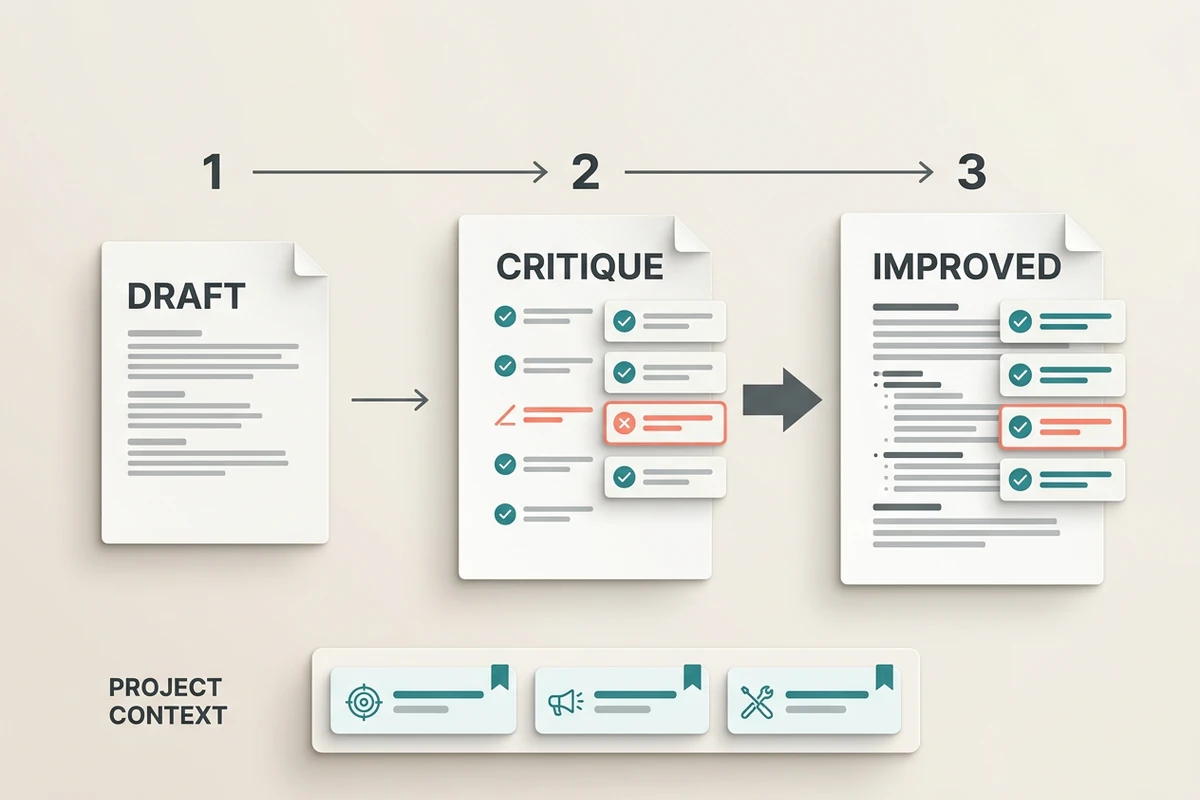
A three-stage flow moves from draft through critique to an improved prompt while project context remains pinned below.

Critique, refine, and reuse the prompt

A first draft is a testable starting point. Ask Ottermind to find ambiguous instructions, conflicting constraints, unsupported assumptions, and missing checks, then revise only the weak sections. Keep the approved prompt with its project context and adapt it for focused work such as the AI Paragraph Generator or a larger AI Landing Page Builder workflow.

How to use the AI prompt generator in 3 steps

Step 01

State the outcome and context

Name the work product, audience, decision it supports, available source material, and any project facts the model should preserve. A rough brief is enough to begin.

Step 02

Fill gaps and define the contract

Answer consequential questions or tell the generator how to label unknowns. Specify required fields, forbidden assumptions, length, tone, and what a complete result must contain.

Step 03

Critique and revise the draft

Review the generated prompt against the original goal. Tighten weak instructions, resolve contradictions, and keep the revision notes so the pattern is easier to reuse.

Why creators choose Ottermind

Project context stays attached

Keep source files, decisions, audience, and prior instructions available while the prompt takes shape.

Missing inputs become visible

Surface the unknowns that could materially change the answer before they become hidden assumptions.

Source boundaries are explicit

Tell the model which evidence it may use and how to label claims the material cannot support.

Revision has a target

Critique ambiguity, conflicts, and failed checks in focused passes instead of rewriting blindly.

Complex work gets sequenced

Break research, drafting, verification, and formatting into ordered steps with clear handoffs.

Prompts continue in Studio

Run and improve the approved prompt alongside the same project context and visible work history.

FAQ

What should I enter in the AI prompt generator?

Start with the task, intended audience, desired outcome, and source material you have. Add any known limits such as length, tone, deadline, required fields, or facts that must not change. You do not need a polished prompt; incomplete context can be turned into explicit follow-up questions.

Can it improve an existing AI prompt?

Yes. Paste the prompt and explain what went wrong in the last result. Ask for a critique of ambiguity, conflicting rules, missing context, weak output specifications, and acceptance criteria that cannot be tested. Keep useful instructions intact while revising the weak sections.

Does a more detailed prompt guarantee a better result?

No. More detail helps only when it is relevant, consistent, and testable. A long prompt can still contain contradictions or false assumptions. Review the generated prompt, test it on representative inputs, verify important claims against original sources, and revise when the result misses the stated criteria.

What is the difference between an output format and an output schema?

A format names the general presentation, such as a memo, table, or JSON object. A schema defines the required structure inside it: field names, types, allowed values, ordering, and rules for missing data. Use a schema when another person or system must consume the result consistently.

Should an AI prompt ask follow-up questions first?

Ask follow-up questions when missing information could materially change the output. For low-risk gaps, instruct the model to state a reasonable assumption and continue. For consequential gaps involving audience, source authority, constraints, or success criteria, require clarification before drafting.

How is this different from a prompt library or the Ottermind prompt guide?

A library provides reusable starting patterns, and the How to Write AI Prompts That Actually Work explains how strong prompts are structured. This generator turns your specific task and project context into a working prompt, then helps critique and refine it. Use that prompt for tasks such as the AI Email Generator, Study Guide Generator, or Essay Writer.

Discover more

What they say about Ottermind

Ottermind helped us turn a rough campaign brief into several strong visual directions without losing the original intent. We could compare different compositions, keep the references beside the work, and refine the strongest concept in one place. That made the entire review process feel faster and much more focused.

Maya Chen - Product Marketing Lead

More from the blog

Build a prompt you can test

Bring the task, project context, and constraints you already know. Generate a structured prompt, expose the missing inputs, and refine it against explicit acceptance criteria in Ottermind.

Generate prompt


