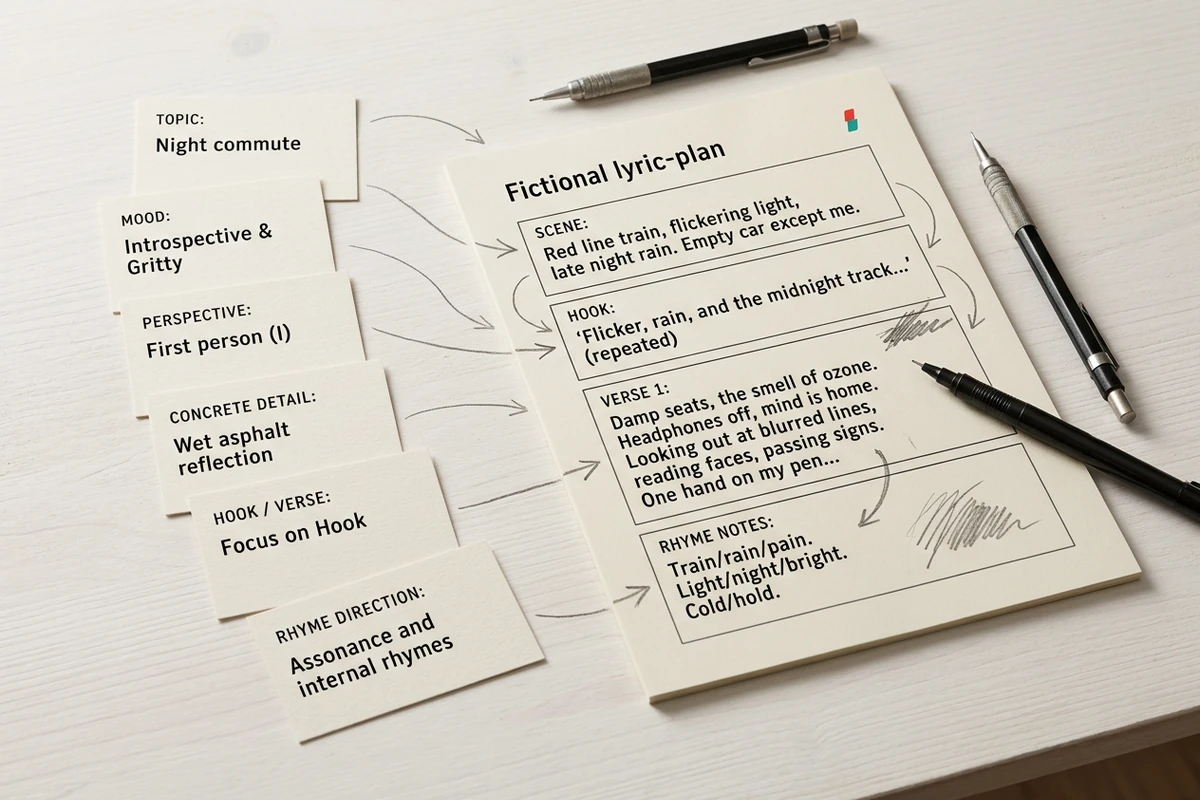
Start with a scene, not a label
Replace a broad topic with a place, tension, perspective, and concrete detail. Add the section and rhyme direction you need. For more input patterns, learn how to How to Write AI Prompts That Actually Work.
Turn a specific scene, mood, and rhyme direction into editable hooks or verses, then refine weak bars through focused follow-up prompts.












Replace a broad topic with a place, tension, perspective, and concrete detail. Add the section and rhyme direction you need. For more input patterns, learn how to How to Write AI Prompts That Actually Work.
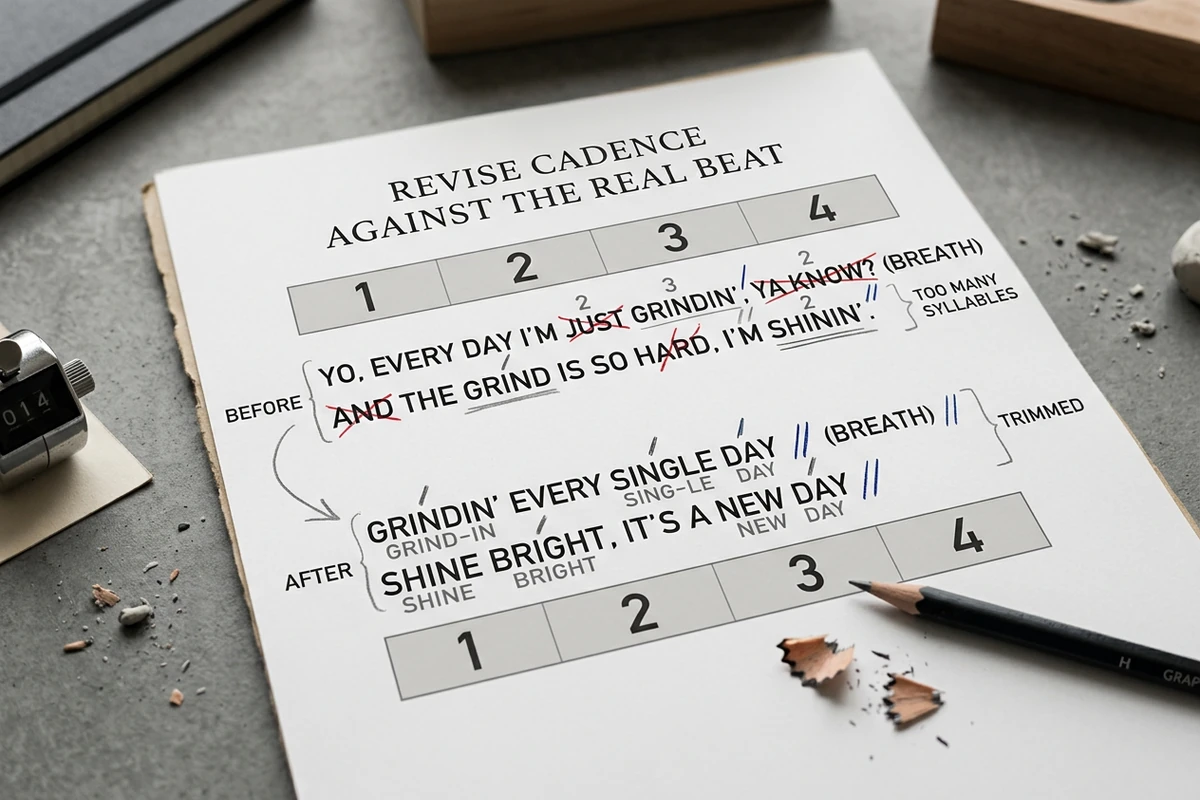
Rap the draft over your instrumental, mark stressed syllables and breaths, then shorten crowded bars or expand empty ones. Cadence notes guide revision; only rehearsal confirms the pocket. Use the Sentence Rewriter for extra line options.
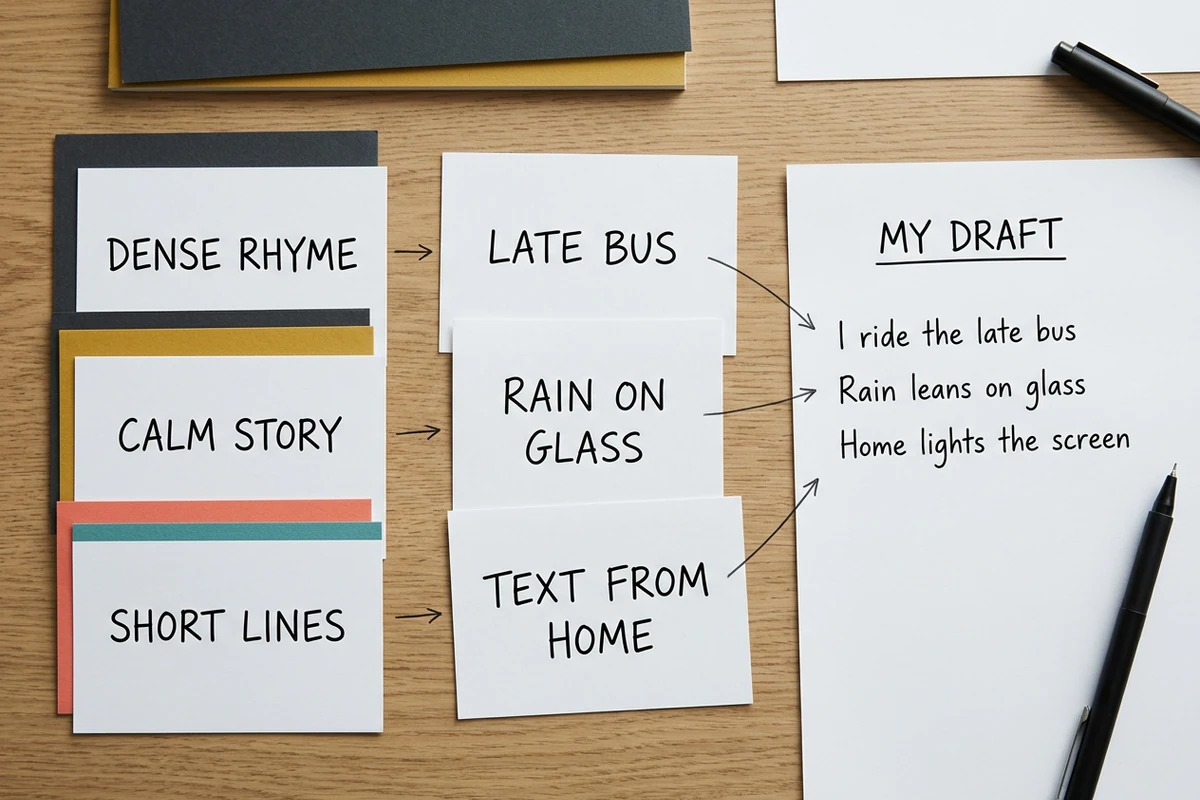
Describe craft traits instead of naming a living artist: dense internal rhyme, conversational storytelling, or short punchlines. Add details only you know, keep the strongest lines, and Slogan Generator without copying someone else's voice.
Step 01
Start with a moment, not one abstract word. Name what changed, who is speaking, and two details the listener can picture before requesting lyrics.
Step 02
Specify the section, approximate length, rhyme scheme, and delivery traits in plain language. The result becomes a deliberate draft instead of disconnected rhyming lines.
Step 03
Perform the bars over your beat, identify exactly where the rhythm breaks, and request a focused rewrite. Keep the versions that preserve meaning and feel natural aloud.
Project context can keep your scene, structure, exclusions, and feedback together across revision rounds.
Bring notes or AI Paragraph Generator before condensing it into bars.
Ask agents to preserve strong bars while changing only rhyme, length, imagery, or cadence notes.
Compare alternate hooks, rhyme patterns, or emotional turns before committing to one complete draft.
Ongoing collaboration can adapt to the formats, patterns, and feedback you choose to retain.
Review each draft and instruction, then decide which lines move into your own working document.
No. This page is for written hooks, verses, rhyme direction, and revision notes. Bring the resulting draft to your own instrumental and recording workflow; the composer does not promise beat analysis, vocal synthesis, or finished music.
Include a specific scene, the speaker's perspective, mood, emotional turn, section, approximate bar count, rhyme scheme, concrete phrases, and any exclusions. If the brief is still thin, Bio Generator without referencing a living artist.
Yes. Name the exact section in your prompt and describe its job: a repeatable four-line hook, a narrative 16-bar verse, or a song outline. Separate requests make it easier to compare options and revise one section without disturbing another.
Rap them over the actual instrumental. Mark stressed syllables, pauses, and breaths; shorten phrases that rush and expand lines that leave unwanted space. Then ask for a targeted rewrite of only the bars that break the pocket.
Do not ask it to imitate a living artist. Describe the craft choices you want instead, such as conversational storytelling, dense internal rhymes, clipped lines, or melodic vowel sounds. Add personal details so the revision moves toward your voice.
Ottermind does not make a copyright, originality, or clearance promise for a generated draft. Revise substantially, compare questionable lines against existing work, and check the requirements that apply to your release. You can separately Book Title Generator.
Bring a topic, mood, structure, and rhyme direction. Draft the hook or verse, test it over your beat, and keep refining the weak bars.
Draft Rap Lyrics


