






Sentence Rewriter for Clearer Wording Without Changing Meaning

Paste one sentence, name its audience and tone, and lock the facts or terms that every rewritten version must preserve.

AI writing
Claude
GitHub
Google
Linear
Microsoft
Monday
Netlify
Notion
OpenAI
Sentry
Slack
Stripe
Supabase
Claude
GitHub
Google
Linear
Microsoft
Monday
Netlify
Notion
OpenAI
Sentry
Slack
Stripe
Supabase
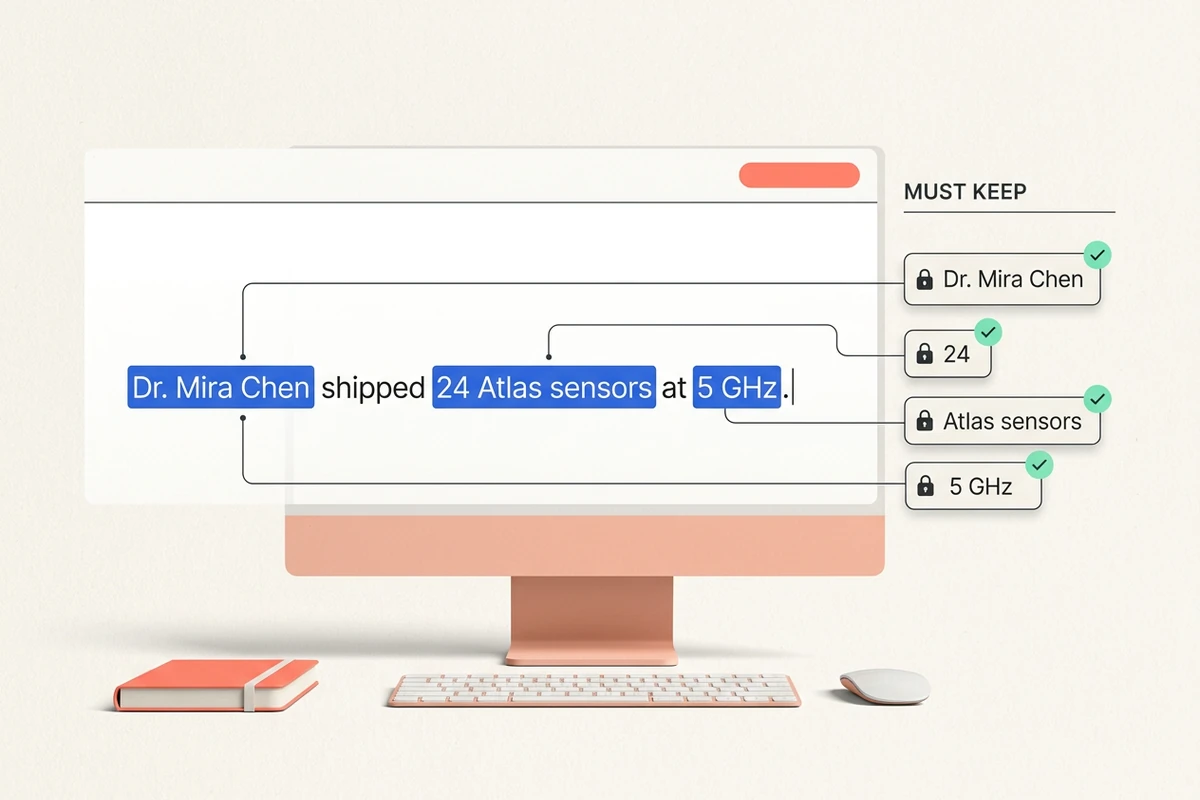
Source sentence with locked checks preserving a name, number, product term, and technical frequency.

Lock meaning before wording

Mark names, numbers, promises, and technical terms as must-keep items before the Sentence Rewriter changes the phrasing. This constraint-first brief guards the details that a plausible synonym can quietly distort. If the source is longer than one sentence, first isolate the relevant point with the Text Summarizer.
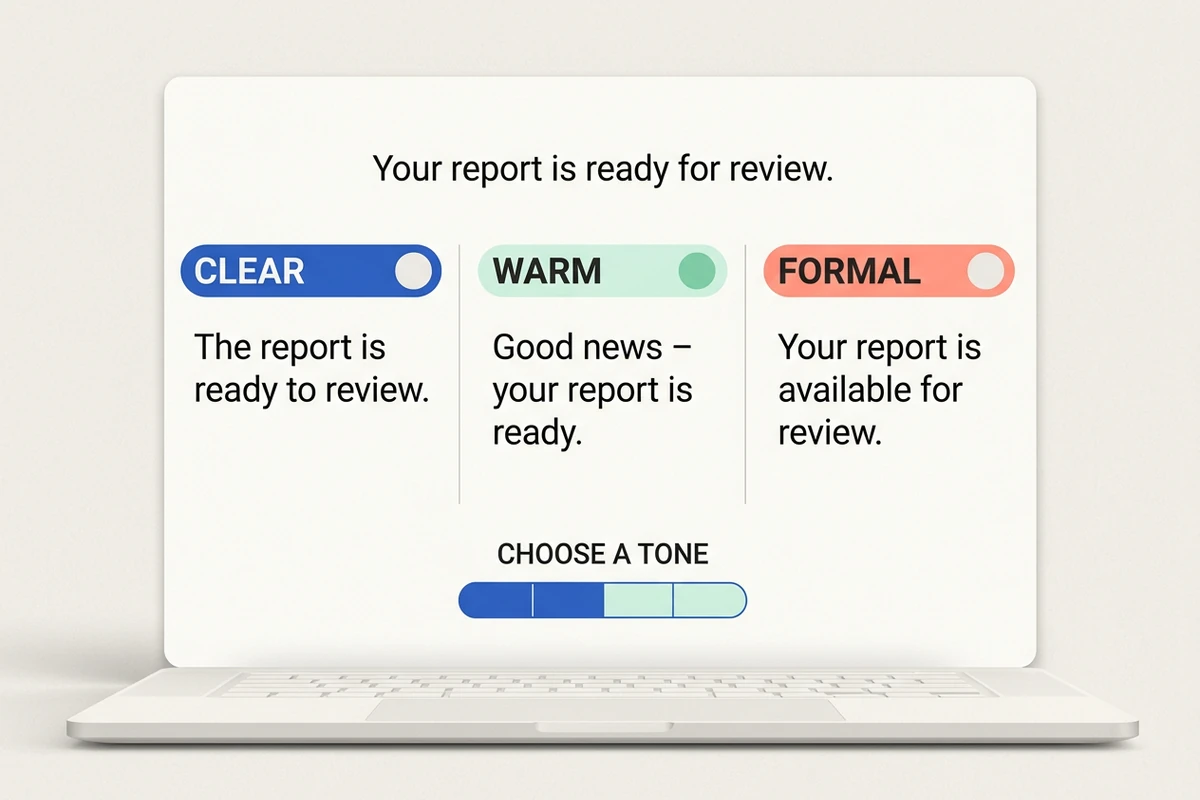
One sentence shown in clear, warm, and formal tone options with a deliberate tone selector.

Choose a reader and tone

Tell the Sentence Rewriter who will read the line and whether it should sound clear, warm, or formal. Those decisions control emphasis and cadence instead of triggering random synonym swaps. When the sentence belongs in a full message, continue with the AI Email Generator.

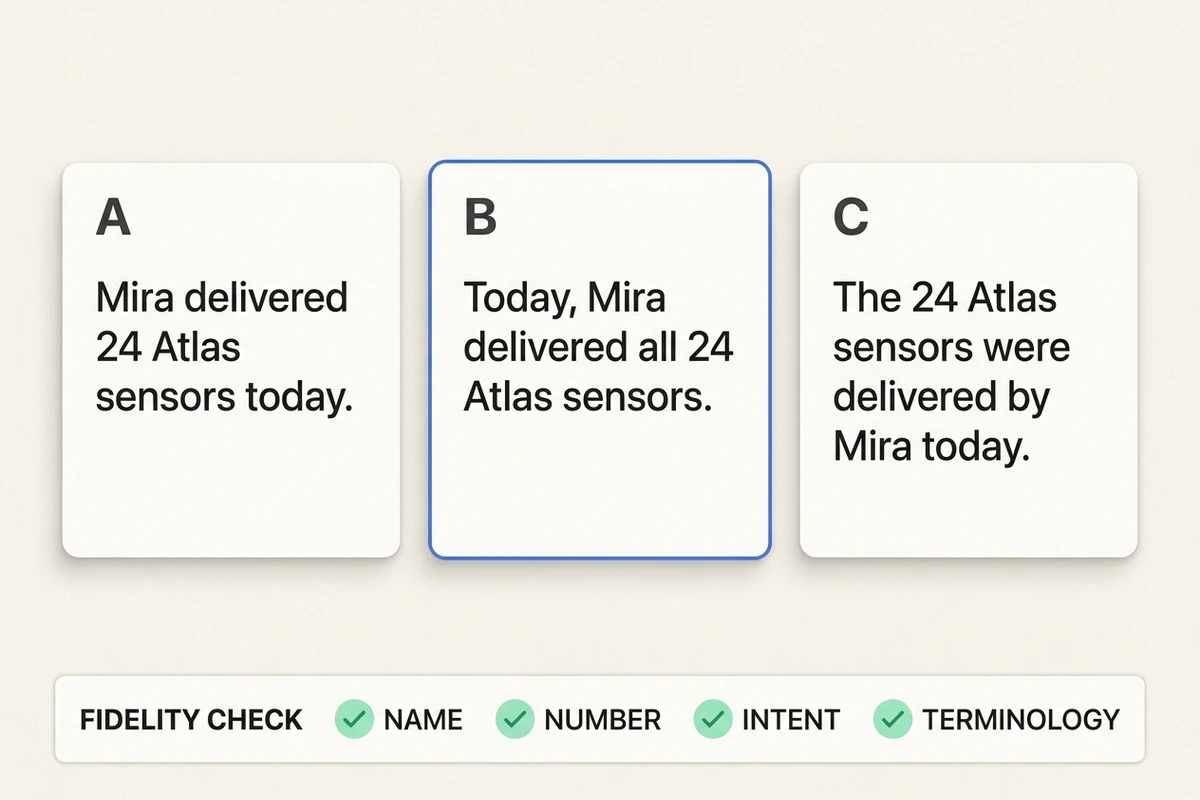
Three sentence rewrite candidates beside checks for name, number, intent, and terminology fidelity.

Compare versions with a fidelity check

Ask for three labeled candidates, then require a compact check for name, number, intent, and terminology fidelity. The comparison makes tradeoffs visible before you select a rewritten sentence. For better constraint wording, use the practical patterns in How to Write AI Prompts That Actually Work.

How to use this Sentence Rewriter

Step 01

Set the invariants

Paste one source sentence, identify the audience, and list the names, numbers, intent, or specialist terms that must remain unchanged.

Step 02

Request distinct options

Choose useful tone directions and ask the Sentence Rewriter for comparable candidates built from the same protected meaning.

Step 03

Run the fidelity check

Compare each candidate with the source, reject any semantic drift, then select the sentence whose tone fits the reader without weakening the facts.

Why creators choose Ottermind

Constraints before synonyms

The Sentence Rewriter starts from protected meaning, not a list of words to replace.

Audience-aware choices

Reader and tone instructions give every version a deliberate communication job.

Comparable candidates

Multiple labeled directions reveal tradeoffs that a single opaque rewrite hides.

A visible review loop

A four-part fidelity check makes possible drift explicit before you use the sentence.

Focused short-form scope

For a headline rather than a complete sentence, switch to the Slogan Generator.

Context for later edits

Keep the chosen version and its constraints together in Ottermind when another revision follows.

FAQ

What does a Sentence Rewriter change?

A Sentence Rewriter changes wording, structure, emphasis, and tone while keeping the source meaning. State the intended audience and protect any names, numbers, commitments, or technical terms. The output should be a faithful alternative, not a bag of substituted synonyms.

How do I stop a rewrite from changing technical meaning?

List specialist terms as must-keep, explain the sentence's intent, and request a fidelity check after the alternatives. Compare every candidate with the source. If a term has a narrower meaning than its common synonym, reject the changed version rather than polishing around the error.

Which tone should I choose?

Choose from the reader's relationship to you and the action the sentence must support. Clear suits instructions, warm suits relationship-sensitive notes, and formal suits official contexts. For a complete subject line and message, move the selected direction into the AI Email Generator.

Can I rewrite a paragraph or essay here?

Keep this workflow to one sentence at a time so its meaning can be checked precisely. Condense a long source with the Text Summarizer, or create and revise long-form academic structure with the Essay Writer. This page does not expand into article writing.

Will every version keep the original meaning perfectly?

No automated rewrite deserves that assumption. Review names, numbers, intent, and terminology against the source before using a candidate. The Sentence Rewriter makes that review concrete, but you remain responsible for the final wording, especially in technical, legal, medical, or contractual sentences.

Where can I use the rewritten sentence next?

Use the approved version wherever its audience and tone fit. Place a campaign line in the AI Social Media Post Generator, or carry an application sentence into the Cover Letter Generator. Keep the source and fidelity notes attached for later edits.

Discover more

What they say about Ottermind

Ottermind helped us turn a rough campaign brief into several strong visual directions without losing the original intent. We could compare different compositions, keep the references beside the work, and refine the strongest concept in one place. That made the entire review process feel faster and much more focused.

Maya Chen - Product Marketing Lead

More from the blog

Rewrite one sentence with its meaning intact

Bring the source, audience, tone, and must-keep details. Use the Sentence Rewriter to compare distinct alternatives, check fidelity, and choose the version that fits.

Rewrite sentence


