






Incident Report Template Generator for Structured Workplace Reports

Brief incident type, location, people, and timeline. Generate a structured report with facts, impact, and follow-ups—then cut vague HR policy language.

AI writing
Claude
GitHub
Google
Linear
Microsoft
Monday
Netlify
Notion
OpenAI
Sentry
Slack
Stripe
Supabase
Claude
GitHub
Google
Linear
Microsoft
Monday
Netlify
Notion
OpenAI
Sentry
Slack
Stripe
Supabase
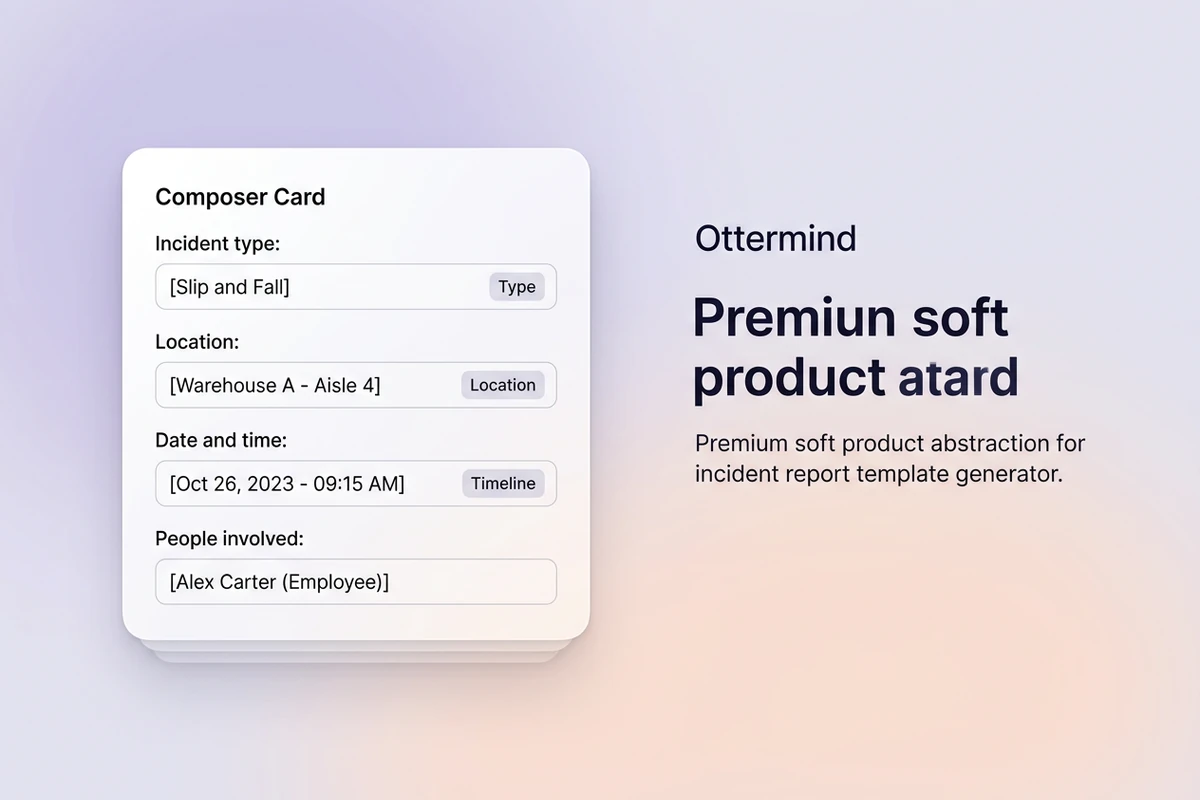
Asymmetric soft composer with incident type, location, and timeline fields beside Type, Location, and Timeline chips.

Brief the incident and the timeline

Start this incident report template generator with incident type, location, date and time, people involved, and what happened in order. Empty “write an incident report” prompts return generic HR policy paragraphs investigators cannot use. For role clarity before you draft, use the Job Description Generator.
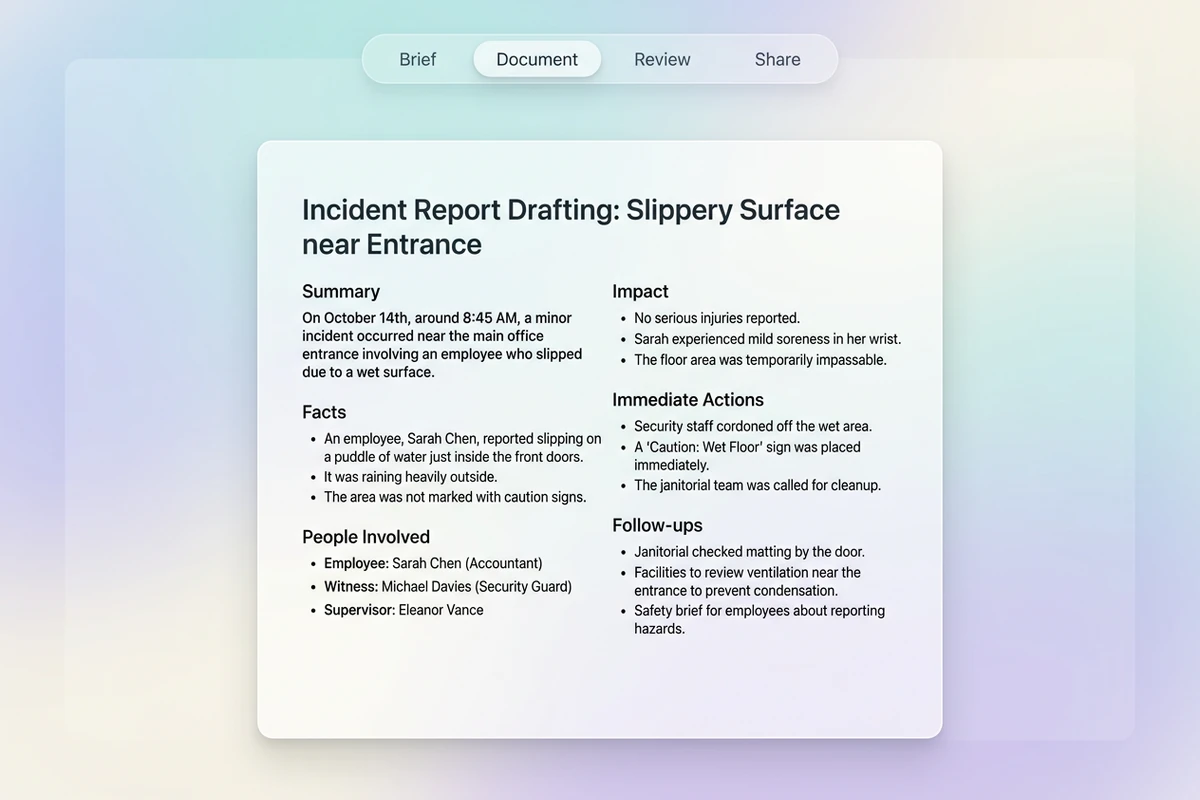
Soft workspace with Brief–Document–Review–Share beat strip and a structured incident report with Facts, Impact, and Actions sections.

Generate facts, impact, and action sections

Ask for Summary, Facts, People Involved, Impact, Immediate Actions, and Follow-ups with owners where known. Prefer observable facts over blame language. Sharper revision prompts follow How to Write AI Prompts That Actually Work.

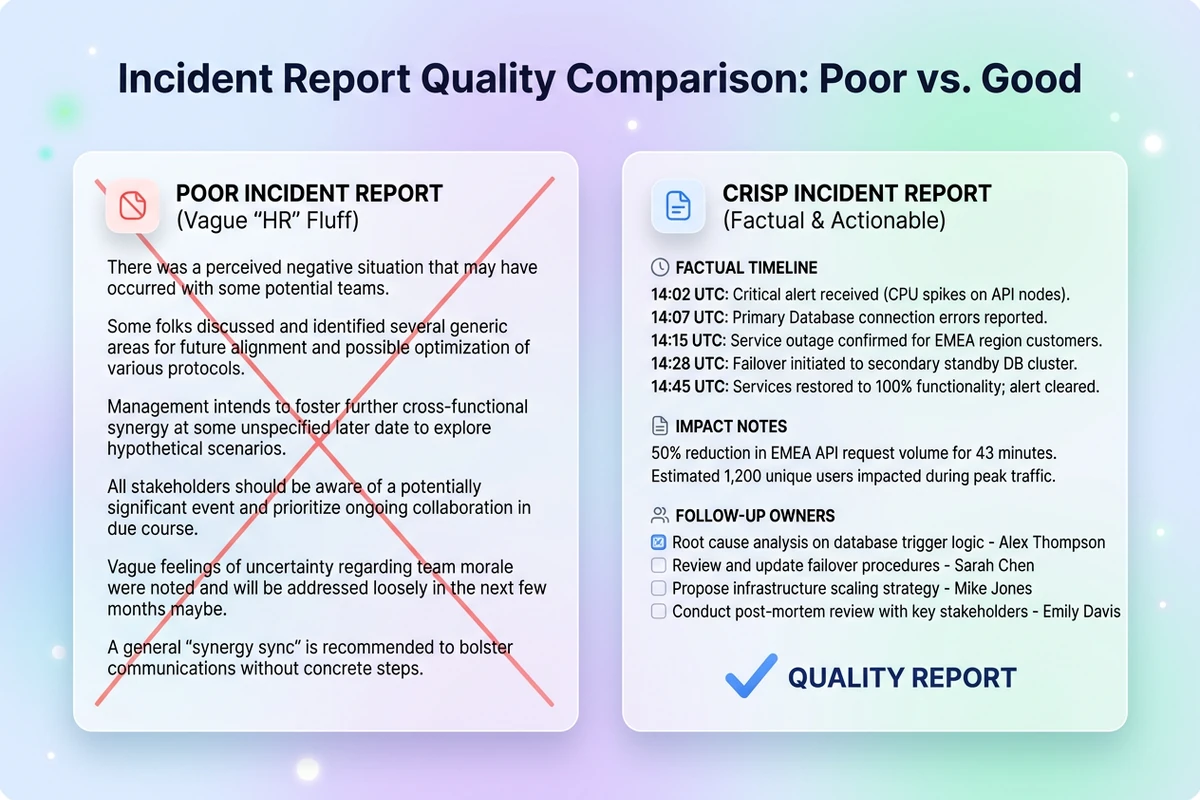
Split soft cards comparing struck-through vague HR policy fluff with a structured incident report showing facts, impact, and follow-ups.

Cut HR fluff and missing follow-ups

Remove “ensure compliance,” passive voice, and sections with no owner or date. Add witness notes and escalation triggers. After the report is locked, continue with the Meeting Minutes Generator for review meetings or the SOP Generator to update prevention steps.

What you can do with Ottermind

Document a workplace injury

Record the timeline, people involved, observed conditions, immediate response, and follow-up owners without assigning unsupported blame.

Report an IT outage

Organize affected systems, customer impact, detection, mitigation, recovery, and unresolved technical questions.

Capture a security event

Separate confirmed facts from assumptions, preserve evidence references, and document containment and escalation steps.

Review a customer service failure

Describe what the customer experienced, the policy or process involved, corrective action, and the owner of each follow-up.

How to use this incident report template generator

Step 01

Lock the incident brief

Name type, location, time, people, and sequence. Refuse prompts with no timeline or missing parties.

Step 02

Generate the first draft

Produce a structure an investigator or manager can file—not a policy essay.

Step 03

Run a factual review pass

Ship a report you would submit to HR or safety, then update when new facts arrive.

Why creators choose Ottermind

Facts before policy essays

Brief the incident so this incident report template generator does not open with unreadable compliance language.

Investigation context retained

Keep prior incidents, witnesses, and approved wording organized while you refine the same case file.

Focused revision passes

Ask separately to tighten facts, add follow-up owners, or separate assumptions without discarding the brief.

Compare report variants

Generate internal vs external-facing versions against the same timeline before you choose.

Handoff to operations docs

Turn prevention steps into SOPs with the SOP Generator.

Continue in Studio

Take the accepted incident report into Studio with the original brief still attached for final polish.

Frequently asked questions

What is an incident report template generator?

An incident report template generator turns an incident brief into a structured report with facts, people involved, impact, immediate actions, and follow-ups. In Ottermind, you supply the timeline and parties, generate with collaborating agents, then revise for clarity. It does not invent witnesses, injuries, or legal conclusions you did not describe.

What should I include in the prompt?

Include incident type, location, date and time, people involved, and a chronological sequence of events. Vague “create an incident report” prompts usually return generic HR policy text.

How is an incident report different from an HR policy?

A policy states what must be true organization-wide; an incident report documents what happened in one event with accountable next steps. This generator targets factual sections, not broad compliance language alone.

Should every follow-up name an owner?

Yes when accountability matters. If a follow-up has no owner or date, it will stall. Instruct the draft to flag gaps instead of leaving passive voice.

Can this invent legal or medical conclusions?

It should not. Use only supplied facts and ask the draft to mark missing medical, legal, or safety requirements for human review. You remain responsible for every statement that ships.

What should I create after the incident report?

Lock the facts, then capture review decisions with the Meeting Minutes Generator or update prevention steps with the SOP Generator.

Discover more

More from the blog

Draft incident reports with accountable facts

Bring the type, location, people, and timeline. Generate a structured incident report with this template generator, revise carefully, and keep the brief connected in Ottermind.

Write incident report


