






FAQ Generator for Specific, Helpful Q&A

Brief the product, audience, and objections. Generate specific FAQ pairs shoppers or users actually ask, then revise until empty marketing fluff is gone.

AI writing
Claude
GitHub
Google
Linear
Microsoft
Monday
Netlify
Notion
OpenAI
Sentry
Slack
Stripe
Supabase
Claude
GitHub
Google
Linear
Microsoft
Monday
Netlify
Notion
OpenAI
Sentry
Slack
Stripe
Supabase
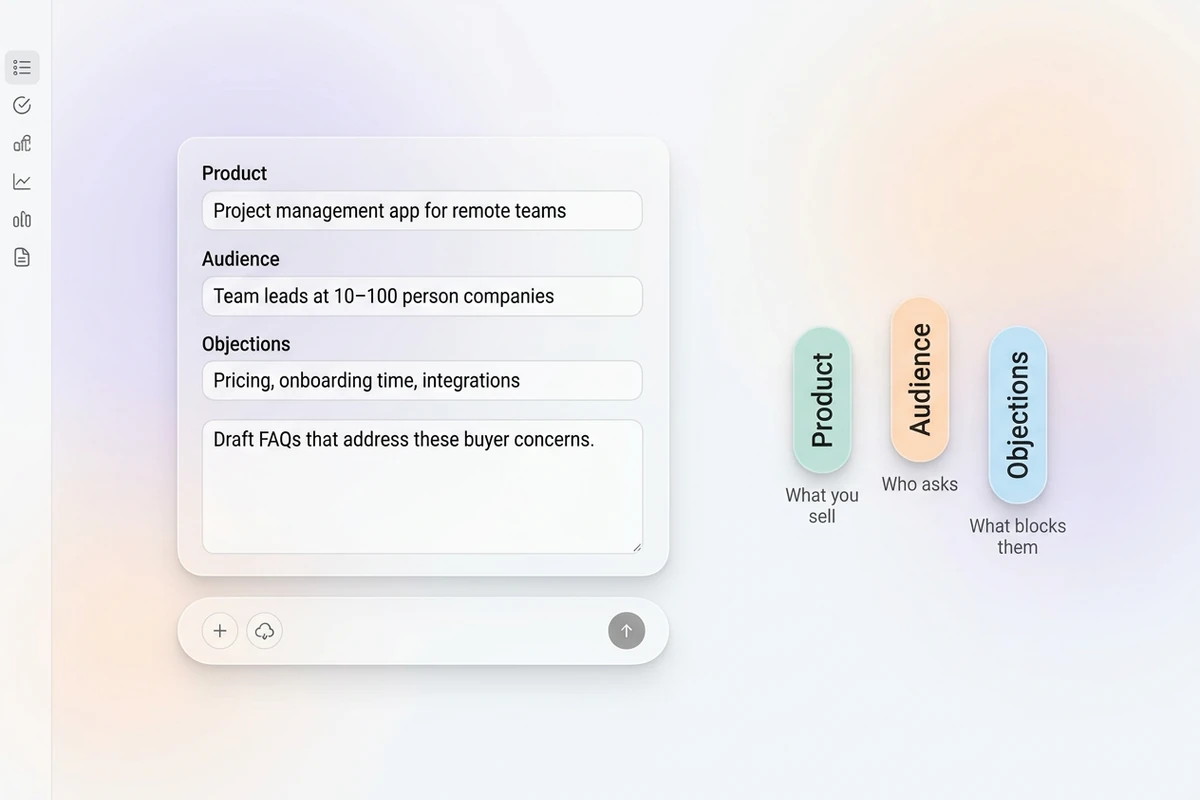
Asymmetric soft composer with product, audience, and objections fields beside Product, Audience, and Objections chips.

Brief the product and the objections

Start this FAQ generator with what you sell, who asks, and the doubts that block a purchase or signup. Vague “write FAQs” prompts return empty marketing copy. For listing body copy after objections are clear, use the Product Description Generator.
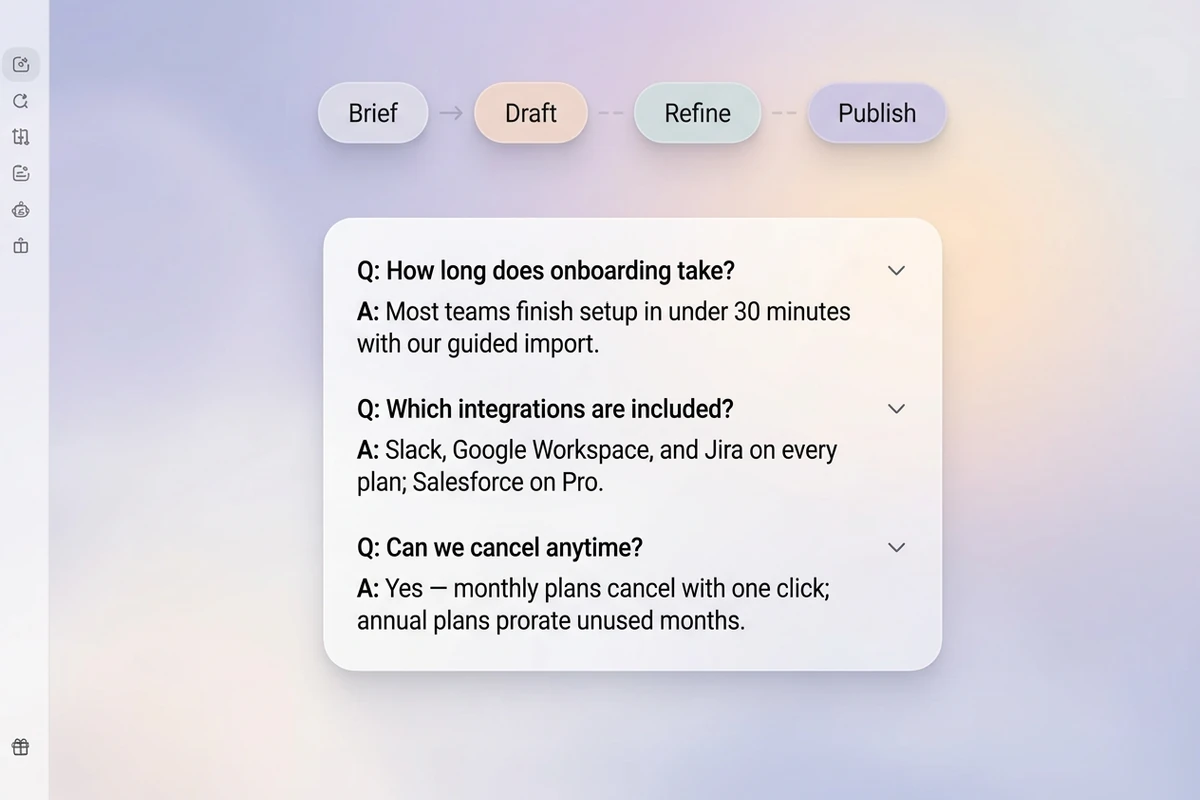
Soft workspace with Brief–Draft–Refine–Publish beat strip and a three-pair FAQ list draft.

Generate scannable Q&A pairs

Ask for real questions in the buyer’s words and short, specific answers. Group by theme when helpful. Sharper revision prompts follow How to Write AI Prompts That Actually Work.

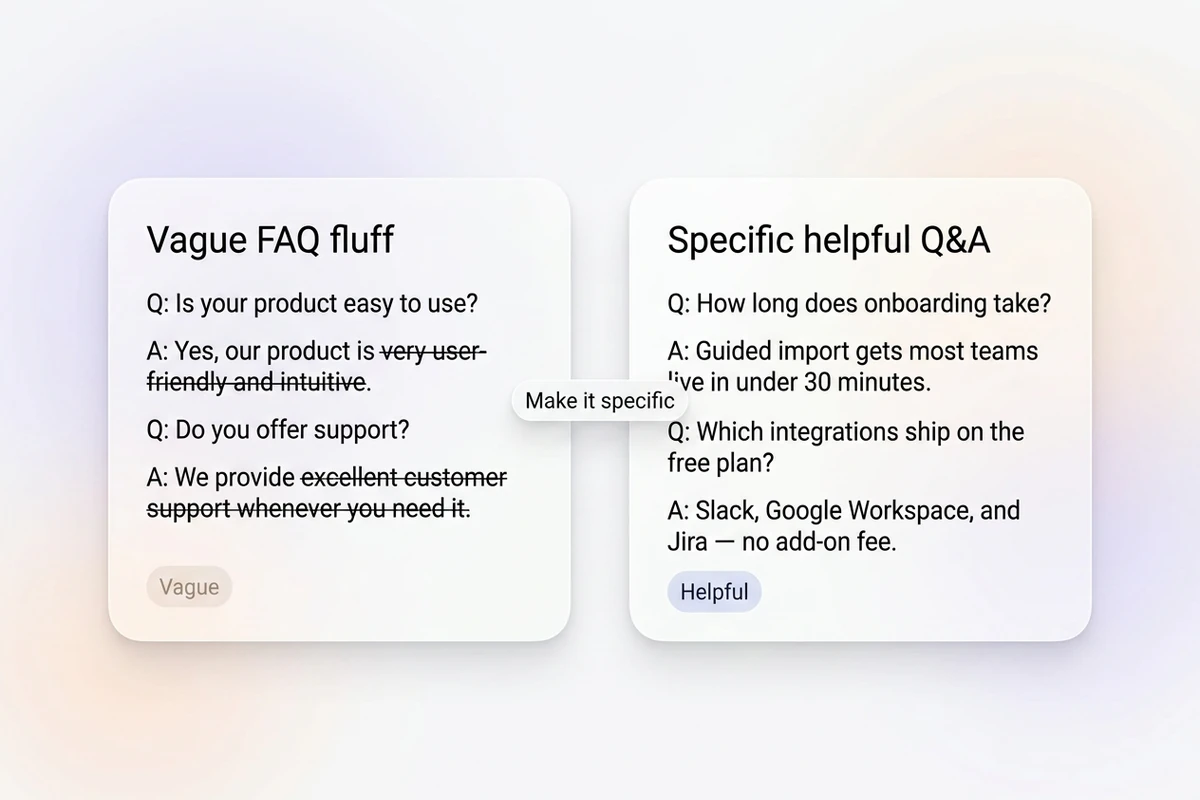
Split soft cards comparing struck-through vague FAQ fluff with specific helpful Q&A pairs.

Cut fluff, keep answers you can defend

Remove “world-class,” “best ever,” and answers that dodge the question. Flag missing policy details instead of inventing them. After you lock FAQs, continue with the Meta Description Generator or the Headline Generator.

What you can do with Ottermind

Answer product buying questions

Create direct answers about fit, setup, compatibility, shipping, returns, and limitations using verified product information.

Build a support FAQ

Turn recurring tickets into troubleshooting answers with clear steps, escalation points, and links to deeper documentation.

Prepare guests for an event

Cover schedules, access, travel, dress, registration, accessibility, and contact details in a scannable format.

Explain an internal policy

Translate policy language into practical employee questions while preserving exceptions, ownership, and official requirements.

How to use this FAQ generator

Step 01

Lock the FAQ brief

List product, audience, channel, and known objections. Refuse empty “SEO FAQ” prompts without real questions.

Step 02

Generate the first set

Produce a scannable list so support and marketing can edit the same draft.

Step 03

Run a clarity and honesty pass

Ship only answers you can stand behind on the page, then add schema or help-center formatting as needed.

Why creators choose Ottermind

Objections before filler questions

Brief real doubts so this FAQ generator does not open with “What is [brand]?” fluff nobody asks.

Project context retained

Keep prior products, audiences, and approved answers organized while you refine the same FAQ set.

Focused revision passes

Ask separately for shorter answers, fewer adjectives, or tighter pricing FAQs without discarding the brief.

Compare FAQ angles

Generate buyer-objection and SEO-question sets against the same product before you choose.

Continue in Studio

Take the accepted FAQ set into Studio with the original product brief still attached for final polish.

Frequently asked questions

What is an FAQ generator?

An FAQ generator turns a product brief into question-and-answer pairs for pages, help centers, or launches. In Ottermind, you supply audience and objections, generate with collaborating agents, then revise for specificity. It does not invent policies, pricing, or legal answers.

What should I include in the prompt?

Include product, audience, channel, and known objections or support themes. Vague “write SEO FAQs” prompts usually return filler nobody searches.

How many FAQs should I publish?

Start with the objections that block action—often 8 to 12. Add more only when real questions keep appearing in support or sales.

Should FAQs invent pricing or guarantees?

No. Instruct the draft to use only supplied facts and to flag gaps. You remain responsible for every claim that ships.

Can FAQs help SEO?

They can when questions match real search intent and answers are unique. Stuffing keyword-only questions without helpful answers usually fails users and search engines.

What should I create after the FAQs?

Lock the set, then align page copy with the Product Description Generator or a SERP snippet with the Meta Description Generator.

Discover more

More from the blog

Draft FAQs that answer real objections

Bring the product, audience, and doubts. Generate specific Q&A pairs with this FAQ generator, revise carefully, and keep the brief connected in Ottermind.

Write FAQs


