






Meta Description Generator for Clear SERP Snippets

Brief the page topic, search intent, and one concrete benefit. Generate unique meta descriptions sized for SERP snippets, then revise until stuffing and filler are gone.

AI writing
Claude
GitHub
Google
Linear
Microsoft
Monday
Netlify
Notion
OpenAI
Sentry
Slack
Stripe
Supabase
Claude
GitHub
Google
Linear
Microsoft
Monday
Netlify
Notion
OpenAI
Sentry
Slack
Stripe
Supabase
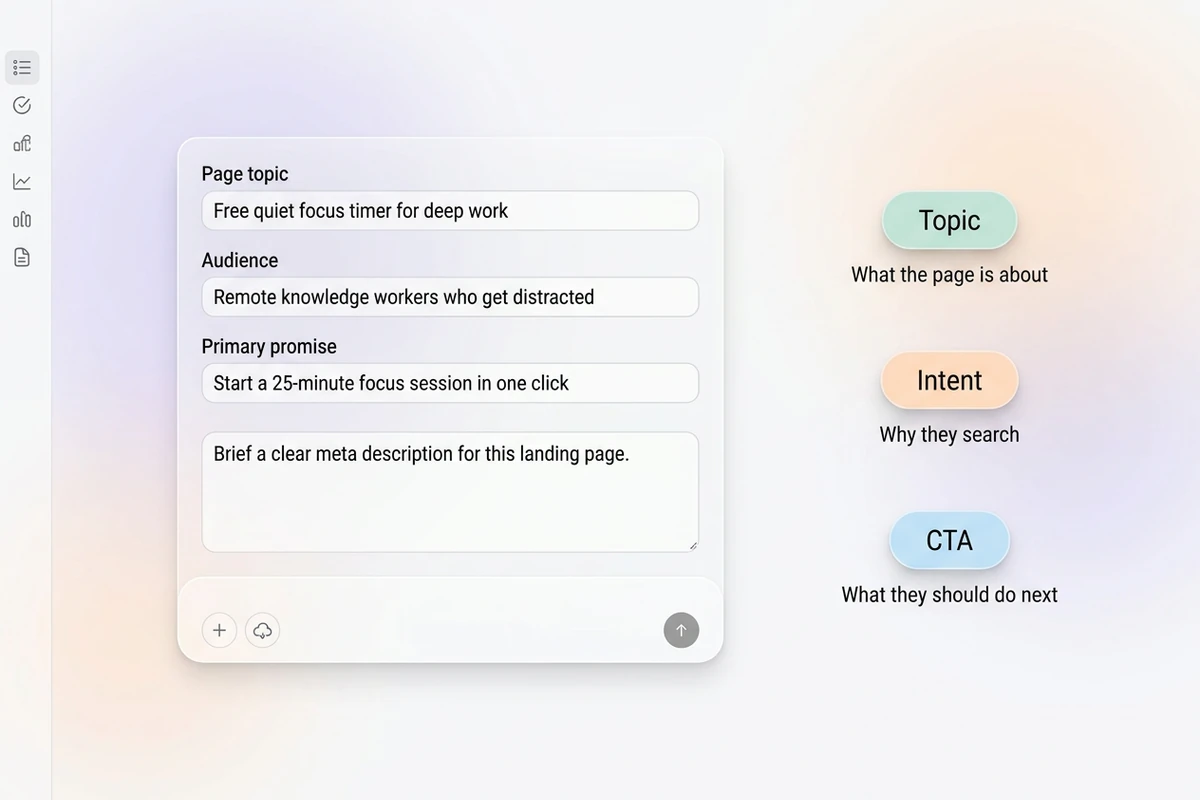
Asymmetric soft composer with page topic, audience, and primary promise beside Topic, Intent, and CTA chips.

Brief the query and the click reason

Start this meta description generator with the page topic, what the searcher wants, and one specific outcome. Vague “write SEO meta tags” prompts return stuffed filler Google often rewrites. For a page H1 after the promise is clear, use the Headline Generator.
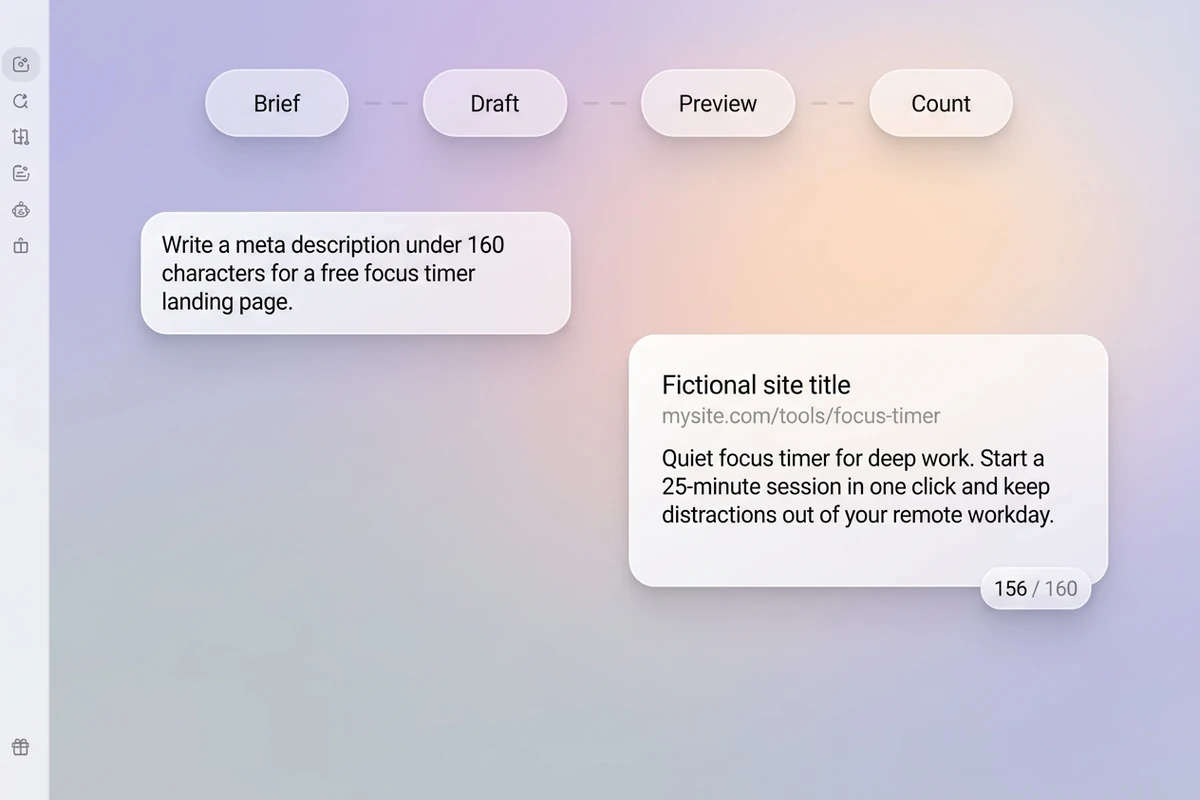
Soft workspace with Brief–Draft–Preview–Count beat strip and an unbranded SERP-style snippet near 156 of 160 characters.

Size for the snippet, not a word count goal

Ask for about 140–155 characters, with the strongest value in the first 120 so mobile truncation still makes sense. Keep one primary keyword natural. Sharper revision prompts follow How to Write AI Prompts That Actually Work.

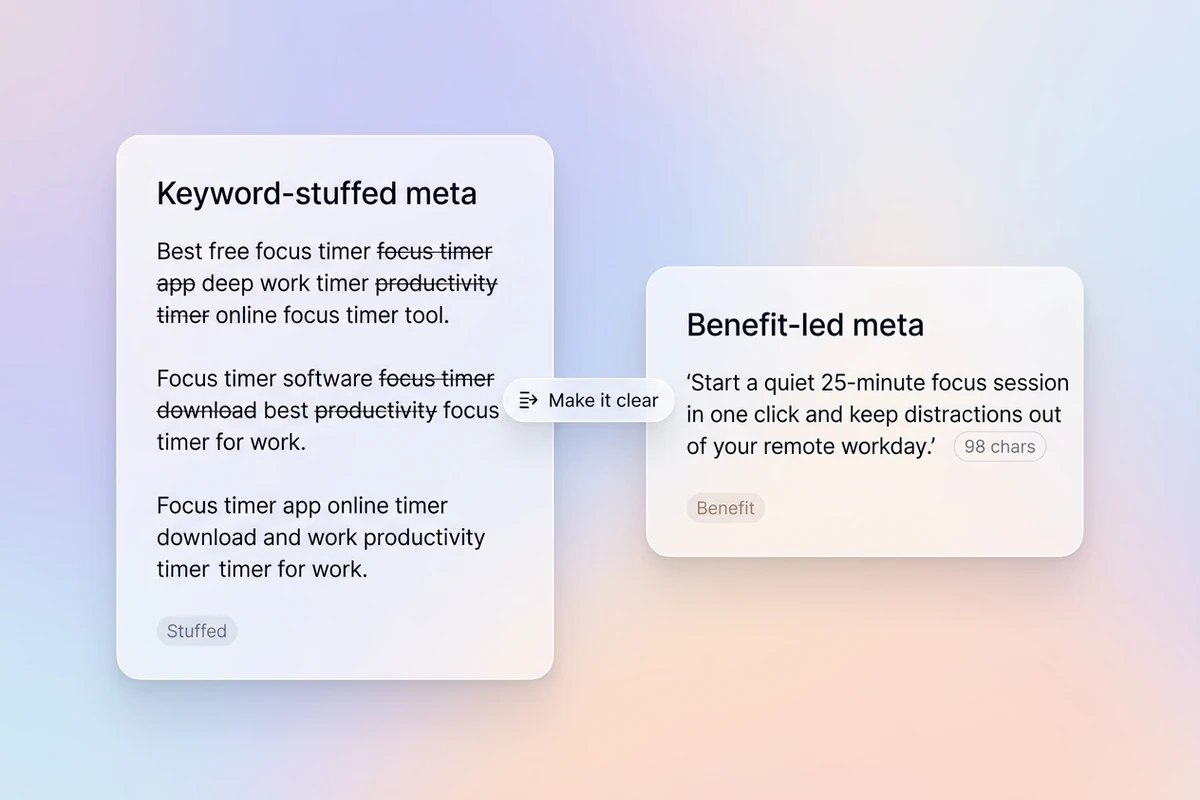
Split soft cards comparing struck-through keyword-stuffed meta with a clear benefit-led meta under 160 characters.

Cut stuffing, keep the promise unique

Remove keyword repeats, “ultimate guide” filler, and metas that only echo the title. Every URL needs its own line. After you lock the snippet, continue with the Product Description Generator or the Headline Generator.

How to use this meta description generator

Step 01

Lock the page brief

List topic, primary query intent, one concrete benefit, and any soft CTA. Refuse empty “optimize for SEO” prompts without facts.

Step 02

Generate the first set

Produce short options you can compare in a SERP-style preview before you pick a winner.

Step 03

Run a CTR and uniqueness pass

Keep only a line that matches the page and still reads clearly if the tail is cut on mobile.

Why creators choose Ottermind

Intent before keyword lists

Brief what the searcher wants so this meta description generator does not open with stuffed synonym strings.

Project context retained

Keep prior URLs, queries, and winning snippets organized while you refine the same site section.

Focused revision passes

Ask separately for a shorter mobile-safe line, fewer adjectives, or a softer CTA without discarding the brief.

Compare snippet variants

Generate benefit-first and query-answer variants against the same page before you choose.

Campaign writing continuity

Align the page H1 with the Headline Generator after the snippet promise is locked.

Continue in Studio

Take the accepted meta set into Studio with the original page brief still attached for final polish.

FAQ

What is a meta description generator?

A meta description generator turns a page brief into the short HTML summary search engines may show under your title. In Ottermind, you supply intent and benefit, generate with collaborating agents, then revise for length and uniqueness. It does not guarantee rankings or that Google will use your text.

What should I include in the prompt?

Include page topic, primary search intent, one concrete benefit or differentiator, and a soft CTA if needed. Vague “write meta descriptions for SEO” prompts usually return stuffed filler.

How long should a meta description be?

Target about 140–155 characters, and put the strongest value in the first 120 for mobile. Length is a ceiling, not a goal—clarity beats padding.

Do meta descriptions affect rankings?

They are not a direct ranking factor. They can influence click-through when shown. Google may rewrite snippets, so match the page and keep claims honest.

Should every page have a unique meta description?

Yes. Duplicated metas across URLs waste the snippet opportunity. Instruct the draft to write unique copy per page and flag gaps instead of inventing benefits.

What should I create after the meta description?

Lock the snippet, then align the page H1 with the Headline Generator. For listing body copy, use the Product Description Generator.

Discover more

What they say about Ottermind

Ottermind helped us turn a rough campaign brief into several strong visual directions without losing the original intent. We could compare different compositions, keep the references beside the work, and refine the strongest concept in one place. That made the entire review process feel faster and much more focused.

Maya Chen - Product Marketing Lead

More from the blog

Draft meta descriptions that earn the click

Bring the topic, intent, and benefit. Generate unique, snippet-sized meta descriptions with this meta description generator, revise carefully, and keep the brief connected in Ottermind.

Write meta descriptions


