Photo to Video AI Free

Animate a photo online with a 7-day free trial, 100 signup credits, 30 daily credits, and watermark-free video output.

Fashion Motion
Action Portrait
Fantasy Scene
Surreal Chase
Beauty Close-up
Product Fantasy
Blueprint Build
Bungee Motion
Night Chase
Claude
GitHub
Google
Linear
Microsoft
Monday
Netlify
Notion
OpenAI
Sentry
Slack
Stripe
Supabase
Claude
GitHub
Google
Linear
Microsoft
Monday
Netlify
Notion
OpenAI
Sentry
Slack
Stripe
Supabase

Make Photo to Video AI Free for Everyday Projects

Start with a photo you can use, then describe the subject movement, camera behavior, pace, and mood you want. Ottermind turns that direction into an original moving interpretation you can review and refine. The 7-day trial includes 100 credits after signup, followed by 30 daily credits, while generated downloads remain watermark-free. Results can vary, so check motion, framing, and important visual details before sharing.

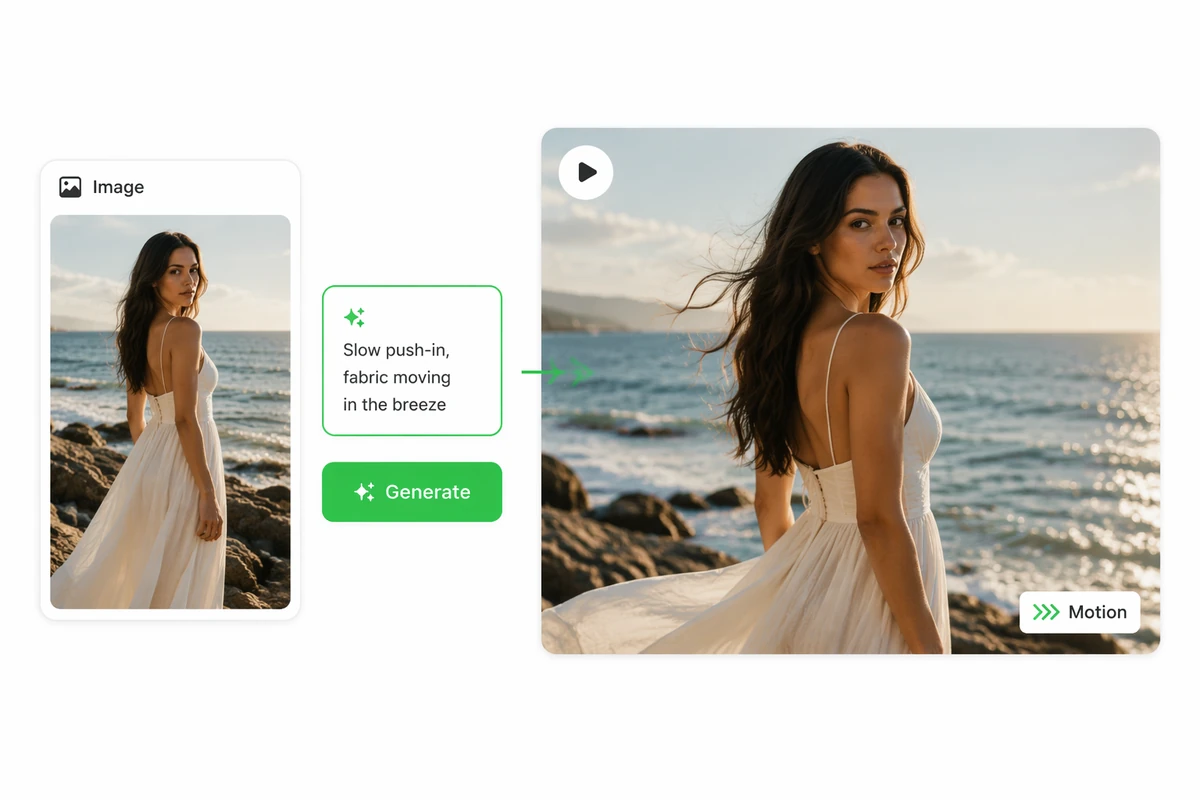
A reference photograph and motion prompt becoming a cinematic video

Direct Motion with Simple Words

Upload a portrait, product shot, landscape, or original artwork and explain what should move. Name the main action first, then add camera direction and atmosphere. If you need a source visual, create one with AI image generation before bringing it into motion.
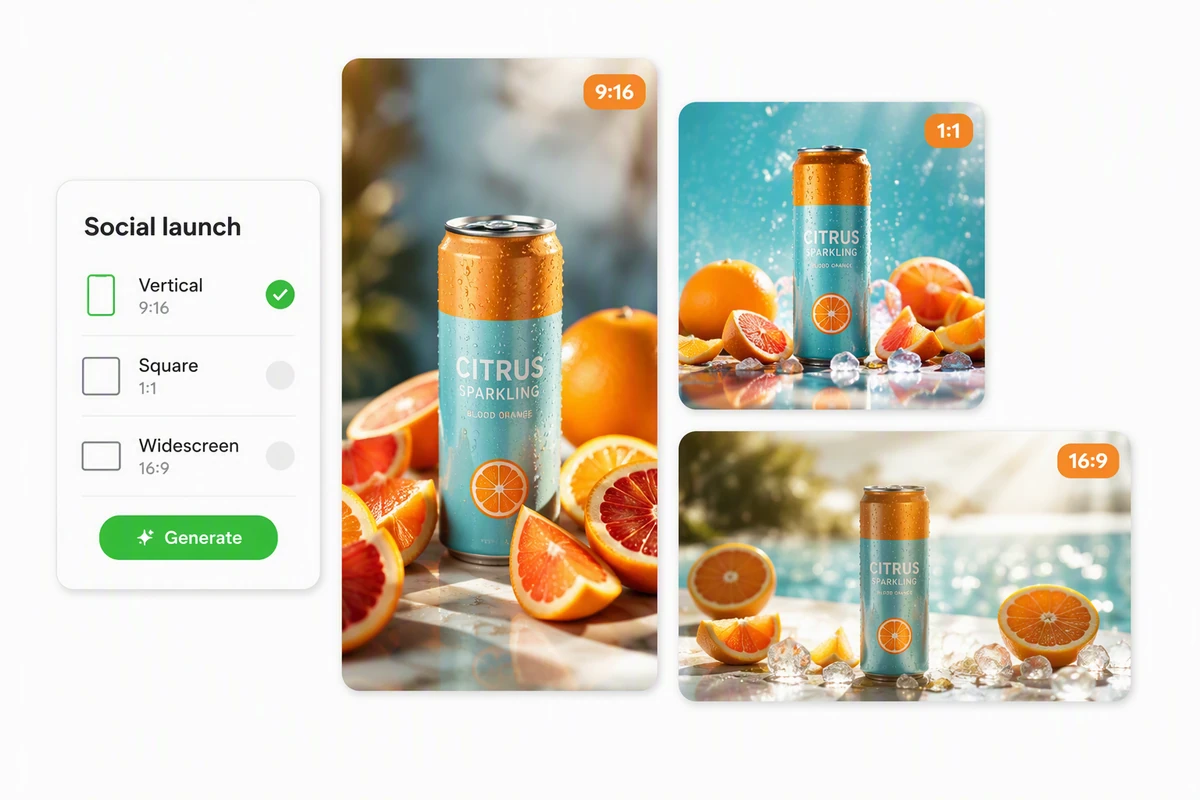
A product photo interpreted as vertical, square, and widescreen videos

Shape Video for Every Screen

State whether the result is for a vertical post, square feed, or widescreen presentation, then describe the framing that should stay visible. For a multi-scene social sequence, continue with AI Reel Maker and carry the strongest photo-led direction into the next brief.

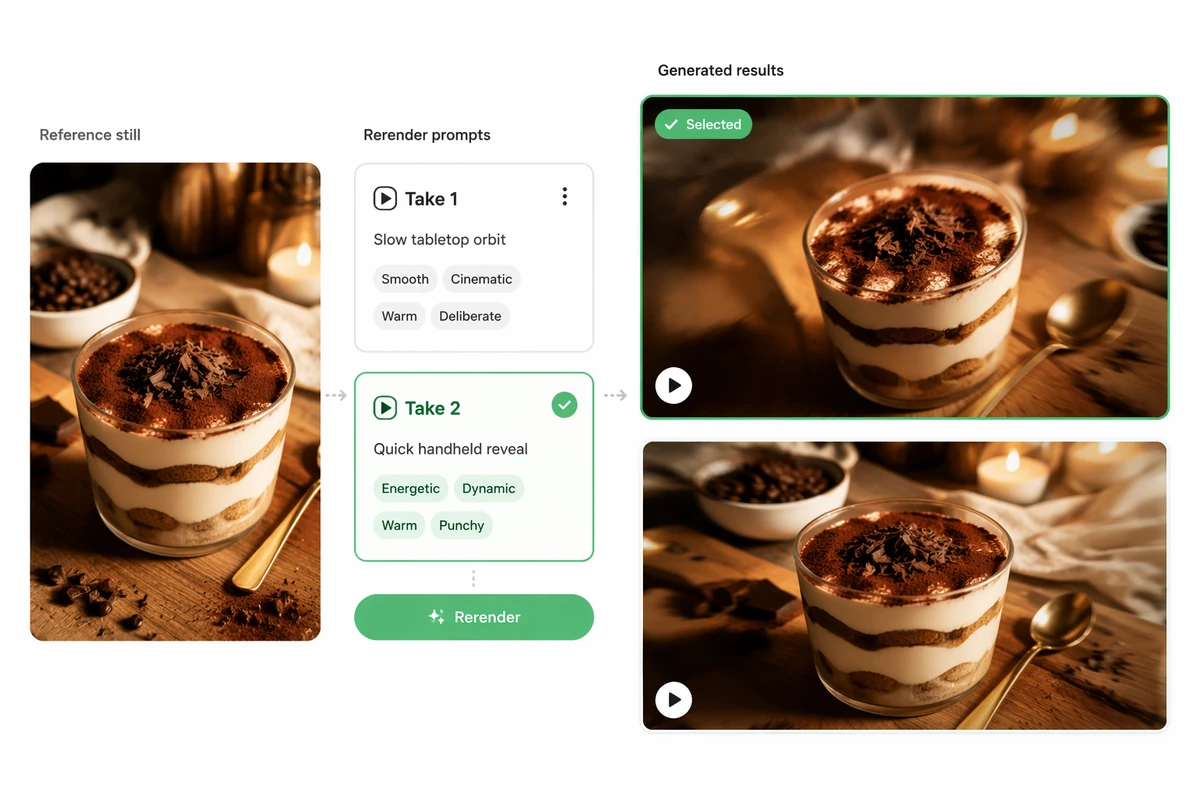
One reference photo producing two distinct motion-directed video takes

Refine without Another Photoshoot

Keep the same reference and request a focused change to motion, pacing, camera feel, or mood. Compare each take with the original goal and preserve the instructions that work. For broader text-led concepts, explore the AI video generator with your selected direction attached.

How Photo to Video AI Free Works in 3 Steps

Step 01

Choose Your Photo

Select a clear image you have permission to use, then identify the subject, composition, palette, and details that should guide the generated video.

Step 02

Describe the Motion

Write the main action, environmental movement, camera behavior, pace, and intended frame. Keep the first prompt focused so the result is easier to evaluate.

Step 03

Generate and Download

Review the take for awkward motion or unwanted changes, refine one or two directions, then download the strongest watermark-free result using your available credits.

Why creators choose Ottermind

Free Daily Credits

Begin with 100 signup credits, then receive 30 more credits each day for basic creation.

Seven-Day Trial

Explore the workflow during a 7-day free trial before deciding how deeply to continue.

Watermark-Free Results

Download generated video without an Ottermind watermark, ready for your own review and finishing.

Reference-Guided Motion

Use one photo to communicate the subject, composition, palette, setting, and starting mood clearly.

Focused Rerenders

Revise motion or camera direction while keeping the reference and earlier decisions connected for comparison.

Continue in Studio

Take the strongest result into Studio, or build a walkthrough with AI Video Demo.

FAQ

Is Photo to Video AI Free Really Free to Use?

Yes for basic use. New accounts receive a 7-day free trial and 100 credits after signup, followed by 30 free credits every day. Credit use depends on the generation you request, but downloaded results do not carry an Ottermind watermark.

Do I Need to Create an Account?

Yes. Signup is required to receive the initial 100 credits, daily credit grants, and access to the generation workflow. The free offer does not require us to describe the service as unlimited; available creation depends on your current credit balance.

What Photos Can I Turn into Videos?

Start with portraits, product photos, landscapes, illustrations, or original artwork that you have permission to use. Clear subjects and intentional composition make motion easier to direct. For the broader workflow, see the full Image to Video tool.

What Is the Difference between Photo and Image to Video?

Photo-to-video searches usually focus on animating photographs, while image-to-video can also include illustrations, artwork, and AI-generated visuals. The underlying workflow is similar: provide a reference, describe motion and camera behavior, generate a take, then inspect and refine it.

Will Every Detail Stay Exactly the Same?

No exact identity, action, or pixel-level preservation is guaranteed. Treat the photo as direction for an original generated video. Review faces, hands, products, text, framing, and motion carefully before publishing, especially when accuracy or recognizable details matter.

Can I Use the Result for Social Content?

You can direct vertical, square, or widescreen framing and download the result without a watermark. Confirm your rights to the source photo and review current platform requirements before publishing. For a music-led sequence, continue with AI Music Video Generator.

Discover more

What video creators say about Ottermind

We moved from a loose campaign idea to a video direction the whole team could discuss. The script, visual references, pacing notes, and revisions stayed connected, so every review made the sequence more specific instead of sending us back to a blank brief.

Avery Morgan - Video Marketing Lead

More from the blog

Turn Your Photo into Motion for Free

Bring a photo and describe the movement you want. Use your free credits to generate, compare, and download a watermark-free video direction in Ottermind.

Animate a Photo