Hotel Lobby AI
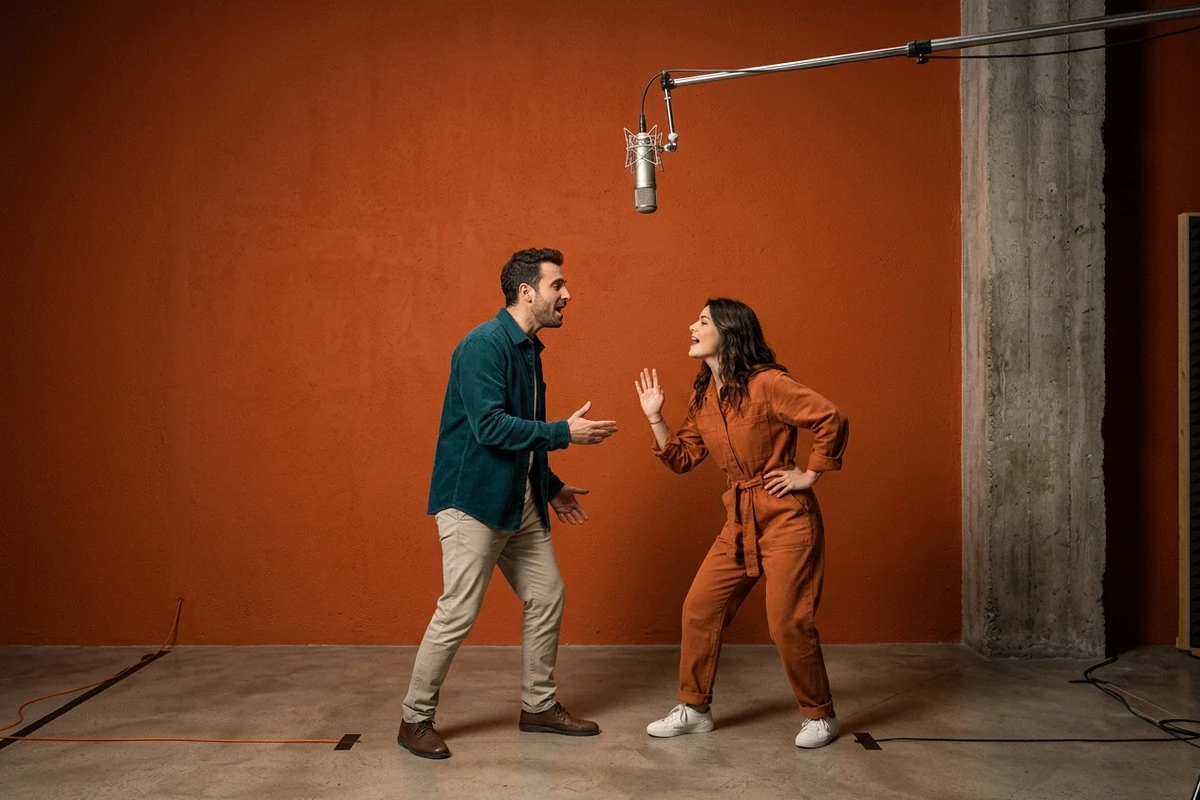
Hotel lobby AI generates the video everyone is recreating: two people in a studio, singing to each other under a hanging microphone. Upload their photos, describe the room and the move, and get a short clip back.
Three Hotel Lobby Video Prompts You Can Copy
Each prompt pins the room, the camera and how the pair moves in one pass, so the clip reads as the trend instead of a slow zoom on two strangers. Swap the subjects and the wardrobe; keep the camera language.
The face-to-face duet
The meme pair
The bench answer-back
Why Most Hotel Lobby AI Videos Look Stiff
The room is the easy part. The three things that break the clip are the camera moving when it should not, the faces drifting between frames, and a pose that never changes.
Two faces that stay put between frames
A still only has to be right once; a clip has to be right on every frame, which is why the likeness rule gets said twice in the prompt: use the uploads as the only face reference, then keep face shape, hair and age. Describe the bodies and the wardrobe separately, or the model averages two strangers into one face partway through the take. Sharp, front-facing photos work best. If the two faces keep drifting between renders, the AI Art Generator from Image holds one identity while you change the room around it. If you only want the poster frame, the AI Image Generator renders it from the same sentence.
Lock the camera, move the people
The trend looks like a music video because the camera does almost nothing: one fixed medium-wide shot with a little handheld drift, and the movement comes entirely from the two people. Ask for a locked camera and a specific gesture — leaning back mid-phrase, a pointed finger, a laugh — and the clip avoids the default slow zoom that makes a generation look like a slideshow. The phrasing that keeps a shot steady is collected in the How to Turn Images into Video with Ottermind: Motion and Camera Prompts.
Meme pairs work because the mismatch is the joke
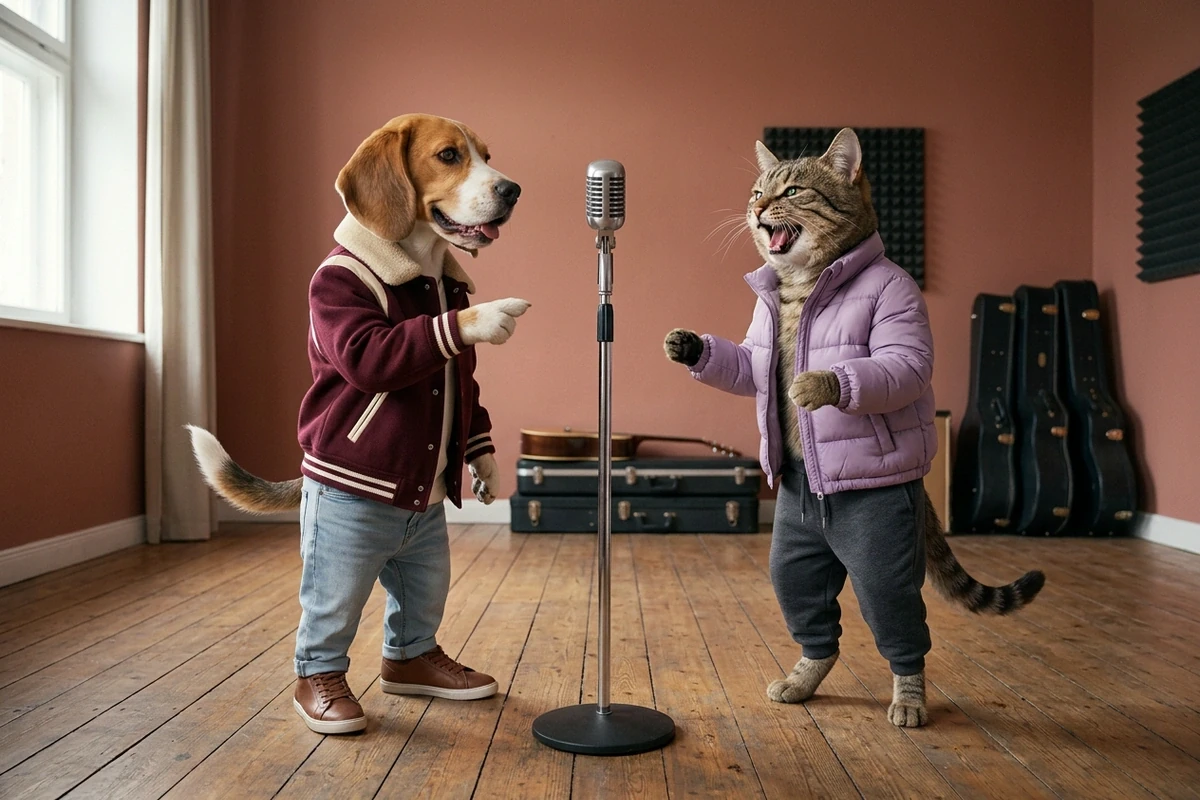
Half of these clips are not people: a beagle and a tabby in serious outerwear trading a sung line gets the laugh because the wardrobe is deadpan and the subjects are not. Write the outfits as if for a person, then say the wearers are animals, and keep them upright and anthropomorphic. A realistic pet on all fours loses the joke entirely. Browse the Character Library when you want a pair that already has a wardrobe and a face.
How to Make a Hotel Lobby AI Video
Where the Hotel Lobby Clip Gets Posted
One still covers most of what people want from this trend. The wording of the prompt changes with who is in the picture, not with the room.
Joining the trend without a studio
You want the trend on your feed but have no studio, no ring light and no mic stand. Upload two photos, describe the duet, and you have the shot without booking the room. A AI Video Demo shows what a first generation looks like before you spend a render.
A clip for the meme edition
The joke version needs one clean take: your pet, your friend, or an unlikely pair in matching outerwear under the mic. Render a few and keep the one where the gesture lands. The Character Library is where the pairs that already work live.
A group answer-back
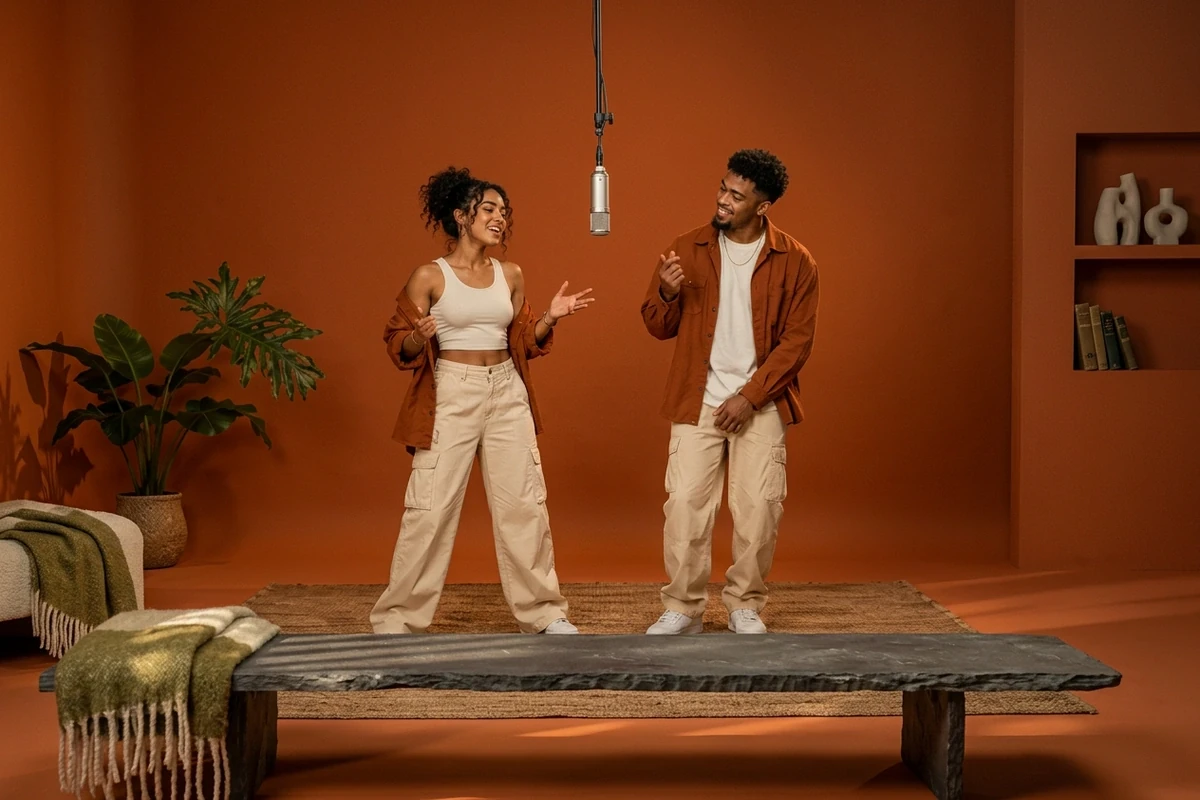
A pair on a bench reads as the same set from a different angle, which makes it feel intentional instead of copied; the same prompt takes three or four subjects for the group version. For a longer edit, render the clip first and pass it to the Photo to Video AI Free.
Hotel Lobby AI FAQ
What is hotel lobby AI?
It is the trend of recreating one specific music-video room: a studio with a painted orange wall, a microphone hanging from a boom arm, and two people singing to each other. People recreate it with their friends, their partner, or their pets. Hotel lobby AI is the shorthand for the tools that generate that clip. A AI Video Demo is the quickest way to see the output before writing a prompt.
Does this page make a video or an image?
A clip. The prompt describes the room, the camera and the gesture, and the pair are generated moving inside that shot rather than held still. If you only want a still poster first, the same prompt works for that, and Photo to Video AI Free takes a finished frame further.
Can I put two different people in the same frame?
Yes, and that is the main use. Upload one clear photo per person, then name the likeness rule explicitly in the prompt so the model does not average the two faces. Front-facing, well-lit photos work best; a small face inside a group shot usually loses too much detail. The AI Art Generator from Image is the fallback when one upload is weak.
Is hotel lobby AI free to try?
You can generate without signing up, so testing a prompt costs nothing beyond the render itself. We do not promise unlimited free use, and account-gated capabilities stay gated.
Do I need a filter or an app?
No. A filter applies one fixed look to a photo you already have; this is a written prompt that builds the room, the pose and the light around your photos, so the wardrobe and the number of people can change.
Why does my version look stiff?
Three usual causes: the model defaults to a slow zoom instead of a locked camera, the faces reset between frames because the likeness rule was stated once, and nobody is asked to do anything, so the pair just stands there. Name the camera, say the likeness rule twice, and give each person one gesture. The How to Turn Images into Video with Ottermind: Motion and Camera Prompts lists camera phrases that hold a shot.
Can I add the song to the clip?
The generation covers the picture, not the licensed audio. Add the track in your own editor, and check that you have the right to use it before you post.
What happens to my uploaded photos?
They are used as the face reference for the render you ask for. Keep to photos you have the right to use, and avoid uploading images of people who have not agreed to appear in a generated picture.
Tools that finish the duet
Generate the take, then keep the best one
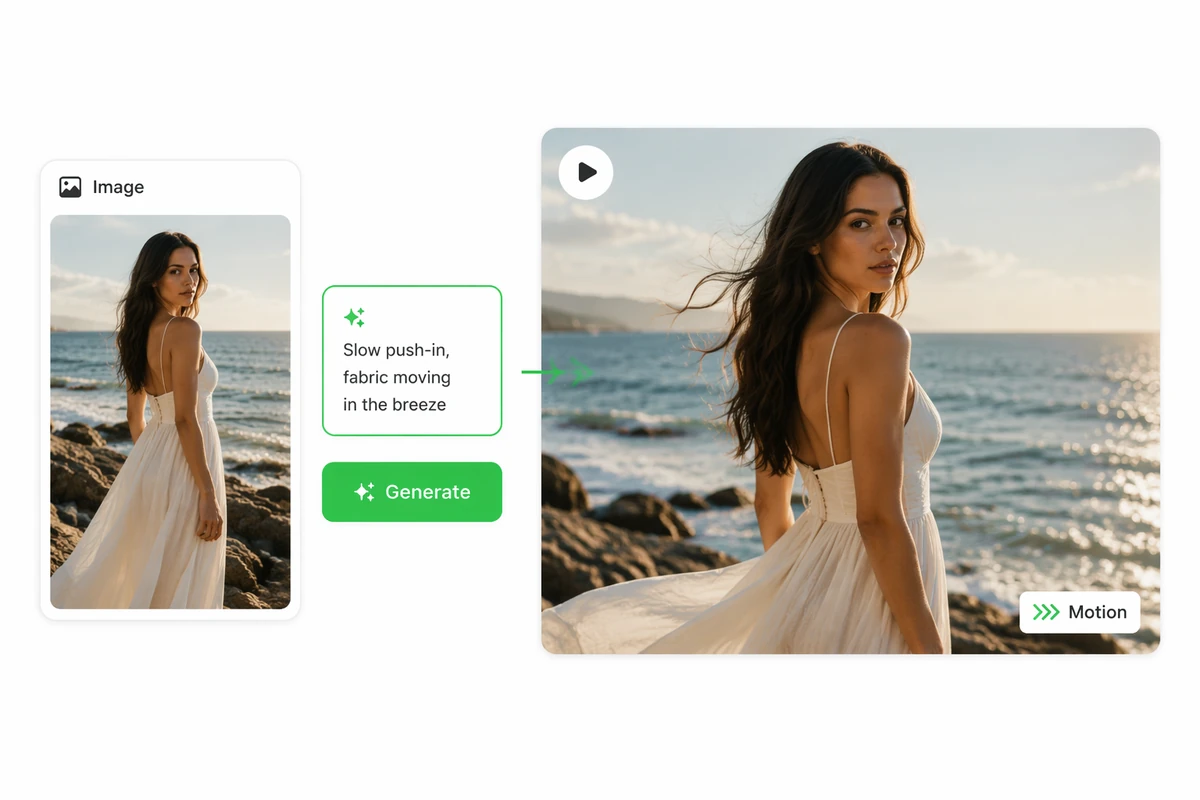
One clip rarely nails the gesture first time. Render a few, keep the take where the two of them actually answer each other, and post that one.