Photo to Anime Video AI Free

Turn a permitted photo into an original anime-inspired video with prompt-guided motion, free daily credits, and watermark-free downloads in your browser.

Meadow Moment
Meadow Run
Moonlit Village
Woodland Path
Bamboo Daydream
Apartment Stories
Golden Railway
Storybook Tunnel
Sunset Concert
Claude
GitHub
Google
Linear
Microsoft
Monday
Netlify
Notion
OpenAI
Sentry
Slack
Stripe
Supabase
Claude
GitHub
Google
Linear
Microsoft
Monday
Netlify
Notion
OpenAI
Sentry
Slack
Stripe
Supabase

Turn One Photo into an Original Anime Scene

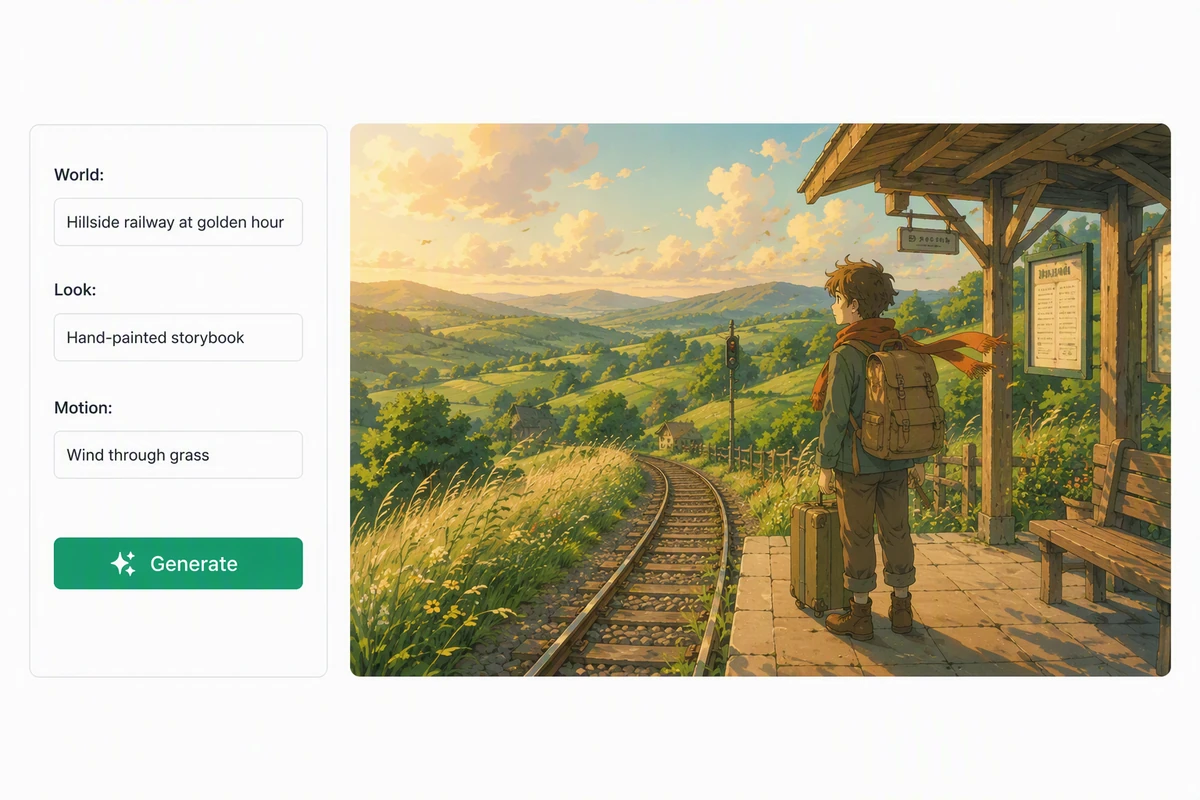
Upload a clear photo you have permission to use, then describe the anime-inspired treatment, subject movement, camera behavior, pace, and atmosphere. Ottermind uses the image and prompt as direction for an original moving interpretation. Review faces, hands, clothing, text, and background details before sharing. New accounts receive a 7-day trial, 100 signup credits, 30 daily credits, and watermark-free downloads.

Original hand-painted anime character moving through a warm storybook landscape

Choose an Anime Direction

Describe broad qualities such as hand-painted warmth, bold action lines, retro cel shading, or polished 3D character lighting. If you need a source image first, create an original still with AI image generation, then keep your preferred subject clearly framed for animation.
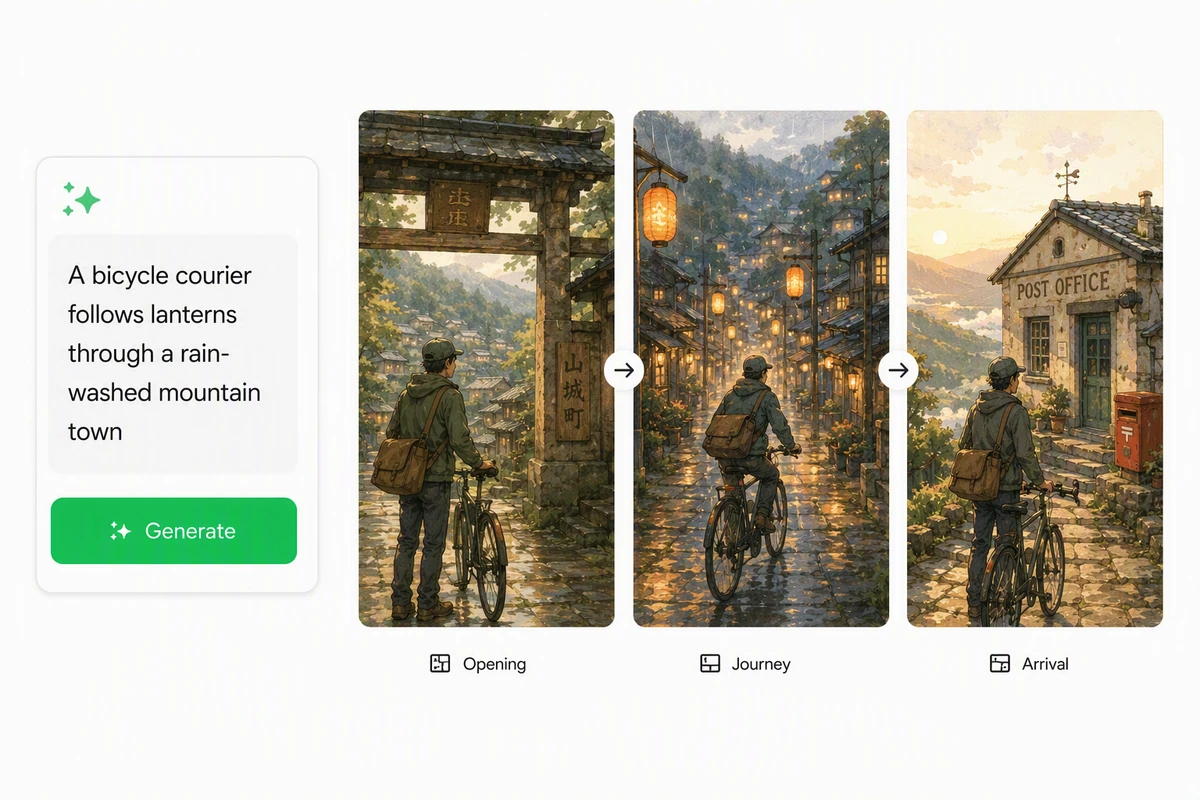
Anime motion prompt developing into three original animated story moments

Control Motion with a Prompt

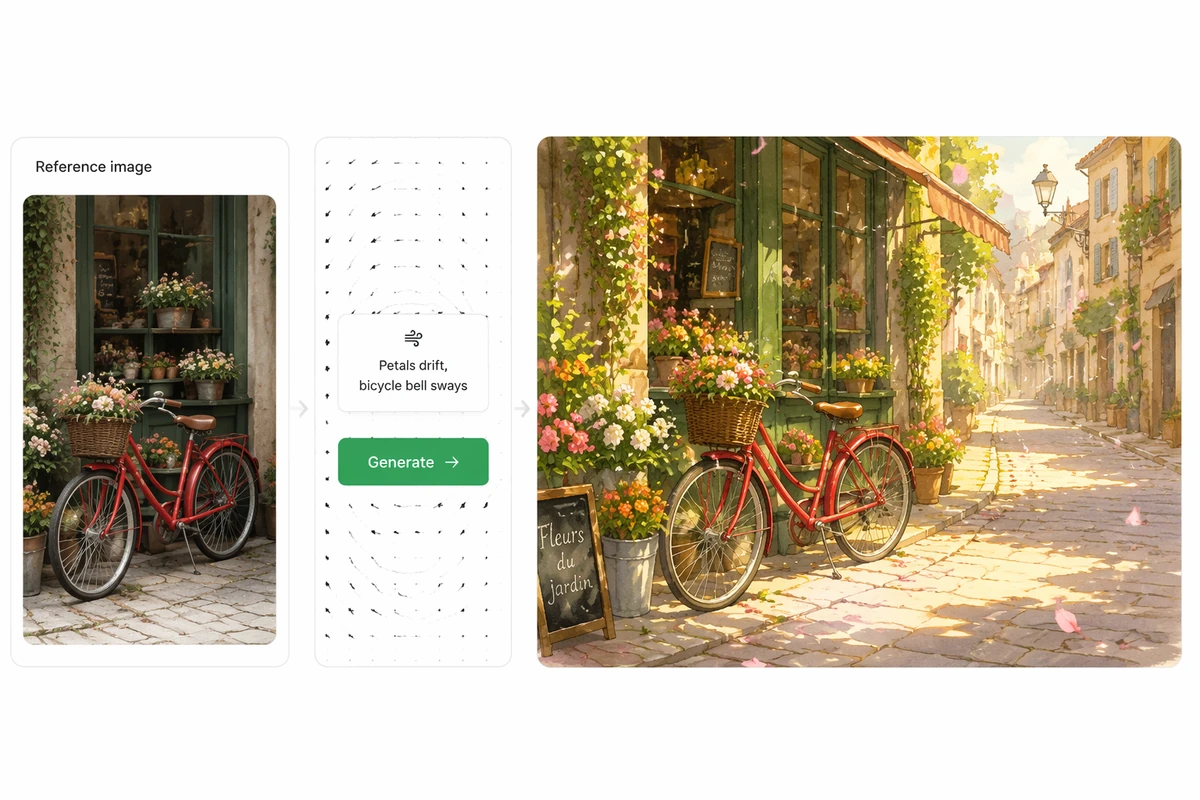
Name the main action first, then add facial movement, environmental motion, camera direction, and pace. Keep the first request focused so changes are easier to judge. For direct reference-led movement beyond anime treatment, continue with Image to Video using the same permitted photo.

Travel photo guiding an original anime-inspired social video

Create Personal Stories and Social Posts

Animate selfies, couple portraits, family memories, travel photos, or original artwork into short character moments. State the intended frame and emotional beat before generating. When one take works, develop a longer vertical sequence with AI Reel Maker while preserving the strongest visual direction.

How Photo to Anime Video AI Free Works

Step 01

Upload Your Photo

Choose a clear image you can use, then identify the face, pose, composition, palette, and background details that should guide the generated animation.

Step 02

Describe Style and Motion

Write the anime-inspired visual direction, main action, secondary movement, camera behavior, pace, and mood. Keep the scene focused for a more useful first take.

Step 03

Generate Review and Download

Inspect identity, hands, clothing, text, framing, and motion. Refine one or two directions, then download the strongest watermark-free result using your available credits.

Why creators choose Ottermind

100 Signup Credits

Create an account to receive 100 starting credits for testing photo-led anime video directions.

30 Daily Credits

Receive 30 credits each day, making basic experimentation practical without an immediate purchase.

Seven-Day Trial

Explore the complete workflow during a 7-day free trial before deciding how deeply to continue.

Watermark-Free Downloads

Download generated video without an Ottermind watermark, then review and finish it for your destination.

Prompt-Guided Animation

Direct broader cinematic ideas with the AI video generator, keeping movement and mood intentional.

Connected Studio Workflow

Keep the photo, prompt, strongest take, and refinement decisions together while the concept develops.

FAQ

Is Photo to Anime Video AI Free Really Free?

Yes for basic use within available credits. New accounts receive a 7-day free trial and 100 credits after signup, followed by 30 credits each day. Credit use varies by generation, so the offer is not described as unlimited. Downloads remain watermark-free.

Do I Need an Account to Generate a Video?

Yes. Signup is required to receive the initial 100 credits, daily credit grants, and access to the generation workflow. You can evaluate the tool during the 7-day trial, then continue basic creation with the daily credits available in your account.

Which Anime Styles Can I Create from a Photo?

Use prompts to describe broad visual qualities such as hand-painted warmth, retro cel shading, action-focused linework, or 3D character lighting. For a gentle storybook direction, explore the Ghibli Art Video Generator while keeping characters and scenes original.

What Photos and File Formats Work Best?

Choose a clear portrait, couple photo, family image, travel shot, product image, or original illustration you have permission to use. The upload control shows accepted file types. Strong lighting, visible subjects, and uncluttered composition make important details easier to evaluate.

Can I Publish or Use the Video Commercially?

Usage depends on your rights to the source photo, prompt, generated result, music, and destination. Review recognizable people, protected characters, trademarks, and platform rules before publishing. For a soundtrack-led project, continue with AI Music Video Generator using cleared material.

How Should I Compare Free Anime Video Tools?

Compare the real free allowance, signup requirement, recurring credits, watermark policy, prompt control, accepted inputs, generation time, and review workflow. Ottermind states its model directly: a 7-day trial, 100 signup credits, 30 daily credits, and watermark-free downloads.

Discover more

What video creators say about Ottermind

We moved from a loose campaign idea to a video direction the whole team could discuss. The script, visual references, pacing notes, and revisions stayed connected, so every review made the sequence more specific instead of sending us back to a blank brief.

Avery Morgan - Video Marketing Lead

More from the blog

Turn Your Photo into Anime Motion

Bring one permitted photo, describe the visual treatment and movement, then use your free credits to generate, compare, refine, and download a watermark-free video.

Animate My Photo