






Interview Questions Generator for Structured Hiring

Brief the role, must-have competencies, and interview stage. Generate a structured question set with follow-ups, then revise before the panel meets.

AI writing
Claude
GitHub
Google
Linear
Microsoft
Monday
Netlify
Notion
OpenAI
Sentry
Slack
Stripe
Supabase
Claude
GitHub
Google
Linear
Microsoft
Monday
Netlify
Notion
OpenAI
Sentry
Slack
Stripe
Supabase
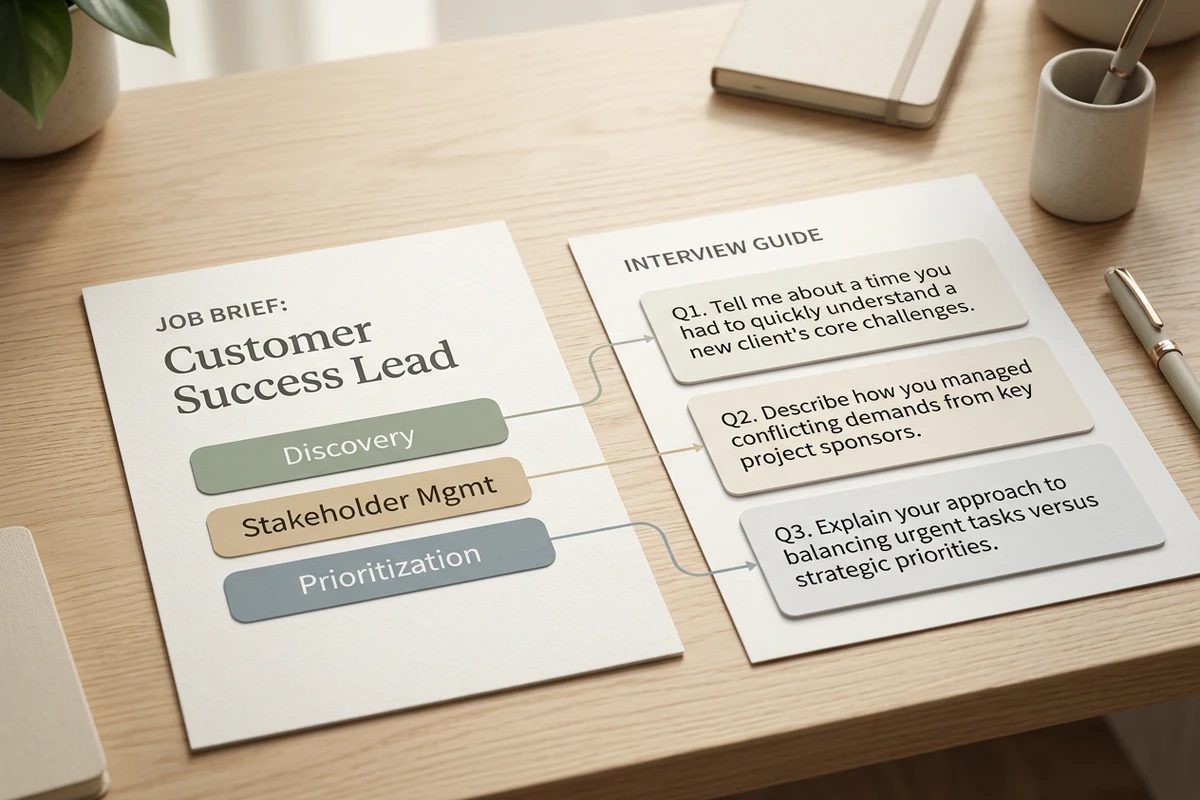
Hiring brief card with three competency chips connected by lines to numbered interview question cards on a desk.

Map questions to must-have competencies

Start this interview questions generator with the role title, seniority, and three to five must-have competencies from the posting. Title-only prompts recycle generic banks; a competency brief keeps every question tied to work you will actually evaluate. If the posting is still drafty, tighten it with the Job Description Generator.
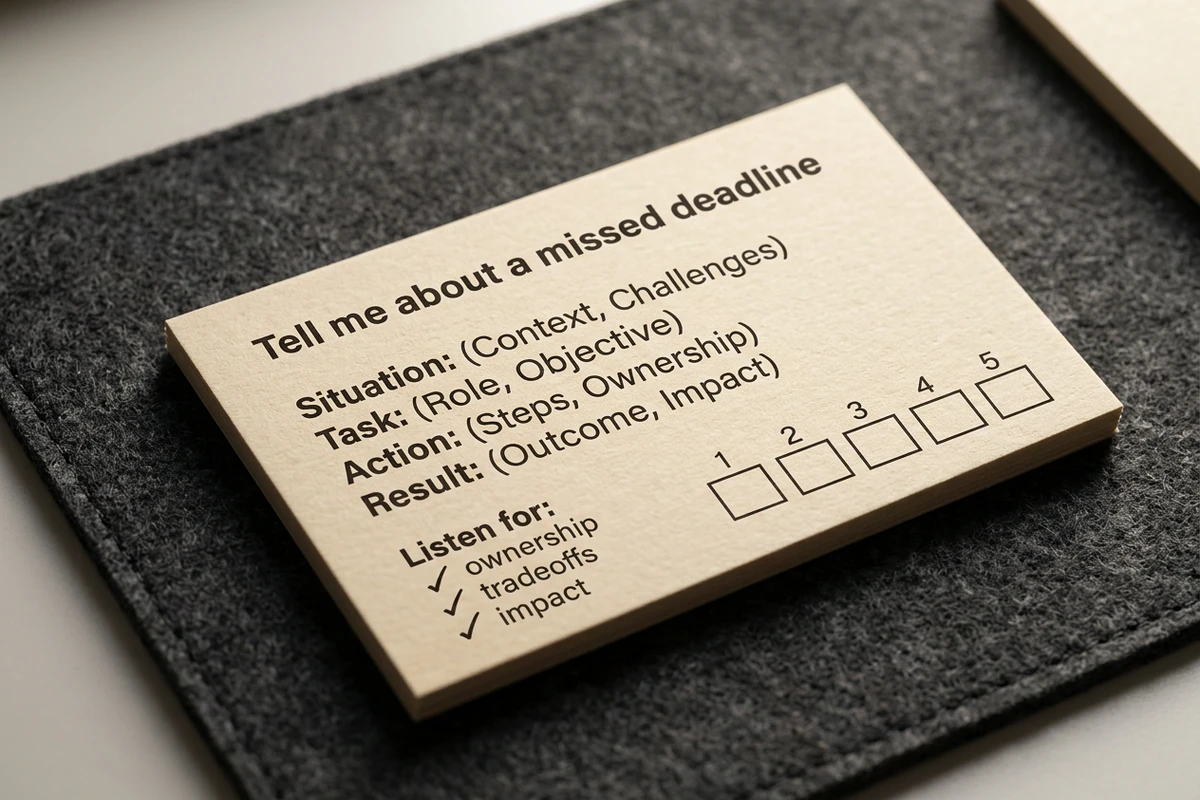
Close-up interview question card with STAR probe bullets, a listen-for checklist, and a 1 to 5 score strip.

Add STAR follow-ups and listen-for cues

Treat the first pass as a structured guide, not a dump of prompts. Ask for behavioral STAR stems, probing follow-ups, and short “what to listen for” notes so panelists score the same signals. A second revise pass usually improves consistency more than regenerating a longer list. Sharper revision prompts follow How to Write AI Prompts That Actually Work.

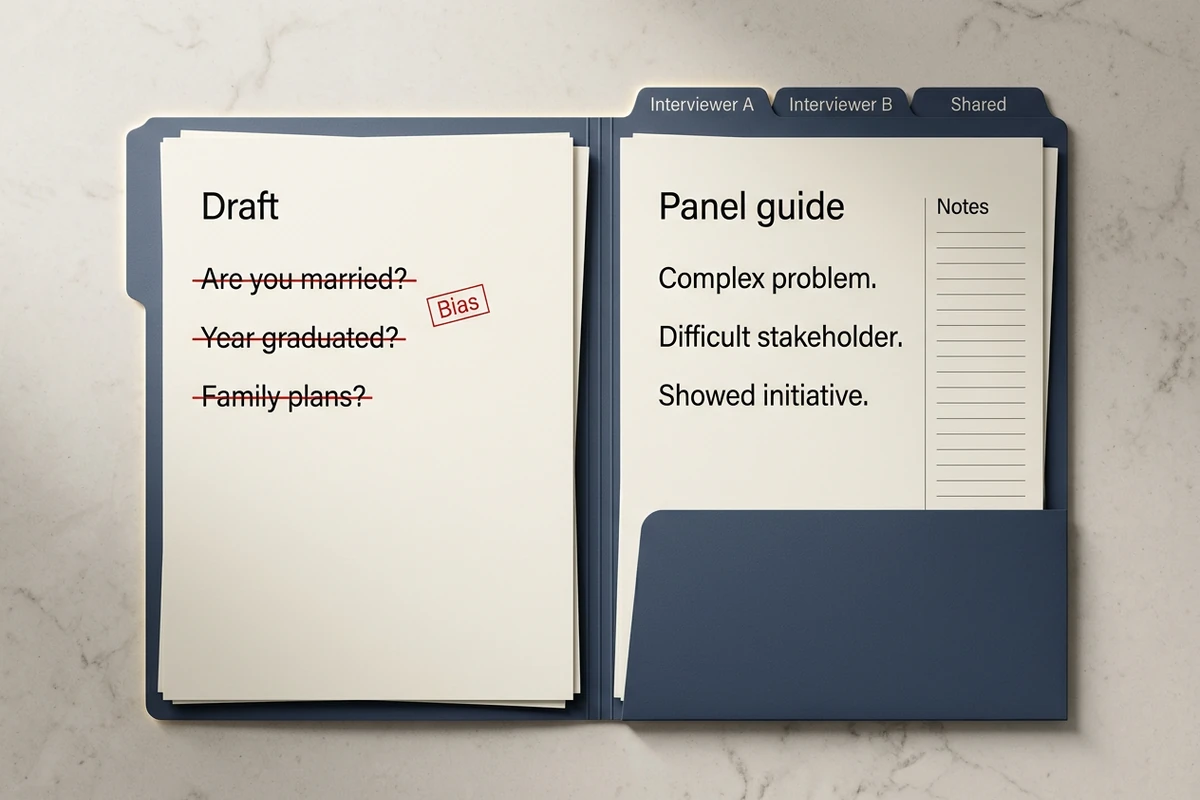
Open folder with struck-through biased draft questions beside a cleaned panel interview guide and shared tabs.

Revise for bias, then share with the panel

Cut illegal or personality-trap questions, keep probes job-related, and attach the same guide to the hiring project so every interviewer uses one set. Change only stage length or seniority for the next loop. After the guide is stable, draft candidate outreach with the AI Email Generator or help applicants prepare with the Cover Letter Generator.

How to use this interview questions generator

Step 01

Lock the competency brief

List role, seniority, stage length, must-have competencies, and any skills that must be probed. Refuse vague goals like “see if they are a culture fit.”

Step 02

Generate the first guide

Produce a scannable set you can run: numbered questions, follow-ups, listen-for cues, and a light scoring strip.

Step 03

Run a bias and fit pass

Cut traps, keep depth over volume, and confirm every question maps to a must-have before you share the guide.

Why creators choose Ottermind

Competencies before question banks

Brief the skills you will score so the interview questions generator does not invent a generic template loop.

Project context retained

Keep the role brief, prior guides, and panel notes organized while you draft the next interview stage.

Focused revision passes

Ask separately for STAR depth, brevity, or bias cleanup without discarding the competency brief.

Compare question mixes

Generate a screen set and a deep-loop set against the same must-haves before you choose.

Continue in Studio

Take the selected guide into Studio with the original brief still attached for further polish.

FAQ

What is an interview questions generator?

An interview questions generator turns a role brief into a structured set of questions you can edit and share. In Ottermind, you supply competencies, stage length, and seniority, generate a draft with collaborating agents, then revise for depth and bias before the panel meets. It does not conduct interviews, score candidates, or guarantee hire quality.

What should I include in the prompt?

Include the job title, seniority, interview stage or duration, three to five must-have competencies, and whether you need behavioral STAR, skills, or situational probes. Ask for follow-ups and listen-for notes. Vague title-only prompts usually return generic banks.

How do I keep questions structured and fair?

Require the same core questions for every candidate in the stage, map each to a must-have, and add short scoring cues. Ban culture-fit traps and non-job-related personal questions. Have a hiring manager confirm the set matches evaluation criteria before you interview.

Can this replace recruiter or legal review?

No. Ottermind helps draft and revise inside the workspace. You still review local employment rules, protected-class risk, and interview process standards. Critical hiring decisions stay with your team.

Does Ottermind run the interview for me?

No. Ottermind helps you produce and refine the question guide. You run the interview, take notes, and decide. Critical actions remain subject to your approval.

What should I create after the question guide?

Save the approved guide with the brief for the next stage. Draft recruiter outreach with the AI Email Generator. If candidates need application help, point them to the Cover Letter Generator or AI Resume Builder.

Discover more

What they say about Ottermind

Ottermind helped us turn a rough campaign brief into several strong visual directions without losing the original intent. We could compare different compositions, keep the references beside the work, and refine the strongest concept in one place. That made the entire review process feel faster and much more focused.

Maya Chen - Product Marketing Lead

More from the blog

Draft your next interview guide

Bring role must-haves, stage length, and seniority. Generate a clear set with this interview questions generator, revise for structured hiring carefully, and keep the brief connected in Ottermind.

Write interview guide


