Instagram Caption Generator for Posts That Sound Like You

Turn specific post context into an editable caption draft, then refine the voice, details, and call to action with collaborating AI agents.

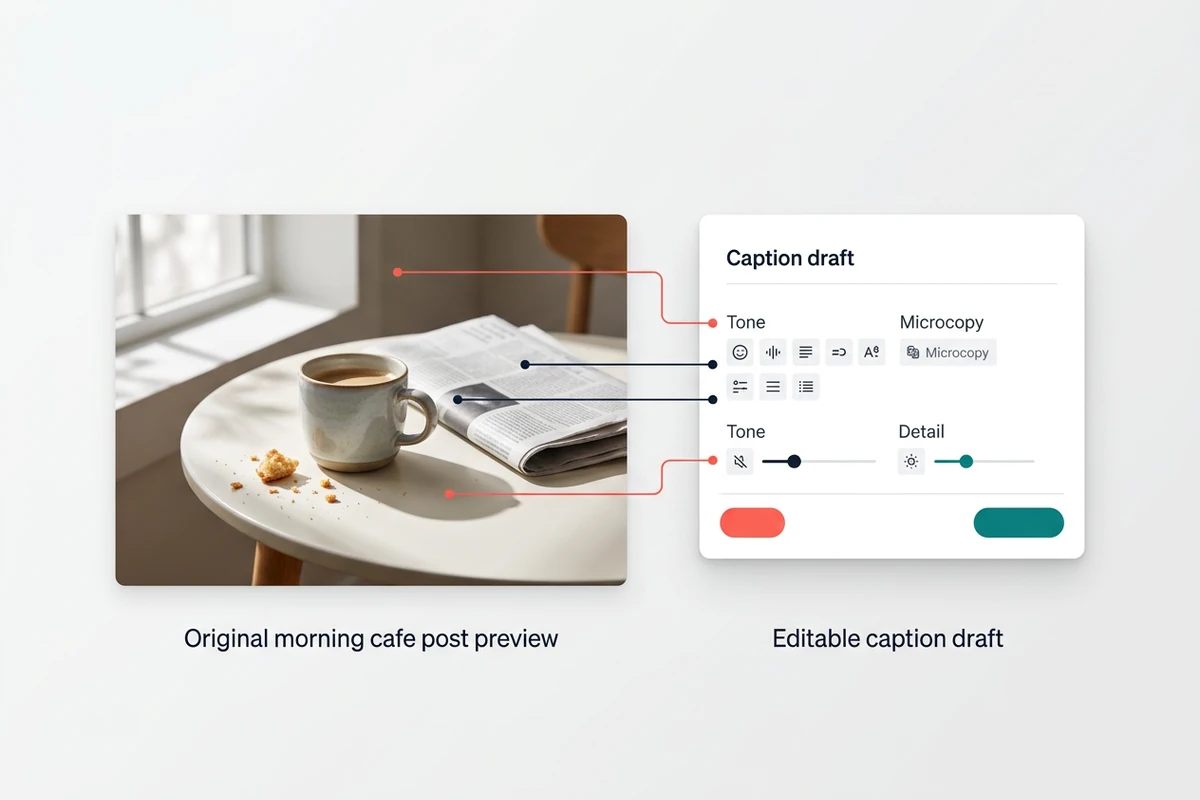
A morning cafe post preview connected to an editable caption draft and compact tone controls.
Claude
GitHub
Google
Linear
Microsoft
Monday
Netlify
Notion
OpenAI
Sentry
Slack
Stripe
Supabase
Claude
GitHub
Google
Linear
Microsoft
Monday
Netlify
Notion
OpenAI
Sentry
Slack
Stripe
Supabase

Write From the Post, Not a Formula

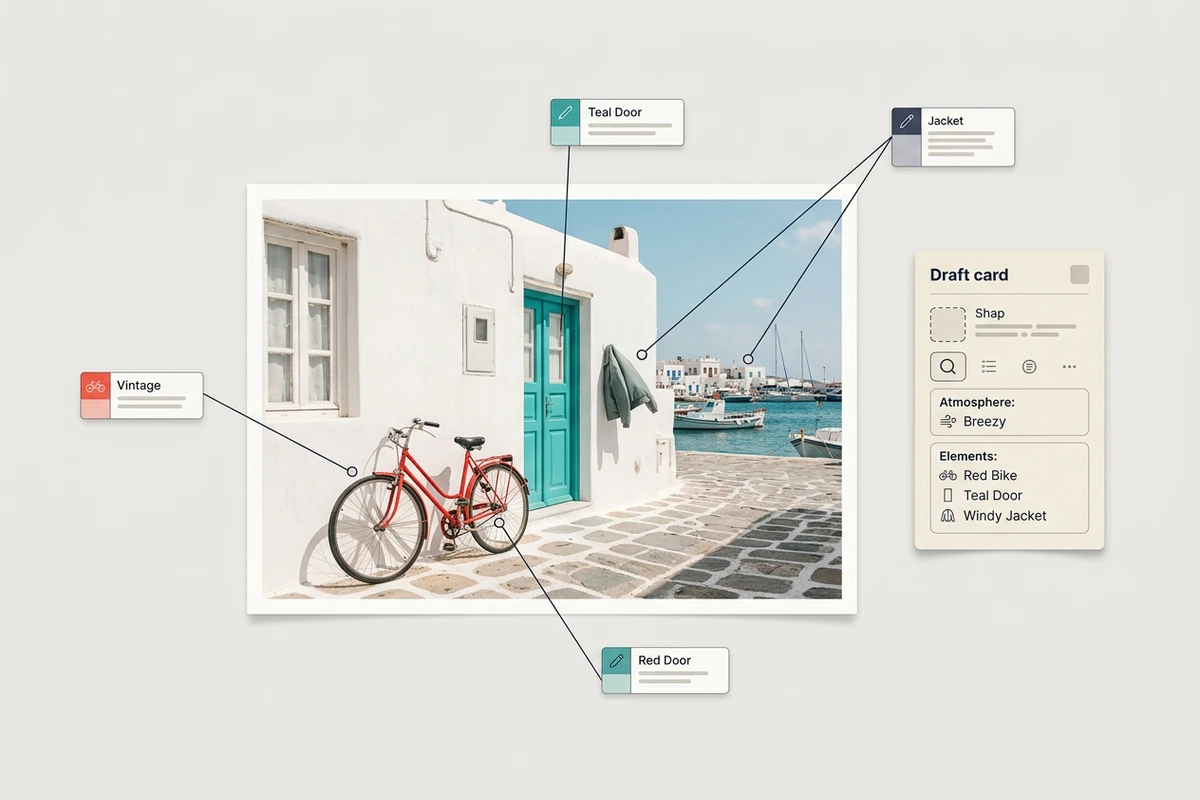
An Instagram caption generator should give you a useful first draft without flattening the story behind the post. Give Ottermind the subject, audience, intent, voice, facts, and exclusions. Then inspect the result for relevance before carrying the wider campaign into the AI Social Media Post Generator.

A seaside town photo with callouts identifying a red bicycle, teal door, jacket, and harbor for a caption draft.

Start With Details People Can See

Name the moment, object, place, or contrast that makes the post specific. A clear How to Write AI Prompts That Actually Work helps agents connect those details to the caption instead of producing a generic summary that could accompany any image.

A pottery studio photo between three visual tone cards, with the warm style selected beside a bold alternative.

Keep Your Voice in the Draft

Describe how you normally sound, provide a short writing sample, and call out phrases you would never use. Retained project preferences and feedback can inform later revisions, while a separate Hashtag Generator keeps tag research from taking over the caption itself.

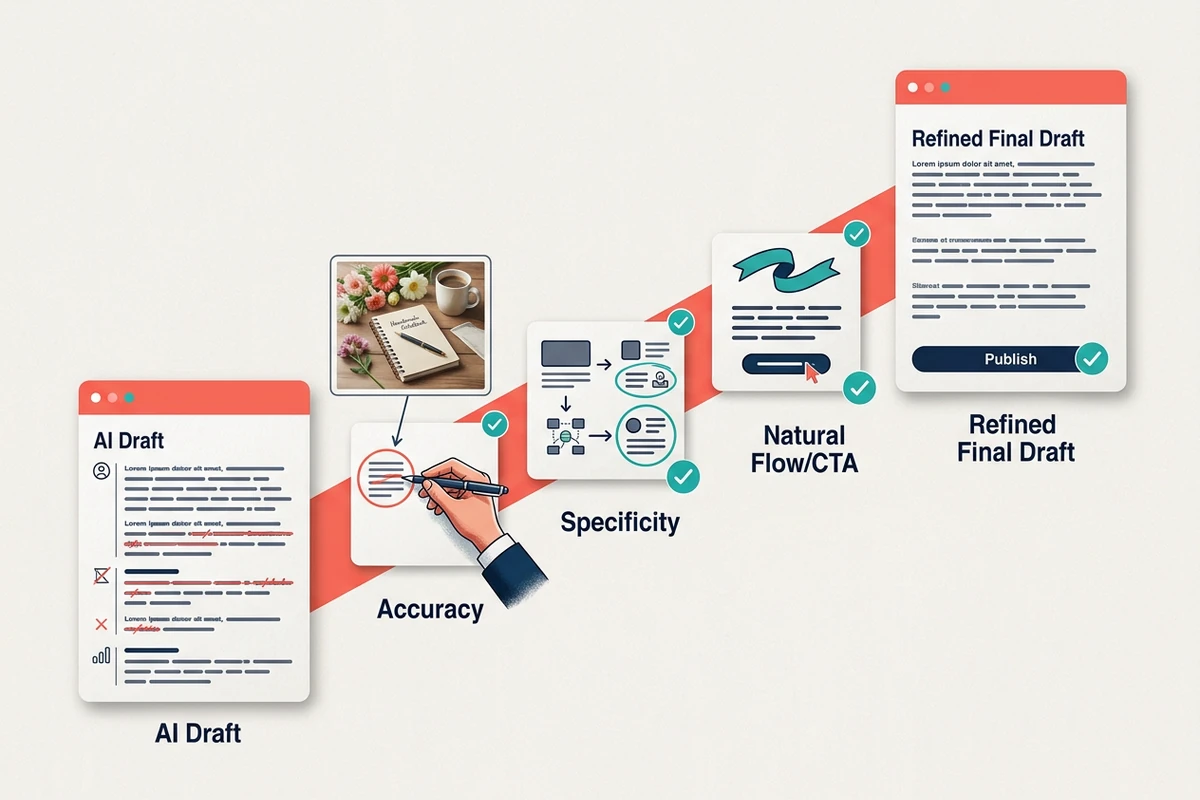
A draft moves through accuracy, specificity, and natural call-to-action checks toward a refined final caption.

Treat the First Draft as Material

Treat each Instagram caption generator result as material to inspect. Check whether the opening is concrete, every claim is supported, the length suits the post, and the call to action feels earned. Point to a weak line, explain why it misses, and request a focused rewrite rather than starting over.

Use the Instagram Caption Generator in Three Steps

Step 01

Describe the Post

State what appears in the photo, carousel, or reel, who should care, and why you are sharing it. Include names, dates, offers, or other facts only when you can verify them.

Step 02

Set the Voice

Define the tone, preferred length, point of view, must-keep details, and phrases to avoid. Add a short sample when matching your established style matters more than sounding conventionally polished.

Step 03

Review and Refine

Read the draft beside the post. Remove invented details, obvious filler, repeated ideas, and forced engagement prompts. Give specific feedback until the caption sounds accurate, intentional, and recognizably yours.

Why creators choose Ottermind

Context Beyond One Prompt

Project files, decisions, preferences, and feedback can inform connected caption revisions instead of disappearing after one draft.

Visible Revision

Inspect the agent's work, identify the exact miss, and guide a narrower rewrite while keeping the original brief available.

Voice That Can Adapt

Ongoing feedback can teach Ottermind preferred formats, recurring context, and style patterns for later work.

Connected Creative Work

Develop the caption beside campaign assets, then continue the visual direction with AI image generation.

Room for Bigger Campaigns

Specialized agents can divide multi-step work and consolidate it when one caption grows into a broader content assignment.

Approval Stays With You

Critical actions require your approval, so generation does not mean a draft is automatically ready to publish.

FAQ

What should I put into an Instagram caption generator?

Provide the post subject, audience, purpose, tone, specific visual details, must-include facts, preferred length, and exclusions. The more concrete the brief, the easier it is to judge whether the draft actually belongs with your post.

How do I stop AI captions from sounding generic?

Add details only your post contains, describe your usual voice, provide a short sample, and ban phrases you dislike. Then replace vague openings and stock enthusiasm with one observation, opinion, or story beat grounded in the actual content.

Can Ottermind match my brand voice?

Ottermind can use project preferences, history, recurring patterns, and feedback to inform later tasks. Give it representative examples and explicit boundaries, then review every Instagram caption generator draft; retained context supports adaptation but does not guarantee a perfect imitation.

Does the generator use live Instagram trends?

Approved product information does not establish live Instagram trend data or platform optimization. Treat suggestions as contextual writing ideas, not proof of current popularity or performance. Verify time-sensitive claims and use the Hashtag Generator for a separate tag shortlist.

Will a generated caption increase engagement?

No engagement result can be guaranteed. A relevant, specific caption can support clearer communication, but audience response depends on the post, account, timing, and many other factors. Review the draft for accuracy and fit rather than relying on performance promises.

Can Ottermind publish the caption to Instagram?

Direct Instagram publishing is not confirmed for this workflow. Use the Instagram caption generator to develop and refine copy, then check the final text against the current post and platform requirements before publishing it through your normal process.

Discover more

What they say about Ottermind

Ottermind helped us turn a rough campaign brief into several strong visual directions without losing the original intent. We could compare different compositions, keep the references beside the work, and refine the strongest concept in one place. That made the entire review process feel faster and much more focused.

Maya Chen - Product Marketing Lead

More from the blog

Draft a Caption Worth Editing

Bring real post details, audience, voice, and boundaries to the Instagram caption generator. Develop a focused first draft, inspect what misses, and refine it until it fits the content.

Generate a caption