AI Character Generator

Create an AI character from a photo or prompt, then use them across projects. Try new looks, create product visuals, and bring the same character into UGC-style videos, ads, or short dramas.

Create your character

Upload a photoDrag and drop, or click to upload · JPG, PNG, or WebP
0/600

Characters made with Ottermind

Find a look for your next project, from everyday creators to cinematic leads. Open any character in the library, or start with your own photo.

One character. Every kind of story.

Build your character, change their look, and take them into product photos and videos.

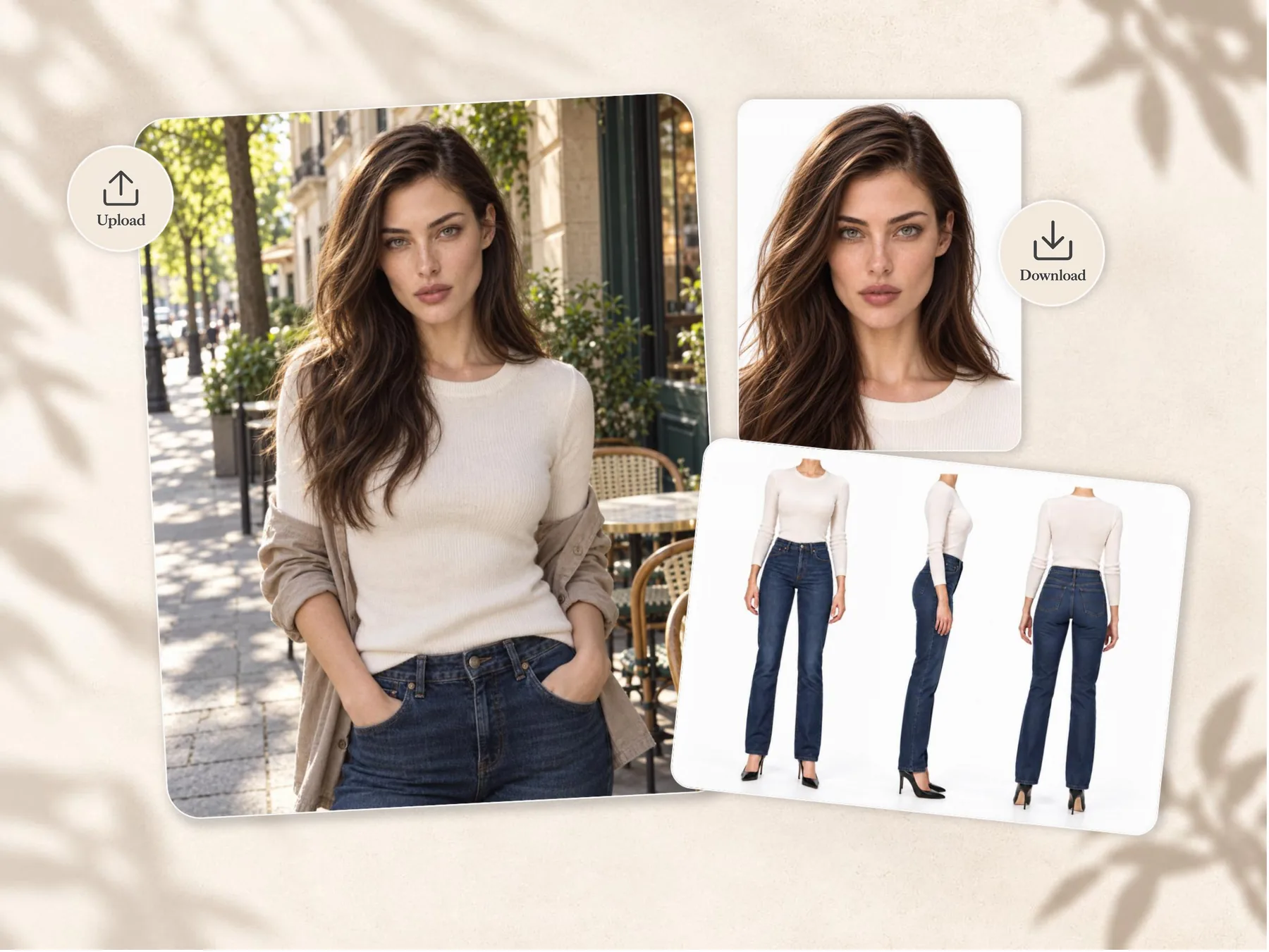
AI character created from one portrait with a close-up and front, side, and back views

Create a character from a single photo

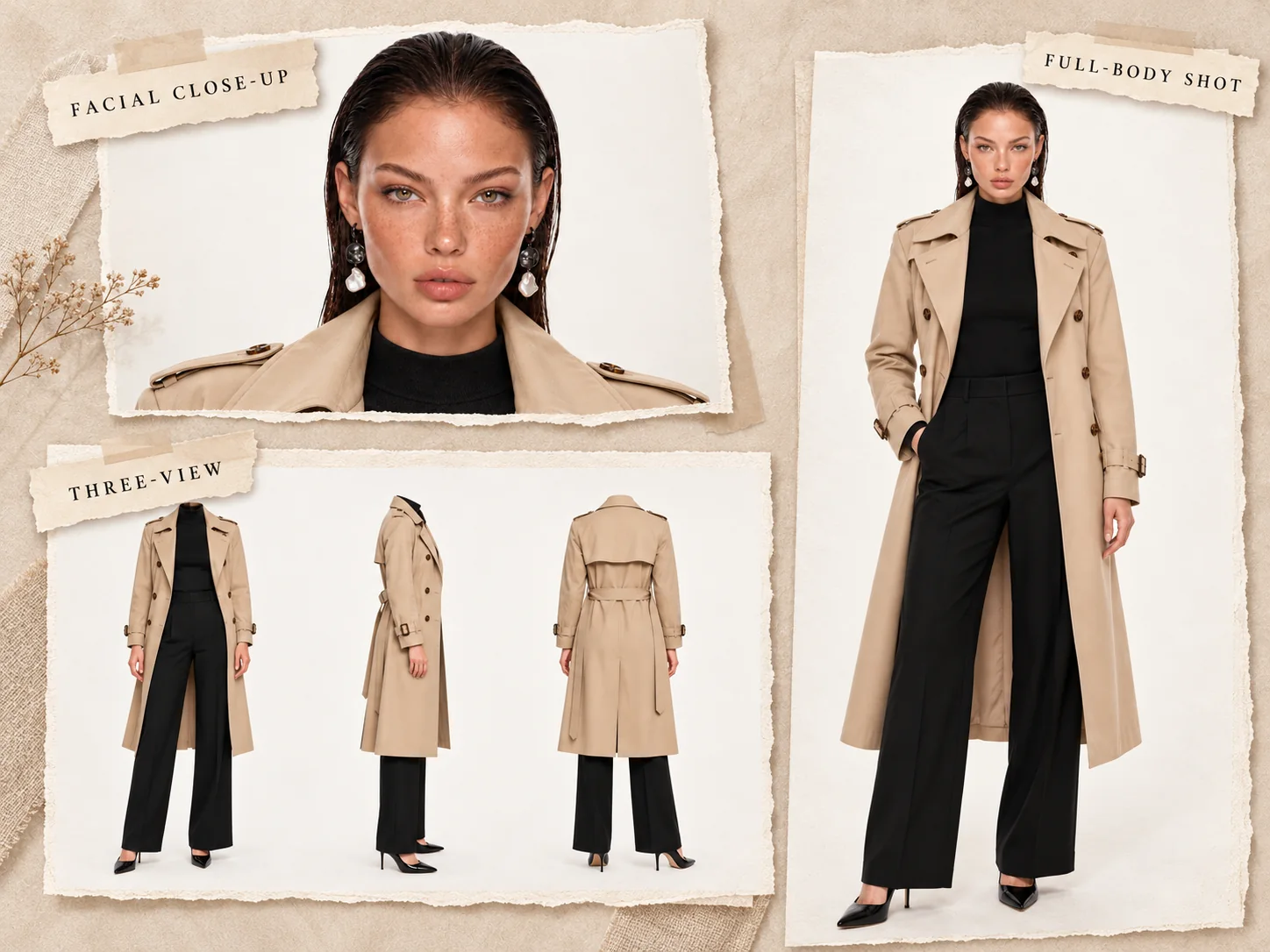
Start with a portrait to generate a full-body image with the head and shoes visible, a face close-up showing the entire hairstyle, and headless body references from the front, true side, and back. Reuse these references in your next image or video.
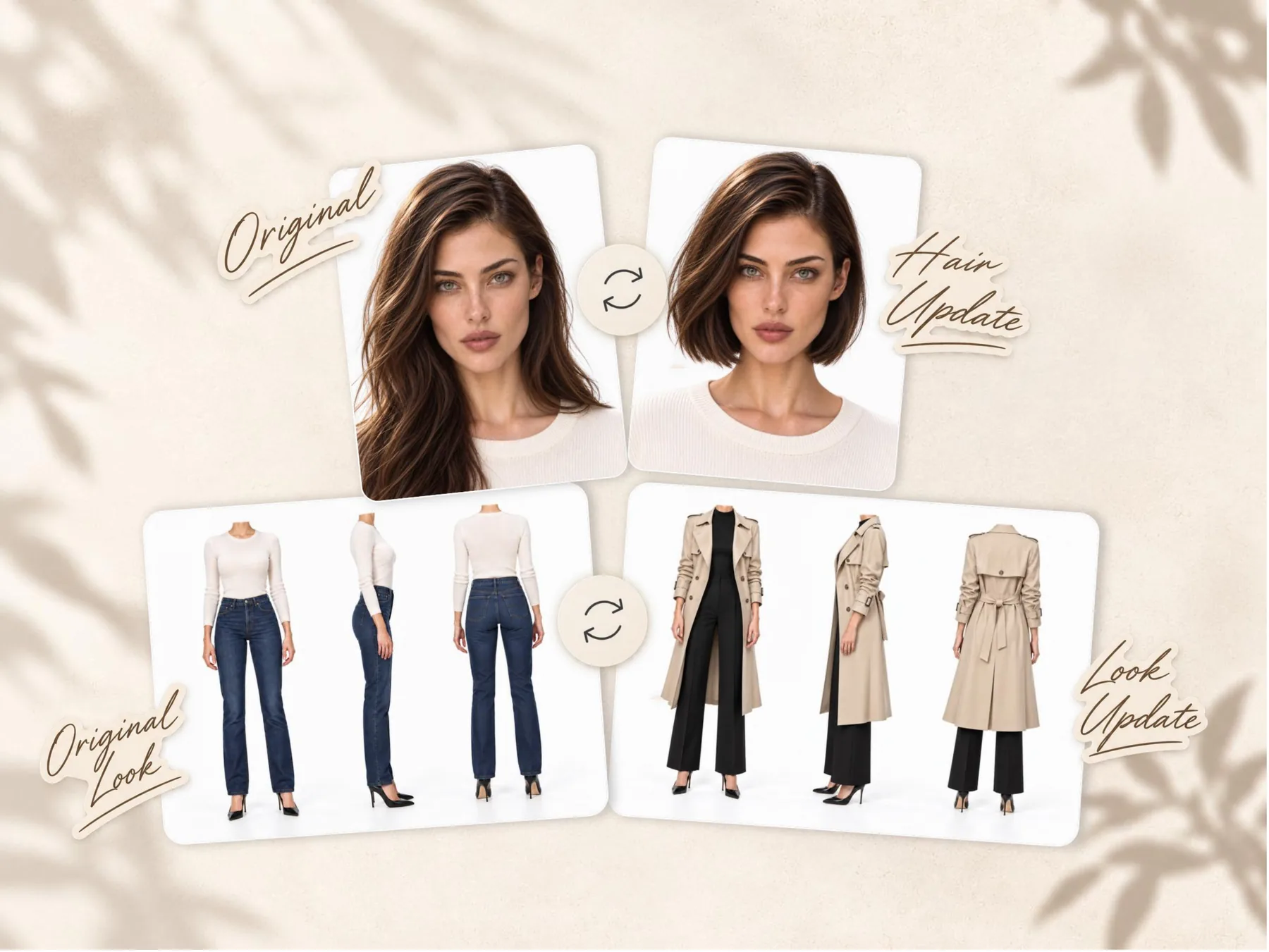
The same AI character restyled with a new hairstyle and outfit

Change the look. Keep the character.

Try a new hairstyle, makeup look, expression, or outfit. Use your character references to explore different looks without starting from scratch.

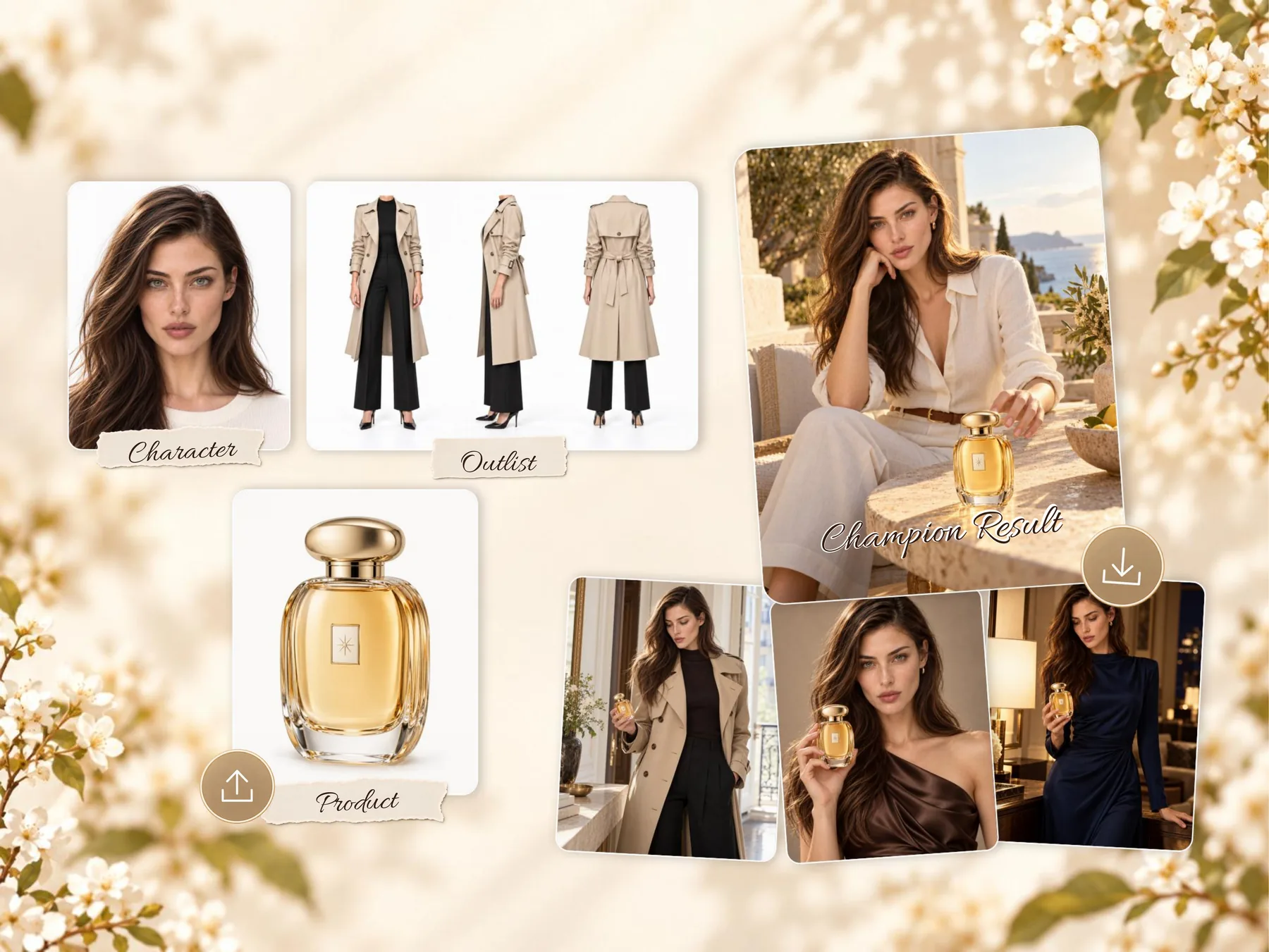
AI character paired with a perfume product in campaign scenes

Create product photos with your character

Combine your character with a product image to create product lifestyle images, beauty ads, and campaign visuals. Try different outfits and settings for the same product.

Bring your character to life in video

Turn a still portrait or product shot into a moving scene. Make your character the lead in UGC-style videos, brand ads, or short dramas.

How to Use the AI Character Generator

Go from a photo to a reusable character, then create with them in Video Canvas.

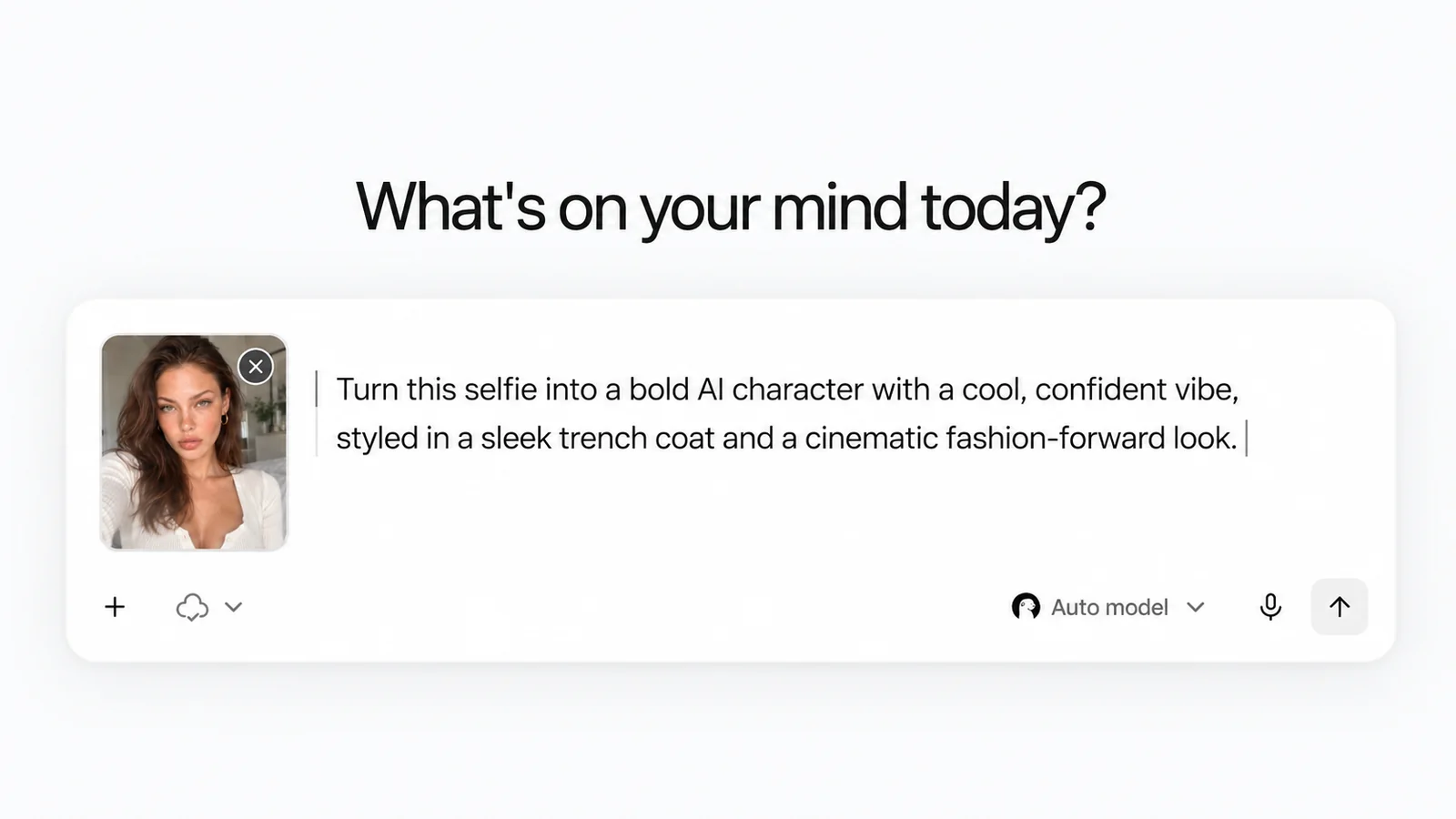
Ottermind prompt box with an uploaded portrait and a written character direction
Character sheet with a facial close-up, a full-body shot, and a three-view turnaround
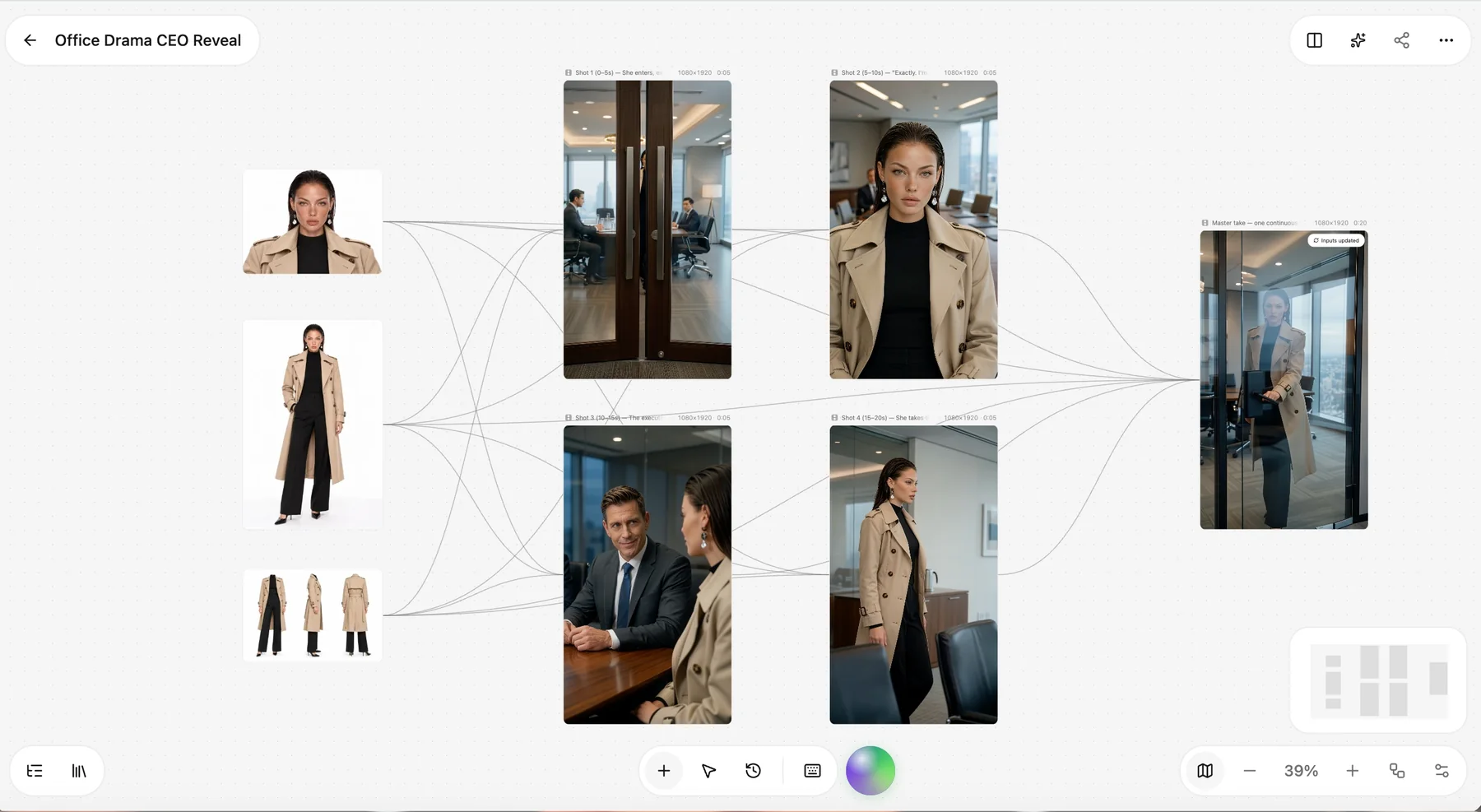
Video canvas arranging the same character across a sequence of shots
Step 01

Upload a photo

Choose a clear portrait of yourself, a model, or an original character. Add a short description of the look you want.

Ottermind prompt box with an uploaded portrait and a written character direction
Step 02

Generate your AI character

Review the full-body image, three-view body reference, and face close-up. Give your character a name and save it in your library.

Character sheet with a facial close-up, a full-body shot, and a three-view turnaround
Step 03

Use your character in Video Canvas

Select your saved character in Video Canvas. Describe the scene and action, then generate a clip and refine the result.

Video canvas arranging the same character across a sequence of shots

Frequently Asked Questions

Answers to common questions about creating, customizing, and using AI characters.

An AI character generator helps you turn a photo or description into a character for images and videos. In Ottermind, you can explore the look in Studio or upload a portrait to create a reusable character in your library.

Use the same character references for each new image or video. A face close-up and body views give the model more detail to work with. Results can vary with the prompt, pose, lighting, and scene, so review each output before using it.

Yes. Upload a clear portrait and Ottermind builds the character from it. You can add more views later to strengthen the identity or refine specific features.

Yes. Describe the character you have in mind and continue in Studio to generate from text. The Create in library option requires a portrait.

Yes. Use your character references in Studio and describe the outfit, hairstyle, makeup, or expression you want. Compare the results and refine the details that matter.

Yes. Upload a product image and combine it with your character on the image canvas. Create scenes showing the character holding, using, wearing, or presenting the product, as appropriate.

Yes. Select your saved character in Video Canvas, describe the scene and action, and generate a clip. Review the result and refine the prompt or references as needed.

No. Start with a photo and a plain-language brief. Ottermind handles the character sheet and offers starting prompts you can edit; the image and video canvases let you refine visually.

Check Ottermind’s Terms for ownership and permitted use of generated content. You also need permission to use any source images you upload.

Still curious? Write to support@ottermind.ai.

Your next character starts here.

Start with a photo or a description. Create your character, try a new look, and take them into your next image or video.

Create your character