






Email Subject Line Generator for Clear, Openable Lines

Brief the audience, offer, and tone. Generate short subject line options that front-load value for mobile, then revise until spammy caps and empty urgency are gone.

AI writing
Claude
GitHub
Google
Linear
Microsoft
Monday
Netlify
Notion
OpenAI
Sentry
Slack
Stripe
Supabase
Claude
GitHub
Google
Linear
Microsoft
Monday
Netlify
Notion
OpenAI
Sentry
Slack
Stripe
Supabase
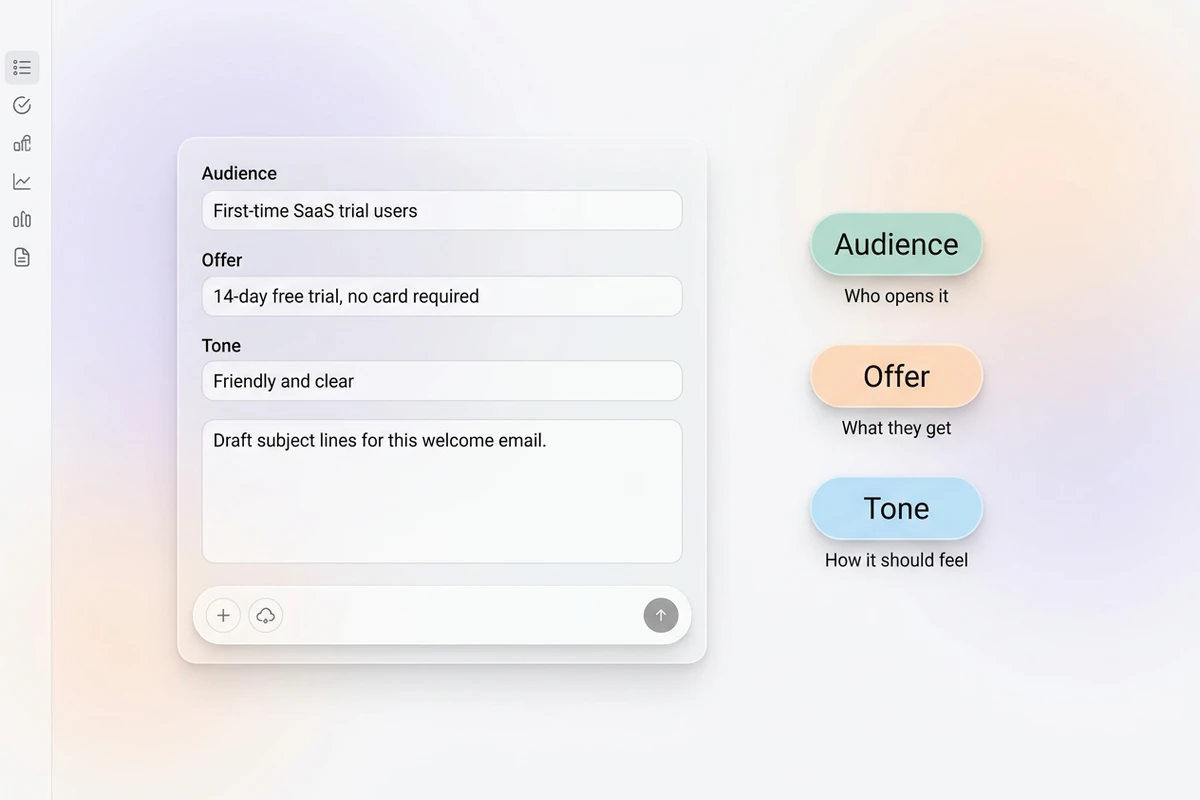
Asymmetric soft composer with audience, offer, and tone fields beside Audience, Offer, and Tone chips.

Brief the reader and the reason to open

Start this email subject line generator with who it is for, what the email delivers, and the tone you want. Vague “write catchy subjects” prompts return spammy caps cold inboxes ignore. For the full message after a winner is locked, use the AI Email Generator.
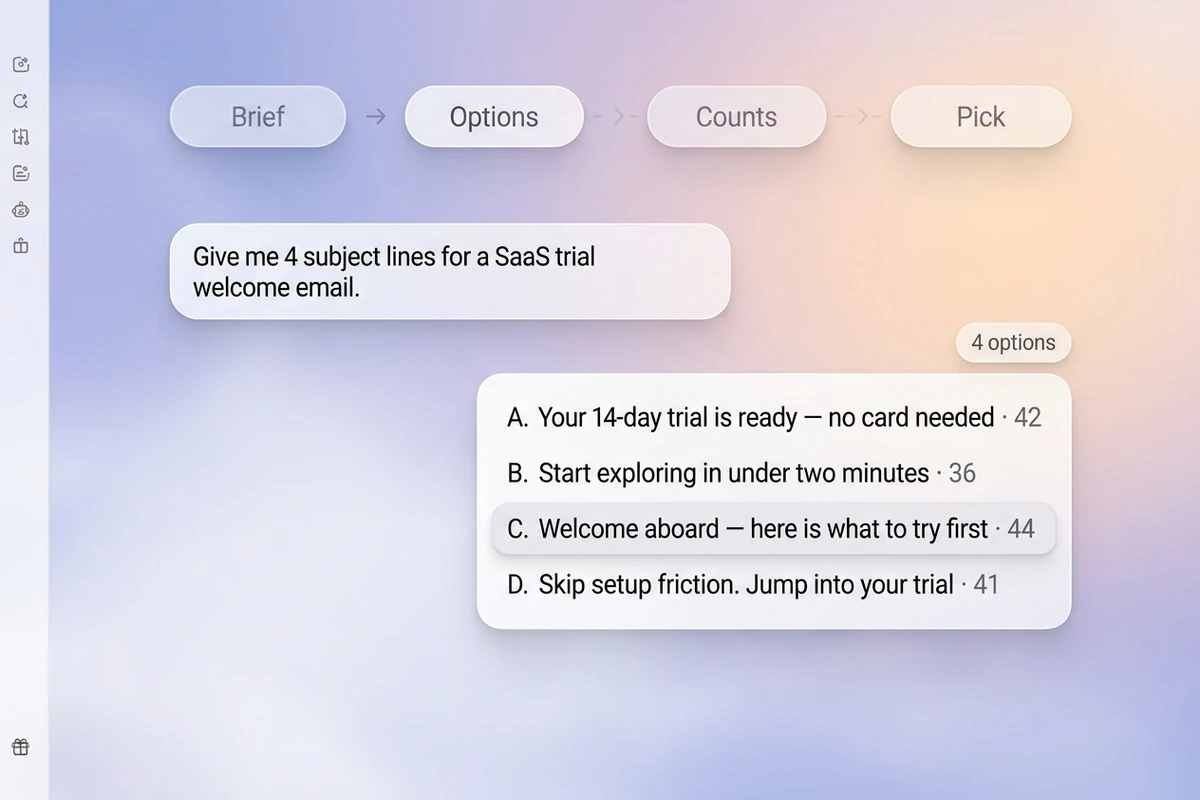
Soft workspace with Brief–Options–Counts–Pick beat strip and a four-option subject-line list with character counts.

Generate short options you can test

Ask for about 30–50 characters with the strongest value in the first 30 so mobile truncation still makes sense. Mix outcome, question, and specificity angles. Sharper revision prompts follow How to Write AI Prompts That Actually Work.

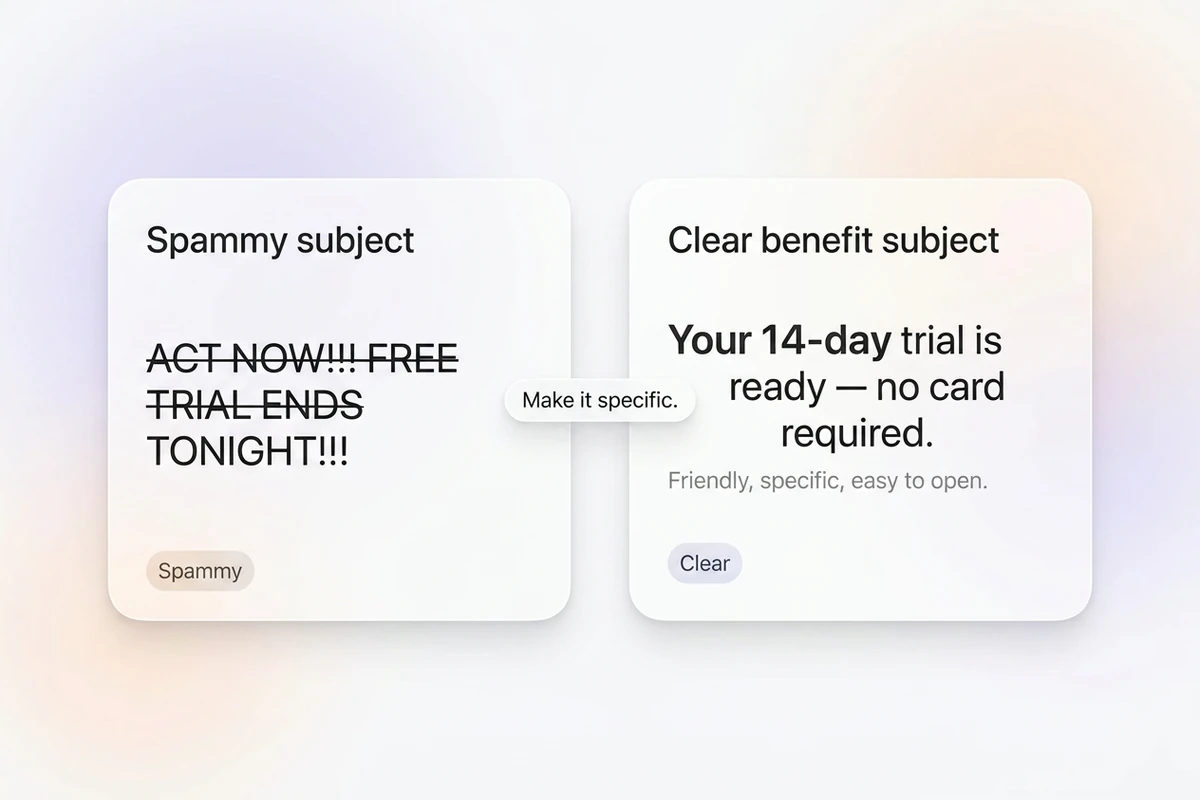
Split soft cards comparing a struck-through ALL-CAPS spammy subject with a clear benefit-led subject line.

Cut spam patterns, keep the promise honest

Remove ALL CAPS, fake “RE:”, and empty “ACT NOW” urgency. Match the subject to the email body and landing page. After you lock a line, continue with the AI Email Generator or the Headline Generator.

What you can do with Ottermind

Open a cold outreach email

Create specific subject lines tied to the recipient’s context without fake replies, vague curiosity, or inflated promises.

Promote a limited offer

Communicate the product, value, and real deadline clearly enough to make sense even when mobile inboxes truncate the line.

Package a newsletter issue

Generate subjects around the strongest story, insight, or benefit while staying faithful to what readers will actually find inside.

Follow up without sounding pushy

Write concise options for a proposal, application, or unanswered request that clarify the next action.

How to use this email subject line generator

Step 01

Lock the send brief

List audience, offer, channel, and tone. Refuse empty “make it punchy” prompts without a real reason to open.

Step 02

Generate the first set

Produce a scannable list so you can A/B distinct angles instead of regenerating tiny word swaps.

Step 03

Run a clarity and honesty pass

Ship only lines that still make sense if truncated on mobile, then test winners on a small segment.

Why creators choose Ottermind

Open reason before clever wordplay

Brief what the reader gets so this email subject line generator does not open with empty “MUST READ” fluff.

Project context retained

Keep prior campaigns, audiences, and winning subjects organized while you refine the same sequence.

Focused revision passes

Ask separately for shorter mobile lines, fewer adjectives, or a cleaner question form without discarding the brief.

Compare subject angles

Generate outcome, question, and specificity sets against the same offer before you choose.

Continue in Studio

Take the accepted subject set into Studio with the original send brief still attached for final polish.

Frequently asked questions

What is an email subject line generator?

An email subject line generator turns a send brief into short subject options for campaigns or outreach. In Ottermind, you supply audience and offer, generate with collaborating agents, then revise for length and honesty. It does not guarantee open rates or invent personalization facts.

What should I include in the prompt?

Include audience, offer or outcome, tone, and any real number or timeframe. Vague “write viral subject lines” prompts usually return spammy caps and empty urgency.

How long should a subject line be?

Aim for about 30–50 characters, and put the strongest value in the first 30 for mobile. Clarity beats padding—and length is a ceiling, not a goal.

How is this different from an AI email generator?

This tool focuses on the subject line alone. The AI Email Generator drafts the full message body once the open promise is locked.

Should subjects match the email body?

Yes. Keep the same promise from subject to body so opens do not turn into spam complaints. Avoid fake reply prefixes and claims the email cannot deliver.

What should I create after the subject line?

Lock a winner, then draft the body with the AI Email Generator. For a page H1 related to the same offer, use the Headline Generator.

Discover more

More from the blog

Draft subject lines worth opening

Bring the audience, offer, and tone. Generate short, honest subject options with this email subject line generator, revise carefully, and keep the brief connected in Ottermind.

Write subject lines


