







AI Poster Generator

Upload a visual reference, write a focused poster brief, and generate distinct concepts you can compare, inspect, and refine with Ottermind.

Claude
GitHub
Google
Linear
Microsoft
Monday
Netlify
Notion
OpenAI
Sentry
Slack
Stripe
Supabase
Claude
GitHub
Google
Linear
Microsoft
Monday
Netlify
Notion
OpenAI
Sentry
Slack
Stripe
Supabase

Turn One Clear Brief into Poster Directions

An AI poster generator turns a written brief and optional visual reference into poster concepts. State the audience, one main message, required details, destination, and visual mood before choosing a style. Use AI image generation to compare directions, then treat every result as a draft: check the wording, hierarchy, source accuracy, and production requirements before release.

A creative brief beside original jazz, skincare, and night market poster concepts

Explore Distinct Poster Directions

Use the AI poster generator to keep the same message while changing one visual system at a time: cinematic photography, editorial product styling, or energetic illustration. Side-by-side concepts make the creative decision visible instead of burying it inside repeated prompts. Prepare a permitted source with Photo Retouching when the reference needs careful cleanup first.
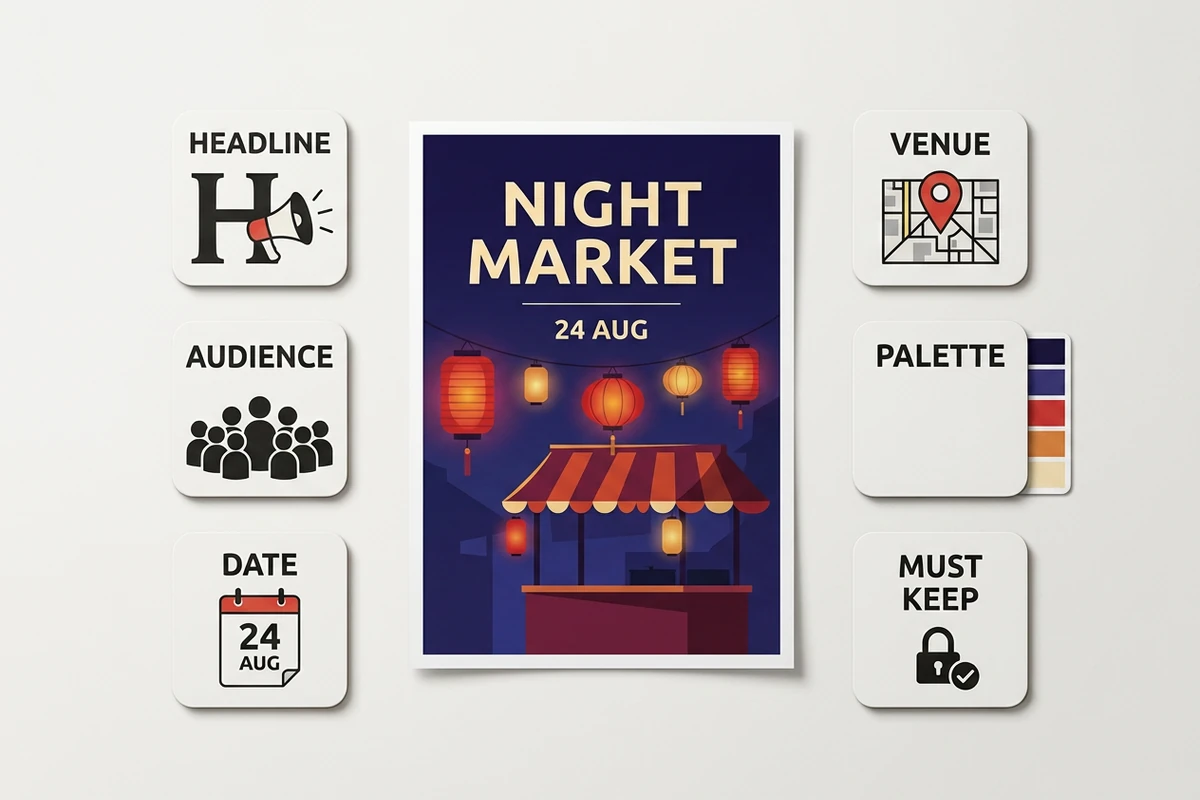
A night market poster surrounded by labeled brief tokens for planning its hierarchy

Write for Information Hierarchy

Give the AI poster maker a decision order: headline first, audience and action second, date and venue third, then optional details. This reduces crowded compositions and makes omissions easier to spot. Develop a concise headline with the Slogan Generator, but keep names, prices, dates, and legal copy exact in the brief.

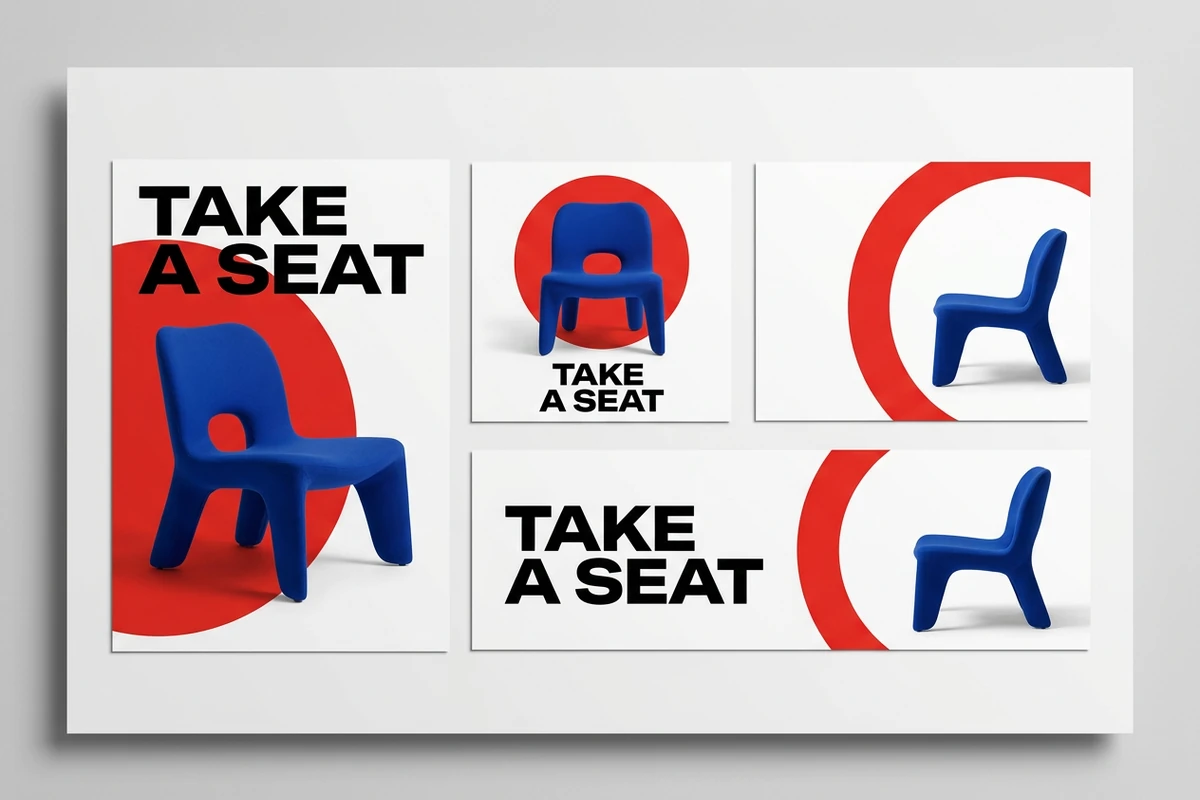
A cobalt chair campaign adapted into portrait, square, and landscape poster formats

Adapt the Idea, Not Just the Crop

A portrait poster, square social graphic, and landscape banner need different placement rules even when they share a subject and palette. Preserve the campaign idea while rebalancing type and imagery for each destination. Continue the rollout with the AI Social Media Post Generator rather than squeezing one layout into every channel.

How to Generate a Poster from a Brief

Step 01

Set the hierarchy

Write the audience, goal, single headline, required facts, destination, and desired action. Mark which wording must appear exactly and which visual choices can vary.

Step 02

Upload and direct

Give the AI poster generator a permitted product, person, logo, moodboard, or layout reference. Describe the subject, composition, palette, type character, and details that must remain recognizable.

Step 03

Compare and preflight

Compare poster concepts at full size and thumbnail size. Verify every character, date, price, face, hand, product detail, logo, margin, and destination-specific production requirement.

Why creators choose Ottermind

Brief and reference together

Keep the message and permitted source beside the task so later refinements stay anchored to the same intent.

Specific creative control

Direct hierarchy, subject, framing, palette, and mood separately instead of requesting a vaguely professional design.

Comparable concepts

Use the AI poster generator for distinct directions, then choose by audience fit, legibility, and message clarity rather than novelty alone.

Focused revisions

Correct one weak element while preserving the composition, subject, and visual decisions that already support the brief.

Reviewable context

Keep decisions and feedback around the project, then use Image Effects only when a treatment strengthens the message.

FAQ

What should an AI poster prompt include?

Include the audience, poster goal, exact headline, required names or facts, desired action, destination, subject, composition, palette, and type character. Separate must-keep wording from visual options so the AI poster generator knows what may change and what requires exact review.

Can I upload an image or logo as a reference?

You can upload a permitted visual reference to guide the task. Identify whether it supplies the subject, color direction, layout, or mood, and state which details must remain recognizable. Review faces, products, marks, and small objects against the source before publishing.

How do I prevent a poster from looking crowded?

Limit the brief to one dominant message and define a reading order. Keep the headline, action, and essential event or offer details in separate tiers; remove decorative instructions that do not support them. Test the poster as a thumbnail to expose weak hierarchy quickly.

Can generated poster text contain mistakes?

Yes. Generated images can contain misspelled, malformed, or invented lettering. Verify every character, number, date, price, URL, and disclaimer. Replace critical wording in an appropriate layout workflow; use the Image Text Editor when an image-based draft needs a targeted text revision.

What poster size should I request?

Choose the destination before generation. A print poster, social post, digital display, and event banner use different ratios, safe areas, and viewing distances. Recompose the design for each format instead of relying on an automatic crop to preserve the hierarchy.

Is an AI-generated poster ready to publish or print?

Not automatically. Confirm rights to every source, review factual and visual accuracy, and check the destination's dimensions, resolution, bleed, safe area, color, accessibility, and file requirements. The AI poster maker develops a direction; final production still needs a human preflight.

Discover more

How people use Ottermind for images

I had a batch of mug photos shot on my kitchen table. I cleared the clutter, tried two cleaner backgrounds, and kept the one that still looked like my real product. It felt more like tidying up a shoot than starting over.

Lena Ortiz - Online Shop Owner

More from the blog

Create a Poster with a Clear Message

Bring the AI poster generator a focused brief and a permitted reference, compare distinct directions, then refine the strongest concept against the hierarchy and preflight checklist.

Generate a Poster


