Image Effects

Choose a visual effect, send its prompt to Studio, and transform a permitted photo while keeping the subject, framing, and intended use clear.

Claude
GitHub
Google
Linear
Microsoft
Monday
Netlify
Notion
OpenAI
Sentry
Slack
Stripe
Supabase
Claude
GitHub
Google
Linear
Microsoft
Monday
Netlify
Notion
OpenAI
Sentry
Slack
Stripe
Supabase

Choose Image Effects by What They Change

Image effects can alter color, depth, motion, texture, or the whole visual language of a photo. Start by naming one intended change and the details that must survive it. The broader AI image generation workflow keeps your reference, prompt, review notes, and revisions connected.

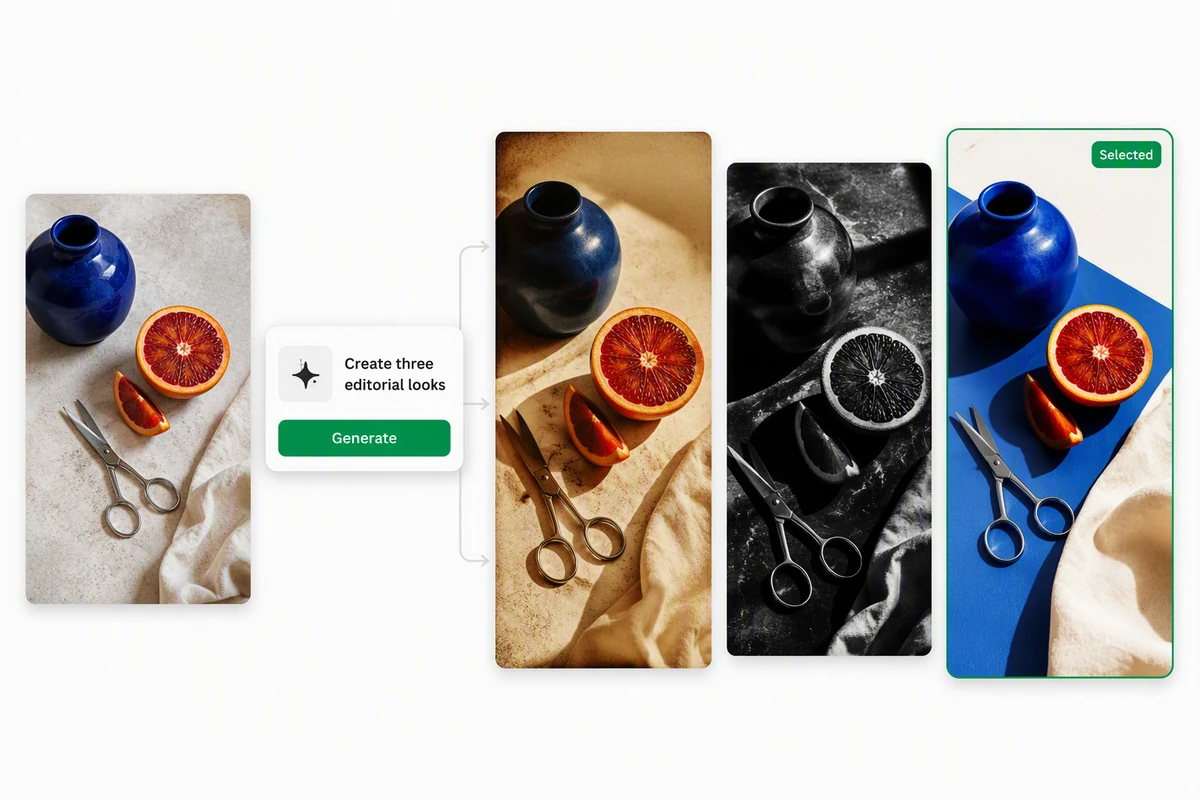
One cobalt-and-orange still life rendered in retro, monochrome, and contemporary styles

Compare effects on one subject

The same cobalt-and-orange still life appears in retro, monochrome, and contemporary treatments. Compare picture effects against fixed criteria: subject shape, palette, texture, and destination. Use AI image generation to continue only with the direction that serves the brief.
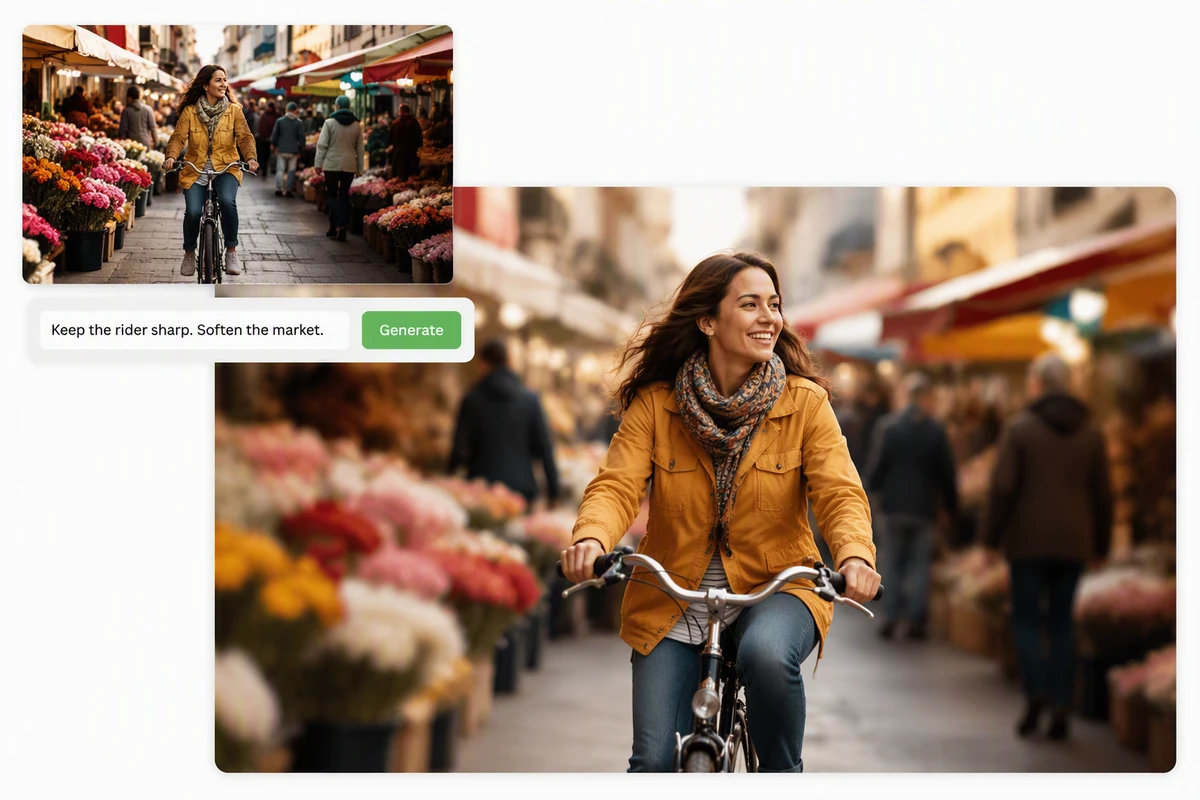
A cyclist kept sharp while a busy flower market becomes soft photographic bokeh

Protect the focal subject

The cyclist stays crisp while the flower market becomes soft bokeh. When applying image effects, state the focal subject, protected edges, and acceptable background change. If motion is the next step, carry the approved composition into Image to Video.

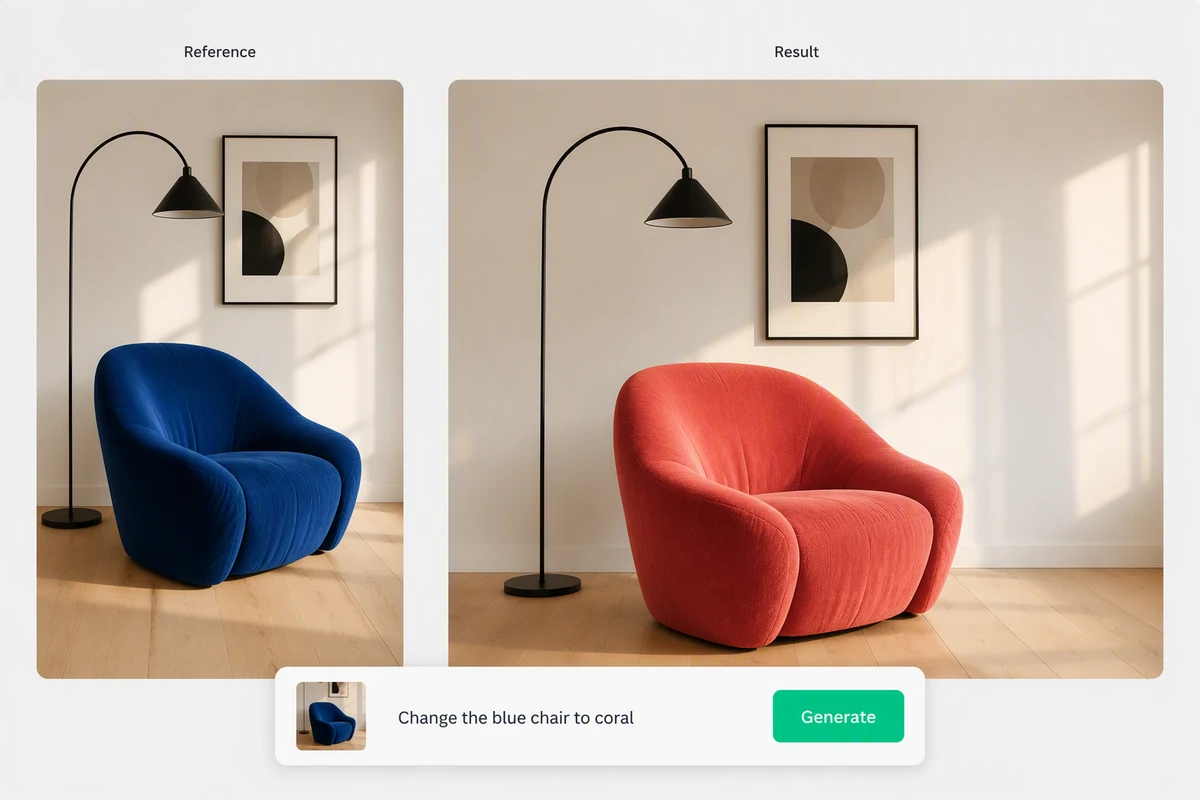
A modern reading room with a cobalt chair changed to coral while the scene stays consistent

Change one variable at a time

The reading room keeps its materials, light, and layout while the chair changes from cobalt to coral. Isolating one request makes photo effects easier to judge and correct. Save broader storytelling changes for a separate AI Story Generator step.

How to Apply an Image Effect

Step 01

Pick a direction

Choose one gallery example by the change it demonstrates, not only by its mood. Click it to send the matching image-effects prompt into Studio.

Step 02

Add your reference

In Studio, add a photo you are allowed to use. Name the subject, framing, colors, text, or identity cues that the transformation should preserve.

Step 03

Inspect and refine

Check faces, hands, edges, small objects, accidental text, and crop changes. Request one correction at a time while keeping the successful effect direction intact.

Why creators choose Ottermind

Visible starting points

Six concrete image effects make the intended transformation easier to choose before you write a request.

Reference-led work

Keep the permitted source beside each result so likeness, composition, and protected details remain reviewable.

Specific prompt control

Separate the effect, protected details, and output purpose instead of stacking vague style words together.

Focused correction

Revise one mismatch at a time and preserve the parts of the photo effect that already work.

A connected next step

Extend a selected still through Image to Video with its approved framing and visual direction attached.

Work stays together

Studio carries the chosen prompt, reference, feedback, and latest result into the next revision.

FAQ

What are image effects?

Image effects are deliberate visual changes to a photo, such as double exposure, infrared color, prism refraction, duotone, tilt-shift, or motion trails. Some alter a narrow property; generative picture effects may reinterpret several parts of the image, so review the complete result.

How do I choose the right effect?

Start with the job: isolate a subject, change mood, suggest motion, simplify color, or create an art direction. Compare photo effects on one reference and judge subject clarity, edge quality, palette, framing, and fit for the final format before refining one option.

Will an image effect preserve every detail?

Not automatically. State which identity cues, objects, text, colors, and composition must remain, then inspect the result. A generative transformation can introduce variation. For a moving version, Photo to Video AI Free provides a separate motion-focused workflow.

Can I combine several picture effects?

You can request a combined direction, but begin with one dominant effect and add a second only when its purpose is clear. This makes errors easier to diagnose. For a strongly illustrated sequence, use Photo to Anime Video AI Free as the dedicated next step.

Which photos work best with creative effects?

Use a clear permitted source with a readable subject and enough room around important edges. High contrast helps silhouette-led effects, while clean facial detail helps portraits. Avoid private or unlicensed material, and check the destination's rights and format requirements before publishing.

How do I keep image effects consistent?

Reuse one reference, name the same protected details, and record the selected palette, texture, lighting, and crop. Change one variable per revision. If the effect supports a longer narrative, the Ghibli Art Video Generator offers an adjacent storybook-motion workflow.

Discover more

How people use Ottermind for images

I had a batch of mug photos shot on my kitchen table. I cleared the clutter, tried two cleaner backgrounds, and kept the one that still looked like my real product. It felt more like tidying up a shoot than starting over.

Lena Ortiz - Online Shop Owner

More from the blog

Choose an Effect and Refine It

Start from a visible example, bring your permitted photo into Studio, protect the important details, and review every change before continuing with the final image.

Create Image Effects