Case Collection
Meta Muse Image Use Cases Worth Trying

Introduction
Meta's Muse Image launch is interesting because it is not only another image model demo. It points at a practical social workflow: make a visual, revise it, adapt it for a post, and keep the prompt pattern for the next campaign.
Below are five useful directions from the official launch materials. They are framed the same way we use case collections in Ottermind: source, visual pattern, what it is good for, and a reusable prompt.
1. Social cover images that explain the idea before the caption
Case source: Meta: Introducing Muse Image

The first useful pattern is the social cover. It does not need to explain every detail. It needs to make the topic instantly legible while leaving room for the caption, thread, or article to carry the detail.
For teams, this is the everyday use case: turn a product update, research note, event recap, or feature idea into a square visual that can travel across Instagram, X, LinkedIn, and an internal knowledge base.
Create a square social cover for this topic: use one clear subject, a clean background, strong visual hierarchy, and enough negative space for a short caption. The image should make the idea understandable before anyone reads the post text.2. Lifestyle scenes that can become a campaign moodboard
Case source: Meta: Introducing Muse Image

Muse Image is especially useful when the output feels like the start of a campaign, not a one-off asset. A lifestyle scene can become the reference image for product positioning, audience mood, color choices, and follow-up variants.
That matters because marketing work often starts before a photoshoot exists. A good generated scene gives the team something concrete to discuss without pretending it is the final production image.
Generate a lifestyle scene for this product or idea: show the target audience, the setting, the emotional tone, and the key object in use. Keep it realistic enough for a campaign moodboard, but do not make it look like a finished stock ad.3. Product visuals that test the buying cue early
Case source: Meta: Introducing Muse Image
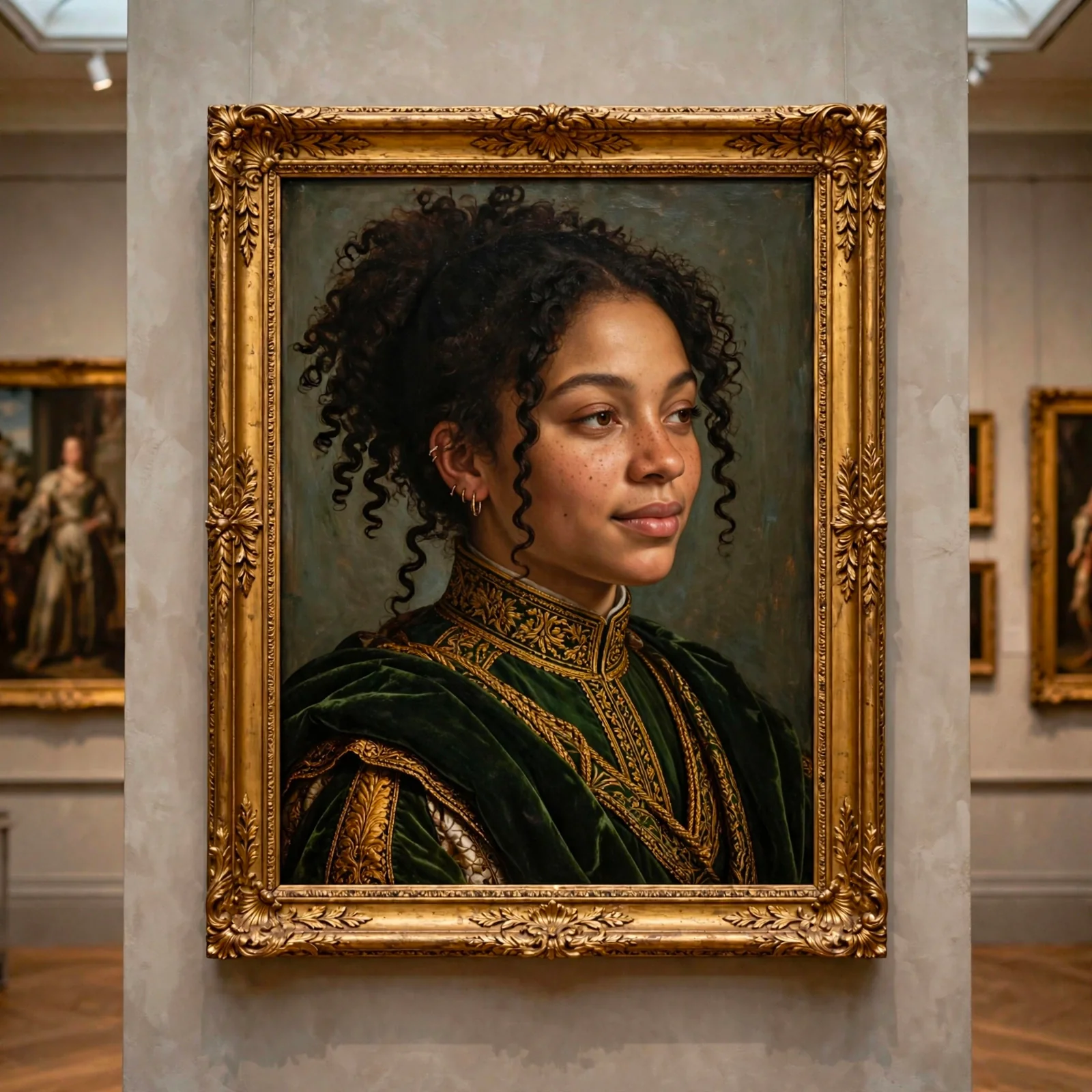
A useful product image is not only pretty. It tests whether the concept has a buying cue: what is being sold, who it is for, what context it belongs in, and whether the viewer understands the promise quickly.
In Ottermind, this can sit next to product notes, customer quotes, launch copy, and landing page drafts. The image becomes a fast visual hypothesis rather than an isolated file.
Create a product visual for this concept: make the object clear, show the use context, include a subtle buying cue, and keep the composition simple enough for a landing page hero or campaign thumbnail.4. Character or avatar images that keep a recognizable series
Case source: Meta: Introducing Muse Image

Characters and avatars are useful when they become a repeatable series. One image can look nice, but a set of consistent covers can help a newsletter, creator account, help center, or internal playbook feel recognizable.
The trick is to specify the stable parts: face framing, color range, texture, background simplicity, and the amount of stylization. That gives the model less room to drift between generations.
Turn this person, role, or topic into a consistent avatar cover: keep the same framing, color range, background simplicity, and level of stylization across the series. The result should feel reusable for a profile, newsletter, or topic library.5. Packaging mockups that make an idea feel testable
Case source: Meta: Introducing Muse Image
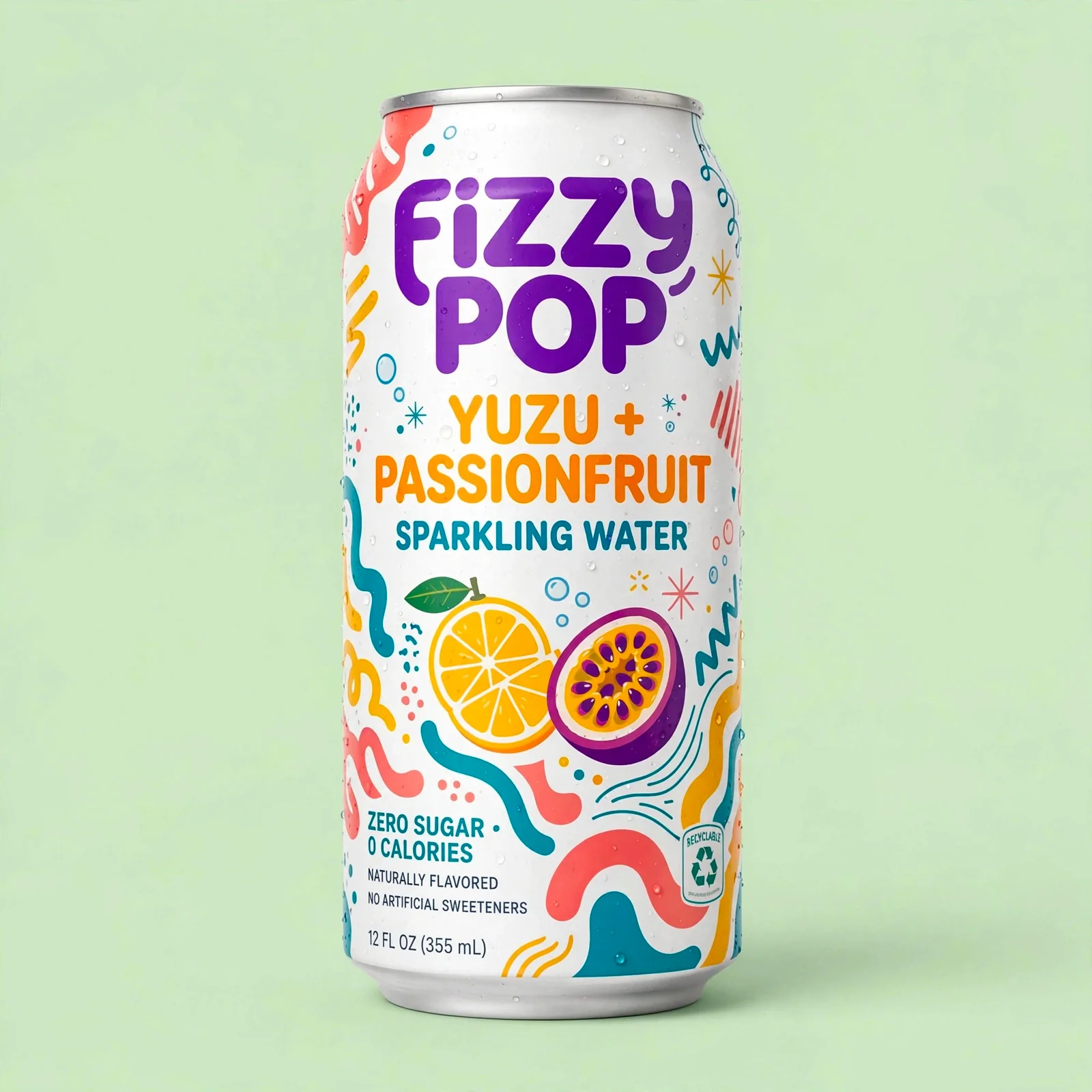
Packaging mockups are useful because they push a loose idea into something that can be judged. The team can see the name, flavor, material, color system, shelf presence, and whether the concept feels like a real product.
The point is not to pretend the label is production-ready. The point is to test product direction early: does the concept read clearly, does the visual system match the audience, and is it worth turning into a real brief?
Turn this product idea into a realistic packaging mockup: show the product name, flavor or variant, material texture, simple claims, and a visual system that could sit on a shelf. Keep it clearly marked as a concept direction, not final production art.Turn visual experiments into reusable Ottermind assets
If you only generate one image, Muse Image is a creative tool. If you keep the source, prompt, output, and reasoning together, it becomes part of a team workflow.
Ottermind can help turn these experiments into prompt templates, visual folders, campaign notes, and reusable examples for the next model or the next launch.
