Prompt Guidance
Design Agent: What It Is, What It Cannot Do, and How to Brief One
A design agent takes a brief, makes the layout decisions in sequence, and revises the result in conversation. The composer below is Ottermind's image route, already filled with this guide's first brief: read it, edit it, or send it.
Optional
JPG / PNG / WebP
This is Ottermind's composer, not another tool's screen. The brief is already typed in; sending is a separate action that continues in Studio.
November 16, 2026 · 11 min read
A design agent is an AI tool that takes a design brief, makes a sequence of design decisions on its own, and changes the result when you answer it. Three properties have to be true at once: it acts over several steps without asking permission at each one, it works in plain language, and it revises across turns. A model that turns one prompt into one picture is not a design agent, however the landing page is worded.
The usual mistake is not picking the wrong tool. It is briefing the right tool like a slot machine. One sentence, no format list, no type system, no split between references you want copied and references you only want borrowed from — then disappointment when the result looks like every other AI poster, followed by a worse disappointment when the "design" arrives as a flattened JPG that nobody can edit. A design agent can only be as specific as the brief it was given, and it can only hand back the kind of artefact its pipeline produces. Both of those are decisions you make before the first generation.
If you only need one image today, the composer at the top of this page is Ottermind's own image route: write the brief, attach a reference, continue in Studio. This guide is about the part before that — deciding which kind of design agent you are dealing with, and what you should expect to receive from it.
How this guide was prepared: Definitions and product claims were checked on November 16, 2026 against IMG.LY's design-agent explainer (published March 30, 2026), Figma's Figma agent announcement (published May 20, 2026), LangChain's Content Studio write-up, and Lovart's official documentation as recorded in our Lovart review (checked November 6, 2026). No agent was benchmarked for this article: we did not run a side-by-side output test, and nothing below is presented as a measured result. The cover and the two photographs are AI-generated illustrations for this article; the interface image is a real screenshot of Ottermind's image page. Ottermind publishes this guide and offers the image workflow linked at the end.
What separates a design agent from an image generator
IMG.LY's working definition is the clearest published one, and its author is explicit that no standard exists yet: the term is early, and vendors use it loosely. The three tests in that definition are still worth applying, because they sort tools by what they can actually do rather than by what they claim.
| Property | What it means in practice |
|---|---|
| Multi-step autonomy | It decides layout, hierarchy and image placement itself, rather than executing one command |
| Conversational interface | It takes a brief in words, can ask what is missing, and explains what it changed |
| Refinement loop | A later instruction updates the same artefact instead of starting a new one |
| What you are holding | What it does | What it cannot do |
|---|---|---|
| AI image generator | Takes a prompt, returns one image per instruction | No multi-step plan, no editable layout; revisions start again |
| AI feature in a design tool | Speeds up specific edits inside a design application | Does not plan the whole job or hold the brief across a session |
| Design agent | Plans several steps, keeps the brief, revises one artefact | Editability and export formats depend on the specific tool |
The last row is where most disappointment starts. "Depends on the tool" is doing a lot of work: an agent that plans a campaign in a chat window and then calls an image model hands back pictures, not layouts. Read the export list before you read the feature list.
The phrase means at least four different things
Search for "design agent" in November 2026 and the first screen mixes categories that have nothing to do with each other:
- AI design agencies — service firms that use AI inside a human studio. A business, not a tool.
- Design automation — templated batch production. Fast, consistent, and unable to interpret an ambiguous brief.
- Model wrappers — a chat box that writes better prompts for an image model. Useful, but the output is still one image per turn.
- Actual design agents — tools with the three properties above, embedded in a canvas, a workspace, or an editor.
One vendor in the results calls itself "the world's first AI design agent"; other results on the same screen are a print-design shop, a design agency's account, and an unrelated .dev site. If you are evaluating a purchase, the category label tells you almost nothing. The export menu tells you more.
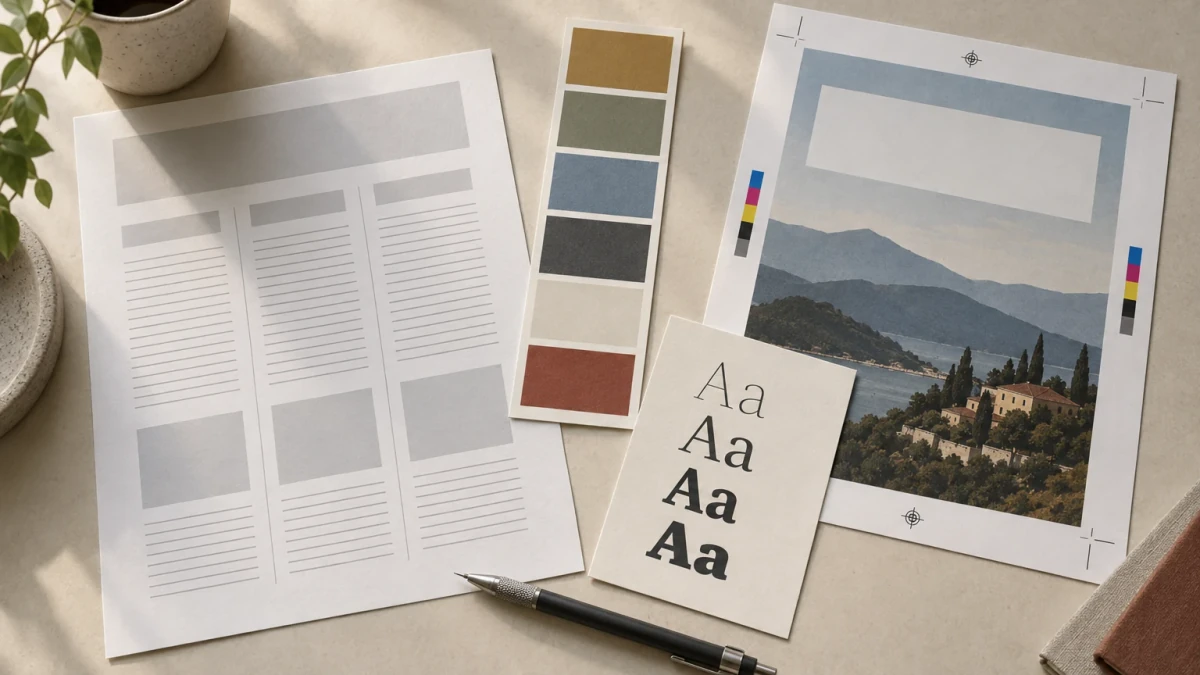
What a briefable design agent needs from you: a scope, a reference split, a system of type and colour, and copy that is already written. AI-generated photograph made for this article; the papers are props, not a template you can download.
Three shapes of design agent in 2026
Almost every current product is one of these three shapes. They fail differently, and they hand back different things.
1. The on-canvas agent. Figma's agent lives inside the file: it starts from any layer, can run several prompts in parallel, applies components and tokens you already have, and does bulk edits across frames. Figma published the announcement on May 20, 2026 and described a staged beta: Full seats on Professional, Organization and Enterprise plans; Collab and Dev seats in drafts; Starter, Education and Government plans left out at launch, with credits not charged during the beta. Lovart's canvas agent works on the same premise from the opposite direction — assets land on an infinite canvas and stay selectable, and the vendor documents exports to PNG, SVG, PSD, PPTX and MP4.
The strength is context: your system is in the room. The weakness is that you must already have a system, and that seat and plan gates decide who can use it.
2. The workspace agent. LangChain's Content Studio runs in Slack: someone describes the asset and attaches material, the agent works through a plan with subagents, shows progress, and asks for approval before anything ships. Their published numbers are unusually concrete — more than 3,000 assets, more than 80 slide decks, a median request around 50 cents in model spend after a round of optimisation, and every asset written in code rather than rendered as a picture. They also published the earlier version's failure honestly: the first reactions to its output were bad, and the fix was four months of teaching it the design team's judgement.
The strength is throughput on repeated, on-brand work. The weakness is that taste has to be written down and maintained, and that a long-running agent needs a human gate rather than a send button.
3. The image generator with an agent layer. This is most of what an individual buyer meets under the "design agent" name: a chat surface that plans a few prompts, calls an image model, and returns variations. It is genuinely useful for exploring directions quickly. It is not a layout tool, and the thing you download is a picture of a design.
| Shape | You hand it, and what comes back | Where it breaks |
|---|---|---|
| On-canvas agent | A brief plus your file or design system → editable frames in the same canvas | Empty design system in, generic components out |
| Workspace agent | A message, attachments and brand rules → finished files, often generated as code | Needs an approval gate; rules expire as models improve |
| Generator with an agent layer | A prompt and reference images → variations of a rendered image | No layers, no print spec, no type control |
Five checks before you write a word of brief
You can separate a real workflow from a demo in about five minutes. Do these before you invest an afternoon.
| Check | What to do | Failure signal |
|---|---|---|
| What you actually receive | Export the result and open it in your own editor | A single flattened image; text is pixels, not text |
| Whether it holds a system | Ask for three assets in one brand, then a fourth the next day | Palette, type sizes or margins drift between them |
| Whether it plans | Ask "what are you going to change?" before approving anything | It edits first and explains never |
| Whether it remembers | At the fifth turn, restate a constraint from the first and watch it | The constraint was silently dropped two turns ago |
| Whether it understands production | Ask for dimensions, colour mode, bleed and font names | Confident "print-ready" with no specification behind it |
The first and last checks are the ones people skip. A design agent that answers the production questions vaguely is telling you what it is: a renderer with a good vocabulary.
Six briefs, one decision each
These are written for an agent that accepts text, reference images and a system. Each one changes a single decision and leaves the rest alone, so the result tells you which instruction worked. Replace the product and the copy; keep the structure.
1. The job, not the picture
Controls: the deliverable list and the formats. An agent cannot invent a scope you never stated.
Design a three-asset launch set for a small ceramic studio's autumn collection: one 1080 × 1350 Instagram feed post, one 1080 × 1920 story, and one A5 postcard. Same product photo, same headline, same three colours across all three. Before generating anything, list the three formats you will produce and where the photo sits in each. Do not add other assets.If the three files come back with three different crops and three different headline sizes, the agent treated each as a new job. Restate that they are one set, then check the shared elements.
2. What to borrow and what to leave
Controls: the reference split — which qualities are copied, and which are explicitly not.
Use the two attached photos only as follows. Photo A sets the light: soft side light, warm shadows, no fill. Photo B sets the palette: its five swatches are the entire colour range. Do not copy photo A's composition, props or background, and do not copy photo B's layout. Anything I have not named here is mine to decide later.Most "make it look like this" failures are one undivided reference. A moodboard is not an instruction; it is five instructions that contradict each other until you separate them.
3. The system you already own
Controls: the rules that make a set look like one brand instead of three lucky accidents.
Apply this system to every element: headline 64/68 in a grotesque at medium weight; body 22/32; one accent colour, #B4552D; 48 px margin on all sides; a 12-column grid with text held to five columns; logo lockup bottom left with 24 px clear space; never set type over the product. If a rule conflicts with a format, keep the rule and tell me which one you bent.The last sentence matters more than it looks. Without it, an agent resolves a conflict silently and you find the logo sitting on the product three assets later.
4. Copy is supplied, not drawn
Controls: lettering fidelity and whether the text stays editable.
Treat every word below as final copy and set it as live text: headline "Made by hand, twice a year."; subheadline "Autumn collection, 12 pieces."; footer "studio.example — ships in November." Do not generate, translate, shorten, lengthen or invent any other words. Do not paint type into the image. If a line does not fit, reduce the type size and tell me — do not cut the sentence.This is the single highest-value instruction in the list. Generated lettering is the failure mode people notice instantly and forgive never, and painted type is the reason a "design" cannot be corrected later.
5. Variants with exactly one variable
Controls: exploration. Three directions, one difference each, everything else fixed.
Produce three directions that differ in one decision each: (A) photo full-bleed with the type reversed out at the bottom; (B) photo in a 3:4 window on the right, type block on solid cream on the left; (C) photo cropped to a circle with a wide cream border. Type sizes, palette, grid, margins and copy stay identical across all three. Nothing else may change.If the three options also change colour or headline size, you cannot tell which difference you are reacting to — and neither can the next person in the review.
6. The approval gate and the handoff list
Controls: how much autonomy it gets, and what you ask for at the end.
Before building, reply with a one-screen plan: the asset list, the type sizes, where the logo sits, and what you are unsure about. Wait for my go-ahead. When I say go, produce only the three formats. Then give me the layer list, whether all text is editable, the exact pixel dimensions, the colour mode, and the font names. If any of those is not available in this tool, name the missing one and stop.An agent that can answer all five handoff questions is a workflow. An agent that answers two is a preview.
Why the output looks like everyone else's
There is a name for the texture of generic AI design. LangChain's engineers describe the model reaching for familiar patterns — polished, competent, and interchangeable — and quote Anthropic's term for it, distributional convergence. Their post also borrows a warning from Katie Dill at Stripe: copies that keep the look while losing the thought behind it, which she calls "zombie UI".
The practical lesson is not "AI cannot design". It is that an agent without your point of view will supply a point of view of its own, and that point of view is the average of everything it was trained on. The remedy is unglamorous: two examples of your own work, three things you refuse to do, and one sentence about who the piece is for. Those belong in the brief, not in a comment afterwards.

The failure this guide keeps returning to: the layout is competent, the margins are right, and the headline is not a sentence. AI-generated illustration of the failure mode; it is not a screenshot and not a competitor's output.
Failures you will actually hit
| Symptom | Usual cause | Fix |
|---|---|---|
| Looks like every other AI poster | No point of view and no references of your own | Add two own examples and three prohibitions |
| Headline is beautiful nonsense | The model is drawing letters, not setting text | Supply the copy; demand live text |
| The set drifts | The system lived in your head | Paste type sizes, palette and grid into the brief |
| Loud, but the wrong thing is loud | Optimised for contrast, not for reading order | State the one element a viewer must see first |
| The "design" is a flat JPG | The pipeline rasterises at the end | Ask for layers before approving |
| Print shop rejects the file | RGB, no bleed, or too few pixels | Ask for the print spec and check it yourself |
| The agent changed things you did not ask about | Autonomy with no gate | Add an approval step and one-change revisions |
One more failure deserves its own line because it is invisible until late: an agent can produce a plausible brand system that is legally unusable. A generated wordmark that resembles an existing one, a colour pair that fails contrast, a font used beyond its licence — none of that shows up in a thumbnail review.
Style and craft are not the same deliverable
This is the boundary that most "design agent" pages blur, and it is worth stating plainly.
What an agent gives you is a rendering of design decisions: composition, hierarchy, palette, mood, variants to choose between. That is real value, and it is the part that used to consume an afternoon of exploration.
What craft still requires is execution: optical alignment rather than mathematical centring, kerning and tracking on a real typeface, a baseline grid that holds across pages, prepress preparation (bleed, trim, colour separation, ink limits), a vector master for anything that has to scale to a building, font licensing for the machine that will output it, contrast ratios checked against the actual background, and a legal review of anything that resembles an existing mark.
A design agent can help with the first list. It does not close the second one by producing a prettier picture. Whether a specific tool exports editable layers, embedded fonts or a print-ready PDF is a property of that tool on the day you check it — treat every claim as unverified until you open the export yourself. For our part, we have not verified layer-level exports or print preparation for the tools named in this article.
Where this leaves you, and what to do first
If you have read this far, the sequence is short:
- Decide which artefact you need: a picture to react to, or a file someone can still edit.
- Ask the agent the five checks above before you give it a real job.
- Write the six briefs in this order — scope, references, system, copy, variants, gate.
- Review the first output against the system, not against your taste in that moment.
- Only then talk about production, and only with the export in front of you.
For the image part of that workflow, Ottermind's image page is a text-to-image route with the same logic: describe the piece, attach a reference if the look has to be anchored, then keep refining in Studio instead of restarting from an empty prompt. The composer above is that page's input, pre-filled with this guide's first brief. Studio shows the model and the credits before anything runs, and what you can download depends on your account — we are not going to promise a fixed output format here, because the tooling on that page does not make that promise either.
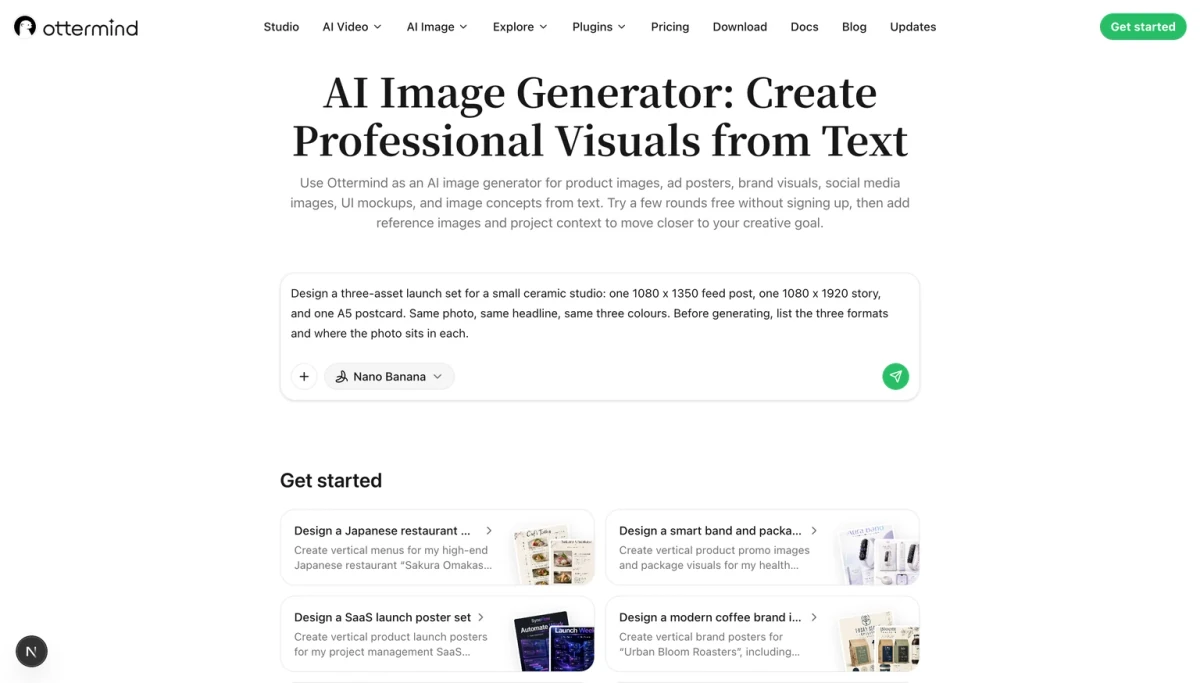
The actual Ottermind interface on November 16, 2026: the image page's composer with the starter brief. A real screenshot, not an illustration. Sending is a separate action and continues in Studio.
Related reading
- What is an AI agent? — the loop, the tools and the guardrails that make agency real
- What is agentic AI? — how the category is defined across vendors
- AI agent architecture — planning, memory and tool boundaries in one place
- Context engineering for AI agents — why the brief, not the prompt, is the work
- Human in the loop — where an approval gate belongs
- Lovart AI review — a canvas design agent, its credits and its exports, checked November 6, 2026
- Poster ideas — formats and layouts worth briefing an agent with
- Dutch angle and tweening — two guides where one camera or motion decision changes the whole result
