Explainer
What Is an AI Agent? Models, Tools, and Control
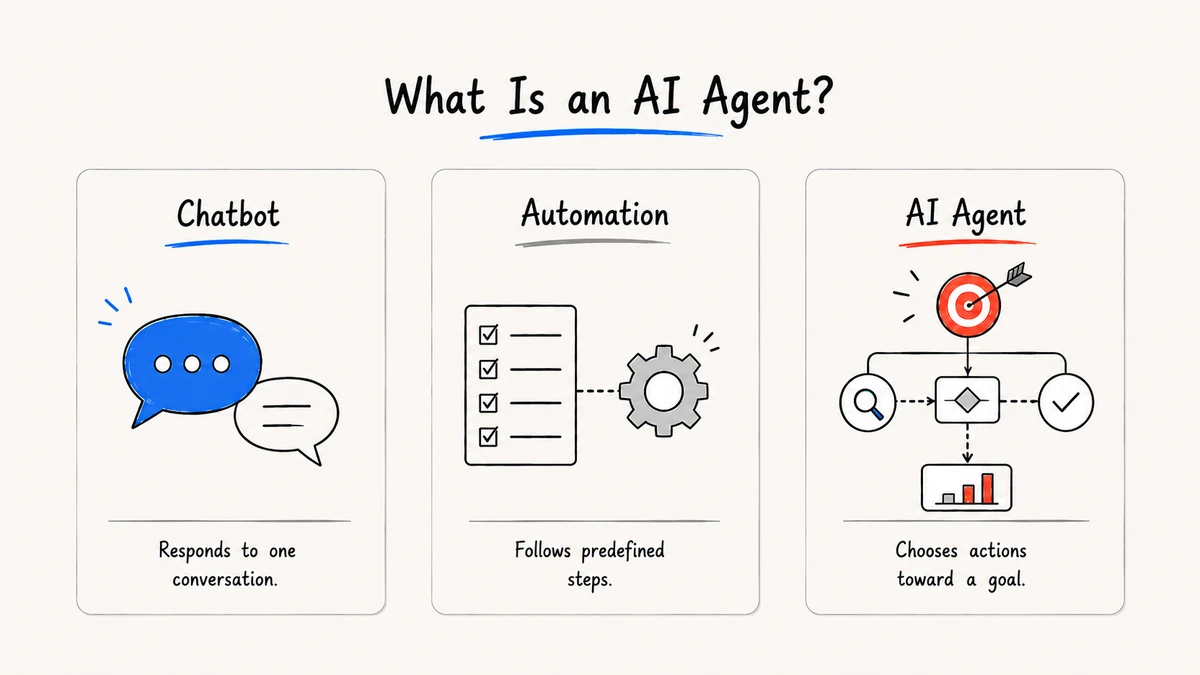
An AI agent is a software system that uses a model to pursue a goal by choosing steps, using permitted tools, and adapting to the result. A chat response alone is not necessarily an agent; agency comes from the loop around the model.
Research and disclosure: Definitions and examples reflect OpenAI agents documentation, Anthropic tool-use documentation, and Google's agent design patterns, reviewed September 2, 2026.
The agent loop
Goal -> plan or select a step -> call a tool -> inspect the result
-> update state -> continue, ask for approval, or finish
The model proposes the next step, but the application should enforce permissions, schemas, timeouts, and stop conditions.
Agent, chatbot, or automation?
| System | Primary behavior | Typical control |
|---|---|---|
| Chatbot | Responds to a message | Conversation turn |
| Automation | Runs predefined steps | Deterministic rules |
| AI agent | Selects steps toward a goal | Model plus explicit guardrails |
Many useful products combine all three. Calling a feature an “agent” does not reveal how much autonomy or risk it actually has.
What an agent needs
- A goal and a bounded scope
- State, memory, or retrieved context
- Tools with least-privilege permissions
- A structured result format
- Approval and escalation paths
- Logs, evaluation cases, and an owner
The existing agentic workflow explainer focuses on planning and review across a sequence of work; this article defines the system category and its minimum components.
A useful mental model
Think of an agent as a controlled loop, not a personality. The model proposes; application code validates; tools execute; a reviewer can pause or reject. This division makes it possible to replace a model, inspect a failure, or limit a capability without rewriting the whole product.
A concrete example
Imagine a request to prepare a quarterly customer update. A chatbot can draft a response from the text in the conversation. An agent can retrieve the approved metrics, identify missing numbers, draft the update, create a review task, and wait for approval before sending anything. The agent behavior comes from the loop and its tools, not from a more human-sounding answer.
The same pattern can be used for research triage, document intake, or project coordination. In each case, define what “done” means and which steps are reversible. If a workflow cannot state its success condition, adding autonomy usually adds confusion rather than value.
Autonomy levels
| Level | What the system does | Suitable starting point |
|---|---|---|
| Suggestion | Produces a draft or next-step recommendation | Most knowledge work |
| Assisted action | Prepares a tool call for confirmation | Messages, tasks, records |
| Bounded execution | Runs approved low-risk steps automatically | Repetitive internal workflows |
| Delegated execution | Chooses and runs several tools toward a goal | Mature workflows with monitoring |
Move up this ladder only after evaluation shows that the lower level is reliable. Keep budgets, timeouts, and a stop button at every level.
What an agent is not
An agent is not a guarantee of general intelligence, a replacement for a database, or a license to remove process owners. It may use memory, but memory still needs a source policy. It may plan, but the plan still needs constraints. Clear naming prevents teams from buying a label when they need a specific capability.
Where agents help
Agents are a good fit for research triage, document transformation, project coordination, and other work that mixes judgment with repeatable tools. They are a poor fit when the task has no clear success test or when an error creates an irreversible side effect without review.
FAQ
Do AI agents think like people?
No. They generate and select actions through software and model inference. Human-like language does not prove understanding or reliability.
Are agents autonomous?
Some can run multiple steps without a turn-by-turn prompt, but autonomy is a product setting bounded by permissions, budgets, and approvals.
Is an agent always multi-agent?
No. A single agent with tools can complete a workflow. Multiple agents add coordination overhead and should solve a real separation-of-work problem.
How should I evaluate an agent?
Test normal, missing, adversarial, and permission-sensitive inputs. Measure correct completion, safe escalation, and recoverability, not just fluent text.
