AI Report Generator

Bring your source material and reporting goal. Ottermind helps organize the evidence into a polished report draft you can verify, refine, and share.

Turn scattered information into a report people can use

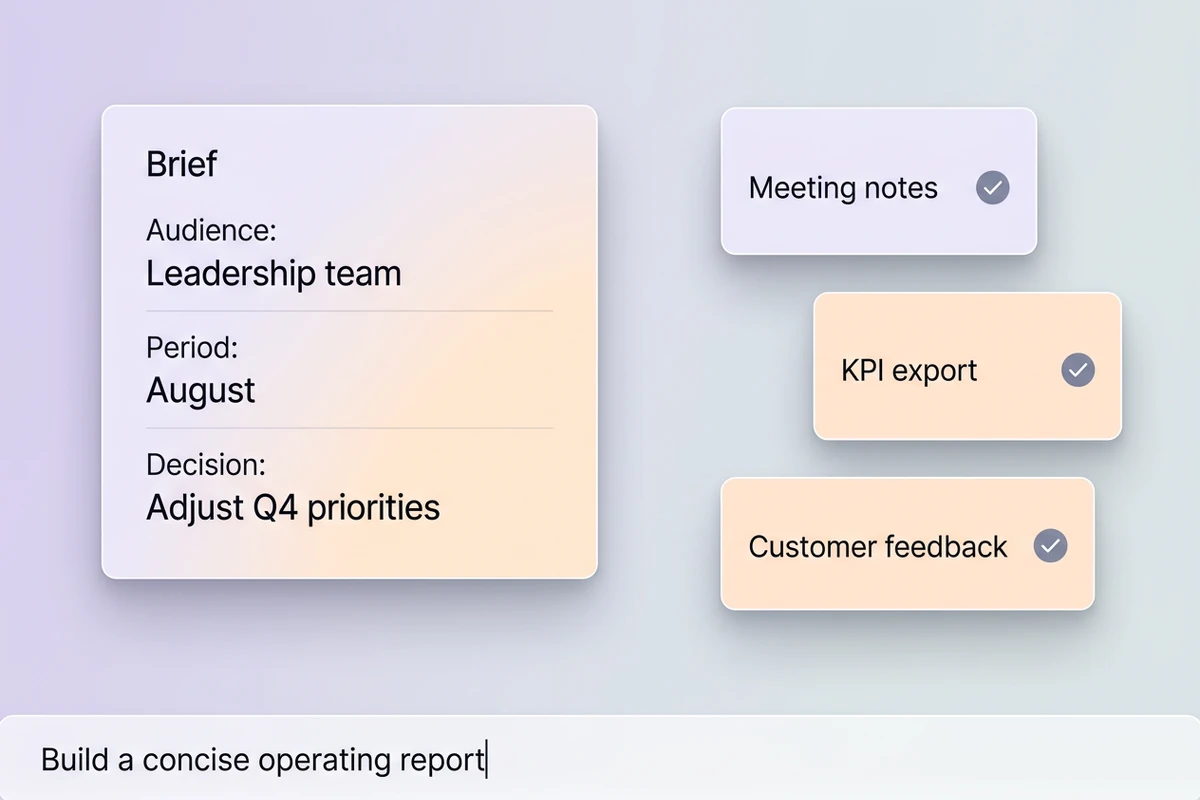
An AI report generator should do more than expand a prompt into polished paragraphs. Give Ottermind the source material, audience, reporting period, and decision at stake, then ask it to organize the evidence into findings, implications, and next steps. If the assignment only needs the opening takeaway, use the Executive Summary Generator for that narrower job.

Report brief with audience, period, and decision fields beside included meeting notes, KPI export, and customer feedback sources.

Start with the material you already have

Bring together notes, documents, data, and project context, then define who will read the report and what they need to decide. Ottermind can carry those inputs through a multi-step reporting workflow. Turn a discussion into structured Meeting Minutes Generator first when decisions and owners are still buried in a transcript.
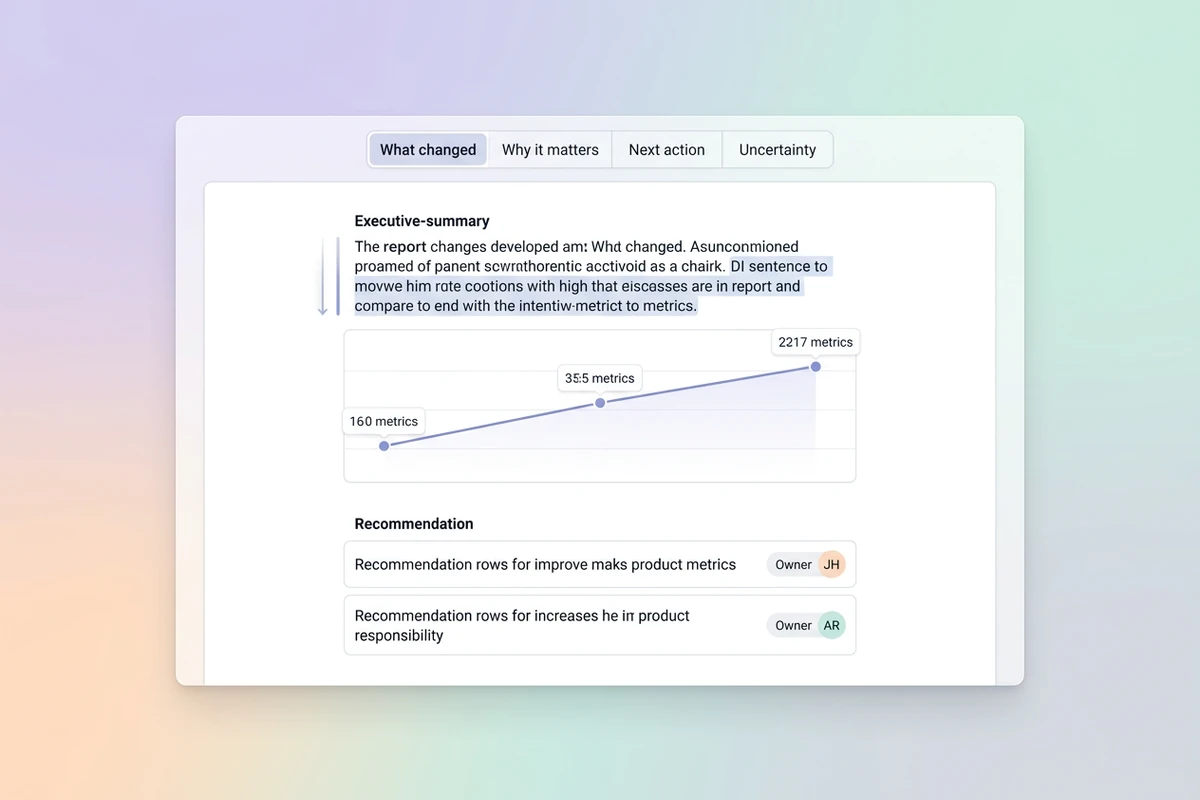
Report editor organized into what changed, why it matters, next action, and uncertainty, with a chart and recommendations.

Build the report around decisions, not filler

Use a stable four-part brief: what changed, why it matters, what to do next, and what remains uncertain. That structure keeps the main conclusion visible and makes recommendations easier to challenge. When the evidence still needs collecting, complete the Market Research Tool before asking the AI report maker to draw conclusions.

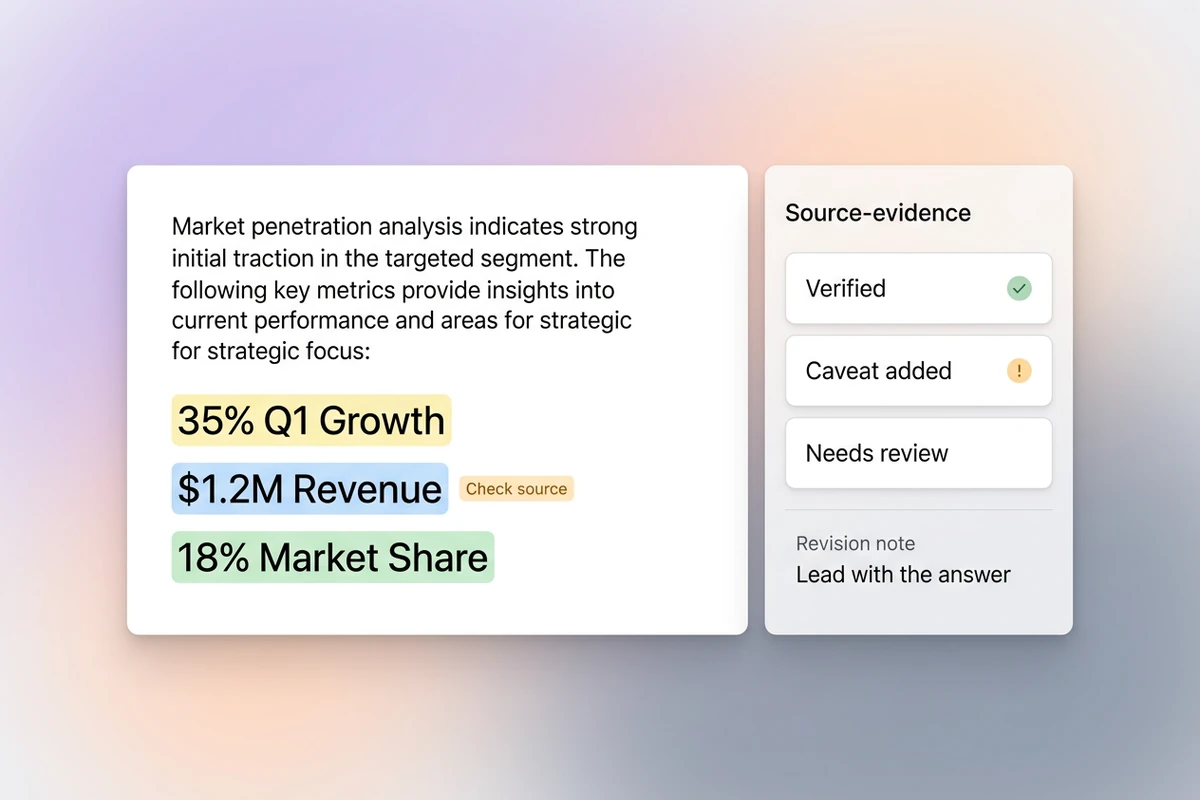
Split report review workspace with highlighted metrics, a source check, verified and caveat-added states, and one item needing review.

Review the claims that carry the most weight

Before sharing, verify the three numbers that could change a decision, restore important caveats, remove unsupported filler, and add the judgment only your team can provide. Keep the source material close enough to check. For a focused market comparison, build the underlying Competitor Analysis separately, then bring its supported findings into the report.

What you can do with Ottermind

Give leaders a useful weekly update

Combine team notes, KPI changes, blockers, and upcoming decisions into an AI report for managers that leads with what changed and names the owners of next actions.

Explain client performance clearly

Turn campaign or account data into a client-facing narrative that distinguishes measured results from interpretation, adds recommendations, and flags gaps before the report is sent.

Synthesize research into decisions

Bring a completed Market Research Tool together with interview notes and source documents, then organize the evidence into themes, implications, and prioritized actions.

Keep project status accountable

Convert milestones, risks, decisions, and dependencies into a status report that gives sponsors a clear view of progress and the issues that need intervention.

How to make a report with AI

Move from source material to a report draft without hiding the decisions that still need a person.

1

Upload the relevant material, then name the audience, time period, reporting question, and decision the document should support.

2

Request findings, evidence, interpretation, recommendations, owners, and uncertainty as separate parts so readers can follow the reasoning.

3

Check high-impact facts against the source, revise emphasis and tone, restore caveats, and remove any claim you cannot defend.

Build report in Studio

Why creators choose Ottermind

Use reporting AI to carry context through the work while keeping important decisions and checks visible.

Context stays together

Files, decisions, preferences, and feedback can remain organized around the project instead of being re-explained for every report.

More than a writing pass

Collaborating agents can divide analysis, drafting, and refinement, then consolidate the work into one coherent result.

Built for the reader

Specify the audience and decision so the report emphasizes the evidence, detail, and next steps that matter to them.

Patterns improve with feedback

Ongoing collaboration can help Ottermind learn your preferred report structure, style, and recurring project context.

Adjacent work stays focused

Prepare source material with tools such as the Meeting Minutes Generator, then assemble the broader report here.

Try the workflow first

The public experience includes limited free trial rounds without signing in; account credits and advanced options may still apply.

Frequently asked questions

How does the AI report generator work?

Start with source material and a reporting brief that names the audience, period, and decision. Ottermind can help analyze the context, structure findings, draft the report, and refine it through a visible multi-step workflow. You remain responsible for checking important facts and approving the final result.

What information can I use to start a report?

You can begin with the context relevant to the task, such as notes, documents, research, meeting material, or structured data available to your workspace. Include the reporting goal and any constraints. For discussion-heavy inputs, a reviewed set of Meeting Minutes Generator gives the report a cleaner factual base.

Can I create AI reports for managers?

Yes. Give the report a defined manager audience and decision, then ask for a concise executive summary, KPI movement, blockers, recommendations, owners, and uncertainty. The strongest manager report leads with the issue that needs attention rather than narrating every activity in equal detail.

How do I make an AI report more accurate?

Verify the numbers and claims that could change a decision, compare them with the supplied source material, restore missing caveats, and remove unsupported filler. Keep facts, interpretation, and recommendations visibly separate. AI can help with the draft and review workflow, but it should not replace accountable human judgment.

Is the generated report automatically ready to send?

Treat it as a working draft until a responsible person has checked the evidence, emphasis, tone, and confidential details. If the main message is still unclear, refine the Executive Summary Generator before sharing the broader report with its audience.

Can I use this AI report generator for free?

The public experience can be tried without signing in and includes a limited number of free trial rounds. It is not unlimited free report generation; account-based credits, advanced options, and plan limits may apply as the workflow continues.

Discover more

More from the blog

Build a report people can act on

Bring the source material, define the decision, and shape a polished report draft with clear findings, recommendations, and review boundaries.

Build report in Studio