
Trending ChatGPT Image Prompts
Copy a style that is still moving, keep the line that holds your subject together, and decide in a minute whether a look deserves a posting day.
Three Trending Prompt Styles You Can Copy Now
Three families that keep coming back: the unposed snapshot, the film-era restyle, and the clumsy doodle. Each prompt produces its look from the prompt alone, with no reference photo.
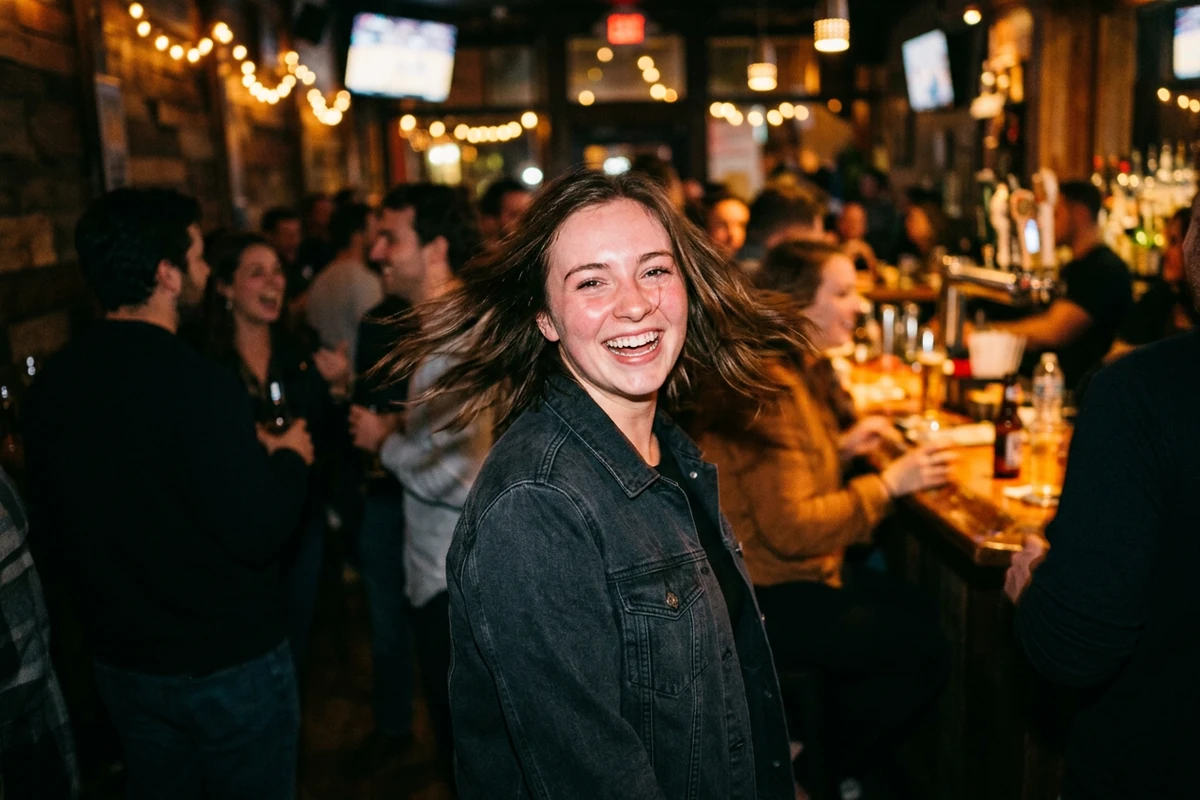
The unposed snapshot
Create an original candid snapshot in the current unposed-photo style. My subject is caught mid-movement and turning toward the camera, laughing, with hair blurred by motion. Shoot it like a phone photo taken by a friend at night: direct on-camera flash, a slightly overexposed face, hard shadows behind the subject, a cluttered blurred background with warm lights, mild sensor noise, and a slightly tilted handheld frame. Deliberately avoid studio polish and a centred posed smile. No readable text, letters, numbers, logos, watermarks, or signatures anywhere in the image.
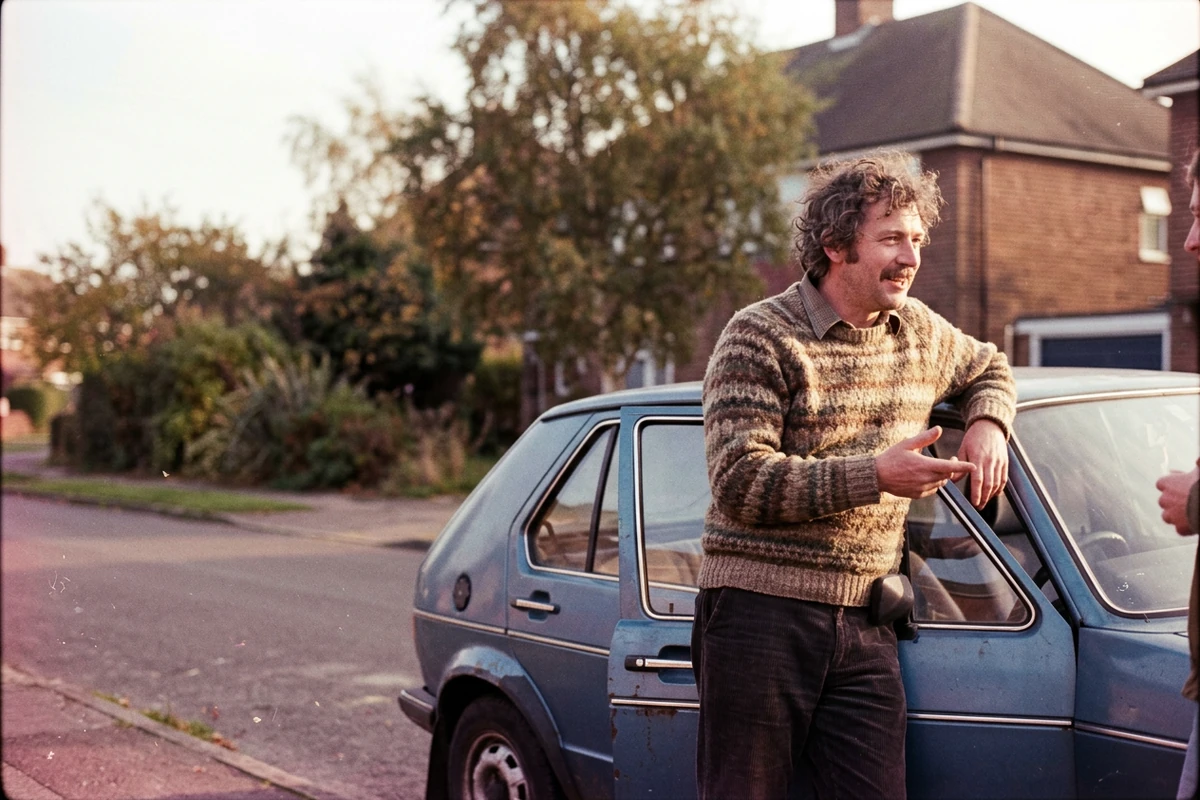
The film-era restyle
Recreate this scene as an ordinary 1980s consumer-film photograph rather than a modern digital image. Use warm faded colour with a faint magenta cast, heavy visible grain, a little dust and light scratching, a soft lens vignette, slightly soft focus, and blown highlights. Keep the clothing, the setting and the everyday details free of anything that reads as a period costume, and keep the subject clearly recognisable. No frame markings, no readable text, letters, numbers, logos, watermarks, or signatures anywhere in the image.
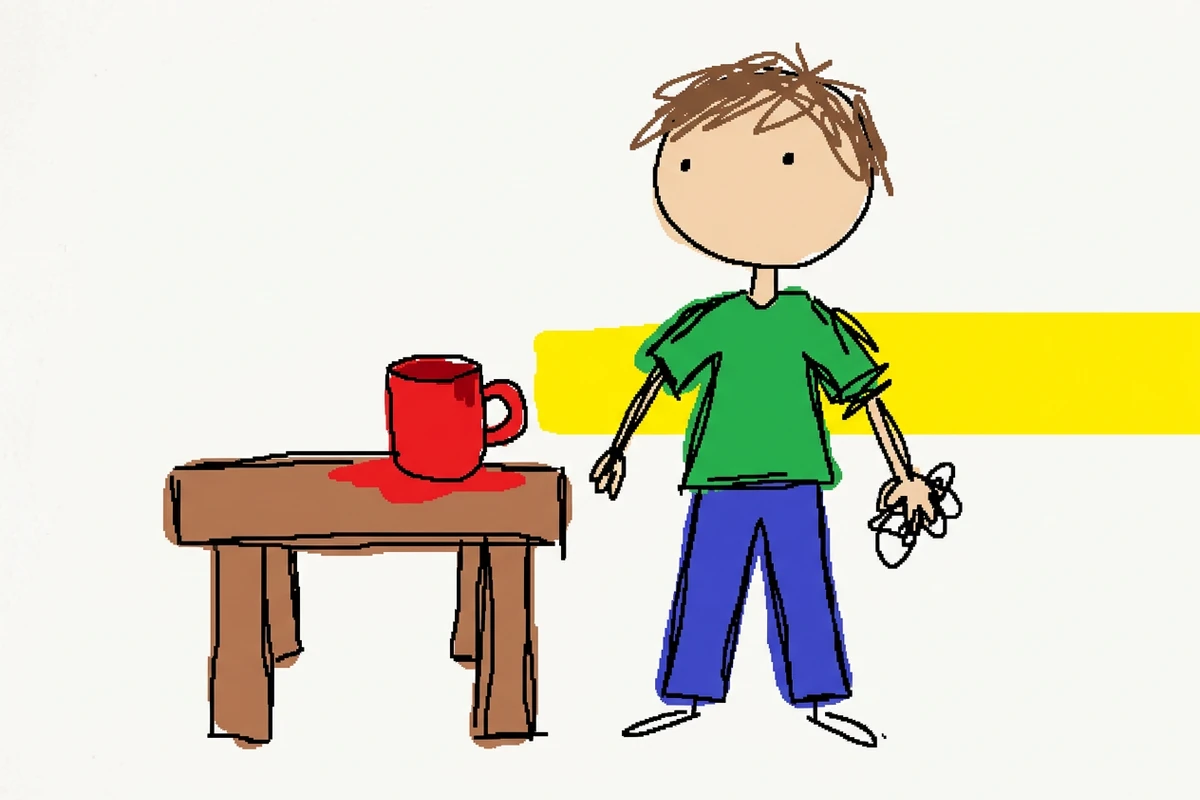
The intentional doodle
Redraw this scene the way someone scribbles with a mouse in basic paint software, on purpose rather than by accident. Use wobbly uneven outlines, flat colour fills that spill past the lines, a few hesitant stray strokes, lopsided proportions and crude blocky shapes, while the subject and the main objects stay recognisable. Keep the palette to a few bright flat colours with no shading, no gradients and no realism. The result should read as deliberately clumsy, not as a failed render. No readable text, letters, numbers, logos, watermarks, or signatures anywhere in the image.
Why Most Trending Prompts Disappoint
The prompt is rarely the problem. Copying a look that already peaked, or dropping the line that keeps your subject recognisable, is what wastes the run.
Check that the format is still moving
Run three checks before you spend a posting day. Does the look appear on accounts that do not follow each other, applied to different subjects? Does it survive a subject swap, or does only one edit look good? And is it younger than about three weeks? Re-run the brief in AI Art Generator from Image and the results answer it.
Decide what has to survive the restyle
Trend prompts come in three kinds. A full restyle lets the trend own the frame, so the original details are what get lost. A one-feature trend keeps a single thing — a face, a pet, a product silhouette — so name it explicitly, and AI Image Relight covers the light when only the lighting was wrong.
Plan for a short life, then reuse the structure
Trend formats run for weeks, not months. Keep the sentence that carries your subject and your output rules, then swap only the style line. A new look then costs one edit instead of a rebuild, and Image Effects keeps the subject steady while the treatment changes.
How to Run a Trending Prompt in Ottermind
Step 1: Open Studio and paste the prompt
Paste one of the three prompts into AI Art Generator from Image and read it once before generating. Cut any line that does not describe something you actually want, because each extra clause is a detail the model invents.
Step 2: Name the style, then protect one thing
Add the details that make the format recognisable — the light, the texture, the framing. Then protect one thing: pass the photo through Photo Retouching and the skin, hair or product shape stays intact.
Step 3: Compare versions and edit one line
Generate several versions and compare them side by side. Change one line at a time, the sentence describing what went wrong, and keep the rest unchanged. AI Photo Editor holds each version so two or three passes stay manageable.
Where a Trending Prompt Actually Helps
Trend formats are worth the effort when the look has a job to do, and worth skipping when it does not.
Testing a format before you commit
Run the same prompt on two or three of your own subjects. When the format survives all of them it is worth a series; when it works on one, use Image Effects to test another treatment before you commit.
Product shots with a current finish
Give a plain product photo a treatment people are already looking at, then keep the cutout and the background clean. AI Product Image Generator produces that clean source shot before the style goes on.
Campaign work against a launch date
When a campaign has to land in a set week, check how much runway the format still has. Then decide whether to build on it or start from a look that will not be finished by launch day. AI Image Editor keeps both directions side by side.
Trending ChatGPT Image Prompts FAQ
How do I find trending ChatGPT image prompts right now?
Watch where people post results — Instagram, TikTok, X and the larger prompt communities — and note a look that spreads across accounts which do not follow each other. This page names no week: a dated list is wrong within a month. Photo Retouching keeps your source photo clean for whichever format you pick.
How can I tell whether a trend is real or just one person's edit?
Swap the subject. When three unrelated accounts produce the same look on three different subjects, it is a format. If only one account's version looks good, it is one skilled edit. Photo to Anime Converter shows how far a restyle can travel while the subject stays the same.
How do I keep a face or a product recognisable in a trend prompt?
Name what has to stay — the face, the hair, the product shape — and ask for it to remain unchanged instead of trusting the model to guess. Avatar Maker from Photo is the cheap test: if the likeness survives a restyle, the wording is working.
Why does a copied trend prompt give me a generic image?
A copied trend prompt carries the style and nothing else, so the model invents the rest. Add two or three details that belong to you — the setting, the object, the moment. Start from your own photo in Face to Drawing and the details are already there.
Can I use these prompts with a different image model?
Yes, and one fixed prompt is a fair way to compare them, including Midjourney AI Image Generator. Keep the wording identical, change only the model, and compare tone and texture before you settle the composition.
Do I need to name cameras or lenses in the prompt?
No. Describe the result you want — direct on-camera flash, visible grain, a soft vignette, washed-out colour. If the source photo is soft or dim, fix it first in Image Enhancer, because no style prompt restores missing detail.
Should I ask for text inside the image?
Avoid it. Rendered lettering is still unreliable, so a prompt that depends on a word being spelled correctly risks a broken result. Generate the image clean and add the type afterwards in AI Image Editor.
More Prompt Topics You Might Like
Run the Same Prompt on Another Model
Turn the Trend You Just Saw into Your Own Image
Take one of the trending prompt styles, keep the version that works for your subject, and refine it until the result is something you actually want to post.