
ChatGPT Image Prompt
Copy the three asks that finish an image: open, change one thing, then repair whatever the model altered without being asked.
The Three ChatGPT Image Prompts That Finish a Picture
Published galleries all hand you the same thing: a first ask per job, from retouching to background swaps. They stop there, which is where most images are still wrong. These three prompts cover the whole sequence.
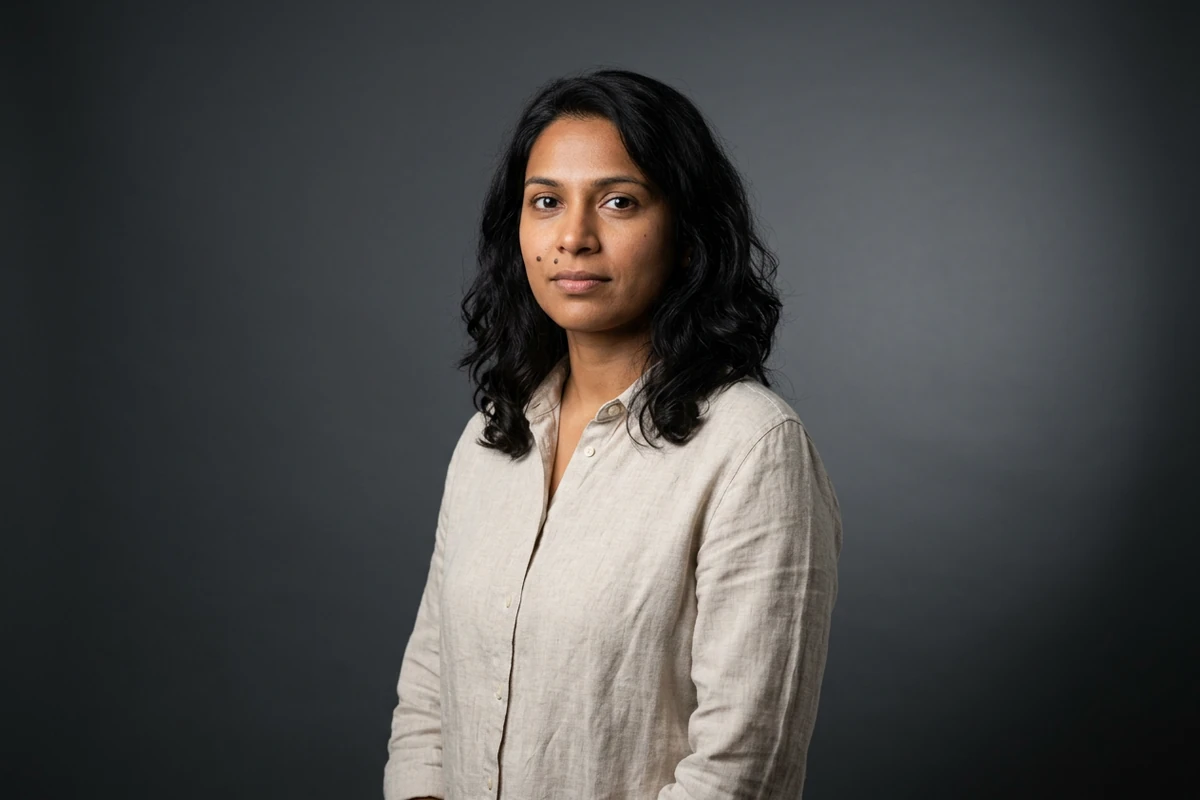
The first ask
Create an original studio portrait: a woman in her early thirties standing three-quarter to camera against a seamless charcoal-grey backdrop, wearing a plain oatmeal linen shirt, hands relaxed, calm neutral expression. Lighting: one large softbox from the front-left with gentle fill from the right and a soft gradient behind her, catchlights in both eyes. Capture: 85mm equivalent, shallow depth of field, sharp on the near eye, real skin texture with visible pores and fine lines rather than a smoothed finish. Natural colour, no readable text or watermark.
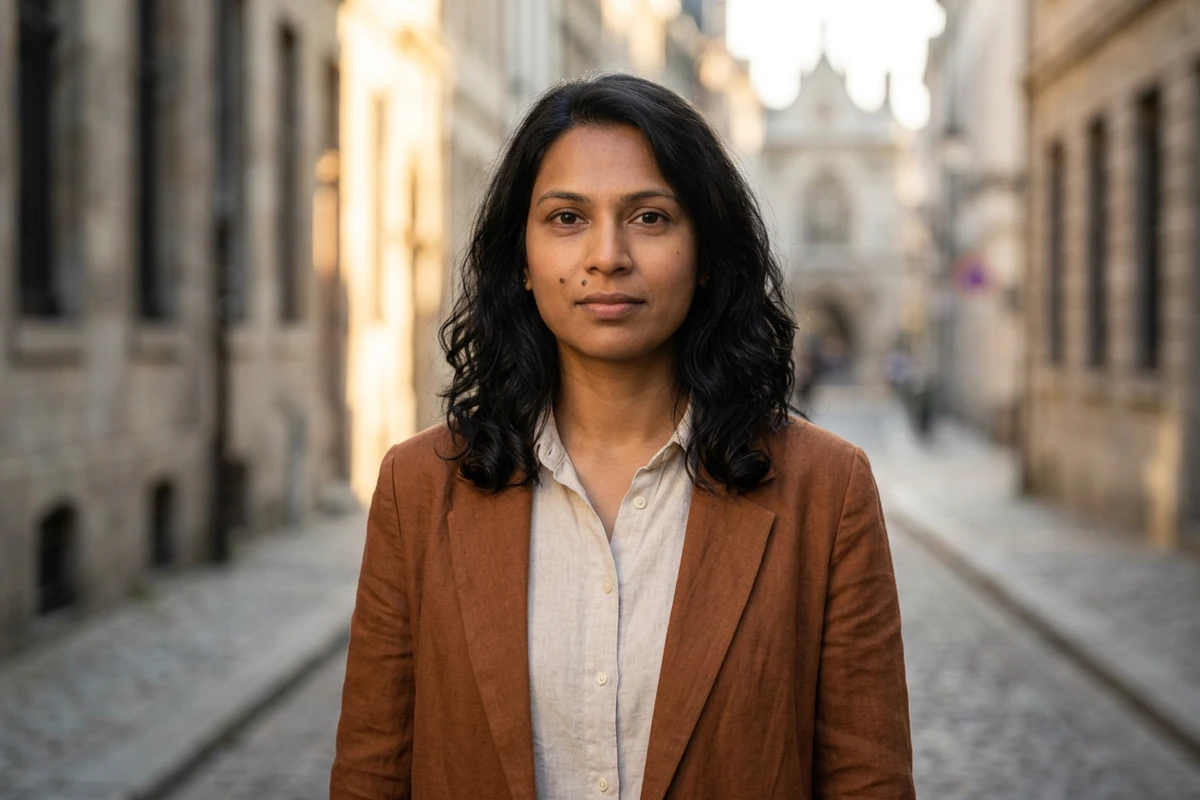
The change ask
Keep this image exactly as it is and change two things only: her oatmeal shirt becomes an unstructured rust-brown linen blazer over a cream shirt, and the seamless studio backdrop becomes a quiet city street at golden hour, out of focus behind her with warm low sun from the left. Keep the face, hair, pose, framing, lens, expression and depth of field identical to the image above. Photographic realism, real skin texture, no readable text and no watermark.
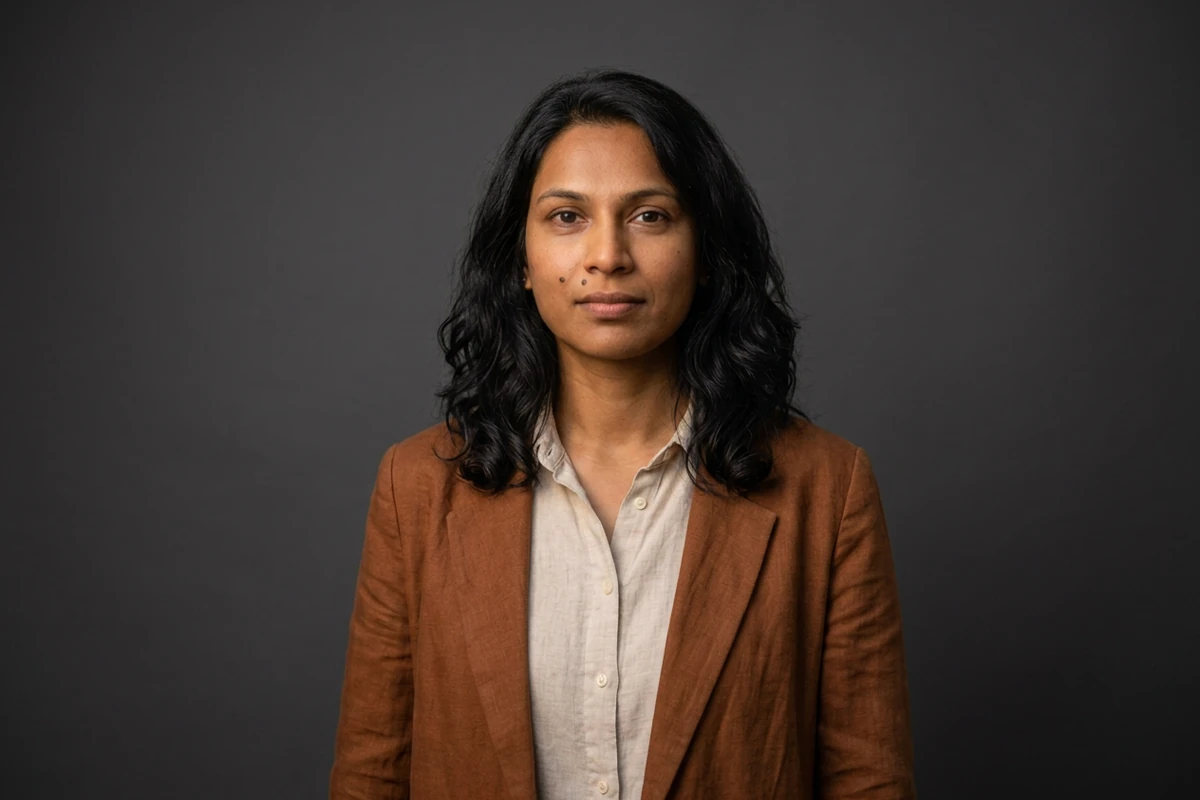
The repair ask
Repair this image by undoing the changes that were not asked for. Keep the rust-brown linen blazer, the pose, the framing, the lens and the expression exactly as they are. Undo the background: it must return to a plain seamless charcoal-grey studio backdrop with nothing in it, no street, no buildings, no props and no second person. Restore the original soft front-left studio lighting on the backdrop while keeping the warm tone on her face, and remove any object that was not in the studio frame. No readable text and no watermark.
Every Prompt List Stops at the First Ask
The galleries are good at the opening prompt and silent about what happens next. In practice an image is finished on the second or third ask, and those two asks have their own rules.
The first ask only has to be a good starting point
It has to fix the subject, the light and the lens well enough that everything after it stays small. Do not finish it in one prompt: a first ask that specifies everything leaves no room to correct one thing later. AI Prompt Generator turns a rough idea into that start.
The repair ask names what to put back
When something changes that you never mentioned, do not re-describe the whole picture and do not start again. Name that one element's original state, say it must return, then list what has to stay. Repairing keeps the parts you already liked. AI Image Editor holds the frames for the comparison.
Keep the anchor sentence so you can restate it
Write the parts that must not change as one fixed sentence you keep in the text: the face, the pose, the light. Then each new ask can be one line long, and an unwanted change is obvious for what it is. Image Effects compares two versions while the subject holds.
How to Write a ChatGPT Image Prompt in Three Asks
Step 1: Open with a prompt you can still change
Name the subject, the light and the lens, and leave the rest deliberately loose. The first ask sets what the next two asks are allowed to keep. AI Prompt Generator can draft that opening.
Step 2: Change one thing per ask
Name the single change, then state what must stay identical. Two changes in one ask makes it impossible to tell which caused a side effect. AI Art Generator from Image reruns the text unchanged.
Step 3: Repair by naming the original state
Say what has to go back to how it was, then repeat what must stay. Repairing one element is cheaper than re-running the whole prompt and losing what you liked. AI Image Editor keeps both frames.
Where the Second Ask Earns Its Keep
Repairing instead of restarting matters most when the image is already close and the subject has to stay recognisable.
Portraits that must stay recognisable
A portrait is easy to ruin by re-running the prompt, because the next result is a different person. Repair the one thing that drifted and keep the frame you already had. Photo Retouching holds the skin and hair detail while you do it.
Product sets that have to match
When a set of listing images has to look like one shoot, re-running the prompt introduces small differences that read as inconsistency. Fix the object, keep the light sentence, and AI Product Image Generator produces the clean source shot the rest of the set is built on.
A look you have to produce again
If a look has to come back next month, the useful thing to keep is the anchor sentence rather than the finished image. Store that, and each new subject starts from a known frame. Image Effects shows the old and new versions together.
ChatGPT Image Prompt FAQ
What makes a ChatGPT image prompt work?
The same things the published galleries put in theirs: a named subject, the light, the lens and a line saying what must not appear. Add one sentence listing what must stay unchanged, which is what makes repair possible. AI Prompt Generator writes that sentence.
Why did my edit change things I never mentioned?
Because the ask named what to change and nothing else, leaving every other part open to reinterpretation. Name the element you want different, then state the face, pose and light that must stay. AI Image Editor keeps the before and after together.
Should I rewrite the prompt or repair the result?
Repair, whenever the image is close. Rewriting produces a new picture and loses what you already approved, while repairing names one element and returns it to its original state. Rerun the unchanged text with AI Art Generator from Image and each line stays attributable.
Is creating an image different from editing one?
Public write-ups treat creating and editing as two different tasks: creating describes a whole picture, editing names one change against a picture that already exists. Writing an edit as a fresh description is the usual reason a result comes back redrawn rather than adjusted. Photo Retouching helps.
Is this free to try?
Ottermind's public experience can be used without signing in and includes a limited number of free trial rounds; account-based credits and plan limits may still apply. Run the first ask to see whether it leaves room for the next two in AI image generation.
How is this different from the other ChatGPT prompt pages here?
The trending page tracks which formats are still moving, and the blog carries ten templates for product and marketing work. This page owns the sequence after the first image: what to ask second, and how to repair a result. The templates live in 10 ChatGPT Image Prompts for Product Photos, Marketing, and Everyday Work.
More Prompt Topics You Might Like
Run the Same Prompt on Another Image Model
Finish the Image You Already Started
Keep the opening ask loose, make one change at a time, and repair the elements that moved instead of running the whole prompt again.