
AI Photo Prompt
Copy an photo prompt built from five clauses — subject, setting, light, capture, exclusions — then change one at a time in Ottermind.
Three AI Photo Prompts You Can Copy
The same five clauses, written out for three different jobs: a product still, a portrait and an empty scene. Each prompt is complete, so you can paste it as it stands or swap a single clause to point it somewhere else.
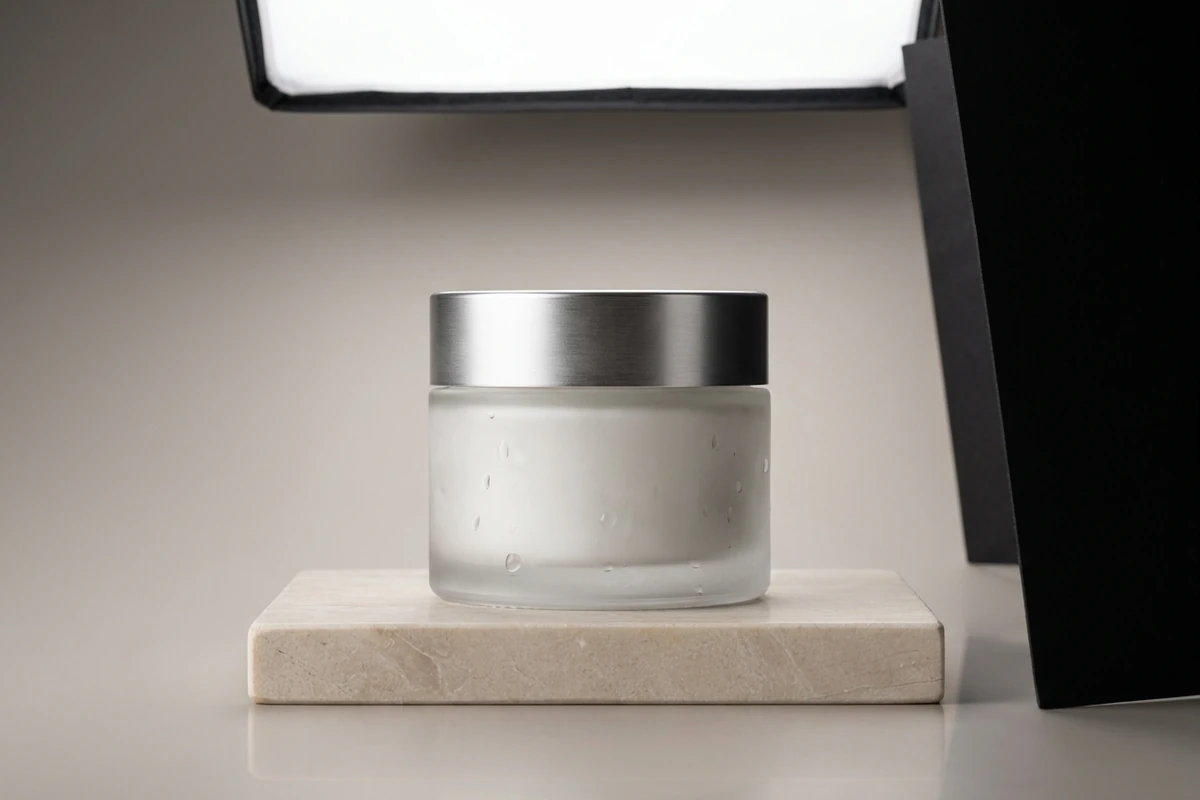
The product still
Create an original editorial product image: a single unbranded frosted-glass jar with a brushed metal lid on a pale honed-stone plinth. Setting: a warm grey seamless background, a soft gradient falling away behind the jar. Light: one large softbox above and to the camera-left, a black card on the right to shape the shadow edge, a gentle falloff on the far side. Capture: 85mm equivalent, focus stacked so the lid edge and the front face are both sharp, a shallow reflection directly beneath the jar. Exclusions: no label artwork, no readable text, no branding, no watermark, no second object.
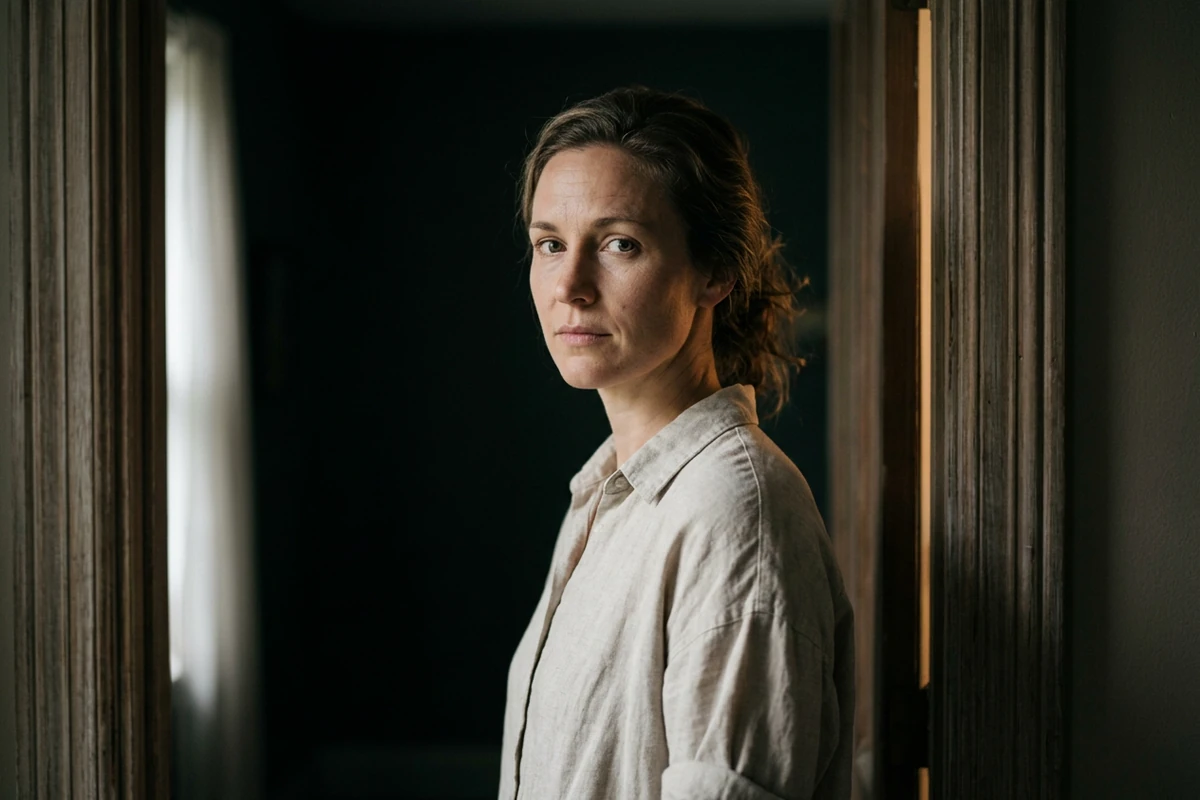
The environmental portrait
Create an original environmental portrait: a woman in her early thirties standing in a doorway, three-quarter view, calm and unsmiling, looking slightly past the camera, wearing a plain oatmeal linen shirt. Setting: an empty room behind her falling into deep shadow. Light: soft north-facing window light from the left, a subtle warm bounce on her right cheek, catchlights in both eyes. Capture: 85mm equivalent, shallow depth of field, sharp on the near eye with the doorway frame out of focus, real skin texture with visible pores and fine lines. Exclusions: no smoothing or beauty-filter finish, no readable text, no watermark.
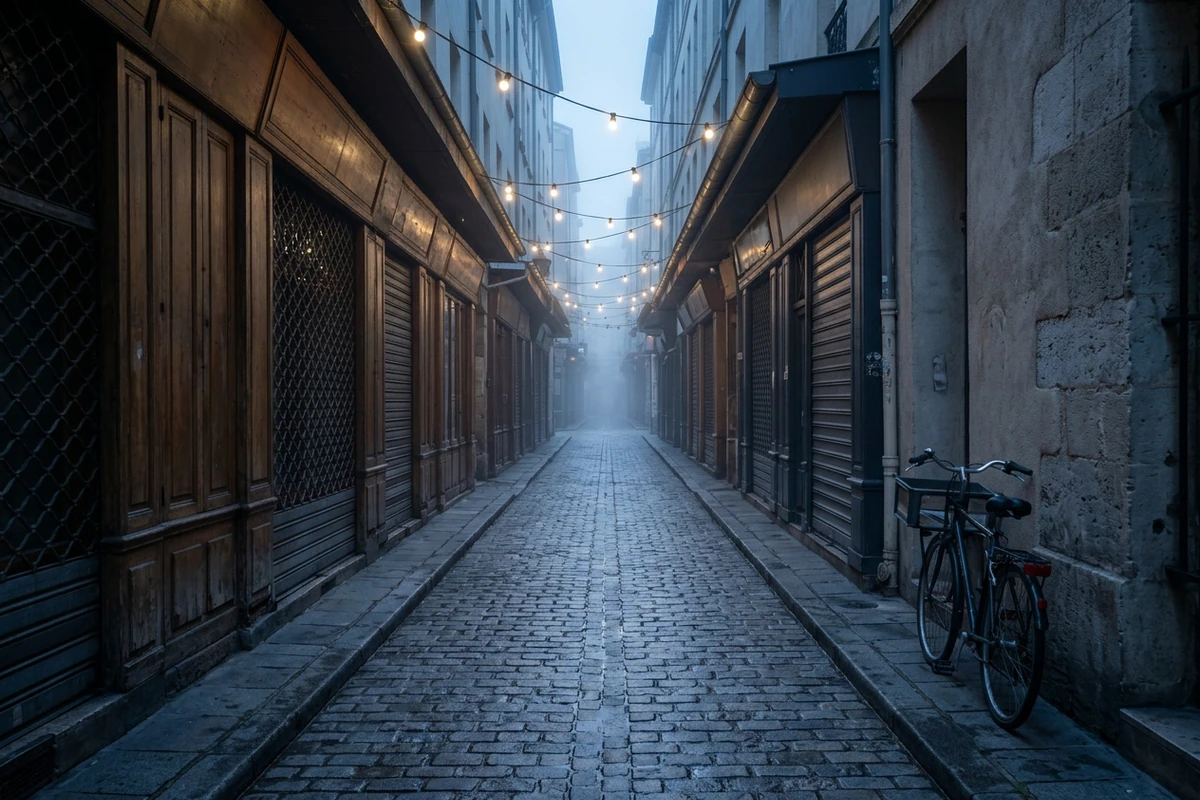
The empty scene
Create an original wide environmental photograph of a narrow European market street at dawn before the shops open: wet cobbles, shuttered fronts, strung bulbs still lit, one delivery bicycle leaning against a wall, low mist between the buildings, no people in frame. Setting: a lane that narrows and disappears into haze. Light: cool blue pre-dawn ambient with the warm bulbs as the only warm accent and long soft shadows. Capture: 24mm equivalent, a strong leading line down the centre of the lane, the far end diffused by fog. Exclusions: no people, no readable signage, no branding, no watermark.
Five Clauses, and Every One Has a Job
A prompt that disappoints is usually missing a clause rather than badly worded. Name all five and the model stops guessing which parts of the picture you actually care about.
Write the clause you are least sure about first
Most people write the subject and stop, which leaves the setting, the light and the lens to the model. Those three decide whether an image looks deliberate or generic, so write them before you refine the subject. AI Prompt Generator turns a one-line idea into all five clauses.
Put the exclusions in the prompt, not in your head
The clauses people skip are the negative ones, which is where stray text and invented labels come from. State what must not appear alongside everything else, and keep it there on every run. AI Image Editor cleans up a frame when something slips through anyway.
Swap one clause to reuse the whole prompt
A finished prompt is a template, not a one-off. Change the subject clause and keep the other four, and the same look carries onto a new job without you rebuilding the brief from scratch. Image Effects holds two versions side by side so the difference is visible.
How to Write an AI Photo Prompt in Five Clauses
Step 1: Write the five clauses in order
Subject, setting, light, capture, exclusions. Writing them in a fixed order stops you from leaving the light and the lens to the model by accident. AI Prompt Generator expands a short note into that structure.
Step 2: Read the result clause by clause
When an image misses, name the clause that missed before you rewrite anything: wrong light reads very differently from wrong lens. AI Art Generator from Image lets you rerun the same prompt while you work that out.
Step 3: Change one clause and compare
Swap a single clause and leave the other four untouched, so the comparison tells you something. AI Image Editor keeps both frames together while you decide which clause was right.
Where a Written Photo Prompt Earns Its Keep
A prompt with all five clauses pays off whenever the same look has to be repeated on new subjects instead of being reinvented each time.
Product and marketplace listings
A listing needs the exact object on a clean background with lighting that matches across the whole catalogue. Settle the setting, light and capture clauses once, then change only the subject for each item. AI Product Image Generator produces the clean source shot.
Portraits that still look like a photograph
Portrait prompts fail when the capture clause is missing, because the model defaults to a smooth, synthetic finish. Name the lens, the depth of field and the skin texture explicitly, and Photo Retouching will hold that detail if a run flattens it.
Scenes and backgrounds for compositing
Backgrounds and environments are the easiest thing to generate and the hardest to make consistent, because they have no subject clause to anchor them. Fix the light clause and the capture clause, vary the place, and AI Image Editor assembles the pieces.
AI Photo Prompt FAQ
What are the five clauses of an AI photo prompt?
Subject, setting, light, capture and exclusions. The first two say what is in the frame and where it sits; light and capture decide whether the result looks deliberate; exclusions keep text and branding out. AI Prompt Generator expands a one-line idea into all five.
Why does the same prompt give me a different image each time?
Generation is not deterministic, so an under-specified prompt drifts on every run: the clauses you left out are the ones the model re-decides. Naming the light and the capture matters more than adding adjectives, and AI Art Generator from Image reruns a prompt so you can compare.
How do I stop text and logos appearing in the image?
Say so explicitly in the exclusions clause, and keep that clause identical on every run. No model treats exclusions as absolute, so check the frame rather than assuming it; AI Image Editor removes what still slips through.
Can I use one prompt across different image models?
Yes, and it is a fair way to compare them. Keep the five clauses identical and change only the model, then judge the results on the details your brief asked for rather than on which looks more polished. Midjourney AI Image Generator runs that comparison.
Is this free to try?
Ottermind's public experience can be used without signing in and includes a limited number of free trial rounds; account-based credits and plan limits may still apply. Test one image first to see whether the clauses work before building a set in AI image generation.
How is this different from a prompt-writing guide?
This page is the copy-paste collection: complete prompts already written in five clauses, plus what each clause changes. The writing method behind them, and prompt structure in general, belongs to How to Write AI Prompts That Actually Work.
More Prompt Topics You Might Like
Run the Same Prompt on Another Image Model
Turn the Five Clauses into an Image
Keep the clauses you have settled and change only the one you are still unsure about, until the image is the one you described.