
Image Prompt
Copy an image prompt that keeps working when the model changes, then test it on a second model and change only the model.
Three Image Prompt Strategies You Can Copy
The same picture can be asked for in three ways, and each one behaves differently when you change models. Start with the shortest prompt that works, add clauses only where the result is wrong, and keep the text you settled on as a block you can move between tools.
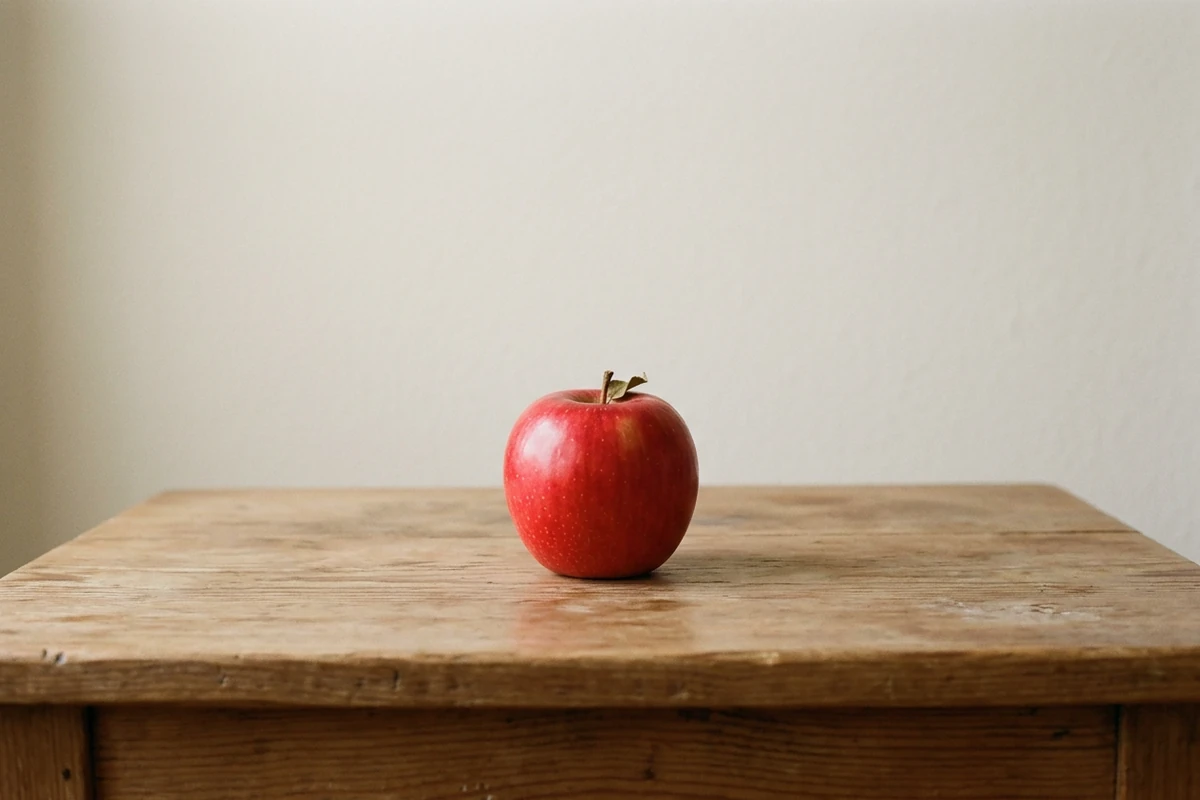
The one-line prompt
Create an original photograph of a single red apple on a plain wooden table against a pale wall, with soft even daylight and a gentle shadow under the apple. Natural colour, normal lens, moderate depth of field, no people, no readable text and no watermark.
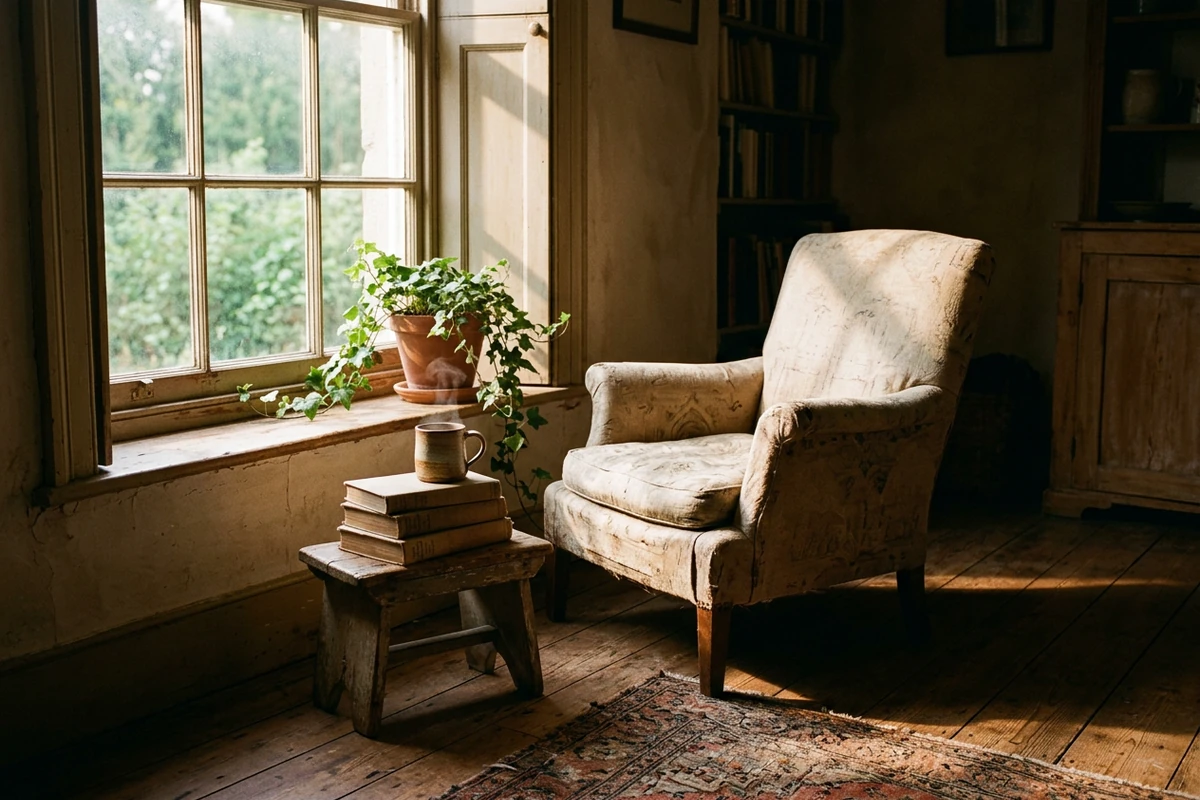
The clause-complete prompt
Create an original editorial photograph of a small sunlit reading corner in an old house in the early morning: a worn linen armchair beside a tall window, three hardback books stacked on a low stool, a stoneware mug with steam rising, dust motes in the slanted light, a trailing plant on the sill, bare floorboards and a threadbare rug. Light: hard low morning sun through the window from the left, deep shadow in the rest of the room, warm bounce on the floorboards. Capture: 35mm equivalent, deep focus, the window as the bright anchor of the frame. Natural colour and real textures, no people, no readable book titles, no watermark.
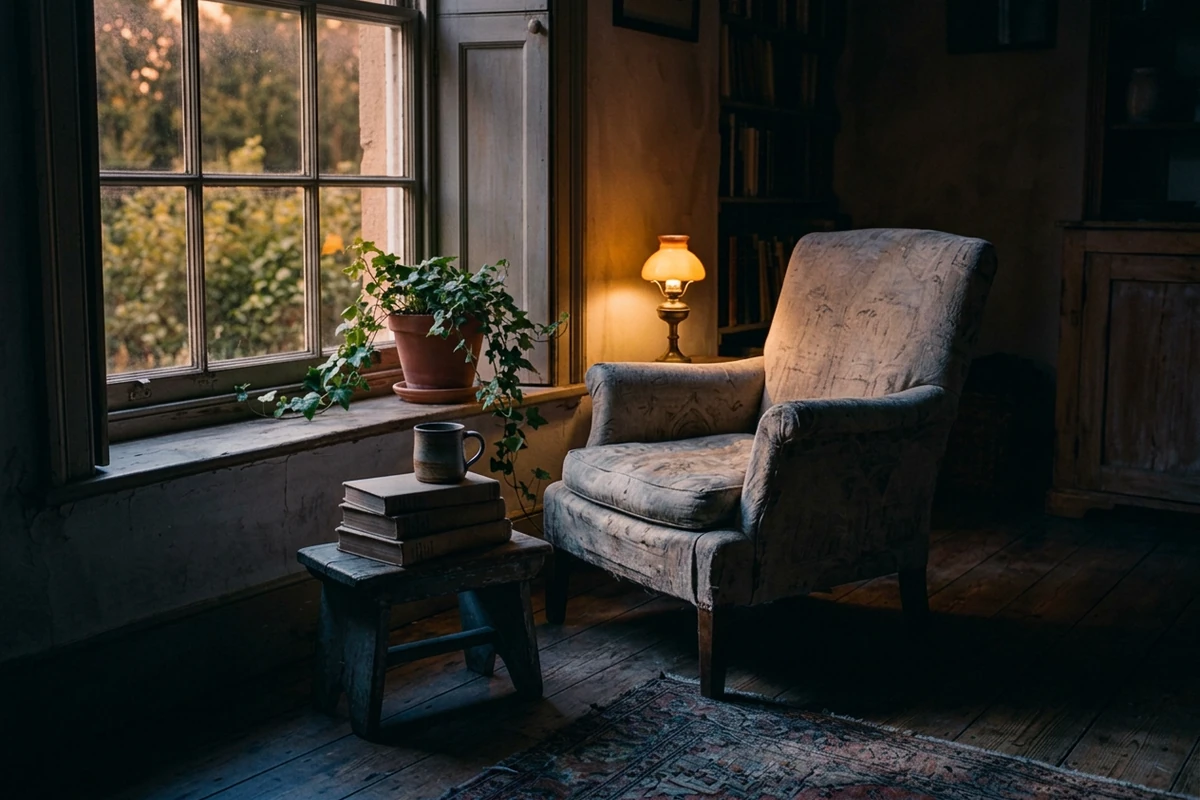
The iteration prompt
Keep this image exactly as it is and change one thing only: it is now dusk rather than early morning. Replace the hard morning sun with the last low amber light of the day coming through the same window, let cooler blue shadow fill the rest of the room, and light a small lamp beside the armchair. Keep the armchair, the books, the stool, the mug, the plant, the floorboards, the rug, the framing, the lens and the depth of field unchanged. The mug is no longer steaming. Natural colour, no people, no readable text and no watermark.
The Same Words Land Differently on Every Model
An image prompt is not a portable file. Two models can read the same sentence and weight different parts of it, which is why a prompt that looks perfect in one tool comes back soft, flat or crowded in another.
Write the clause that carries the result first
Every prompt has one clause doing the heavy lifting: the light in a moody shot, the lens in a portrait, the framing in a product image. Put it early and keep it short, because models drop first whatever is buried mid-sentence. AI Prompt Generator restructures a draft so that clause leads.
Judge a model by the clause it ignores
When a prompt fails on a new model, do not rewrite it: find the clause that model valued less. One honours the light but flattens the composition; another frames it beautifully and loses the texture. Midjourney AI Image Generator is one model to hold against another, so the difference becomes visible.
Test portability by changing only the model
Copy the prompt exactly, run it on a second model, and change nothing else. If both results read as the same picture the prompt is portable; where they differ, you have found the clause you were relying on without knowing it. AI Image Editor holds the two frames together.
How to Write an Image Prompt That Survives a Model Swap
Step 1: Start shorter than feels comfortable
Write the subject and one clause that carries the mood, then generate. Adding clauses before you see a result makes it impossible to know which one did the work. Keep the structure in AI Prompt Generator.
Step 2: Add clauses only where the result is wrong
Each new clause should answer a specific fault: the light is flat, the framing is loose, the texture is plastic. AI Art Generator from Image reruns the same text so each change stays attributable.
Step 3: Freeze the text and compare models
Once the picture is right, stop editing and treat the prompt as fixed. Run that exact text on another model and keep both frames: the differences are the model's priorities, not your mistakes. Image Effects compares the two.
Where a Portable Image Prompt Earns Its Keep
A prompt written to survive a model swap pays off whenever the same look has to be produced by more than one tool or more than one person.
Choosing a model for a recurring job
If a look has to be produced every week, the model becomes a variable. Freeze the prompt and run it across the models you are considering, choosing on the clause each honours rather than on the nicest sample. Midjourney AI Image Generator is one to compare.
Handing a prompt to a teammate
A prompt that only works in your hands is not a process. Write the clauses explicitly enough that a teammate can paste the same text into a different tool and land on the same picture. AI Prompt Generator turns the working version into a block you can hand over.
Rescuing a prompt that stopped working
A prompt that was reliable can come back wrong after a model update. Keep the text as a fixed block and change one clause at a time against the old result, and you can usually recover the look. Image Effects shows old and new side by side.
Image Prompt FAQ
Why does the same image prompt look different on another model?
Because each model weights the clauses differently rather than reading them equally. One honours the lighting and flattens the composition, another frames it well and loses the texture, and neither is wrong. Compare them with the prompt held fixed in Midjourney AI Image Generator.
Which part of an image prompt matters most?
The single clause that carries the result: the light in a moody picture, the lens in a portrait, the framing in a product shot. Put it early and keep it short, because models drop first whatever is buried mid-sentence. AI Prompt Generator restructures a draft around it.
Should I write a one-line prompt or a long one?
Start short and add only where the result is wrong. A long prompt written before you have seen anything makes it impossible to say which clause earned its place. Rerun the same text with AI Art Generator from Image so each change stays attributable.
How do I test whether an image prompt is portable?
Copy the exact text and change only the model: no rewording, no extra clause, no new reference. If both read as the same picture it is portable, and where they differ you have found the clause you were relying on. Keep both frames in AI Image Editor.
Is this free to try?
Ottermind's public experience can be used without signing in and includes a limited number of free trial rounds; account-based credits and plan limits may still apply. Test one image first to see whether the prompt works before building a set in AI image generation.
How does this page differ from the other prompt pages here?
This page owns the general case and the model-swap test. The photo-prompt page owns the clause-by-clause anatomy for photographs, and the Midjourney page owns that model's own syntax. For the writing method itself, read How to Write AI Prompts That Actually Work.
More Prompt Topics You Might Like
Run the Same Prompt on Another Image Model
Freeze the Prompt, Then Change the Model
Settle the text until the picture is right, then run that exact prompt somewhere else and see which clause the other model cared about.