
Midjourney Prompts
Copy a complete Midjourney prompt, keep its parameter line, and change only the styling words when you point it at a new subject.
Three Midjourney Prompts You Can Copy
Three complete prompts, each ending in the parameter line that does the work a subject description cannot. One carries a look, one carries a character, and one carries a palette. Keep the parameter line and swap the words.
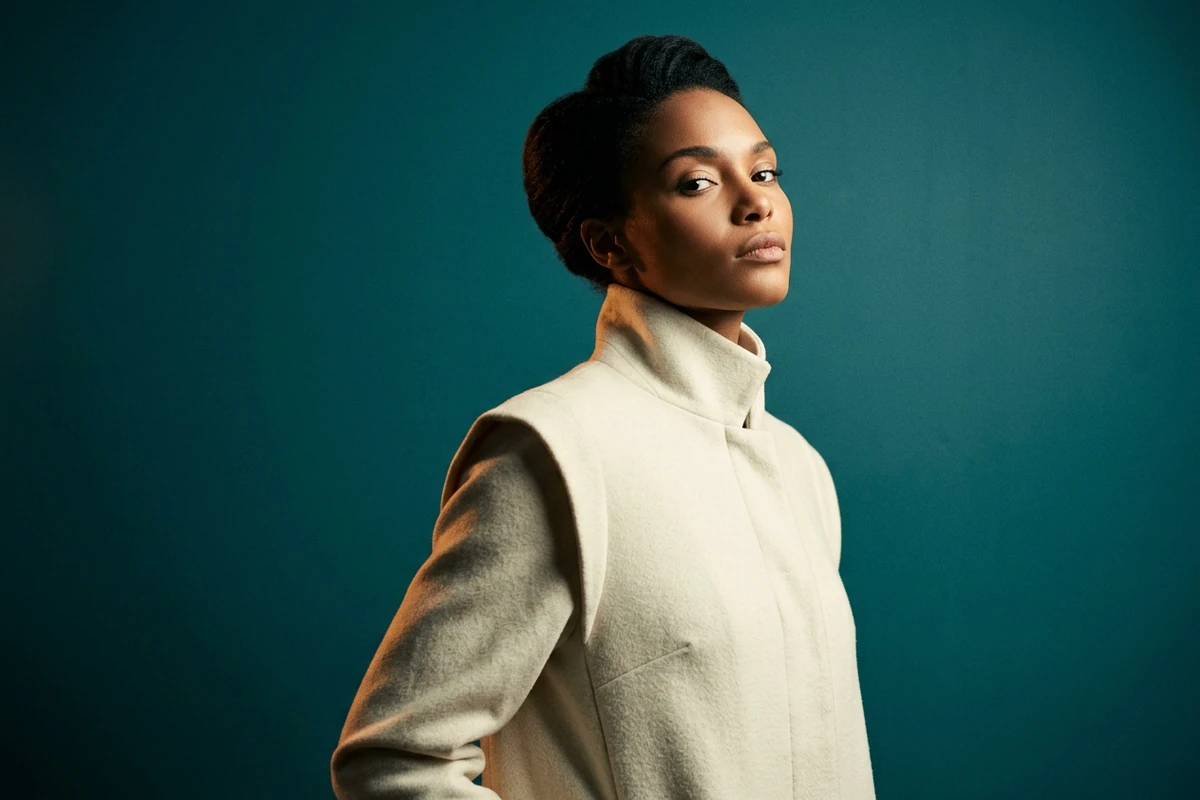
The editorial portrait
A finished stylised editorial fashion portrait of an original woman in her late twenties, three-quarter view against a plain deep-teal painted wall, chin lifted slightly, calm and imperious, wearing a structured ivory coat with a high collar, cinematic side light from the right sculpting one cheekbone and leaving the other in shadow, a faint warm rim on the shoulder, rich teal and ivory grade with a whisper of amber, strong contrast, fine film grain, long lens, shallow depth of field, sharp on the near eye --ar 3:2 --stylize 250 --style raw
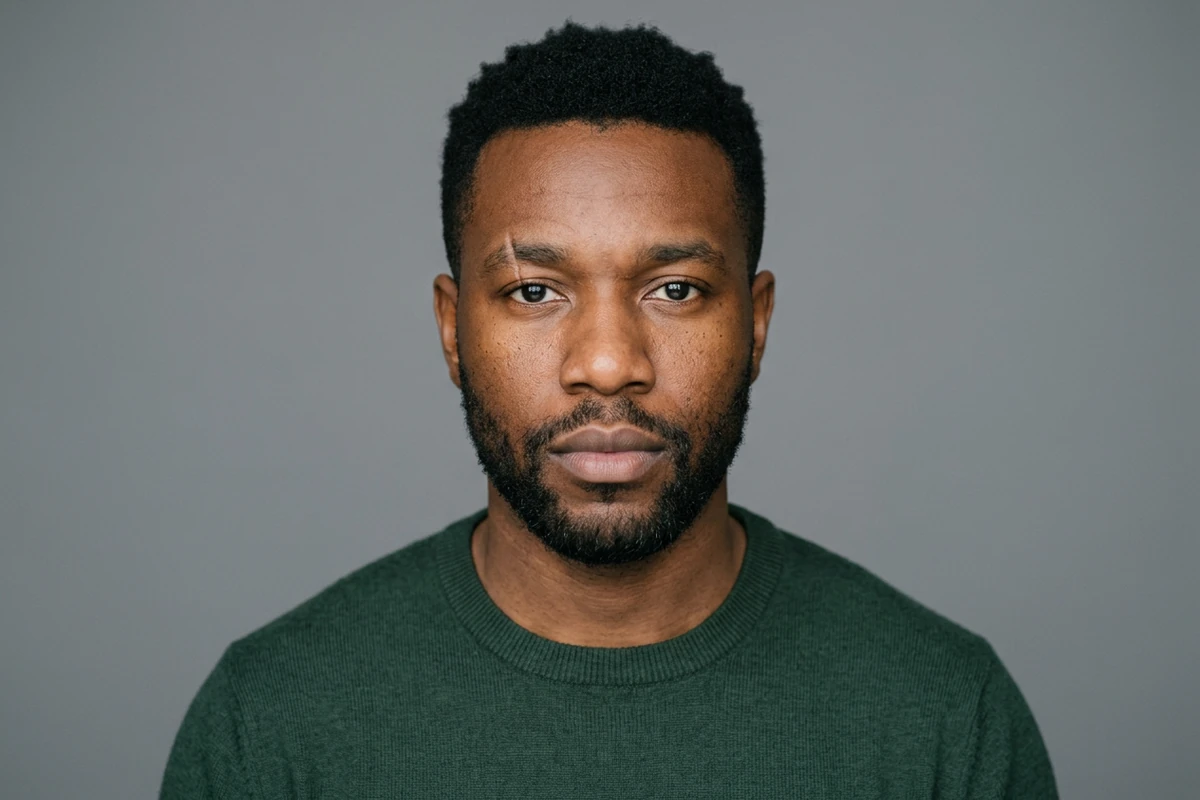
The repeatable character
A clean character-reference portrait of an original man in his early thirties, head and shoulders, centred, facing camera with a neutral expression, close-cropped black hair, a short neat beard, a small scar through the left eyebrow, warm brown skin, wearing a plain dark-green crew-neck sweater, one large soft source from the front with gentle fill, flat mid-grey seamless background, natural skin texture with visible pores, sharp focus on both eyes, minimal grade and no stylisation --ar 3:2 --cref https://example.com/character.jpg --cw 20
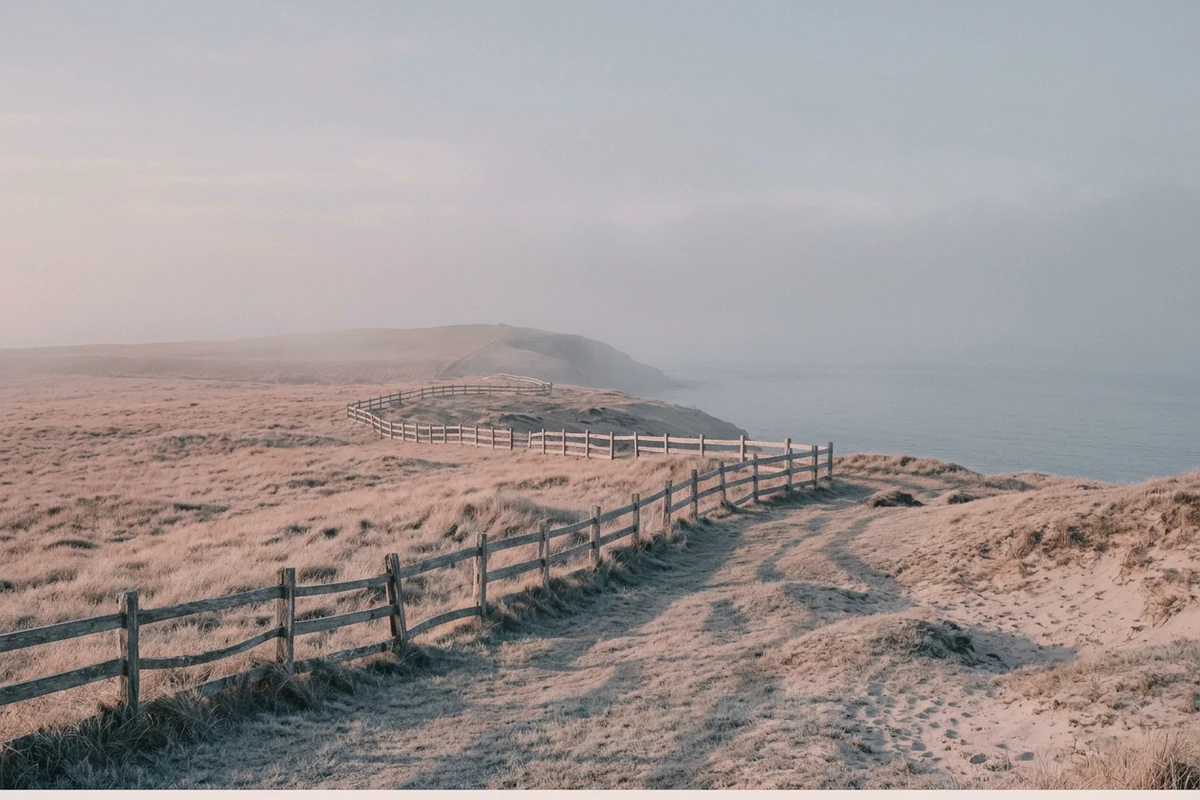
The cohesive series
A quiet coastal headland at first light, low grass, a weathered timber fence, and the sea fading into haze, held to one deliberate palette of dusty rose, pale sand and soft grey-blue with no other hue in the frame, soft diffused dawn light with low mist, long gentle shadows, restrained contrast, fine filmic grain, subtle matte finish, no people --ar 3:2 --sref https://example.com/palette.jpg --sw 400
The Parameter Line Is the Half You Keep
The words describe one picture. The parameter line decides the shape, the strength of the style and what has to stay consistent, so it is the part worth carrying to the next image.
Separate the words from the parameters
Almost every published prompt is one run-on line, so people change a word and lose the settings that made it work. Split it in two: what the image is, then the parameters. AI Prompt Generator will restructure a short idea that way.
Use the reference parameters for consistency
Keeping one face across several scenes, or one palette across a campaign, is a reference problem rather than a wording problem. Character and style reference parameters are what hold it; describing the same person again in words is not. AI Image Editor tidies the frame afterwards.
Change one clause and keep the parameters
If you rewrite the whole line between attempts, you cannot tell whether the subject or the setting moved the result. Change one clause, leave the parameter line exactly as it was, and the comparison means something. Image Effects holds both frames side by side.
How to Write a Midjourney Prompt You Can Reuse
Step 1: Write what the image is
Subject, setting and light in plain language, before any parameters. This is the part another tool can also read. AI Prompt Generator expands a short note into it.
Step 2: Add the style, then the parameters
Name the look you want, then add aspect ratio and the style-strength settings on the end. Generate once and change a single clause to see what it did. AI Art Generator from Image reruns the same prompt while you check.
Step 3: Resize for where it is going
Once the frame is right, decide the output shape rather than regenerating for it. AI Image Resizer changes the dimensions without touching the composition you settled on.
Where a Saved Midjourney Prompt Earns Its Keep
A prompt with its parameter line intact pays off whenever the same look has to be repeated on new subjects instead of rebuilt from scratch.
A recurring editorial set
A monthly portrait series needs the same grade and crop every time, with a different subject. Keep the parameter line and the style clause, change the person, and the set holds together. Photo Retouching keeps skin and hair detail when a frame comes back flat.
One character across several scenes
A story or a campaign needs the same face in different places, which wording alone cannot guarantee. Build a reference portrait first, then reuse it, and AI Image Editor fixes the small inconsistencies that still appear.
One palette across a campaign
A campaign reads as one piece when the colour holds across every asset, and that is a reference job too. Fix the palette once, then vary the subject freely and compare the results with Image Effects.
Midjourney Prompts FAQ
What do the parameters at the end of a prompt do?
They set what the description leaves open: the output shape, how hard the model pushes its own house style, how much variation you get, and what must stay consistent with a reference. AI Prompt Generator keeps the parameter block separate while you edit the words.
Are those numbers still current?
Treat them as unsettled. Midjourney changes what its parameters accept between versions, and the official documentation is the only authority on the current ranges, so this page describes what each parameter does instead of restating values as fact.
How do I keep the same character across several images?
Use a character reference rather than describing the person again, and start from one clean, evenly lit portrait with a neutral expression so there is something unambiguous to match. Small drift still happens; AI Image Editor fixes what remains.
Why does my prompt give a different image every time?
Generation is not deterministic, and the clauses you left out are the ones being re-decided on each run. Keep the parameter line identical and change one clause at a time, then AI Art Generator from Image can rerun the same prompt for a real comparison.
Does the parameter line work outside Midjourney?
No. Parameters are Midjourney's own syntax and other tools ignore them; only the descriptive half travels. Ottermind's public experience can be used without signing in and includes a limited number of free rounds, though account credits and plan limits still apply; those rounds run in AI image generation.
How is this different from the Midjourney model page?
This page is the copy-paste collection: complete prompts plus what their parameter lines do. Midjourney AI Image Generator covers the model itself, and the writing method behind a prompt belongs to How to Write AI Prompts That Actually Work.
More Prompt Topics You Might Like
Run the Same Prompt on Another Image Model
Turn the Prompt You Kept into an Image
Keep the parameter line, change the one clause you are unsure about, and render until the frame is the one you pictured.