Perchance AI Image Generator: Free, No Sign-Up, and Where It Stalls
Perchance answers a description with a batch of images and asks for nothing first: no account, no card, no plan. What it cannot do is hold a direction across revisions or promise where an image came from. If the picture you need has to survive a second and third round, write the brief here and continue in Ottermind Studio, where the model and the credits appear before anything runs.
Optional
This is Ottermind's composer. It does not open Perchance, call Perchance's image service or spend anything on your behalf.
November 17, 2026 · 10 min read
Perchance's AI image generator is a free text-to-image page that asks for nothing before it works: no account, no card, no plan. It offers 79 art-style presets, three output shapes and batches of 2 to 32 images per click. The description on the page is unusually blunt about the trade it is selling — “free, no sign-up, unlimited” — and for a reader who wants one quick image, that is the whole pitch.
The part the pitch does not cover is delivery. In our session on November 17, 2026, the page accepted a prompt, opened four result frames and then sat in a Cloudflare verification loop until the frames timed out. We never saw an image, so this review does not score quality, speed or style fidelity. What it can do is tell you exactly what the page gives you, what it stops at, and which of your tasks belong somewhere else.
If you already know the image has to survive a second and third round — a character you will reuse, a product shot you will re-crop, a look you need across five posts — the brief can be written in the composer above and continued in Ottermind Studio, where the brief and any reference image carry into a conversation instead of starting over from an empty box.
How this review was prepared: The Perchance generator at perchance.org/ai-text-to-image-generator was opened and driven in a real Chrome session on November 17, 2026: the prompt was typed, the controls were read from the live page, and Generate was clicked once. No account was created and nothing was paid. The control counts, the shape presets and the batch sizes below come from the rendered page, not from a marketing summary. The attempt produced no image, which is reported as an outcome rather than papered over. The cover and the batch illustration were generated with GPT Image 2.5 Flare for this article; the two interface figures are real captures of the public page. No Perchance screen or output is fabricated here.
Answer first: who this is for
| If this is your job | Perchance today | Why |
|---|---|---|
| “I want a picture in the next two minutes and I will not sign up” | Reasonable first stop | The composer is open, the prompt box is prefilled with an example, and there is no gate before Generate |
| “Give me twenty variations so I can pick one” | The controls support it; our run could not finish one batch | Batches of 2–32 are offered, but the result frames depend on a verification step and a queue |
| “Keep this character consistent across five images” | Not the right tool | There is no reference-image lock or character memory in the composer |
| “I need it at print size” | Not the right tool | The largest preset is 768 px on the long edge |
| “I am publishing it for a client” | Verify before you do | The generator page shows no licence or commercial-use statement |
That table is the short version. The rest of this page is the evidence for it.
What the page actually gives you
Perchance is not a company product page with a pricing funnel. It is a generator published on a platform, and the interface is closer to a workshop bench than to a commercial app: controls in a row, results below, no onboarding.
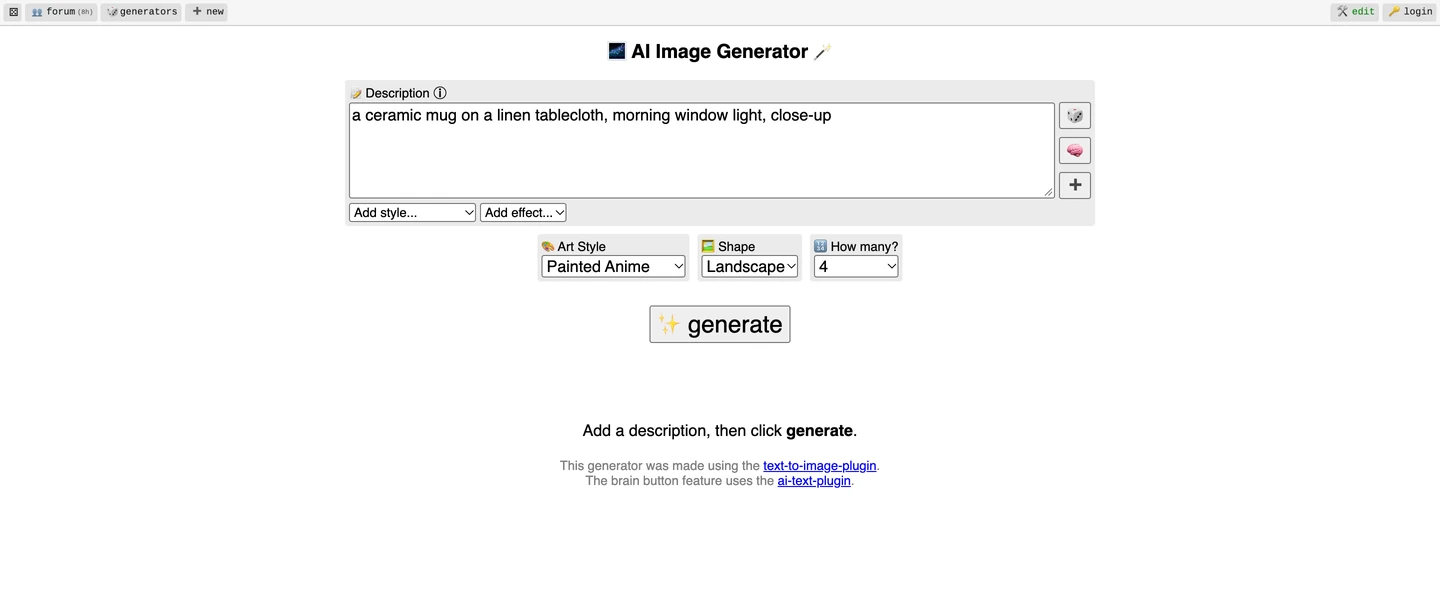
A real capture of the public page on November 17, 2026, with our test prompt in the description box. Nothing in the frame is staged: the empty result area, the “Add a description, then click generate” hint and the Generate button are what a first-time visitor sees.
| Control | What we read on the live page | What it means for you |
|---|---|---|
| Account | No login gate anywhere in the composer | You can generate without an account, and you also have no account to come back to |
| Art Style | 79 options in the dropdown, default Painted Anime, one entry labelled 𝗡𝗼 𝘀𝘁𝘆𝗹𝗲 | The style list is the product. It is also the part that most often fights your prompt |
| Quick styles | Ghibli, Your Name, Paprika, My Hero Academia, Hunter X Hunter, Attack on Titan | These presets are named after existing films and series, which is a licensing question you carry, not Perchance |
| Shape | Square 768×768, Portrait 512×768, Landscape 768×512 | This is the whole resolution menu. There is no 2K or 4K option |
| How many | 2, 4, 6, 8, 16, 32 per click, default 4 | Large batches are offered; each frame still has to get through the queue |
| Add effect | multi-view, toon, vintage, ethereal, outline | The effect is written into your prompt text, not applied afterwards |
| Extras | 🎲 random description, 🧠 text helper, ➕ upload, share-settings link, private gallery, dark mode, feedback | Handy, undocumented and unversioned: treat them as conveniences rather than contracts |
Two details deserve more than a table row. The prompt is rewritten before it runs. After the Generate click, our typed sentence came back out of the description box as a much longer string with style and effect tokens appended, including a repeated “cel shading”. What the model receives is that inflated version, so the length of your original sentence is not the length of the request.
And the page is a public gallery underneath. Result frames carry a “show private gallery” control and a per-tile persona and chat button, which tells you images are stored rather than only shown. Whether a given image ends up publicly visible depends on the save action you take inside the result tile, and that is a click worth making deliberately rather than discovering later.
The run: four frames, ninety seconds, no image
Here is the sequence, in the order it happened, because the timing is the useful part.
- The prompt was typed into the description box. The page left Generate active.
- Generate was clicked. Its label changed to “⬇️ generating... ⬇️” and four result frames appeared below.
- One frame showed a counter reading “Waiting for another embed… 35s”. The others showed “Starting...”.
- After roughly half a minute, the frames moved to “Verification in progress…”, and one reported “Error: Waited too long for token.”
- Ninety seconds in, no frame had produced an image. The run was stopped there.
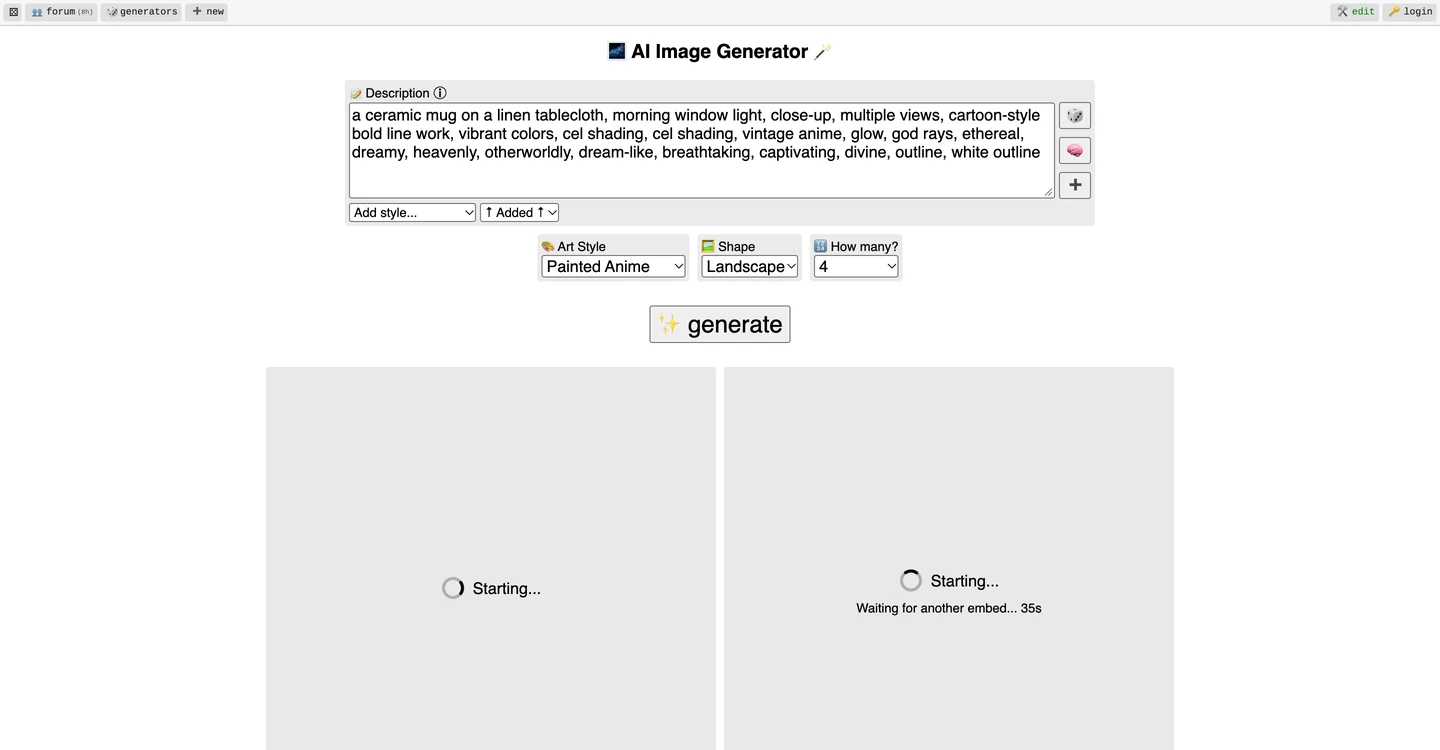
A real capture of the same session after Generate. The prompt has been rewritten in place, and the frames are waiting on the embed queue rather than rendering anything.
The frames are served by a separate image-generation embed that loads a Cloudflare Turnstile script and a generation-identity script before it will show anything. In a normal browser that check is usually invisible; in ours it never cleared. That is not proof the site is broken for you — it is proof that the step which decides whether you get an image is a bot check, not a quality setting, and that when the check stalls you have no support queue to appeal to.
This is also why the review has no quality judgement. A free generator that needs a queue, an ad slot and a verification token has three places to fail before a pixel exists, and we hit the third one.
“Free, no sign-up, unlimited” — what that claim covers
Free is real and verifiable: no pricing page, no credit counter, no account wall in the composer. What is not stated anywhere on the generator page is the cost model. The page loads advertising slots and analytics tags, and the image service runs a bot check per generation. This is a reasonable way to fund a free tool, and it has a predictable consequence: your throughput is whatever the queue and the check allow, not whatever the page promises.
Three specific gaps are worth writing down before you build a habit on it.
- No licence or commercial-use statement. The generator page carries no terms section and the footer links only to two other Perchance generators. “Free to generate” and “free to publish” are different permissions, and only the first one is visible.
- No support channel. The page offers a feedback button and a link to the community forum. There is no ticket queue, no status page and no published incident history, so a verification stall has no escalation path.
- No version or model disclosure. The style names change, the prompt rewriting is not documented, and the model behind the embed is not named on the page. You cannot pin a version for a client project.
None of that makes the tool dishonest. It makes it a playground rather than a production dependency, and the distinction matters most on the day it stops working.
Where Perchance fits, and where the job moves
The useful question is not “Perchance or something else” but “which step of my task is this”. Perchance is very good at the step where an idea becomes something visible. It is not built for the steps after that.
| Your step | Do it in Perchance? | Where it continues well |
|---|---|---|
| Turn a sentence into a first visual, no account | Yes | — |
| Get a batch of directions to react to | Yes, when the queue clears | Write down the two you liked; the batch itself is not a record |
| Keep the same character across images | No reference lock in the composer | Anime Profile Picture explains what a consistent set actually requires; the creative side runs in Ottermind Studio with an attached reference |
| Put a headline or a price on the image | Style presets fight lettering | Poster Ideas covers layout and text-safe space |
| Restyle a photo you already have | The ➕ control exists; we did not verify what it accepts | AI Image Editor is the scoped-edit route |
| Move from a still to a short clip | No | Image to Video is a separate step with its own limits |
| Print at A3 or retouch at 100% | No: 768 px maximum preset | Upscale afterwards and re-check detail; do not assume a bigger preset exists |
Two rows need a caveat rather than an arrow. The upload control on the generator page was present but unverified in our run — we do not know what file types, sizes or edit behaviour it supports, so treat image-to-image there as an open question. And a style preset named after a film or an anime is a style prompt, not a licence; the resemblance question sits with you.
Writing a brief that survives the prompt rewriting
Because Perchance appends tokens to whatever you type, short prompts drift furthest. The briefs below are written to stay legible after that inflation: one subject, one light direction, one background, explicit exclusions. Each one also works in Ottermind's composer, where you can keep editing the same brief instead of retyping it.
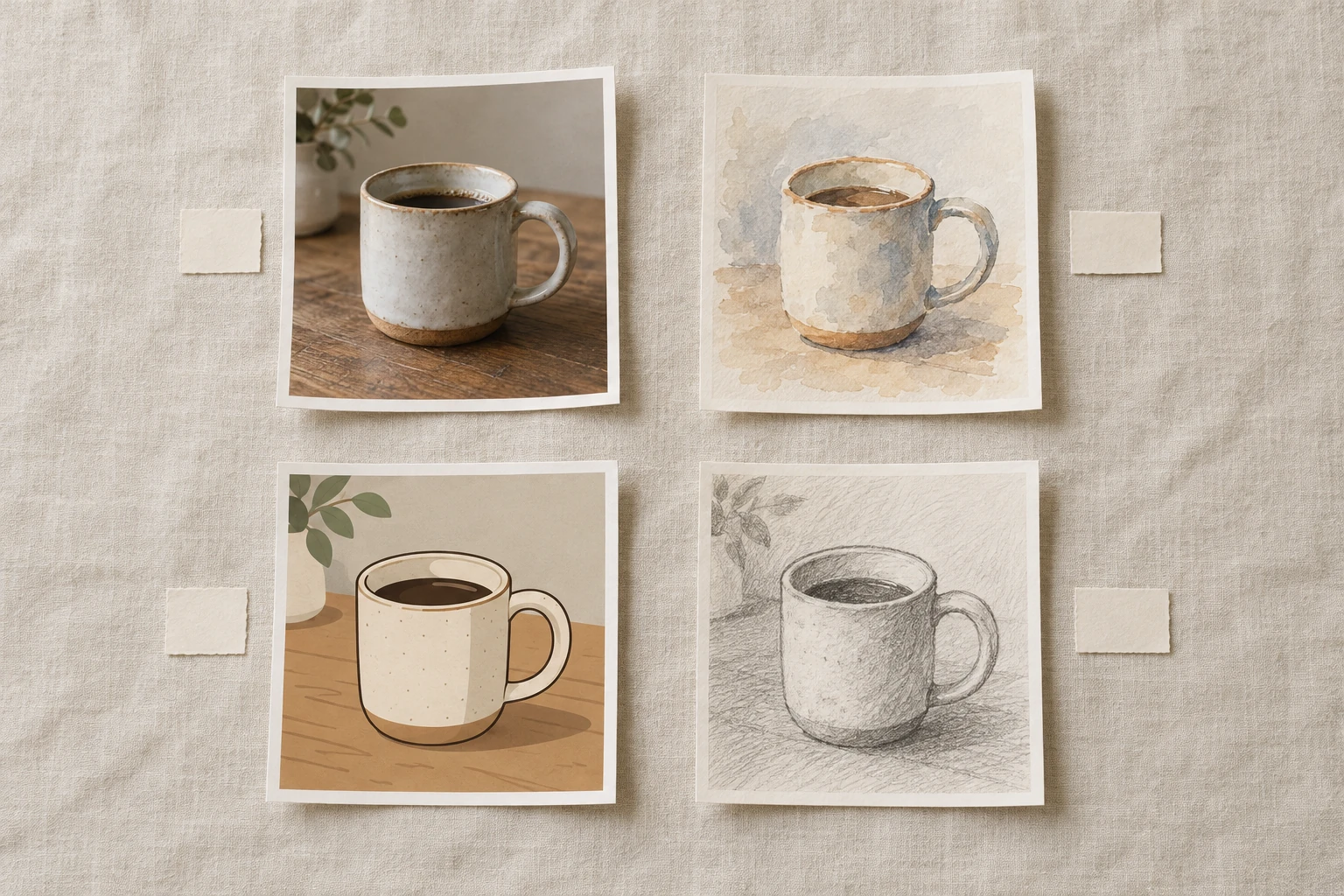
A batch is one subject seen several ways, and that is how to read Perchance's four frames: not four answers, but four directions to react to. This is an AI-generated illustration of that idea, made with GPT Image 2.5 Flare for this article — it is not a Perchance output, and no Perchance image appears anywhere on this page.
Square product photo of a speckled stoneware mug on cream linen by a window, soft morning light from the left, handle at three o'clock, shallow depth of field.Why it holds: it names a countable subject, a light direction and an exclusion. What to change: swap the mug for your object and keep the light sentence identical, so two results are comparable.
A single flat illustration of a small brown bear sitting upright and holding one red apple with both paws, thick even outlines, two flat tones per material, plain cream background, the whole bear inside a centred square with even margins, no text, no scenery, no gradient.Why it holds: flat illustration is one of the styles Perchance handles without much drift, and the “two flat tones” clause prevents the shading tokens from turning it into a painting. What to change: add “one soft shadow under the bear” if the figure looks like it is floating.
A single square portrait of a ceramic artist in her forties in a linen apron, standing in a bright studio with shelves of unglazed pots behind her, soft window light from the right, calm relaxed expression, hands visible and empty, muted warm palette, shallow depth of field, no text, no logos, no tools in her hands.Why it holds: it fixes the pose of the hands, which is where generated portraits usually fail. What to change: describe the apron colour if the palette matters more than the person.
A wide flat-lay of a breakfast table seen from directly above: one white plate with toast, one cup of black coffee, a folded newspaper and a small glass of water, arranged on a pale oak surface with generous space between the objects, even diffused daylight, no hands, no text, no cutlery beyond one knife.Why it holds: “from directly above” and “space between the objects” are the two clauses that keep a flat-lay from collapsing into a pile. What to change: count the objects and keep the count in the sentence; vague quantities produce crowded tables.
A single character turnaround sheet on a plain light grey background: the same cartoon girl shown three times at the same scale, front view on the left, three-quarter view in the middle, back view on the right, flat colours, consistent proportions across all three, no text, no labels, no extra poses.Why it holds: it is a good test of whether a generator can hold a character at all. What to change: if the three views disagree, that is the finding — stop and move the character to a tool that takes a reference image.
A single square image of a quiet reading corner: one armchair, one floor lamp switched on, a small stack of three books on a side table, a wool throw over the arm, warm evening light, no people, no text, no window, uncluttered background.Why it holds: interiors are where “uncluttered” needs to be said out loud, and the switched-on lamp gives the model a light source to obey. What to change: add a colour for the throw when you need the image to match a palette.
From a Perchance shortlist to an image you can use
The handoff is short, and the point is that nothing is thrown away.
- Generate in Perchance, then stop. Take the batch as a contact sheet: pick at most two directions and write down what you liked in words, because the batch is not a saved project.
- Write the brief once, properly. Subject, light direction, framing, exclusions. The six blocks above are the shape; the specific words are yours.
- Attach a reference if the image has to match something. A sketch, a previous render, a product photo. In Ottermind's composer the attachment travels with the brief into Studio.
- Iterate in conversation. Change one thing per round — light, crop, background — so you can tell what caused the change.
- Check the file, not the thumbnail. Look at the hands, the lettering, the edges and the actual pixel dimensions before you put it anywhere public.
Two actions stay separate here. Use the mug brief above fills the composer and scrolls to it; it sends nothing. Sending is your own click, and it opens Ottermind Studio, where the model and any credit cost are shown before generation. Ottermind does not promise a free tier, unlimited images, a fixed generation time, a fixed credit cost, or that a generated image is free of third-party rights.
Checks before you publish a generated image
- Resolution: measure the file. Perchance presets top out at 768 px on the long edge, which is fine for a feed and short for anything printed.
- Prompt residue: re-read the box after generating. Style and effect tokens get appended, and some of them contradict the sentence you wrote.
- Licence: find the terms that apply to your use. If the page you used has no statement, that is an answer too — and it is not permission.
- Likeness and franchise risk: a preset named after a film, or a prompt naming a real person, carries a rights question that no generator resolves for you.
- Text in the image: assume any lettering needs rebuilding outside the generator.
- Storage: confirm whether the result was saved to a public gallery before you treat it as private.
Perchance AI image generator questions
Is Perchance AI image generator free?
The page is usable without payment and without an account, and it has no credit counter or pricing page. It is funded by advertising slots and analytics on the page, and generation passes through a bot check. We did not pay for anything and were not asked to.
Does it need an account or a login?
Not for the composer. The description box, the style and shape selectors, the batch size and the Generate button are all available on first load. A login link sits in the page toolbar, but nothing in the generation path required it during our test.
Why does the result area say “Verification in progress”?
Each result frame is an embedded image-generation page that loads a Cloudflare Turnstile check before it renders. In our November 17, 2026 session the check never completed, one frame reported “Error: Waited too long for token.” and no image appeared. Reloading, waiting longer or trying a different network is the realistic response; there is no support queue on the page to escalate to.
What resolution and shapes can I choose?
Three presets, read from the live select: Square 768×768, Portrait 512×768 and Landscape 768×512. There is no higher-resolution option in the composer.
Can I use Perchance images commercially?
The generator page does not state a licence or commercial-use permission, and its footer links only to other Perchance generators. Treat commercial use as unverified until you find terms that cover it, and keep a record of the terms you relied on.
Is Perchance the same as “Perchance AI”?
Perchance is a platform where people publish generators; “Perchance AI” is the shorthand people use for its AI pages, of which the text-to-image generator is one. The image generator is built on the platform's text-to-image plugin, and the page itself says so in its footer.
Does Ottermind use Perchance's models?
No. They are separate products. This page offers an Ottermind composer and a matching brief so you can run the adjacent task, and nothing here opens Perchance, calls its image service or spends its capacity.
Related reading
- Chibi Style — proportions and the checks that prove a small-figure result actually holds
- Anime Profile Picture — what a consistent character set needs, and where one prompt stops being enough
- Poster Ideas — layout directions for images that have to carry a headline
- ChatGPT Image Prompts — a wider prompt library in the same natural-language style
- AI Image Editor — the scoped-edit route once you have an image worth keeping
- Unrestricted AI Image Generator — the Ottermind entry used throughout this page
