Explainer
What Is DeepSeek Harness? Architecture and Use Cases
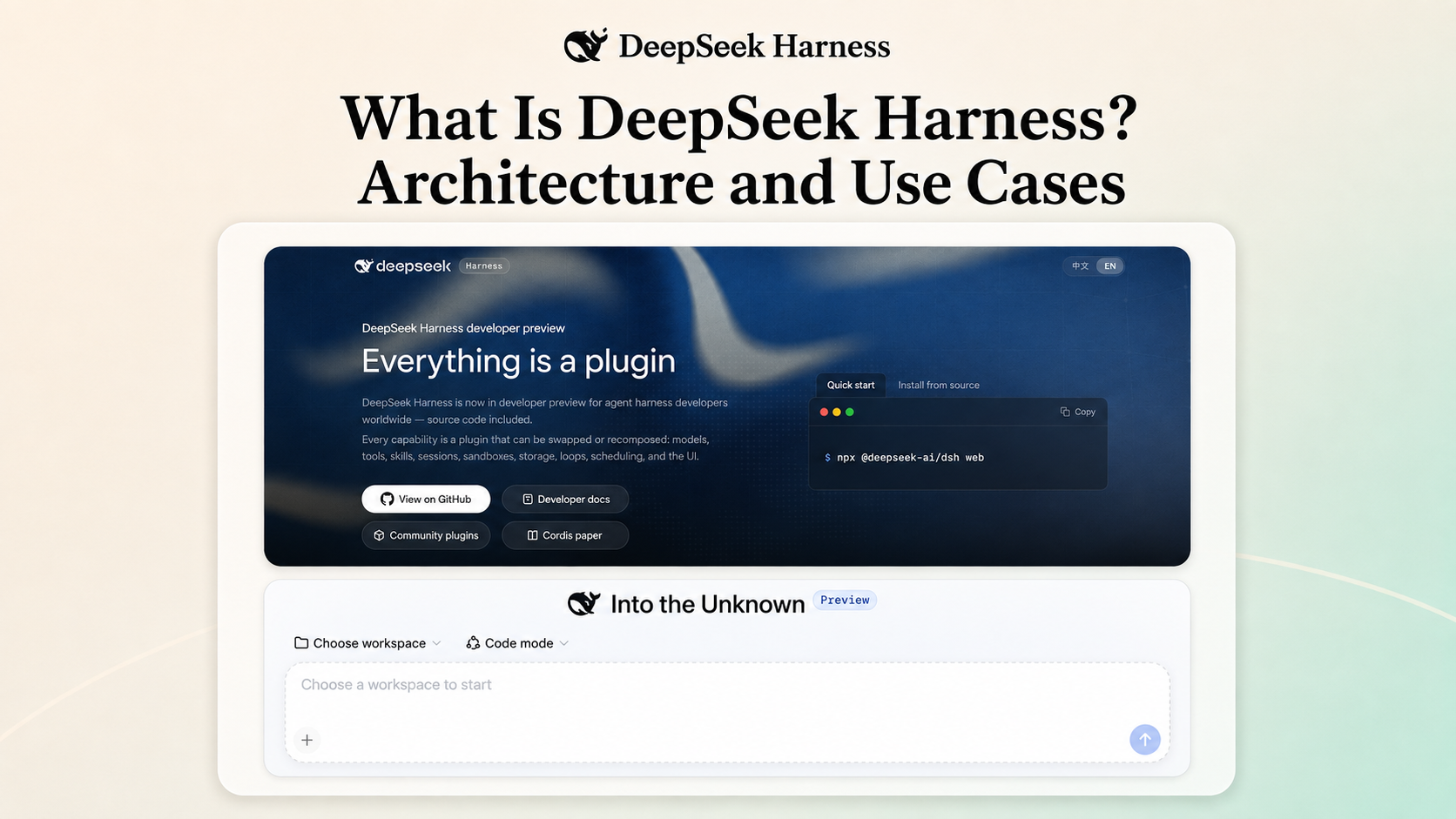
DeepSeek Harness is an open-source agent runtime developed by DeepSeek AI. It is not a language model. It provides the machinery around a model: sessions, tool execution, filesystems, approvals, persistence, agent loops, and interfaces. Its "everything is a plugin" architecture lets developers compose or replace those parts, making it useful for customized coding agents, internal tools, and controlled agent experiments.
This guide is for developers, founders, and technical product teams deciding whether DeepSeek Harness belongs in their AI stack. By the end, you will have a practical mental model, an architecture map, a setup path, and a checklist for evaluating it against a real task.
Research and disclosure: Ottermind publishes this explainer. We reviewed the official DeepSeek Harness repository, architecture documentation, and user guide on August 17, 2026. We did not run a controlled benchmark, deploy the project to production, or test every plugin and provider. The project is in developer preview, so behavior and compatibility can change.
What is DeepSeek Harness at a glance?
| Question | Answer |
|---|---|
| What is it? | An open-source agent harness, also called dsh |
| Who develops it? | DeepSeek AI |
| Is it a DeepSeek model? | No. It is a runtime that can connect models to tools, sessions, policies, and interfaces |
| What is its design principle? | "Everything is a plugin" |
| What framework powers it? | Cordis |
| How do users run it? | Web UI or headless profile, with additional composition available through profiles and plugins |
| What is its current status? | Developer preview with expected compatibility-breaking changes |
| What is the license? | MIT |
| Who is it for? | Developers who want to inspect, extend, replace, or compose an agent runtime |
The shortest useful definition is this: DeepSeek Harness is the execution layer around an AI model. A model generates responses and tool calls. The harness decides how context is assembled, which tools are available, where actions run, what gets recorded, when approval is required, and how a task continues across multiple steps.
What does an agent harness do?
A language model can propose an action, but it does not create a complete working agent by itself. A usable agent needs a system around the model.
That system must answer practical questions:
- Which files and instructions enter the model context?
- Which model provider receives the request?
- What tools may the model call?
- Where do shell commands and file operations run?
- Which actions require approval?
- How are messages, tool calls, and results preserved?
- What happens when a tool fails or another step is required?
- Can a developer replace one capability without rebuilding everything else?
An agent harness coordinates those responsibilities. The term is useful because it separates model intelligence from runtime behavior. Two products can use the same model and behave very differently if their tools, context rules, permissions, session state, and agent loops differ.
DeepSeek Harness makes that surrounding system unusually explicit. Instead of hiding the runtime behind one fixed application, it exposes the pieces as plugins, services, events, profiles, and configuration layers.
DeepSeek Harness vs. a model, assistant, automation tool, and workspace
These categories overlap, but they are not interchangeable.
| Layer | Primary responsibility | Example question |
|---|---|---|
| Language model | Generate and reason over tokens | Which model should answer this request? |
| AI assistant | Give a user an interface and a set of supported tasks | How do I ask for help and review the response? |
| Workflow automation | Move data through predefined triggers and actions | What should happen when this event occurs? |
| Agent harness | Coordinate models, tools, sessions, policies, execution, and continuation | How should an agent perform and record a multi-step task? |
| AI agent workspace | Keep sources, decisions, tasks, agents, and deliverables connected | How does this agent task fit into the larger project? |
This distinction prevents a common misunderstanding: installing DeepSeek Harness does not install a new DeepSeek model. The harness still needs a configured model provider. It also does not automatically supply the business context, review process, or finished project deliverables that may surround an agent task.
For a broader model-level comparison, see the best AI models in 2026. For products centered on the end-user development experience, see the best AI assistants for developers.
How does DeepSeek Harness work?
At a high level, a DeepSeek Harness task follows an agent loop:
- The runtime accepts user input and any queued context.
- Plugins assemble the system prompt, model-visible messages, and tool schemas.
- A model adapter sends the request to the selected provider.
- The runtime records streamed output and the completed assistant message.
- If the model requests a tool, the guarded tool pipeline checks and executes it.
- Tool results return to the session and may trigger another model step.
- The turn closes when no tool, message, or continuation is still owed.
The official architecture documentation distinguishes a step from a turn. A step is one model request plus the tools it calls. A turn can contain zero or more steps. That difference matters when a task requires repeated observation and action rather than one response.
The session log is central to this process. User messages, assistant output, tool calls, tool results, steps, and turns become durable events. The model history is derived from that log, so the runtime can support replay, resume, transcripts, persistence, and other session behavior from the same recorded stream.
DeepSeek Harness architecture explained
The project describes its architecture with one sentence: everything is a plugin. Understanding that claim requires five concepts.
1. Cordis provides the composition model
DeepSeek Harness is powered by Cordis. In the official architecture, plugins contribute services, typed events, and reversible effects to a shared context.
The model adapter, tool registry, session log, agent loop, persistence layer, sandbox, and user interface are not treated as an untouchable core. They are contributed through the same composition system. A plugin can register behavior when it loads, and those registrations can unwind when the plugin unloads.
That is a different philosophy from an application with a small plugin API around a fixed center. DeepSeek Harness is designed so that large parts of the runtime can be replaced from configuration.
2. Profiles describe a runnable composition
A profile is a named composition stored in the Harness home. It lists the bundles to load, holds installed out-of-tree plugins, and keeps the user's patch configuration.
The project ships Web and headless profile templates. The Web profile adds a browser application. The headless profile supports one-shot operation without a server. A developer can inspect the effective plugin tree with dsh --profile web --dump-config.
Profiles answer the question: which version of the harness should boot for this job?
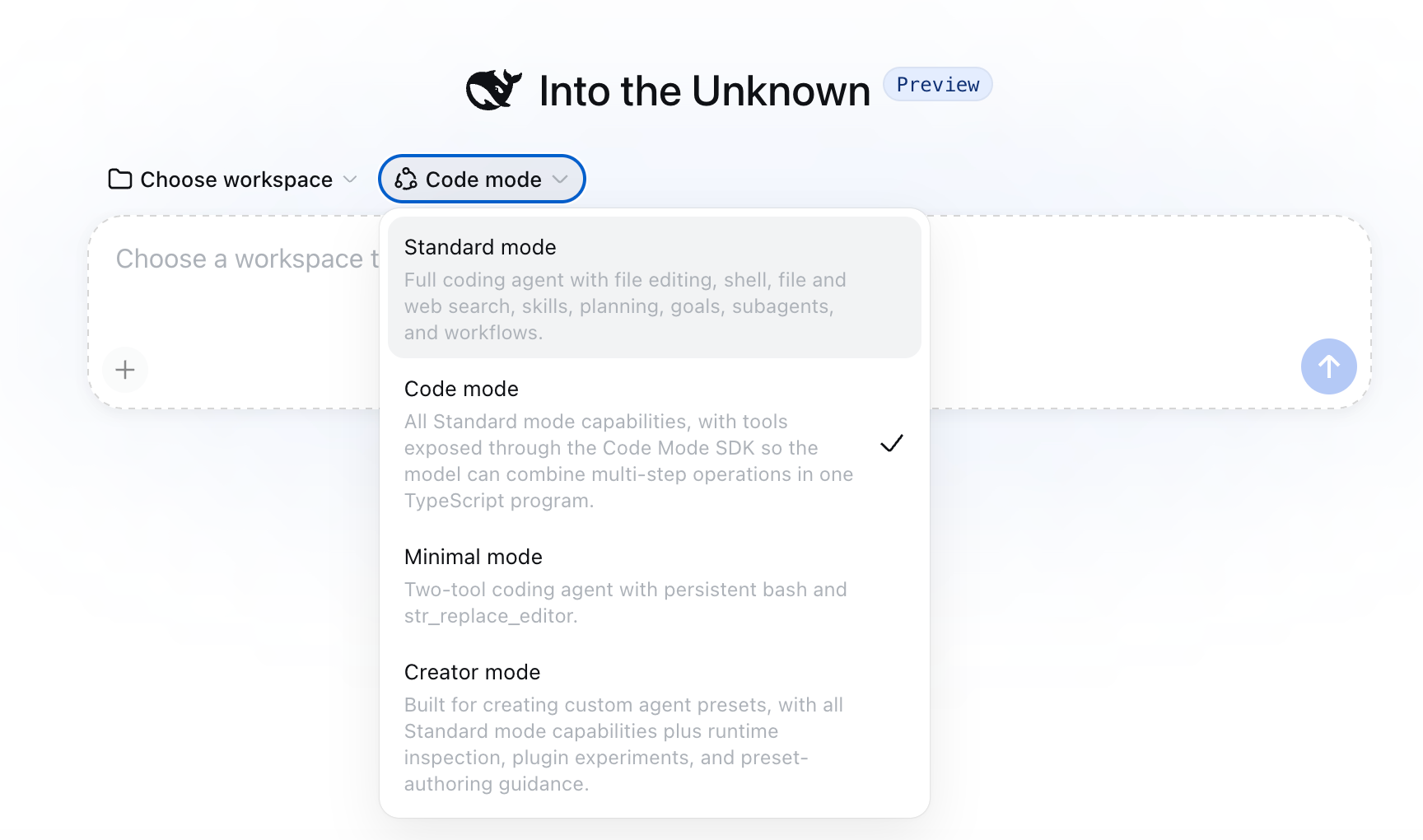
The Web UI also exposes agent presets such as Standard, Code, Minimal, and Creator modes. A preset controls the plugin composition available to one session, while a profile determines the broader harness composition that boots.
3. Bundles package ordered configuration
A bundle distributes Cordis configuration rows and the code they mount. Bundles load in an ordered stack, followed by profile-level and home-level patches and any command-line patch overlay.
This layering lets a developer start with a standard composition and replace selected rows instead of forking the entire runtime. It also means configuration order matters. A later layer can patch behavior inserted by an earlier bundle.
4. Events connect runtime behavior
DeepSeek Harness uses several event domains:
- Session events record durable facts that must survive reloads.
- Agent events expose work in progress, including requests, steps, status, validation, and continuation.
- Capability events attach providers and policies to boundaries such as filesystems, tools, and telemetry.
Events give plugins a documented place to observe, intercept, extend, or stop behavior. They also reduce the need for unrelated packages to import and modify the agent loop directly.
5. Capability seams make providers swappable
A capability seam separates three roles: a service definition, a provider that implements the service, and a consumer that uses it.
For example, filesystem and subprocess providers can share one execution environment. Changing the provider can move shell, terminal, and language-server behavior into another sandbox without requiring each consumer to implement its own remote path.
The same pattern applies to model adapters, tools, subagents, persistence, credentials, telemetry, terminals, jobs, and interface integrations.
A practical mental model for DeepSeek Harness
The official architecture is detailed. For project planning, it helps to compress it into five layers.
| Layer | What to define | Evidence to inspect |
|---|---|---|
| 1. Intent and input | Goal, source context, exclusions, and acceptance criteria | The approved task brief and admitted messages |
| 2. Agent loop | When the task plans, requests a model, calls tools, continues, or stops | Step, turn, and agent events |
| 3. Model and tools | Provider, model, prompt sections, schemas, and tool registry | Effective profile configuration and tool calls |
| 4. Execution boundaries | Filesystem, subprocess, sandbox, permissions, credentials, and approval policy | Provider configuration, approval records, and command scope |
| 5. Durable evidence | Messages, tool results, failures, outputs, and unresolved risks | Session log, transcript, checks, and produced artifacts |
Editorial framework: The five-layer mental model above is an Ottermind editorial framework derived from the official DeepSeek Harness architecture. It is not an official DeepSeek diagram or a claim that we benchmarked every layer.
This model is useful when evaluating any agent harness. A successful demo at layer three does not prove that the execution boundary is safe or that the final evidence is sufficient for review.
What does "everything is a plugin" mean in practice?
The plugin design changes how developers extend the runtime.
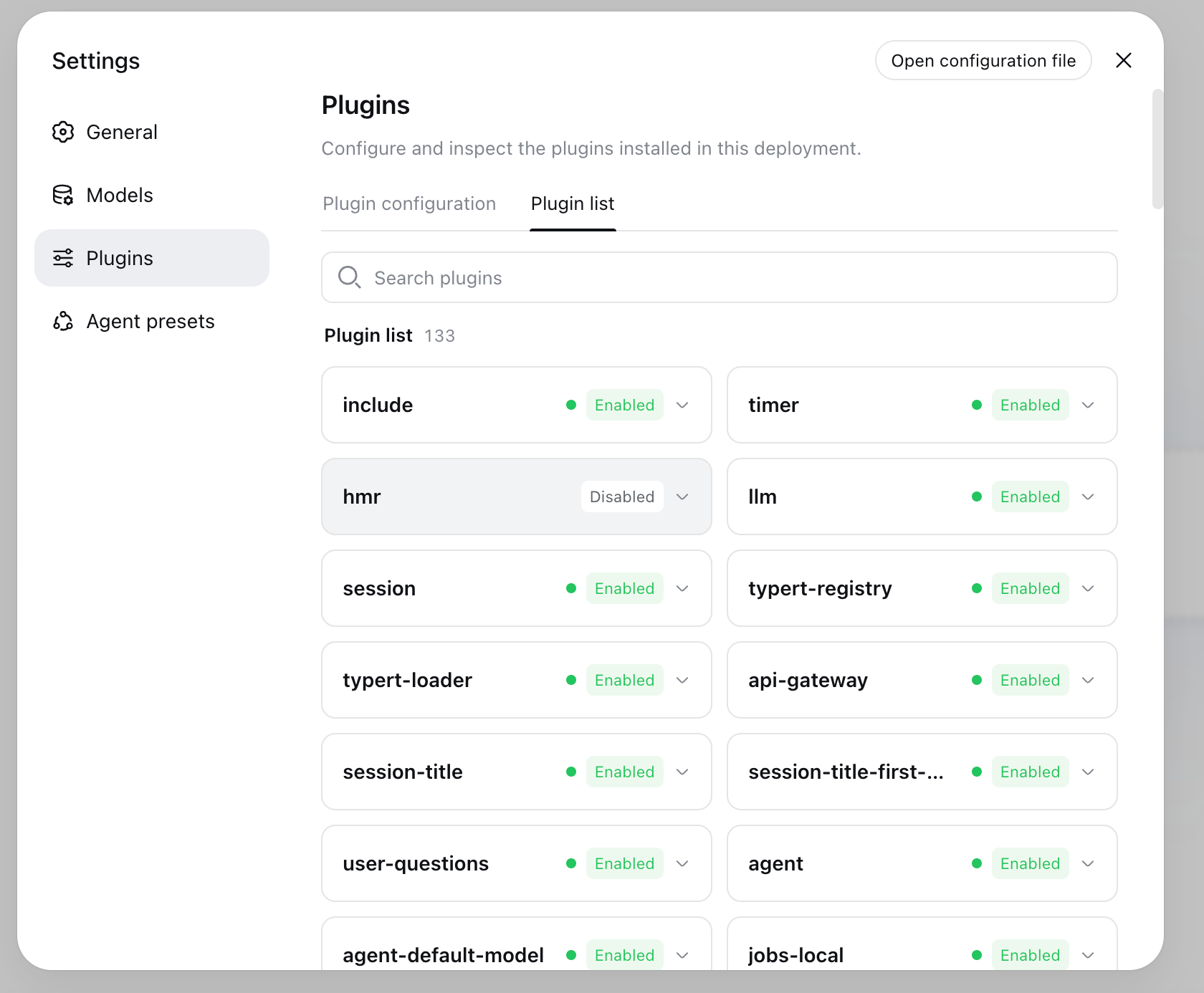
You can add a model provider by registering an adapter with the language-model service. You can add a model-facing capability through the tool registry. You can replace filesystem access through a filesystem provider, confine commands through a sandbox backend, add background work through job services, or create another interface that drives agents and renders session events.
The practical benefit is composition without a permanent fork. A team can mount a capability beside existing plugins or patch a configuration row instead of editing one central loop for every customization.
The tradeoff is that flexibility moves complexity into architecture and configuration. Developers need to understand plugin ownership, event order, service boundaries, patch layering, version compatibility, and the permissions of third-party code. "Everything is a plugin" does not mean every plugin is safe to install or effortless to maintain.
What can DeepSeek Harness do?
The exact behavior depends on the active profile and plugins, but the official project exposes the building blocks for several task classes.
Repository and coding tasks
With appropriate filesystem, subprocess, terminal, and language-server capabilities, an agent can inspect a workspace, edit files, run commands, and return verification evidence. The harness is the runtime coordinating those operations; repository instructions, tests, and human review still determine whether the change is acceptable.
Custom internal agents
A team can compose a profile for a narrow internal job: a migration assistant, validator, support-debugging agent, test runner, or domain-specific development tool. A narrow profile can expose only the capabilities that job requires.
For examples of where focused agents fit everyday operations, see AI agents for small businesses.
Model and provider experiments
Because model access is behind adapters, developers can compare configurations or build support for another provider without redesigning the tool and session layers. A valid evaluation still needs fixed tasks, repeated runs, a scoring rubric, and recorded limitations.
Sandboxed or remote execution
Capability providers can move filesystem and subprocess behavior into a controlled execution environment. That is useful when local access is inappropriate, but the provider, credential path, network rules, isolation, and failure behavior must be reviewed as part of the trust boundary.
New interfaces and agent experiences
The Web UI is one interface, not the entire product definition. Plugins and session events can support other editors, clients, or specialized views that share the same underlying agent and session behavior.
DeepSeek Harness plugins
Developers can package reusable providers, tools, policies, integrations, or interface behavior as plugins. The official project recommends the dsh-plugin GitHub topic for discoverability. Review a plugin as executable code before giving it access to a repository, credentials, shell, or network.
How to run DeepSeek Harness
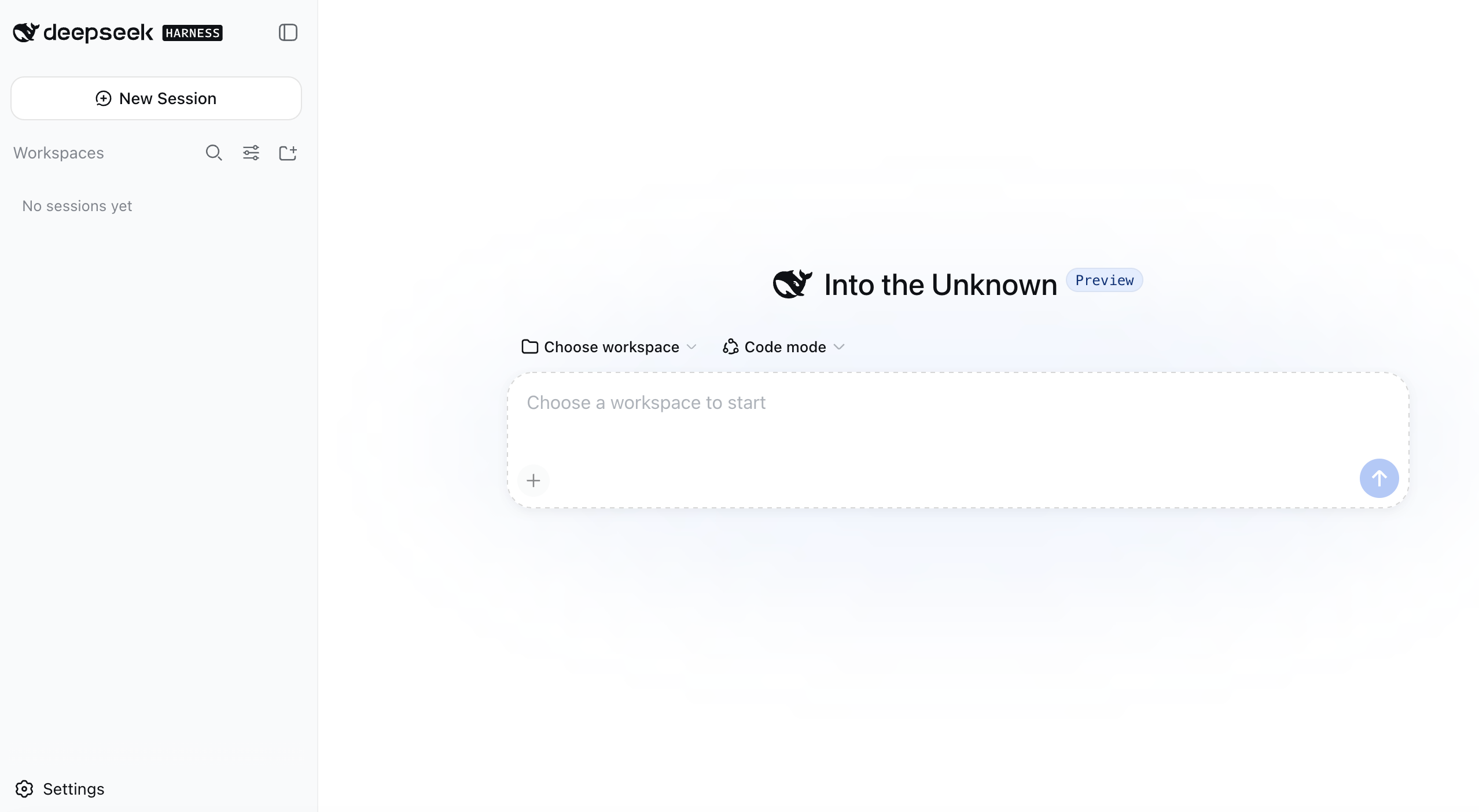
The official npm quick start requires Node.js. Run npx @deepseek-ai/dsh web.
By default, the command starts the Web UI at http://127.0.0.1:3080. From there, the user configures a model provider, selects a workspace, and starts a session.
A responsible first run should use:
- a small demo repository rather than a production checkout;
- synthetic or non-sensitive inputs;
- a narrowly scoped workspace;
- an explicit approval policy;
- existing tests or checks;
- a task with a clear stopping condition.
Developers working from source can clone the official repository, install its dependencies, build it, and run the Web profile. Because the project is changing rapidly, record the commit or release used when documenting an experiment.
Is DeepSeek Harness only for DeepSeek models?
DeepSeek AI develops the harness, but the architecture separates model access behind adapters. The official documentation describes model adapters as replaceable plugins and provides extension points for adding a provider.
That makes the runtime broader than a single model wrapper. It does not guarantee that every provider or model works equally well. Tool calling, streaming, message formats, context limits, credentials, and error behavior can differ. Each adapter and intended model still needs focused testing.
Permissions, sandboxing, and security
An agent runtime can combine model output with file access, commands, credentials, network calls, and third-party plugins. That makes configuration part of the security model.
Before using DeepSeek Harness on consequential work:
- restrict the workspace to the files the task needs;
- keep API keys and production credentials out of prompts and handoff documents;
- inspect plugins, patches, scripts, and external calls before installation;
- use the approval policy for consequential actions;
- verify where filesystem and subprocess providers execute;
- require the repository's normal tests, linting, type checks, and security checks;
- review the final diff and command history as a human owner;
- record failures and unverified assumptions instead of hiding them.
A sandbox reduces some risk; it does not establish that model output, plugin code, network destinations, or generated changes are trustworthy.
DeepSeek Harness limitations
The most important limitation is its current status. The official README labels DeepSeek Harness a developer preview and warns that compatibility-breaking changes will occur.
That has practical consequences:
- Profiles, plugins, configuration, and APIs may require migration.
- Documentation and examples can lag rapid implementation changes.
- A plugin compatible with one revision may not work with another.
- Teams must own testing, version pinning, upgrades, and operational support.
- A flexible runtime can demand more technical judgment than a managed assistant.
DeepSeek Harness is therefore a stronger fit for teams that want to inspect and shape an agent runtime than for users who only want a stable, finished coding assistant. It is also not a substitute for project requirements, code review, security policy, or domain expertise.
Who should use DeepSeek Harness?
DeepSeek Harness is worth evaluating when you need at least one of these:
- a composable agent runtime rather than a fixed assistant;
- custom tools, providers, policies, interfaces, or execution backends;
- inspectable session and tool events;
- profiles for different agent environments;
- a research platform for agent architecture;
- control over where and how agent actions run.
Wait or choose a more managed product when you need guaranteed compatibility, minimal setup, centralized enterprise administration, or a polished task experience that your team does not intend to maintain.
If you are comparing the broader product category, the guide to AI agent workspaces explains how tools differ in context, execution, repeatability, review, and handoff.
Where does Ottermind fit?
DeepSeek Harness operates close to the agent runtime. Real projects also include customer evidence, research, briefs, decisions, reviews, documentation, presentations, and follow-up tasks.
Ottermind is an AI agent workspace for real work. It can keep that broader project context and its deliverables connected around a bounded technical task. A team might prepare an implementation brief and acceptance criteria in Ottermind, execute the repository task in a controlled harness workspace, and return verified results for documentation and review.
Product teams can compare the surrounding planning, research, and delivery stack in the guide to the best AI tools for product teams.
We did not find or test a native one-click Ottermind integration for DeepSeek Harness. Today, that relationship should be treated as an explicit artifact handoff, not an existing connector or product promise.
How to decide whether DeepSeek Harness fits
Use this checklist before adopting it:
- Do you need to replace or compose parts of the agent runtime?
- Can your team maintain plugins, profiles, patches, and version upgrades?
- Is the target task bounded by a workspace, permissions, and acceptance criteria?
- Can you inspect the provider, tool, sandbox, credential, and network boundaries?
- Do you have tests and human review outside the agent?
- Will the session evidence be sufficient for another person to verify the result?
- Can the project tolerate developer-preview changes?
If the answer is mostly yes, DeepSeek Harness offers an unusually inspectable foundation for building a customized agent. If the answer is mostly no, start with a managed assistant or agent workspace and revisit a harness when the need for runtime control becomes concrete.
The answer to "what is DeepSeek Harness?"
DeepSeek Harness is not a new model and not merely a chat interface. It is an open-source, plugin-composed runtime for connecting models to tools, sessions, execution environments, policies, and user experiences.
Its value is control: developers can inspect the event flow, replace providers, compose profiles, and extend capabilities without treating the agent loop as a sealed box. Its cost is responsibility: the team owns architecture, permissions, plugin trust, testing, and compatibility through a rapidly changing developer preview.
Next task: Define one bounded agent job in Ottermind with its source material, allowed workspace, permissions, acceptance criteria, and required evidence. Then use that brief to decide whether DeepSeek Harness needs a custom profile, plugin, or provider for the job.
