AI Fruits: How to Make a Fruit Character That Holds Up Past One Clip
AI fruits are fruit characters with a face, a voice and a reason to act. One clip is a generation problem; a series is a continuity problem. Lock one still, then write one action per clip.
Optional
JPG / PNG / WebP
This is Ottermind's composer. The brief and any reference stay in draft until you send them; the round arrow hands the request to Studio for review.
November 14, 2026 · 13 min read
AI fruits are fruit-shaped characters with faces, voices and a small reason to act, filmed short enough to watch on a phone. The format moved through fruit ASMR, captioned memes, talking produce and serialized fruit drama in about eighteen months, and it is now the kind of search where every result is a generator with templates waiting to be twisted.
You can make one of these clips today. What you cannot do on the first attempt is make the sixth clip look like the first — same skin, same seed pattern, same face, same world. That is the part the template pages leave out, and it is the part this guide is organised around. One clip is a generation problem. An episode is a continuity problem.
How this guide was prepared: Published pages were checked on November 14, 2026: Media.io's AI Fruit Story zone page, Designkit's AI fruits explainer (published August 13, 2026), and Ottermind's Image to Video, Photo to Video and AI Reel Maker pages. The trend history is reported as those pages describe it, including dates they attribute to Know Your Meme; the view counts quoted by a competitor are marketing claims and are not repeated here as fact. This is a workflow guide, not a speed or quality benchmark. No video was generated for this article, so no clip is presented as a result. The cover and the three figures were generated with an Image 2.5-series model (GPT Image 2.5) for this article and are labelled as concept artwork; the composer screenshot is a real capture of this page.
What people are actually making
A year and a half of this trend has produced a handful of formats that behave very differently once you commit to more than one post. The trend write-up most cited for the timeline splits it into five overlapping stages: fruit ASMR in 2025, fruits with faces eating their own kind from around July 2025, captioned fruit memes that August, talking fruit through 2025–26, and serialized fruit drama in 2026. The same account describes a dating-show parody cast entirely of AI fruit going viral on TikTok in March 2026 — the moment the format stopped being a single joke and started being a show.
That history matters for one practical reason: the further along the timeline you go, the more each clip depends on the clip before it. A self-eating strawberry is a fifteen-second idea. A fruit with a returning personality is a production job with a cast, a look, and a paper trail.
| Format | What happens on screen | What carries the clip | Cost of repeating it |
|---|---|---|---|
| Fruit eating itself | One fruit is fed a piece of its own kind, bites, reacts | The bite, the crunch, the uncanny contrast | Low — a new fruit is a new clip |
| Baby-faced fruit | Rounded features, oversized eyes, one exaggerated reaction | Cuteness colliding with something faintly wrong | Low, until you want the same baby face twice |
| Talking fruit | A character addresses the camera with a line or a joke | Timing and a clear mouth movement | Medium — the voice and face must match |
| Fruit ASMR | Slicing, peeling, squeezing, with sound carrying the clip | Surface texture and clean audio | Low, but the audience is narrow |
| Short fruit story | One or two characters reach a punchline or a decision | A conflict that resolves inside the clip | Medium — the second character needs a design |
| Serialized fruit drama | Recurring cast, episodes, unresolved tension | Continuity of look, personality and world | High — this is where most attempts collapse |
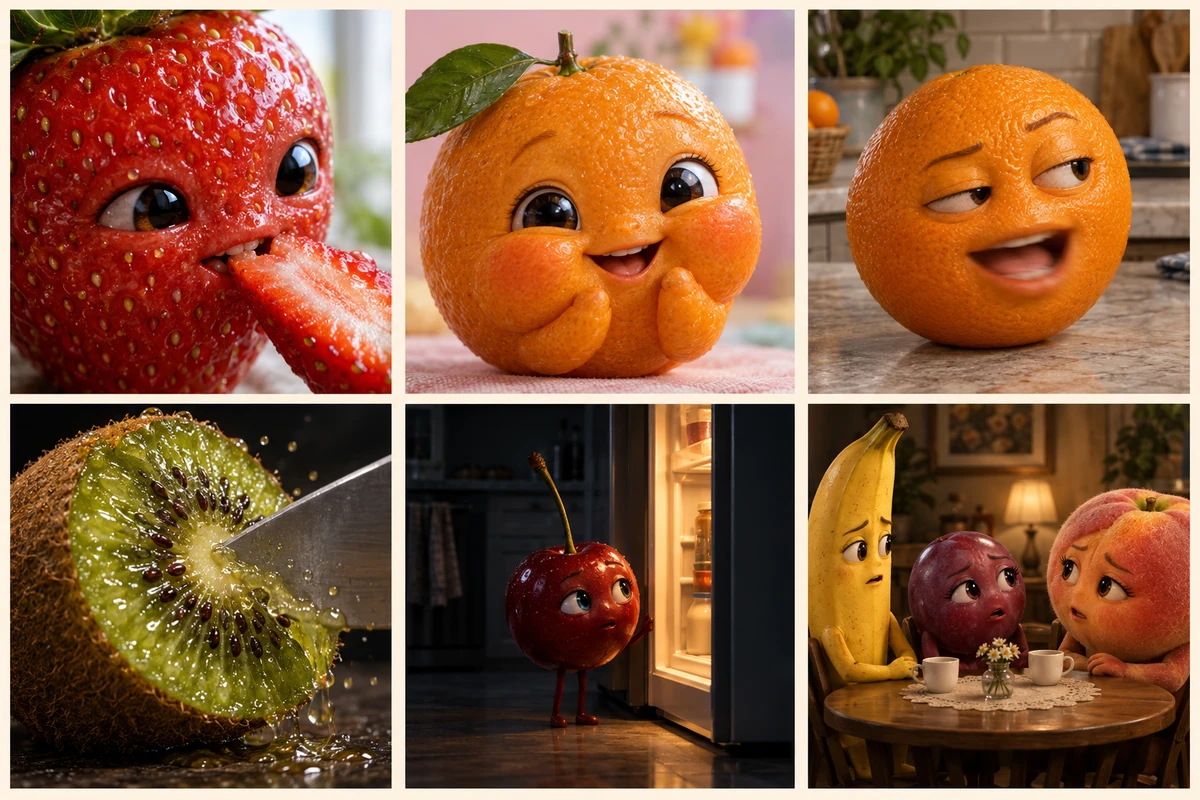
The six formats in one frame: bite, baby face, talking head, ASMR slice, single-story beat, and a recurring cast at a table. Concept artwork generated with an Image 2.5-series model for this article; it is not a screenshot, a published example or a recommended output.
The right column is the one to read twice. A generator page will happily sell you the left column, because a template that produces one funny clip is a complete product. If your plan is a series, you are buying the bottom row, and the bottom row is decided by what you keep between sessions rather than by which model you pick.
Why the sixth clip looks like a different fruit
Every generation starts from the image or the words you hand it. Hand it a paragraph, and it re-invents the strawberry each time: new seed density, new leaf angle, new eye placement, and a mouth that has quietly become either wider or smaller. None of those differences look like much on their own. Stack five of them and the cast has been recast.
The fix is not a better model. It is a reference the model can return to, plus a written instruction that says which parts are fixed. Designkit's guide puts it plainly when recommending image-to-video over text-to-video for a recurring character: a reference image improves continuity without guaranteeing it. That sentence is the honest boundary, and it is worth designing around instead of arguing with.
Three habits do most of the work:
- One still, many clips. Generate a character image once, check it, and reuse that file as the visual reference for every clip in the run.
- One action per clip. Two actions in one brief is two chances for the face to drift while the model resolves both.
- A written identity block. A short paragraph pasted into every motion prompt, naming exactly what must not change: the flush, the seed pattern, the leaf crown, the eye spacing, the mouth width.
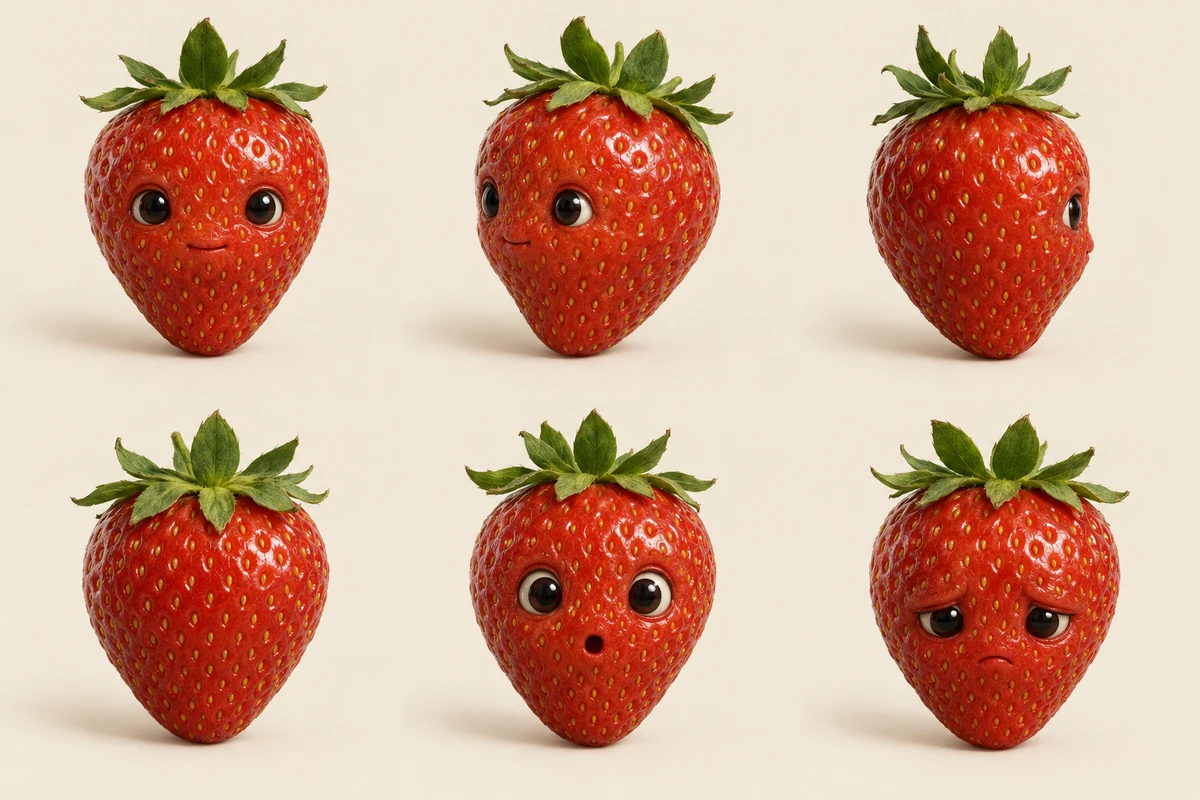
A turnaround is not art direction; it is a file you keep. Six views of one strawberry character, all on the same cream ground, all at the same distance. Any of these can be the reference for a clip. Concept artwork generated for this article, not an Ottermind output.
The build, in nine steps
The order below is deliberate. The brief comes before the character because you should find out whether the idea is funny before you invest in a cast. Everything after step two exists to protect the character you made in step two.
Step 1: Write one clip, not a season
Start with a single vertical clip you would actually post. Name the subject, the one action, the camera, the light and the ending. If you cannot describe the ending in one sentence, the clip does not have one yet.
What this controls: the action, the camera behaviour, the amount of change the model has to resolve, and whether the clip can end on its own.
Create an 8-second vertical clip. A glossy red strawberry with small dark eyes set into its skin and a tiny closed mouth sits on a warm wooden counter. A hand slides a silver spoon with a slice of strawberry toward it. The strawberry leans in, takes one small bite, chews twice, and its eyes widen in surprise. Locked-off eye-level close-up, no zoom, no cuts. Soft morning light from the left. Keep the shape, seed pattern and leaf crown unchanged. No on-screen text, no logo.That brief fills the composer at the top of this page. Filling is not sending: the text and any attached reference stay in draft until you choose the round arrow. If you already have a character still, attach it before sending; the reference guides the generation rather than locking the result to an exact copy.
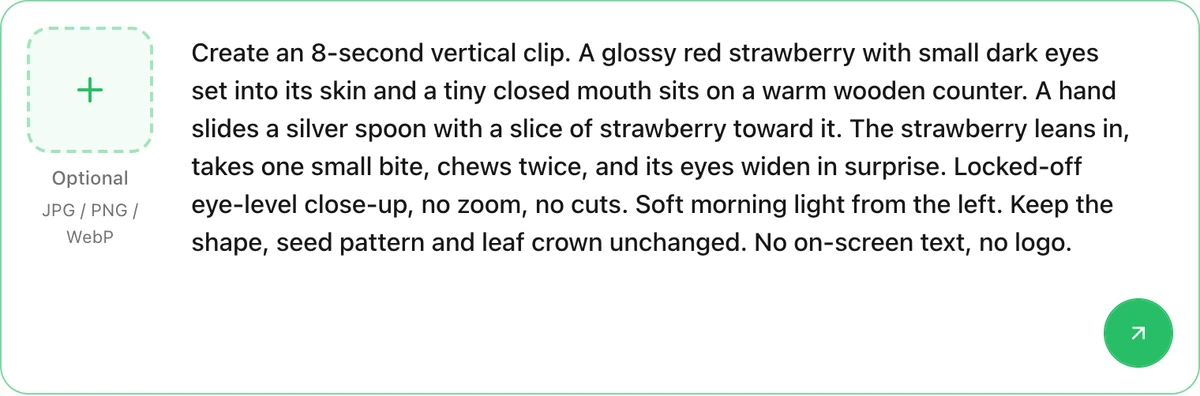
The composer on this page after using the brief: the reference tile is optional, the text stays in draft, and the arrow hands the request to Studio. A real screenshot of this page showing request preparation, not a generated clip.
Step 2: Generate the character still, then stop
Once the idea works, design the character properly and freeze it. Ask for a neutral pose against a plain ground with the face fully visible, then keep that file. This is the asset every later clip depends on.
What this controls: the skin texture, the face construction, the light direction and the camera distance that all later clips will inherit.
Photoreal still of a strawberry character, single subject, centred on a warm cream paper backdrop. The face is integrated into the skin: two small dark eyes set slightly into the surface, a tiny closed mouth, no outline, no cartoon shading, no sticker edges. Visible seed pattern across the whole berry, natural sheen and a few water droplets, a green leafy crown standing upright. Soft window light from the left with a gentle shadow on the right, shot on a 50mm lens at eye level, shallow depth of field. The character fills about sixty percent of the frame height. No text, no props, no hands, no second object.Step 3: Turn the character into a written identity block
Words are cheaper than retries. Open the still, list the five details a stranger would notice, and write them as one block you append to every motion prompt. Keep the list to things a viewer would catch if they changed.
What this controls: the fixed details, and the priority order the model follows when the motion instruction pulls against them.
Keep the character exactly as in the reference image: the same berry shape with a broad shoulder and a pointed tip, the same seed pattern in even rows, the same green leaf crown standing upright with five leaves, the same two small dark eyes set slightly into the skin with a gap of one eye-width between them, and the same narrow closed mouth. Do not add teeth, eyebrows, hair or clothing. Do not change the skin sheen or the light direction. If the action cannot be completed without changing the face, keep the face and simplify the action.That last sentence is the useful one. It gives the model a way out that preserves your character instead of a way to satisfy the instruction by redesigning the subject.
Step 4: One action per clip, in three beats
A readable clip has an anticipation, an action and a reaction. Three beats fit into a short vertical clip; five do not. Write the beats as separate sentences so a weak one is easy to cut.
What this controls: pacing, how many things the model has to resolve at once, and whether the clip feels like a moment or a summary.
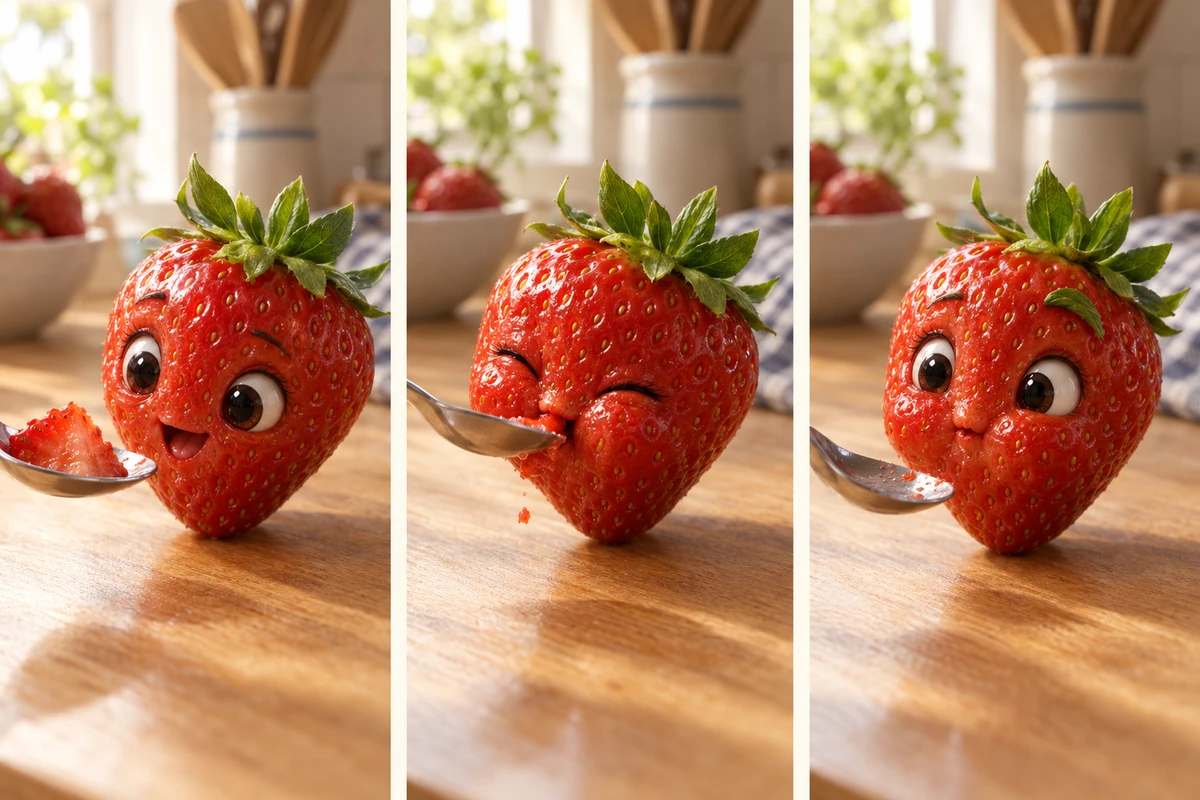
Beat one, beat two, beat three — the same character, the same counter, the same lens. Written as three sentences, this is one prompt. Written as one sentence, it is three competing instructions. Concept artwork generated for this article.
Beat 1, anticipation: the strawberry leans toward the spoon, eyes wide, mouth slightly open. Beat 2, action: it takes one small bite, eyes squeezed shut, a single crumb falling. Beat 3, reaction: it chews twice and opens its eyes very wide, one leaf lifting as if surprised. Continuous shot, no cuts between beats, each beat about two seconds. Keep the berry shape, seed pattern and leaf crown unchanged. Keep the counter edge in the same place in frame throughout.Step 5: Give the clip an ending you can cut on
Most generated clips trail off, because nothing in the brief said what the last frame should be. Name the final image. It is also the frame you will use as the thumbnail and, in a series, the frame the next clip picks up from.
What this controls: the last frame, the edit point, and the handoff into the next episode.
The strawberry finishes chewing, swallows, looks directly into the lens and blinks once. Hold on that look for one second, then the clip ends. The spoon is out of frame by the final second. Keep the same skin, seed pattern, eyes and leaf crown as the reference image, and keep the camera and light unchanged from the first beat.Step 6: If the fruit talks, write the line before the mouth
Talking fruit fails in a specific way: the mouth moves like a puppet because there was no line and no timing to follow. Write the sentence, then describe how the mouth moves through it. Keep lines short enough to be read in the time you have.
What this controls: the dialogue length, the mouth behaviour, and whether the delivery reads as speech instead of motion.
The strawberry looks slightly left of the lens and says one short line: "You brought a piece of me to a picnic." Mouth movement: closed at the start, opens once on "brought", closes at the comma, opens again on "picnic", then settles into a small closed smile. Add a single raised leaf as punctuation at the end. No subtitles burned into the frame. Keep the face, eyes and skin texture exactly as in the reference image.Ten words, two mouth movements, one expression change at the end. That is a shot you can review. A paragraph of dialogue in the same eight seconds is a shot you will have to redo.
Step 7: Build episode two from the same still
The second clip is where a series either exists or quietly restarts. Reuse the reference, open on a frame that continues the last one, and change only one variable: a new prop, a new character, a new room. If two things change at once, a viewer reads it as a different show.
What this controls: continuity of character and world, and the amount of novelty you are asking an audience to accept.
Continue the same strawberry character in a second 8-second clip. Open on the empty spoon resting on the same wooden counter, the strawberry in the same position as the previous clip's final frame. A small blueberry character rolls slowly into frame from the right and stops beside it. The strawberry turns its eyes, not its body, to look down at it, then looks back at the lens with a flat expression. Camera and light unchanged. Keep the strawberry's face, seed pattern and leaf crown identical to the reference image. The blueberry is round, deep blue with a dusty bloom, two small eyes and no mouth.Step 8: Write the caption and the disclosure in the same pass
The caption is part of the format, not an afterthought: it is where the joke is completed and where the audience is told what they are watching. Do this in a text assistant or in Studio, and keep the disclosure to one plain sentence rather than a paragraph of jargon.
What this controls: the text that ships with the clip, the reply you are inviting, and whether the synthetic-media label is present before anyone asks.
Write three caption options for a vertical clip in which a strawberry character takes a bite of strawberry and looks surprised. Each option under 90 characters, no hashtags in the first two, and the third must end with a question that invites a reply. Then write one plain-language line, under 100 characters, disclosing that the clip is AI-generated, with no jargon and no apology.Step 9: Review against the still, not against your memory
Put the new clip beside the character still and check four things in this order: the face, the skin, the light, and the ending. Then check the frame you plan to publish as the cover — often the ugliest frame in the clip. If the face has drifted, regenerate from the same reference rather than editing the prompt until it looks close.
Common failures, and the fix that actually works
| Symptom | What usually caused it | The fix |
|---|---|---|
| The face changes shape between clips | A new generation from text, with no still attached | Attach the same still and repeat the identity block |
| The fruit looks like a sticker on a photo | "Cute cartoon" or "kawaii" wording, or a face described as an overlay | Ask for the face set into the skin, photoreal texture, no outline, no sticker edges |
| Nothing much happens in eight seconds | Three actions in one brief, each half-resolved | Cut to one action with three beats and regenerate |
| The clip has no ending | The brief never named the final frame | Name the last image and hold it for a second |
| Hands melt or the spoon bends | Fast motion plus hands plus a reflective prop | Remove the hand, keep the prop still, or shorten the action |
| The voice does not match the mouth | A line was never written; the model improvised motion | Write the line, then describe the mouth's start, middle and end |
| Every clip looks like the same viral video | You started from a template instead of a character | Change one structural variable: species, scale, or the world it lives in |
| Sound feels bolted on | The clip was generated silently and music was added afterwards | Plan the sound with the action: bite, chew, swallow, then silence before the line |
| A platform limits or flags the post | The synthetic-media disclosure was missing or buried | Put the disclosure in the first lines of the caption, and follow the platform's current rules |
Two of these are worth more than the rest. The sticker problem is a wording problem, and it is fixed in one line of prompt. The no-endings problem is a planning problem, and it is fixed before you open a tool.
Where Ottermind fits in the build
Ottermind is a reasonable place to run steps two to seven, because the workflow keeps a reference and a written direction together instead of asking you to restart from an empty prompt for every revision.
- Make the still: AI image generation produces the character image you will reuse. Generate two or three candidates, pick one, and keep it.
- Animate that still: Image to Video takes a reference image plus a description of the motion, camera behaviour, pace and target frame, then lets you review each take and rerender. This is the route for a series, because the still is the thing that stays fixed.
- Start from a photo instead: if you have a real piece of fruit you shot yourself, Photo to Video starts from that photo rather than from a generated character. Same motion brief, a different source.
- Assemble the episode: AI Reel Maker is the handoff for a multi-scene social sequence, which is what a three-clip story becomes once the clips hold together.
What this route does not do is guarantee anything. A reference image improves continuity and does not lock it — expect to regenerate some takes. Clip length, resolution and any credit cost belong to your account and the model chosen in Studio at the moment you generate, not to this article. Rights are yours to check: use a photo you took or one you are licensed to use, do not build a character around someone else's show, and label synthetic media where the destination requires it. None of that is legal advice, and none of it is a promise about reach.
What to do next
Pick the row of the format table that matches the clip you can finish this week, then build the smallest honest version of it.
- You want a series: make the still first, then commit to one action per clip. Read Image to Video Prompting for the motion vocabulary that makes the brief specific.
- You want short-form production discipline: the faceless reels guide covers the same problem from the other end — how to build a repeatable short video without a presenter.
- You want the transition between two clips: morphing is the format for changing one thing into another, which is what an episode break often needs.
- You want a character style that survives small screens: chibi style is the useful counterweight to photorealism when the face has to read at thumbnail size.
- You want frame-by-frame control: tweening explains what happens between two images, which is exactly the moment a fruit character stops looking like itself.
An AI fruit video is a draft with a face. The face is the part you own, and the part worth protecting.
AI fruits FAQ
Do I need a fruit-specific generator?
No. A dedicated AI fruit generator is convenient because it ships templates for formats that already work, and that is a legitimate reason to use one. A general image and video workflow is the better choice when you want a character of your own, a consistent look across clips, or a series that does not read as a template variant.
Text-to-video or image-to-video?
Text-to-video for a one-off clip where the character can be different every time. Image-to-video as soon as a face, a texture or an accessory has to carry across clips. The reference narrows the range of outcomes; it does not fix them.
How long should an AI fruit clip be?
Short enough that one action fills it. The format is usually described in the ten-to-thirty-second range, and the practical constraint is not the platform limit but the number of beats a viewer can follow before the clip needs to end.
Do I have to say the video is AI-generated?
Rules differ by platform, market and subject, so check the destination's current policy rather than relying on a summary. In practice, a plain-language line in the caption costs nothing and removes an obvious reason for a viewer to distrust the post.
Can I sell or monetise these clips?
That depends on the tools' terms, the source material you used, and the platform you publish on. Read the commercial terms of the model and the platform before you build a business on a character, and do not assume that generating an image grants you rights over a recognisable character owned by someone else.
