
Motu Patlu AI Video Prompt
Copy a scene prompt that fixes the town and both friends before it describes the joke, then render the opening frame in Ottermind.
Three Motu Patlu Video Prompts You Can Copy
The three beats these clips usually need: a market chase, a train-platform mix-up and a festival night. Every prompt names the town, both friends and one camera move, so the pair survives every take. They describe an original round-and-slim duo in the Motu Patlu mould, not official character assets.
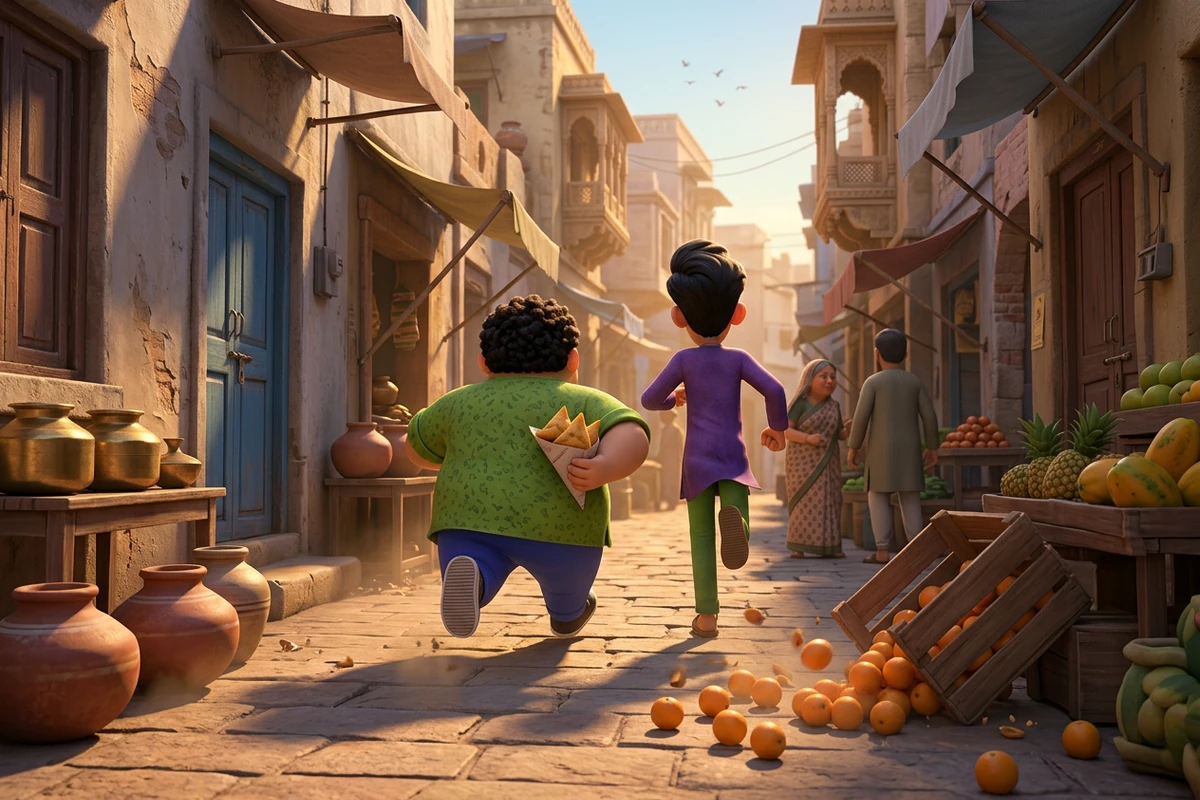
The market chase
Create a short 3D-animated family cartoon clip in a small Indian town market. Two friends run the length of the lane: a short round cheerful one in a bright shirt and a sleeveless waistcoat, clutching a paper cone of hot snacks, and a tall slim quick-witted one in a long tunic pulling him along by the sleeve. Brass pots, clay water jars, hanging bananas and stacked fruit crates pass on both sides while a few shoppers step aside. Camera: one smooth low tracking shot travelling with them from left to right, dust kicking up, no cuts. Keep the two character designs and the street identical from the first frame to the last. Bright saturated cartoon colour, polished 3D rendering, soft depth of field, family-friendly slapstick. Include no readable text, signs, price tags, logos or watermarks.
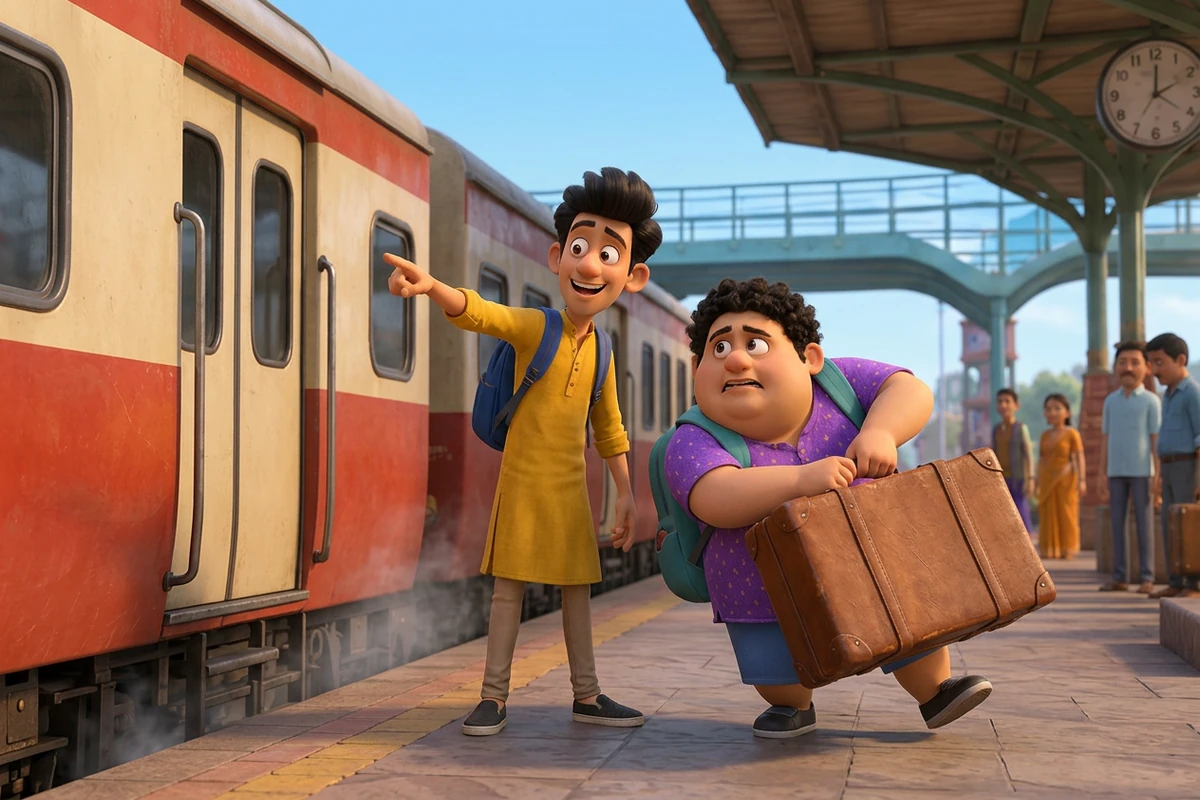
The train-platform mix-up
Create a short 3D-animated family cartoon clip on a small-town Indian railway platform in the early morning. A cream-and-red train waits at rest behind the two friends: the short round one wobbles under a suitcase twice his size while the tall slim one points down the platform and laughs. Steam drifts from under the carriage, a green iron footbridge and a round station clock sit further along, and a few travellers wait with their luggage in the background. Camera: one slow push-in at knee height, both characters staying on the platform, no cuts and no whip pan. Keep the same two character designs and the same platform throughout. Bright saturated cartoon colour, polished 3D rendering, gentle morning haze. Include no readable text, station signs, timetables, train numbers, logos or watermarks.
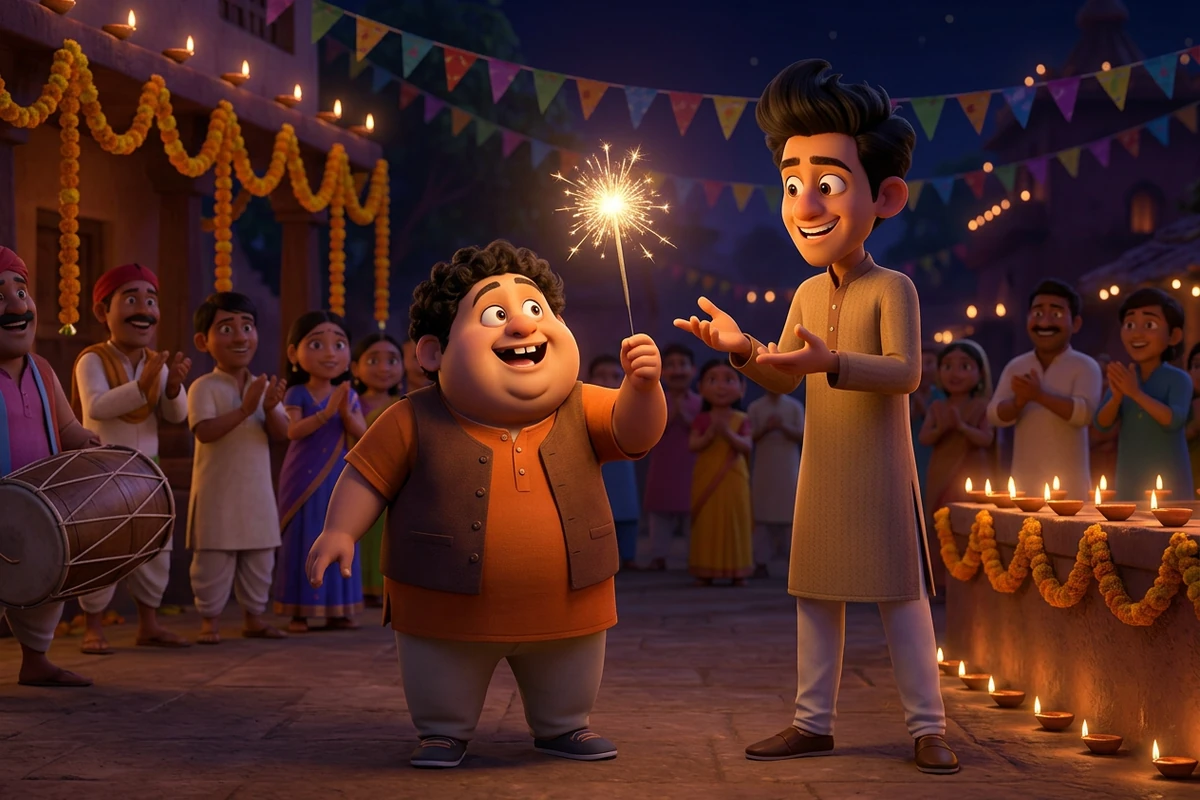
The festival night
Create a short 3D-animated family cartoon clip in a town square at night during a festival. Rows of small clay oil lamps line a low wall, marigold garlands and coloured paper bunting hang overhead, and a crowd of villagers claps in warm silhouette behind. The two friends stand in the near foreground: the short round one holds up a sparkler, delighted, while the tall slim one gestures at it mid-sentence. Camera: one gentle arc around the pair at eye level, lamp and sparkler light flickering across their faces, no cuts. Keep both character designs and the square consistent from the first frame to the last. Deep warm night blues and purples cut by small golden lamp points, polished 3D rendering, cinematic depth of field. Include no readable text, banners with writing, logos or watermarks.
Why Most Cartoon Video Prompts Fall Apart
The prompt is rarely the problem. Dropping the second friend, letting the town change between takes, or stacking three camera moves into one beat is what turns a clip into a string of retries.
Ask for one camera move, not three
A tracking shot, a whip pan and a zoom in one line will not all survive. Pick the single move the beat needs, say where the camera starts and ends, and keep the characters steady while it travels. AI Reel Maker holds two takes of the same beat side by side while you choose.
Pin the town before you touch the motion
A prompt that only describes action lets the model rebuild the street every time the camera moves. Write the lane, the stalls, the light and the hour as one fixed sentence, then leave it alone while the action changes around it. Image to Video starts the clip from a frame where that street is already settled.
Keep both friends in the same design
Two characters drift more easily than one: by the second take the round friend stops matching the tall one. Give each a fixed sentence of design detail, repeat it verbatim in every prompt, and check it on the still before animating. Photo to Anime Video AI Free restyles the pair without losing that design.
How to Build a Motu Patlu Video Scene in Ottermind
Step 1: Write the town, then the two friends
Name the lane, the light and the hour before the plot, then give each friend one sentence of fixed design detail. AI Prompt Generator expands a short brief into that structure.
Step 2: Approve the opening frame, then animate
Look at the still for two seconds. If the pair does not match, no camera move will rescue the clip. Take the frame you approved into Image to Video and describe only the motion.
Step 3: Compare takes and change one line
Render two or three versions of the same beat, then move one line at a time: camera, then light, then action. Photo to Video AI Free keeps the still as the anchor underneath.
Where Motu Patlu Video Prompts Actually Help
These scene prompts pay off when the same pair has to come back next week for another place, product or event.
A shop, stall or market clip
The most common job behind these searches is local promotion: a shop, stall or bazaar street introduced by two characters the neighbourhood already knows. Keep both character sentences and swap only the goods and the street, and AI Reel Maker turns the weekly takes into one vertical sequence.
A town, station or landmark reveal
Announcing a place lands better when the pair physically arrives in it: a platform, a bus stand, a market gate. Fix the location sentence once and reuse it for every branch opening, and AI Video Demo checks the arrival beat before you commit to a longer render.
A festival or event invitation
For a festival, a wedding-season sale or a local event, the lamp-lit version of the pair sets a warmer tone than a daytime chase. Change only the props and the crowd, then take the still into Image to Video to light the lamps and let the crowd move.
Motu Patlu AI Video Prompt FAQ
How do I keep the cartoon duo consistent between clips?
Compare every new still against the last frame you approved, before you spend a render on motion. If the two friends no longer match, rewrite the design sentence rather than the camera line. Photo to Anime Converter makes that comparison quick across styles.
Why does the background change halfway through my clip?
Because the place was never pinned down, so the model rebuilds it whenever the camera moves. The symptom is stalls, wall colour or light shifting mid-shot. Fix it by writing the location as one fixed line and reusing it, then restarting each take from the same approved frame in Image to Video.
How long should each cartoon clip be?
A four-to-six-second beat with one camera move is the easiest combination to hold steady. Longer takes ask the model to carry more of the scene at once, which is where the background and the second character start to drift. Let AI Reel Maker keep the short beats in order.
Should I start from a still or from a text prompt?
Use a still when the pair has to match something you already approved: the composer on this page renders that frame in Ottermind Studio, and Image to Video animates it. Write the beat from text when the scene is new and the duo can be established from scratch.
Can I try this without paying for a subscription?
Ottermind's public experience can be used without signing in and includes a limited number of free trial rounds; account-based credits and plan limits may still apply. Test the scene as a still first, before you commit a clip to the AI video generator.
Is the artwork on this page official?
No. Every image here is original cartoon artwork generated for this page, showing an unrelated round-and-slim duo in the same family-comedy spirit as the prompts. The page is not affiliated with or licensed by any existing show, studio or rights holder, and it supplies no official character assets.
More Prompt Topics You Might Like

Run the Same Prompt on Another Video Model
Turn the Duo's Next Scene into a Clip
Take one of the three scene prompts, keep the town and both friends fixed, and change only the beat until the clip is one you would post.