
Cinematic Meme
A cinematic meme is one grand film still plus two words. Build the frame from a prompt with your own subject in it, keep the lettering out of the model's hands, and decide where the caption lands before you post.
Three Cinematic Meme Prompts You Can Copy
Each prompt builds the frame and nothing else: one subject, one decisive gesture, and light that falls away at the edges, so the caption has somewhere clean to sit.
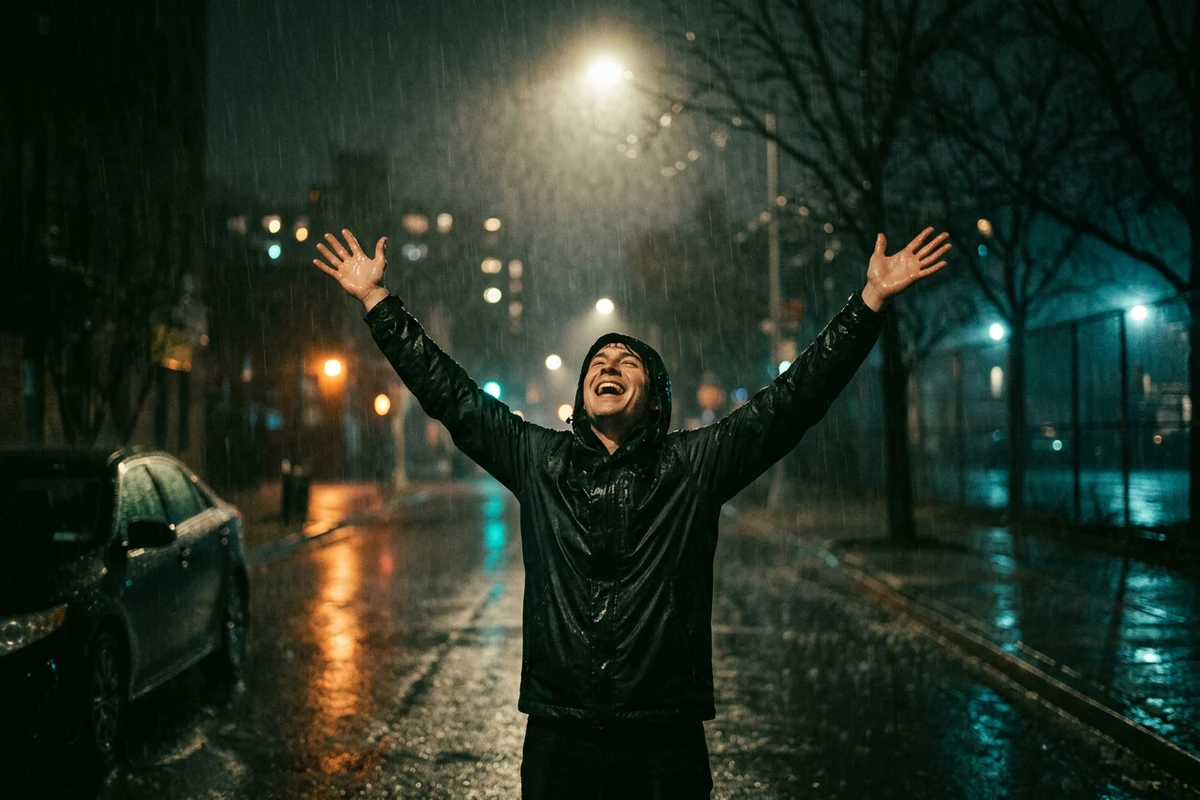
The grand gesture
An original cinematic film still: one person stands alone on a wet city street at night with both hands raised overhead, head tipped back and eyes closed, caught mid-gesture. A single hard street lamp above and behind them rims their shoulders, hands and hair; their face stays half in shadow and everything beyond them falls into black rain, wet asphalt and soft bokeh. Shot on a wide anamorphic lens from a low angle, shallow depth of field, deep blacks that still hold detail, cool blue shadows with one warm highlight, fine film grain. One figure only, no crowd, no text, no letters, no numbers, no logos, no watermark, no caption.
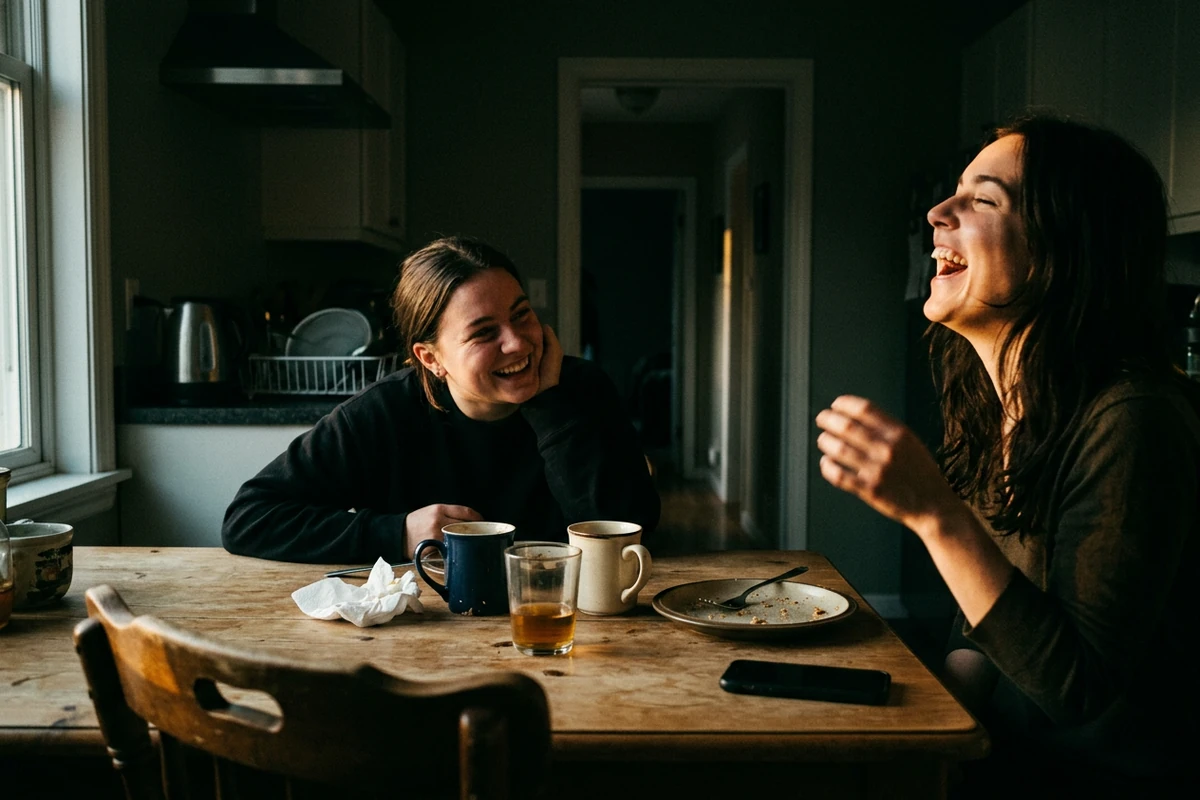
Your own photo, restyled
Attach a snapshot and turn it into a cinematic film still, keeping the two people, the kitchen table, the mugs and the framing exactly as they are. Keep the face, the pose and the moment mid-laugh; change only the light and the grade. Replace the flat room light with one hard directional window light from the left, let the background fall away into deep shadow, add a slight warm-cool contrast, a soft halation around the highlights and fine film grain. Keep it a candid photograph, not a studio portrait, and keep every facial feature recognisable. Do not add text, letters, numbers, logos, watermarks or captions.
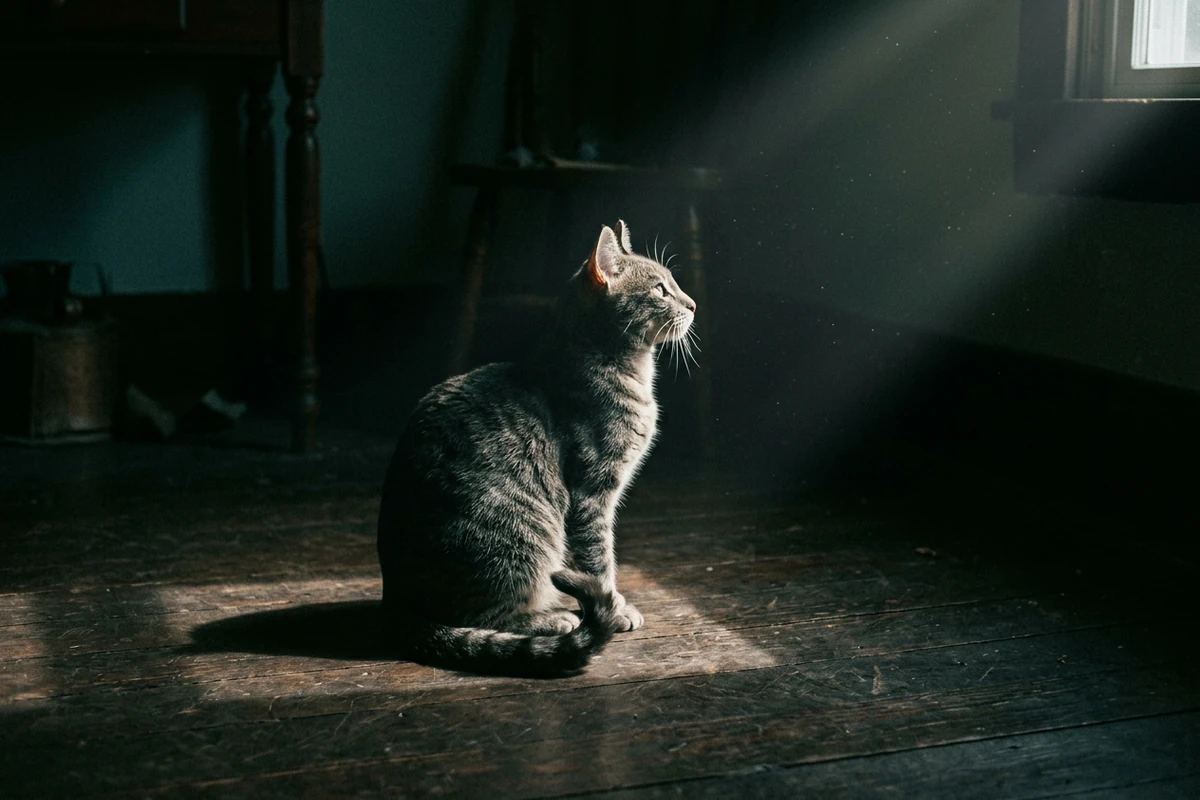
The subject swap
An original cinematic film still of a grey tabby cat sitting upright on a dark wooden floor in a single shaft of hard window light from the right, head lifted and turned toward the light, tail curled high behind it. The rest of the room is almost black with only a hint of a doorframe in the shadows; dust is visible in the beam. Low camera angle at the cat's eye level, shallow depth of field, deep blacks that still hold detail, muted amber and grey grade, fine film grain. The cat is the only subject, with no text, letters, numbers, logos, watermark or caption anywhere.
Why Most Cinematic Meme Prompts Miss
The prompt usually gets the look right and the joke wrong. Three decisions separate a frame that reads as the meme from a dark picture with a caption stapled to it.
Let the model light the frame, not the words
Image models are good at light and unreliable at lettering, which is why the caption belongs in its own layer. Ask for the still with no text in the prompt, then set the two words over it yourself. If you do want the model to render them, keep the caption to one or two uppercase words in quotes near the top of the frame, and expect to run it again — failed lettering, not the lighting, is usually what sends you back to the prompt box.
Play the film half completely straight
The format works because the picture is sincere and the subject is ordinary. One person, one decisive gesture, hard key light and a real location read as film; add a second joke inside the frame, a costume change or a busy crowd, and the mismatch collapses into noise. Restyle a photo you already have in Image Effects and keep the subject exactly as they were — the grade is what changes.
Leave a clean band for the caption
Two words need somewhere to sit. Compose so the top of the frame stays low-detail and dark — a ceiling, sky, or the dark end of a room — and keep the lit part of the picture in the middle. Square and 4:5 crops carry a caption best in a feed; 16:9 suits a genuine still-frame post. If you want the frame alone as a background or a reaction plate, that clean top band is what makes it reusable. Build the whole thing as a poster-style composition with AI Poster Generator when the caption has to be positioned rather than guessed.
How to Build a Cinematic Meme in Ottermind
Step 1: Write the still, not the joke
Describe a photograph a director would actually shoot: who is in it, what they are doing with their hands, where the single light comes from, and how the frame falls into shadow at the edges. Leave the caption out of the prompt entirely and leave the joke to the words you add later. Paste the description into AI Art Generator from Image and render the first frame.
Step 2: Render the frame and check the gesture
Judge the first result on three things only: is the subject mid-gesture rather than posed, does the light come from one direction, and is the top of the frame still dark and quiet. Change one line at a time and re-render; rewriting the whole prompt loses the parts that already worked. When the frame reads as a film still with nothing written on it, the hard part is done.
Step 3: Add the caption as its own layer
Set the two words in heavy uppercase letters, centred over the clean band, white on the dark area — and keep it to two words. Treat the words as a separate layer from the image so you can move, shorten or delete them without re-rendering. Fixing wording inside a finished graphic is what Image Text Editor is for, and the same composition logic is what AI Poster Generator applies to a headline-led layout.
Where a Cinematic Meme Frame Works
The format earns its place when the picture has to answer something without a paragraph of setup, or when one image has to carry a whole post.
Answering a moment in a group chat
Someone scores, cooks, or drops a plate and you want the reaction image now. Write the frame prompt, render it once, and keep the file with the caption already set so the next reply does not start from an empty composer.
Your own subject instead of the original photo
The famous version of this meme is one specific photograph, and you probably are not in it. Put your own face, your friend, or your cat into the same composition by restyling a picture you already own in Image Effects — the format does not need the original image, only its lighting logic.
A post or thumbnail that needs a film-still look
Video thumbnails, playlist covers and short-form openers all want one frame that reads at small size: a single subject, one strong light, nothing competing for attention. The same prompt works at 16:9 for a thumbnail and at 4:5 for a feed post, and the caption layer can be swapped per platform.
Cinematic Meme and Absolute Cinema FAQ
What does absolute cinema mean?
In film writing it describes filmmaking that carries meaning through images, movement and emotion rather than dialogue. Online the same phrase is used two ways: sincerely, about something that genuinely moved you, and ironically, about something that absolutely did not. The irony is the joke — high-art language applied to an ordinary or absurd subject, which is also posted as "this is cinema".
Where does the absolute cinema meme come from?
The frame is a photograph of Martin Scorsese, taken by Philip Montgomery for a New York Times profile published on 2 January 2020, in which he is caught mid-movement with both hands above his head. Someone set two words over that picture and the format spread from there. You do not need that photograph: the composition and the light are what people recognise, not the person in it.
Why does the AI misspell the caption?
Image models draw the caption as part of the picture instead of setting type, so long or unusual words come back wrong even when the rest of the frame is right. The reliable sequence is to render the frame with no text in the prompt and add the words afterwards. If you insist on the model writing them, keep the caption to one or two short uppercase words, put them in quotes in the prompt, and expect to re-roll until they come out clean.
How do I make an absolute cinema meme without text?
Generate the frame with no lettering and stop there. A clean frame works as a reaction plate, a background for someone else's caption, or a 16:9 still; the dark, low-detail band at the top is what makes it reusable. Add the caption in a separate layer only when you need it, so the same image serves both uses.
What font is the absolute cinema caption?
There is no single licensed typeface behind the format. The caption reads as heavy uppercase sans-serif lettering over a dark area — Impact is the usual default for meme text and is close enough for a rebuild — and what makes it recognisable is the weight, the all-caps setting and the white-on-dark contrast rather than a specific font file. Match the look, not the file.
Can I use my own photo, or my cat?
Yes, and that is the more interesting version. Restyle a photo you already own into the same lighting — one hard key light, deep shadow elsewhere — and keep the subject's features intact so the result still reads as them. Pets work because a single subject in dramatic light needs no explanation, which is exactly what the format plays on.
Do I need a template to make a cinematic meme?
No. Templates fix one photograph and let you type over it, which is why the results all look the same. A written prompt gives you the frame itself, so the subject can be anyone or anything. Where the template approach is still faster is when you want the exact original composition and nothing else; see how a general image workflow works in AI image generation if you want the frame and the caption in one workspace.
Can I put a real person or a celebrity in the frame?
Not by generating their likeness. The original meme uses a real photograph of a real person, and reproducing a recognisable public figure is a different and riskier job than making the format. Build the frame around your own subject, or your own photo with the people in it, and keep the composition — that is what makes the meme yours rather than a copy.
More Prompt Topics You Might Like
Run the Same Frame Prompt on Another Model
Turn One Ordinary Moment into a Film Still
Take one of the three frame prompts, put your own subject in it, and render the still before you think about the caption. The words are the easy part once the picture is right.