
AI Speech Bubble Meme Generator
Meme text is the risky part, so keep it small. Write the line first, ask for the bubble and those exact words in the same prompt, and hold it to a few words the model can spell — then fix a single wrong letter in the editor instead of re-rolling a frame you liked.
Three Meme Prompts With the Bubble Built In
Each prompt names the subject, the bubble and the exact words, so the frame comes back as a finished meme instead of a picture with an empty corner.
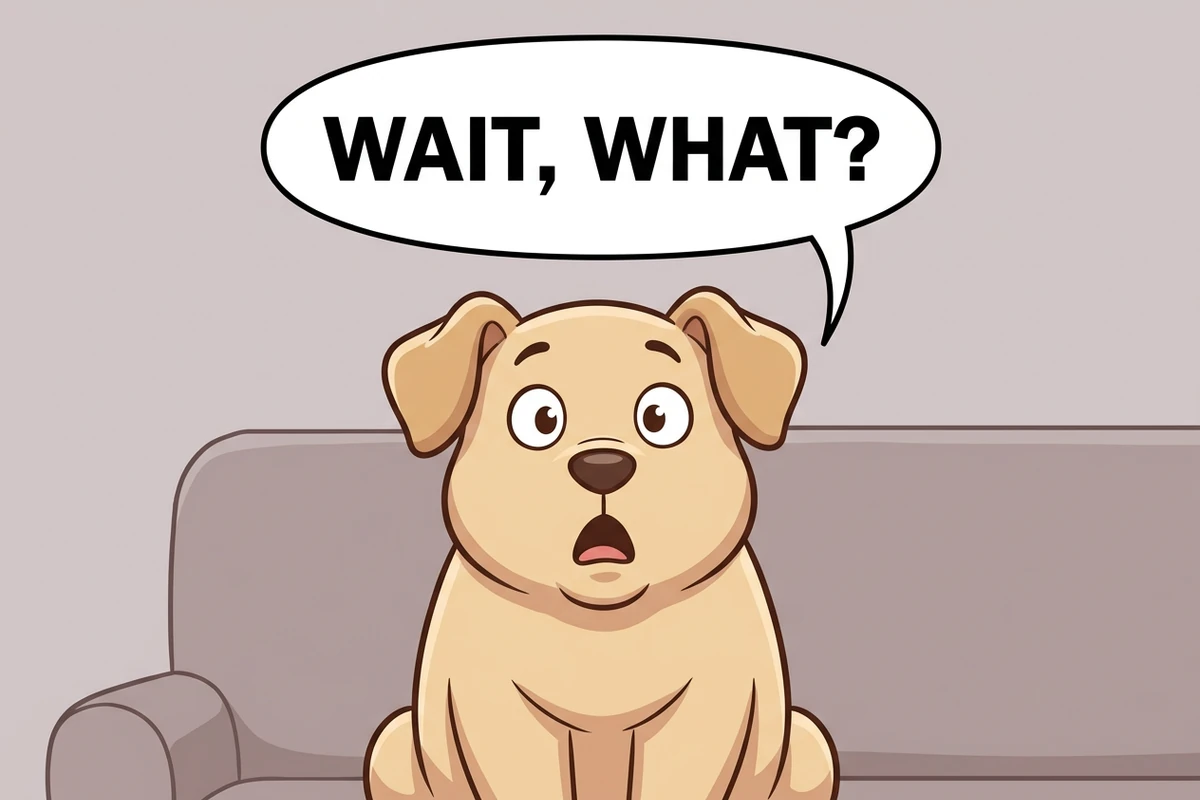
The reaction panel
A clean 2D cartoon illustration in flat colours with soft shading, storybook-comic meme style, not 3D and not photographic: a chubby beige dog character sits on a simple sofa with big round eyes and an open mouth, caught mid-shock. Beside its head sits one plain white oval speech bubble with a crisp black outline and a short tail pointing at the dog's mouth, containing the words "WAIT, WHAT?" in bold black capitals. The bubble stays clear of the dog's eyes and mouth, the background is plain and simple, and nothing else is in the frame. Spell the bubble text exactly as written and add no other letters, numbers, logos, watermarks or signatures.
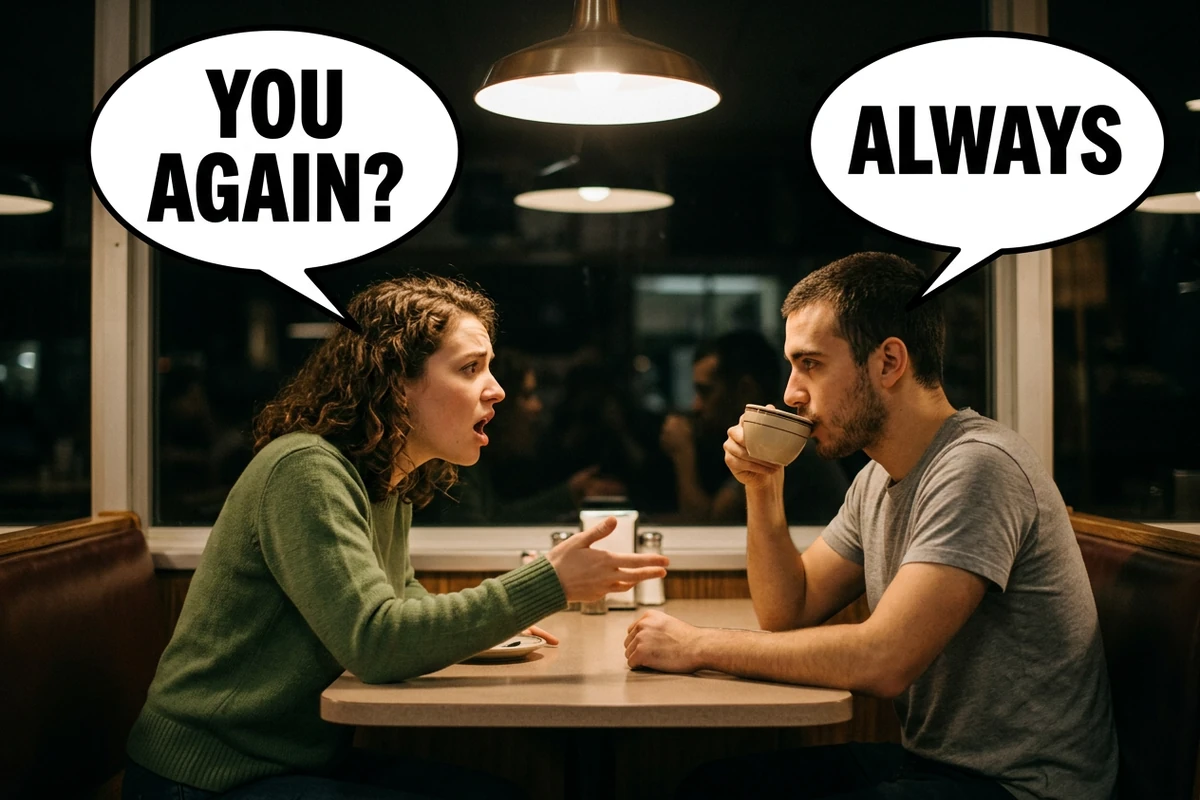
The two-character dialogue panel
A warm cinematic diner photograph: a woman in her twenties leans in across the table mid-accusation while the man opposite her stays completely unmoved, mid-sip of his coffee. Each has one plain white speech bubble with a crisp black outline and a tail on their own mouth: hers, above her head, contains the words "YOU AGAIN?" in bold black capitals, and his, on the opposite side, contains "ALWAYS". Neither bubble covers a face, the space between the two heads stays readable, warm practical light comes from above, shallow depth of field, gentle grain, family friendly. Spell both bubble texts exactly as written and add no other letters, numbers, logos, watermarks or signatures.
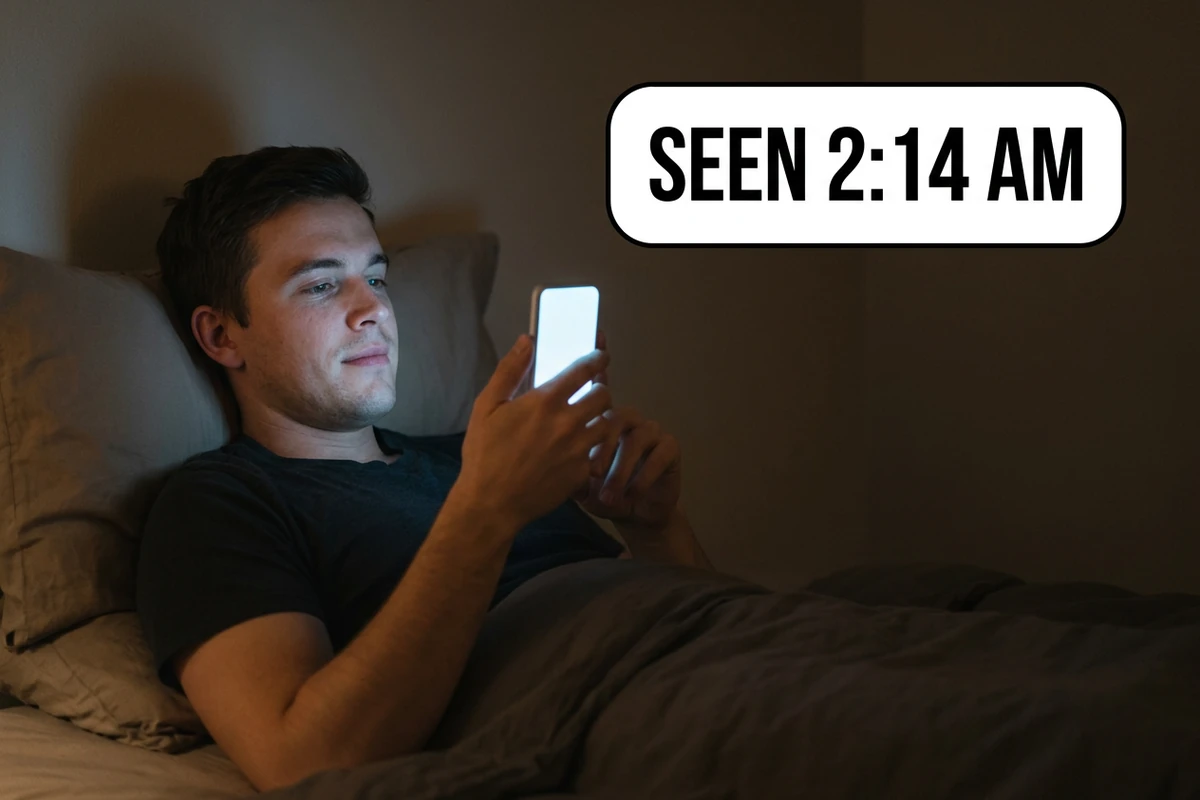
The chat-style panel
A low-key night photograph: a young man lies in bed propped on a pillow, his face lit from below by the cool glow of a plain unbranded phone he holds up. To his right, in the plain dark empty half of the frame, sits one rounded message-style chat bubble with a soft white fill and a subtle outline, anchored toward him, containing the words "SEEN 2:14 AM" in clean black text. The phone screen itself shows no interface and no text, only a soft glow, and the right half of the frame holds nothing else. Shallow depth of field, gentle grain, family friendly. Spell the bubble text exactly as written and add no other letters, numbers, icons, logos, watermarks or signatures.
Why Most AI Meme Bubbles Look Wrong
The bubble is rarely the problem. A frame with no room for it, a line long enough to garble, or a tail pointing at nobody is what ruins the joke.
Give the bubble a place in the prompt
Say where the bubble sits and what it must not cover: beside the head, clear of the eyes and the mouth, tail on the mouth line. A bubble added to a frame that was never composed for it lands on the face — and the face is the joke. One short sentence in the prompt is what keeps the bubble and the expression from fighting for the same space.
Keep the line short, then repair one word
Generated lettering still garbles, and the failure scales with length: three to six words usually survives, a full sentence usually does not. Check the bubble at full size, and when one letter is wrong, retype that word in AI Image Editor instead of re-rolling the panel and losing a frame you already liked. It also gives you the controls that decide how the meme reads: bubble shape (rounded or boxy), size (slim, which keeps more of the picture visible, or large), tail position (left, centre or right), placement (top or bottom), and outline versus cut-out.
One speaker, one tail, one line
Every bubble needs a speaker and a direction. Put the tail on the mouth line, keep the expression visible, and hold each line to a few words. With two subjects, give each its own bubble and place them opposite each other so the reading order is obvious. Image Effects is useful when a panel needs one finishing pass — tone, contrast, grain — before you post it.
How to Build a Bubble Meme in Ottermind
Step 1: Write the line before the panel
The line decides the composition. A reaction needs one face and one bubble beside it; an exchange needs two faces and two bubbles with room between them. Write it first, cut it to three to six words, and only then describe the panel.
Step 2: Put the bubble and the exact words in the prompt
Send the panel prompt to AI Art Generator from Image with the bubble described — white oval, black outline, tail at the mouth — and the words quoted verbatim. Check placement first: if the bubble covers the eyes or the tail points at nobody, change that sentence rather than the lighting.
Step 3: Check the spelling, then repair one word
Look at the bubble at full size before you post. When a letter is wrong, the fastest fix is to retype that word in AI Image Editor and leave the frame alone; regenerate only when the composition itself is wrong.
Where a Bubble Meme Actually Works
These panels pay off in a group chat, in a two-hander, or in a mock message thread — three different jobs with three different bubble styles.
The cropped-bubble reply
The group-chat format puts the line above a reaction image that shows only the lower half of a bubble behind the character, so the joke reads as a reply rather than a caption — the cropped bubble people mean when they say a Discord speech bubble. Ask for a bubble low in the frame and the crop does the rest.
A two-character exchange
Two subjects need two anchors: one bubble per speaker, each tail on the right mouth, the second bubble opposite the first. This is also where a chat-style bubble earns its place, because a rounded bubble anchored to a corner reads as a message thread instead of a cartoon.
A parody panel, and the caption that is not the bubble
A mock message thread is a parody, so keep it obviously fake: invented names, no real conversation, no real accounts. When the post also needs a caption, write that separately with Instagram Caption Generator instead of squeezing it into the bubble, where it would break the line budget.
AI Speech Bubble Meme Generator FAQ
Why does the text inside my generated meme come out wrong?
Because rendered lettering is still unreliable, and long lines fail far more often than short ones. Keep the bubble's line to three to six words, quote it exactly in the prompt, and check it at full size before posting. When a single letter is wrong, retype that word in AI Image Editor rather than regenerating a frame you already like.
Where should the bubble sit?
Beside the speaker, clear of the eyes and the mouth, with the tail on the mouth line — and say so in the prompt before you generate. A bubble placed later lands on the face, and the expression is the joke. With two characters, give each its own bubble and keep them apart.
How long should the line be?
Three to six words. A meme is read at phone size while someone is scrolling, so the joke has to land in one glance — and short lines are also the ones generated lettering can actually spell. If the line will not compress, the panel is wrong for it: a reaction needs one face, an exchange needs two.
Which bubble style should I use: comic, thought or chat?
Pick the style by what the bubble is imitating. A tail bubble imitates a comic panel; a cloud with a dotted tail means the line is a thought; a rounded bubble anchored to a corner imitates a message thread — the chat-app style people copy for a Discord or iMessage bubble — and it only reads correctly when the frame looks like a screen. Mixing the three is what makes a meme look assembled rather than drawn.
Does the tail really matter?
It is what assigns the line to a speaker. With one subject a stray tail is just sloppy; with two subjects it changes who is talking. Put the tail on the mouth line and keep it short — and if you cannot point it cleanly at one character, use two bubbles placed opposite each other instead.
Do I need a dedicated speech bubble meme generator?
No. One image workflow covers it when you ask for the bubble explicitly: name its shape, where it sits, which way the tail points and the exact words in quotes, then keep the line short. The editor is there for the one word that comes out wrong, so a good frame never has to be thrown away.
What if two characters are talking?
Give each speaker one bubble with its own tail, and place them opposite each other so the eye reads them in the right order. Keep both lines to a few words, and leave space above and between the heads — two overlapping bubbles over two faces are unreadable at phone size.
Can I make a fake chat screenshot for a meme?
Only as an obvious parody. Use invented names, never a real conversation, never a real account, and never present the result as evidence of something someone said — the mock tools themselves publish that boundary. Mockups, memes and parody are the point; impersonation and fabricated evidence are not.
Can I put words in a real person's mouth?
Not without their consent. A photo of a friend, a colleague or a public figure with a fabricated quote attached is a different act from a joke about a cat. Use your own material, images you have the rights to, or generated characters, and keep every quote clearly fictional.
More Prompt Topics You Might Like

Run the Same Panel Prompt on Another Model
Turn One Line Into a Finished Meme
Keep the panel prompt and its reserved zone, then rebuild the bubble whenever the joke changes — the picture only has to be generated once.