About this template
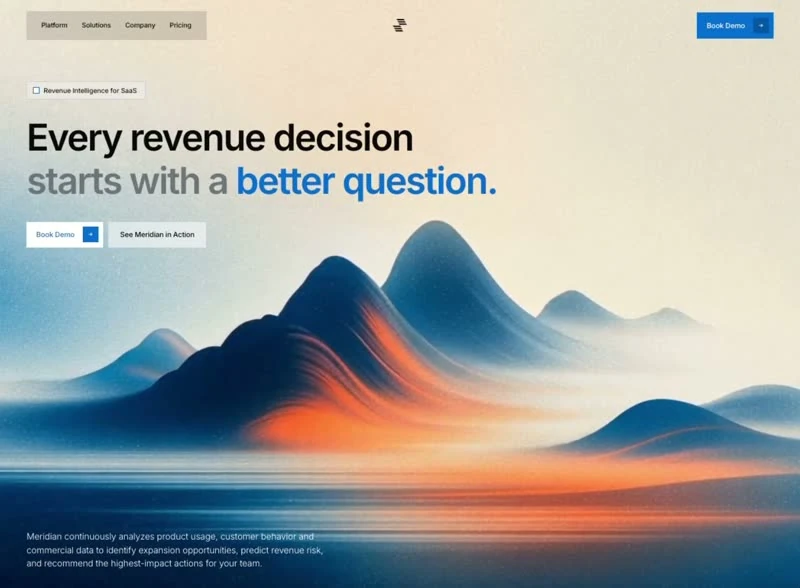
Peakflow Footer gives an AI or SaaS product a finished first screen and the numbers that produced it. The colour scheme is black #111111 underneath and white #FAFAFA for the type, and the page is set in Inter. The entry names the stack that produced the page (Tailwind CSS) rather than hiding it. The page keeps its motion to 100ms transitions, cubic-bezier(0.5, 0, 0, 1) and a looping video bed. It is most useful when the AI & SaaS footer has to survive a copy change without a redesign.
Designed for
- Product managers who have to estimate the build will read a 1920x1470 frame as the scope of the work.
- Product marketers who need the footer to still read with 7.9s of looping video behind the copy.
- Product teams writing their own Footer copy who need every line to keep the length the display type was sized for.
What's included
- Sizes fixed in the brief. The layout works on absolute values rather than ratios: 30px spacing steps, 100ms transitions and cubic-bezier(0.5, 0, 0, 1) easing. The smallest and largest values in that list set the range the composition works in.
- Media behind the type. One muted, looping clip fills the frame at 1920x1470 and 7.9s, set to cover with the copy stacked above it. The brief keeps overlays off the video so nothing greys it out. Export at 1920x1470 or wider and the cover crop keeps working. Export at 1920x1470 or wider to keep the crop honest.
- One family, two roles. The size steps and tracking in the brief are what give this its tone: Inter at a tight display size, then a clear drop to the supporting copy. The display face is used at one size only, so it never competes with itself.
- The footer is a full composition. Links are grouped into columns with the wordmark in its own block, which keeps a long footer readable instead of turning it into a list. Columns align to the same grid as the page above, so the footer feels like the same design. Keep the accent for a single action.
Motion & interaction
Fast enough to feel deliberate
State changes are specified at 100ms, so the feedback on the controls is a designed value rather than a browser default. The values are short enough to read as feedback rather than as animation. If you change the easing, change it everywhere.
Ambient motion without a scroll library
One 7.9s clip is the entire ambient layer: it plays behind the copy, loops without a visible cut and never reacts to the pointer. The loop is cropped to cover, which means the composition does not depend on a particular frame size.
What holds up for AI & SaaS
The claim is made once, at display size. Everything else in the footer is ordered around that line: the headline, the form and the footer, and no second promise competes for the first read. Peakflow Footer states the offer once and lets the composition repeat it rather than adding a second claim.
What to change first in Peakflow Footer
The trade-off is recognisability. Keep too much of Peakflow Footer and the page reads as someone else's; keep the numbers and change the content and it reads as yours. Set the new copy at the same display size and re-check the contrast before you add anything.
How the footer reflows
Test this footer at 1920x1470 and then at phone width: the same order holds, with the scale is fluid rather than stepped. The scale changes with the viewport; the sequence does not.
Frequently asked questions
Is the Peakflow Footer brief the same as the prompt I would write?
Everything quoted on the page comes from the captured 3,693-character brief rather than from a description written afterwards. That is why the numbers and the prose agree.
Is the Peakflow Footer prompt a finished spec or a starting point?
It is a build brief rather than a mood description: it names the composition at 1920x1470, the spacing and the motion values. Nothing in it treats the rendered image as the source of truth.
Do I need Tailwind CSS to rebuild Peakflow Footer?
No. The brief is a specification, not a dependency list. It was written for Tailwind CSS, but the same composition rebuilds in whatever you already use. The stack is named so you know how the reference was made.