About this template
Cognitra Feature is a SaaS features section built from one written brief, and this page documents that brief. “We provide all-in-one AI automation services in one place” is the line the layout is built to carry. The colour scheme is muted orange #877A73 underneath and gray #D2CDC5 for the type, and the page is set in Helvetica, Arial. The build is React and Tailwind CSS; every measurement in it is written down, which is what makes it reusable. Motion is confined to 0.08s transitions. It is the right reference for an AI or SaaS product features section that has to look deliberate on the first screen.
Designed for
- Take the 640x470 frame and a fixed 14px display size and 100vh sections from this features section before you take anything else.
- People who brief a model on a features section will use the 3,241-character prompt as the starting point.
- Made for content leads rewriting a features section whose headline has to stay as long as Cognitra Feature's.
What's included
- The bar shares the page grid. A short run of links and a single action sit over the features section, held at a fixed 14px display size and 100vh sections so the bar never competes with the composition behind it. Below 260px the links collapse instead of wrapping onto a second line. If your own page has more sections, group them rather than widening the bar.
- A stat strip, not a table. The figures are set in Helvetica, Arial at a size closer to the headline than to the body copy. The label step is quoted in the brief, so it stays below the figures after a substitution. Give each figure a short label.
- Behaviour is defined per width. Width changes are handled in the type itself: a clamp between 26px and 32px carries the headline from phone to desktop without a separate mobile composition. Controls stay large enough to tap and the copy keeps its reading order at every width.
- Copy first, decoration second. The whole composition fits one screen and is delivered as React and Tailwind CSS, with the copy, the media and the controls named in the brief. The page is one composition at 640x470, which is why it holds together when the copy changes. Nothing decorative belongs above the fold.
Motion & interaction
State changes, timed
Hover, press and focus all resolve in 0.08s, which is what makes the interface feel immediate. Easing is specified alongside the duration (0.08s), so a rebuild cannot quietly substitute a different feel.
Almost no motion
There is no scroll library here: the 640x470 composition holds still and only the elements that respond to you move. Motion is treated as feedback rather than as decoration.
Why this composition works for SaaS
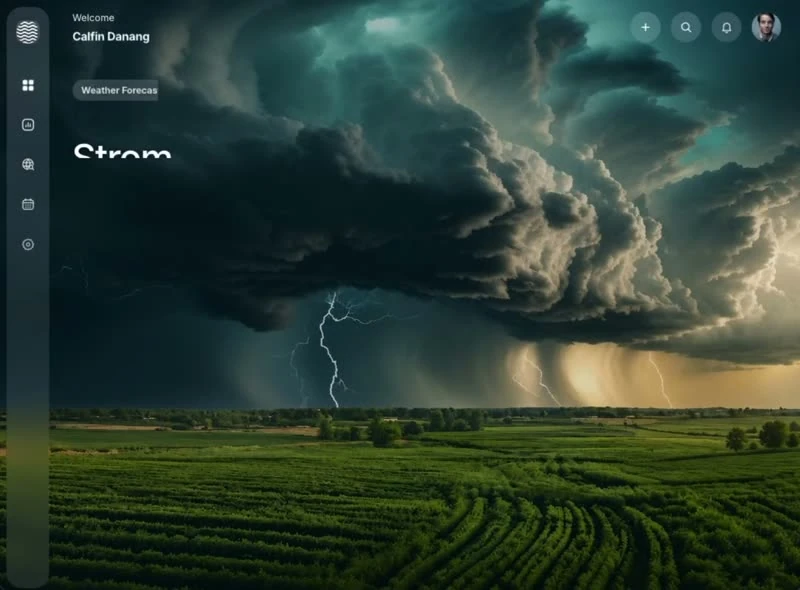
The design argues its case on one screen. The media is a still at 640x470. The media carries the atmosphere, the copy carries the offer, and a fixed 14px display size and 100vh sections keep the two apart. Cognitra Feature states the offer once and lets the composition repeat it rather than adding a second claim.
Reading Cognitra Feature as a spec
If you are handing this to a developer, the brief is the useful artefact. It states a fixed 14px display size, 100vh sections, 32px spacing steps, 0.08s transitions and a 260px breakpoint and leaves nothing for the two of you to interpret. Nothing in this features section depends on a default.
What to change first in Cognitra Feature
The trade-off is recognisability. Keep too much of Cognitra Feature and the page reads as someone else's; keep the numbers and change the content and it reads as yours. Rewrite the display line before you touch the colour. The reference was captured at 640x470.
Frequently asked questions
How long is the prompt behind Cognitra Feature?
The captured brief runs 3,241 characters and covers the frame, the type scale, the palette and the transitions. Copying it gives you that text, and sending it to Studio stages the same request with the page already described.
Can I rebuild the Cognitra Feature features section in a different stack?
Cognitra Feature was built in React and Tailwind CSS, and the entry says so for provenance. The brief describes positions, sizes and timings, so it rebuilds in any framework that can set type and place elements.
What drives the motion in Cognitra Feature?
The motion is specified at the same level of detail as the layout: state changes settle in the 0.08s range. Port the composition first and the timings second, because they are easier to match once the layout holds.