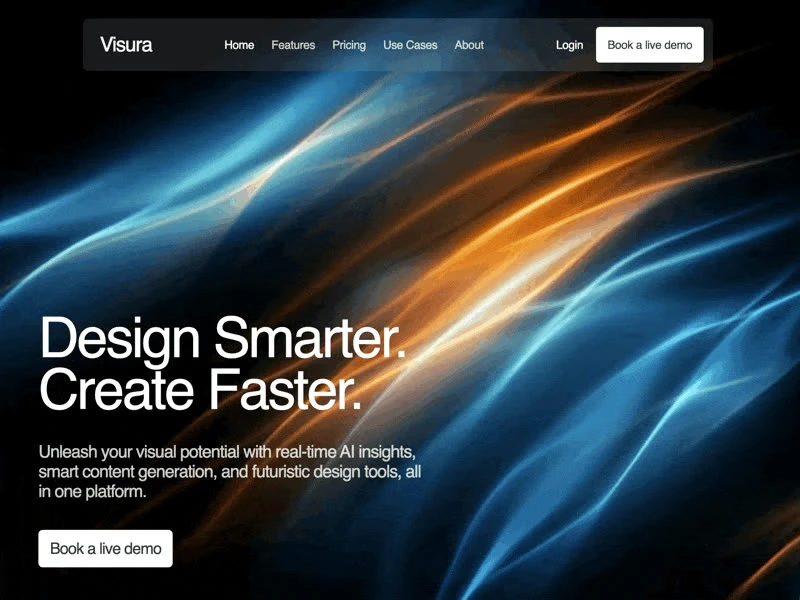
About this template
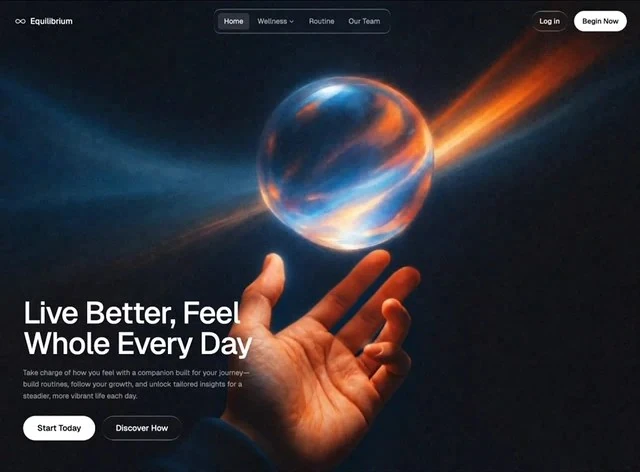
Equilibrium is a SaaS hero section built from one written brief, and this page documents that brief. The palette is deep blue #0F1118 underneath and muted orange #CDBAB2 for the type, set in Geist. The reference is built with React and Tailwind CSS, and the layout decisions are stated independently of it. Keep it open while you write: the 4,787-character brief is the part that transfers to your own page.
Designed for
- Contract teams taking over this hero section who need a 640x472 frame pinned in the repo before the first commit.
- Designers who need the numbers first: 72px spacing steps, all of it quoted from the brief.
- Made for content leads rewriting a hero section whose headline has to stay as long as Equilibrium's.
What's included
- The nav is deliberately thin. The wordmark holds the left edge and the links run to the right of it, all of it set in Geist so the bar belongs to the page below rather than to a separate system. The bar sits over the 640x472 composition without a background of its own, so the media runs edge to edge underneath it.
- Figures treated as typography. A compact stats strip carries the claims that would otherwise need a paragraph, which keeps the hero section from turning into a feature list. The accent is spent on the figures that make a claim, not on the row as a whole.
- Top row, one action. A slim bar sits over the hero section with the wordmark on the left and the links set in Geist, so the composition reads as content first and chrome second. A mobile overlay takes over below the tablet breakpoint.
- Every measurement is written down. Sizes were read off the render at 640x472: 72px spacing steps. There is no invented intermediate value between the named ones; the measurement list is the whole system.
Motion & interaction
Interaction kept local
The interactive layer is deliberately small: hover states on the buttons and links rather than on every card. Feedback is limited to the controls, so the composition stays still around them.
Motion that stays out of the way
The brief leaves animation out and lets the 640x472 layout carry the page, with hover and press states the only changes. Only the elements that respond to the pointer move. Stillness is a valid choice.
Reading Equilibrium as a spec
Most references show the result and keep the numbers. This one reverses that: 72px spacing steps are published beside the page, so the result can be reproduced instead of approximated. Nothing in this hero section depends on a default.
How the hero section reflows
The narrow layout is designed, not inherited. the navigation collapses into a mobile menu at each width, so the hierarchy survives the reflow. The mobile version is a decision, not a fallback.
The order behind the hero section
A feature-led layout lists what the product does; this one routes the reader to a single decision. The route is visible in navigation, the announcement badge, the stats row and the background clip and in how 72px spacing steps space them. A SaaS reader gets the offer before the options.
Frequently asked questions
How long is the prompt behind Equilibrium?
The captured brief runs 4,787 characters and covers the frame, the type scale, the palette and the transitions. Copying it gives you that text, and sending it to Studio stages the same request with the page already described.
Do I need React and Tailwind CSS to rebuild Equilibrium?
Equilibrium was built in React and Tailwind CSS, and the entry says so for provenance. The brief describes positions, sizes and timings, so it rebuilds in any framework that can set type and place elements.
How do the sub-second transitions in Equilibrium behave?
Transitions are attached to interface states rather than to a scroll timeline, and they resolve in the sub-second range. The brief records the values so a port can match them without guessing. The reference was captured at 640x472.