
Sora Prompt
Copy a Sora prompt built as one flowing sentence, keep the camera to a single plain move, and render the frame first.
Three Sora Prompts You Can Copy
Every published example of this prompt style has the same shape: one flowing sentence that names what happens, where it happens, how it is lit and how it is shot. These three follow that shape for a moving shot, a single action and a two-framing sequence.
The moving shot
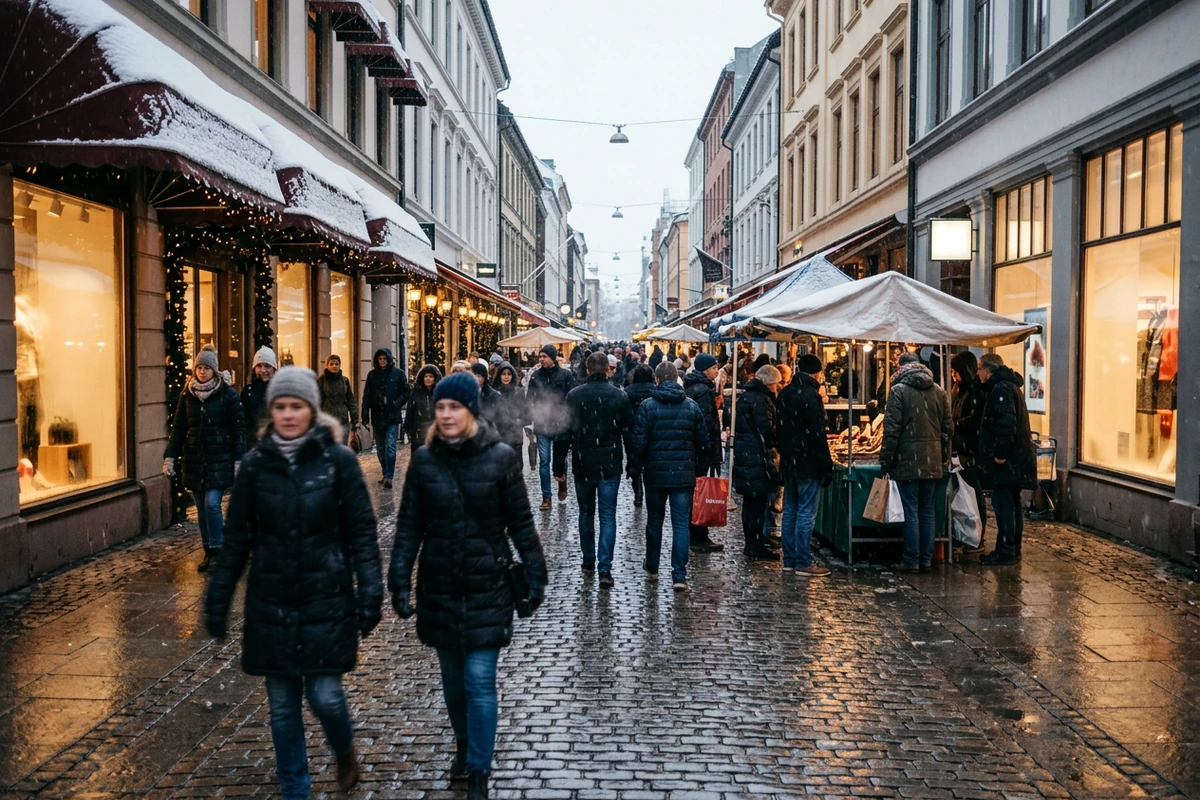
Camera moves forward through a busy shopping street in light snow. Several people in winter coats walk slowly past market stalls, their breath visible, snow settling on the awnings and on wet cobbles, warm shop light glowing behind misted windows. Overcast late-afternoon light with the shopfronts as the only warm accent. Wide lens, deep focus, natural colour, photographic realism, no readable text and no watermark.
The single action
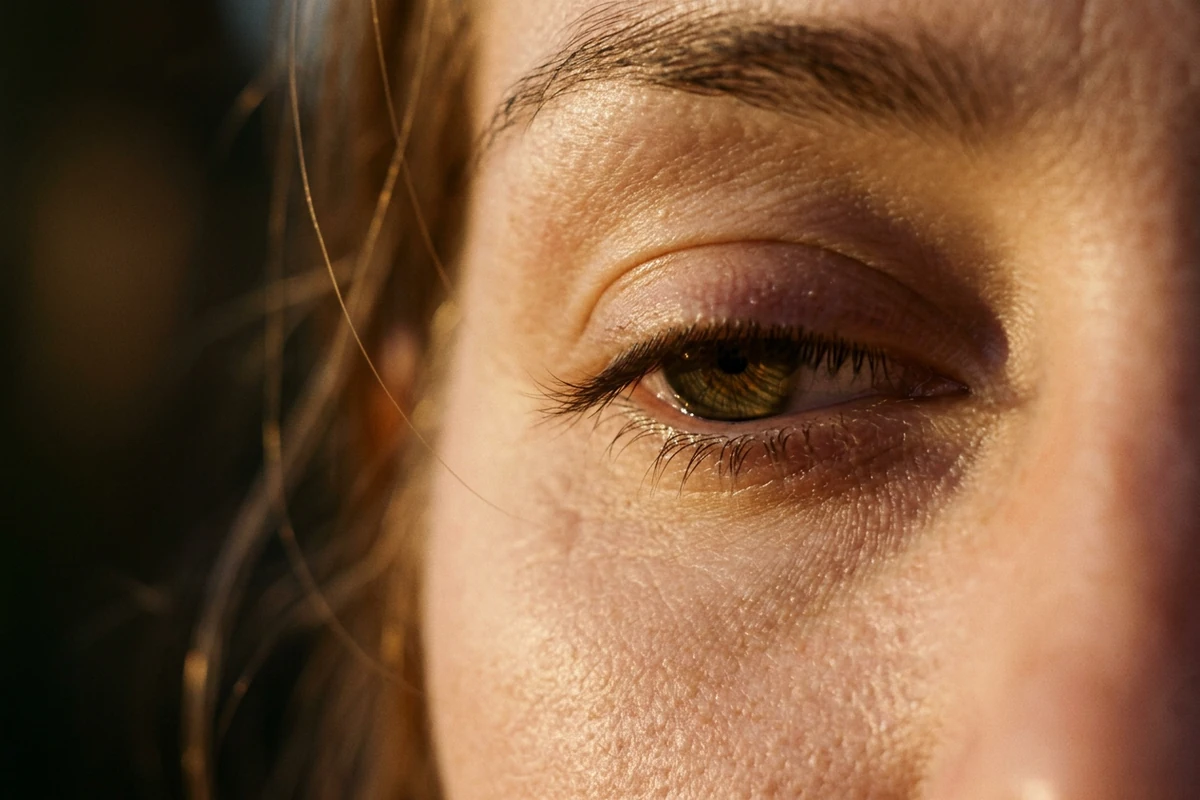
Extreme close-up of a woman's eye mid-blink, lashes caught between open and closed, warm low golden-hour sun from the side with one small catchlight in the iris and everything else falling into soft shadow. Macro lens, very shallow depth of field, real skin texture. One action only, the blink, with no other movement in the frame. Natural colour, no readable text and no watermark.
The two-framing sequence
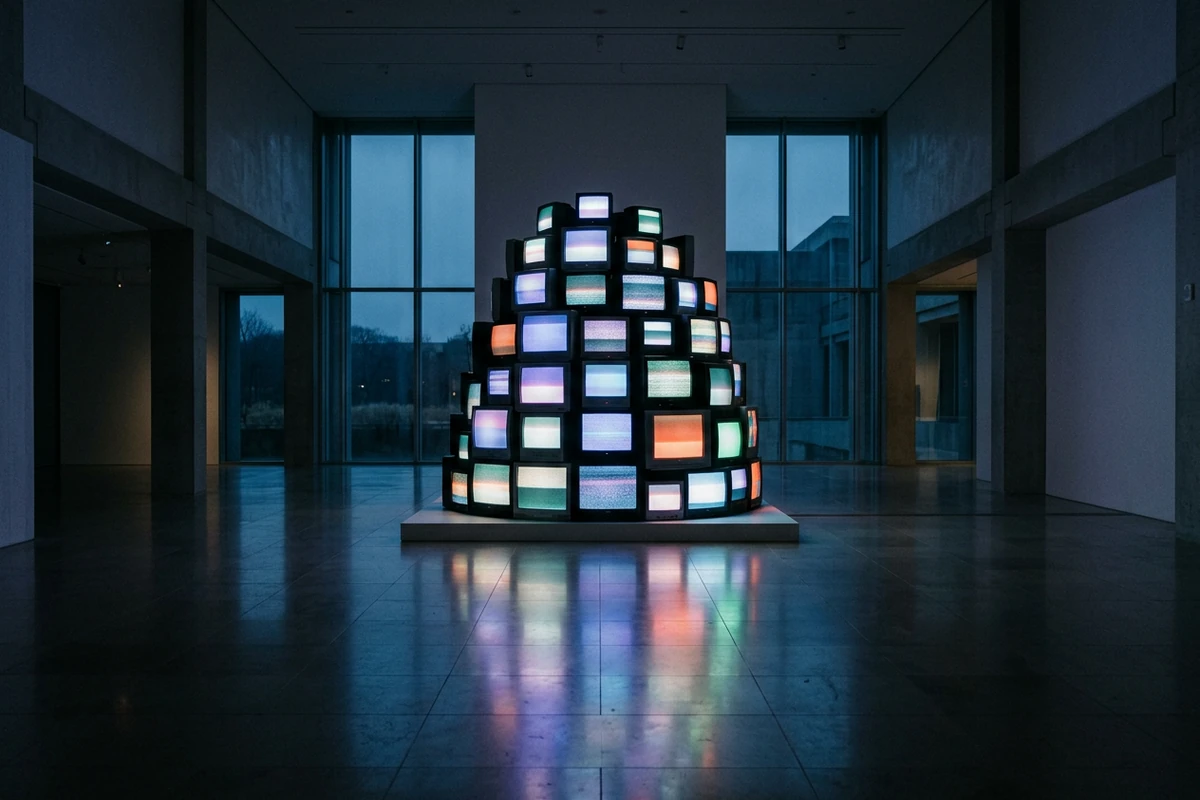
A large museum gallery at night with a tall stack of old television sets on a plinth in the middle of the room, every screen switched on but showing only abstract coloured glow and soft static. The shot opens wide on the whole gallery and then moves closer to the stack, holding the same cool blue ambient light and the same look across both framings. Polished floor reflecting the glow, no people, no readable content on any screen, no watermark.
What Makes a Sora Prompt Work
The prompt style this model is used with is not a list of parameters. It reads as one sentence of description, and the parts that fail are the parts that ask for something the model reports difficulty with.
One sentence, read in order
Subject, then what happens, then where, then how it is lit, then how it is shot. Published examples follow that sequence rather than stacking comma-separated style tokens, and the order makes it obvious which part to change. AI Prompt Generator reshapes a fragment list into that sentence.
Keep the camera to one plain move
Camera instructions are the part most often misread: a described trajectory is reported as something the model can misunderstand, so one clear move such as moving forward or orbiting once beats a sequence of directions. Image to Video starts the shot from a frame that already fixes it.
Write around the reported weak spots
Public write-ups report difficulty with simulating physics and with cause and effect, and weaker spatial and event detail. So keep the action to one thing, state the space plainly rather than implying it, and do not chain dependent events. Photo to Video AI Free tests one such shot cheaply.
How to Write a Sora Prompt in Ottermind
Step 1: Write it as one sentence
Name the subject, the one action, the place, the light and the lens in order, then stop. If it needs a second action, it is really two shots. AI Prompt Generator holds that structure.
Step 2: Render the opening frame first
Generate the shot as a single still and check the light and the lens before spending a video render. Image to Video animates that approved frame and keeps the look you signed off.
Step 3: Animate one move and compare takes
Give the clip a single camera move and keep the rest of the wording identical between takes, so a bad result is attributable to one phrase. AI Reel Maker holds the takes in order.
Where a Sora Prompt Earns Its Keep
A one-sentence video prompt pays off whenever a shot has to be described clearly enough that someone else, or another model, can reproduce it.
Short social clips
A single clear action in a single clear space is the shape that survives a short vertical cut, because there is nothing in the prompt for the model to resolve ambiguously. Write the one sentence, then let AI Reel Maker sequence the takes.
Storyboarding before a render
Video renders are the expensive step, so block the shot out as a still first and check that the light and the framing say what you meant. AI Video Demo is the fast pass before the full render.
A shot you have to hand over
When a brief goes to another person or another model, a one-sentence prompt with the light and the lens named is something they can run without asking what you meant. Photo to Video AI Free keeps the still as the shared starting point.
Sora Prompt FAQ
How long a clip can a Sora prompt describe?
Public overviews report video up to roughly a minute, but one clear action in one clear space stays coherent more easily than a minute-long chain of events. Write the shot you can describe in a sentence. Image to Video anchors each to a frame you approved.
Why is my camera instruction ignored?
Because a described camera trajectory is reported as something the model misreads. Replace a sequence of directions with one plain move, such as moving forward, and leave the rest untouched so the camera phrase is the only variable. AI Prompt Generator rewrites that phrase alone.
What does this model handle badly?
Public write-ups report difficulty with physics and with cause and effect, plus weaker spatial and event detail. Keep the action to one thing, state the space plainly, and avoid prompts whose second half depends on the first. Photo to Video AI Free tests it cheaply.
Should the prompt be one sentence or several?
One flowing sentence is the convention in published examples, and it maps to how the shot is read: subject, action, place, light, lens. Several sentences work for a sequence of framings, which the model can hold as multiple shots consistently. AI video generator runs those renders.
Is this free to try?
Ottermind's public experience can be used without signing in and includes a limited number of free trial rounds; account-based credits and plan limits may still apply. Test the shot as a single still first, so one round tells you whether it works in AI image generation.
Is this page official, and where do these claims come from?
No, this page is not affiliated with or endorsed by the model's vendor, and no vendor documentation is reproduced here. The craft notes describe the prompt shape used across published example galleries, and the limitation notes restate what public write-ups already report.
More Prompt Topics You Might Like

Run the Same Prompt on Another Video Model
Turn the Sentence into a Shot
Write the one sentence, render the frame, then animate a single camera move and keep changing only that phrase until the shot reads the way you described it.