VisualGPT Review: Models, Credits, and What to Check
VisualGPT sells one credit pool across several image models. If your next job is a photo you already own, start here: attach the file, describe the edit, and continue in Ottermind Studio, where the model and the credit cost are shown before anything runs.
Optional
JPG / PNG / WebP
This is Ottermind's composer. It does not open VisualGPT, run its models, or spend its credits.
November 6, 2026 · 10 min read
VisualGPT is a browser workspace that puts several image and video models behind one editor. It does not publish a model of its own. You choose GPT Image 2.5, Nano Banana, Seedream, Kling, or another listed model, and the credits that model consumes decide what the job really costs. That is why a "how many images per month" comparison tells you very little until you know which model and quality setting your work needs.
The practical question is narrower than "is VisualGPT any good". It is: which model will your product photo, portrait, or listing image actually use, what does one finished image cost at that setting, and what happens to the credits you paid for when the month ends. This review answers those from the site's own pages and stops where the documentation stops.
If the next step is an edit to a photo you already own, you can write that brief in the composer above, attach the file, and continue in Ottermind Studio, where the model and the credit cost are shown before anything runs. The example brief is written by us, not copied from a VisualGPT demo.
How this review was prepared: VisualGPT's public pages were checked on November 6, 2026: the homepage, the pricing page, the credit usage policies (last updated September 15, 2026), the subscription policies, the help center, the AI Image Editor, the AI Product Photography, and the AI models list. This is a documentation-based review. We did not create a VisualGPT account, run a generation, or measure output quality, speed, or reliability, so no rating is assigned. The cover background and the two still-life illustrations were generated with the GPT Image 2.5 model for this article and are labelled as illustrations where they appear; the two interface images are real captures, not renderings. Ottermind publishes this article and offers the adjacent workflows linked below; it is not connected to VisualGPT.
What VisualGPT actually is
VisualGPT is a multi-model creative front end operated by ZINGKODE LTD, according to the site footer. The homepage organises the product into three studios — Creative, Commercial, and Kissing — around one shared workspace, and the left rail lists the individual tools: AI Image Editor, AI Image Generator, AI Video Generator, AI Clip Maker, AI Room Planner, and a longer catalogue of one-task tools such as AI Clothes Changer, AI Hairstyle Changer, and Photo to Sketch.
The models page names the engines behind those tools, including GPT Image 2.5, GPT Image 2, Nano Banana 2.1, Nano Banana Pro, Seedream 5 Pro, Qwen Image Layered, Seedance 2.5, Seedance 2.0, Kling 4.0, MiniMax H3, Gemini Omni, and Grok Imagine Video 1.5. Treat that list as access, not as uniformity: the same account, the same editor, and very different output behaviour depending on the row you pick.
That structure produces four entry points that are easy to confuse:
| Surface | What it is for | What it asks of you |
|---|---|---|
| AI Image Editor | Image-to-image work driven by a prompt and up to four reference images | A source file and an instruction, including what must not change |
| AI Image Generator | Text-to-image from scratch | A written brief and a model choice |
| AI Product Photography | Product presets labelled Studio, Lifestyle, Minimal, Luxury, Natural, and Creative | A clean product photo and a scene decision |
| AI Video Generator and Clip Maker | Image or text to video on per-second credit rates | A still or a brief, plus a much larger credit budget |
If your task is retouching rather than generating, the photo retouching workflow covers the same job without a model picker to reason about first: describe the correction, keep identity and texture, and compare against the source.
What is actually on the screen
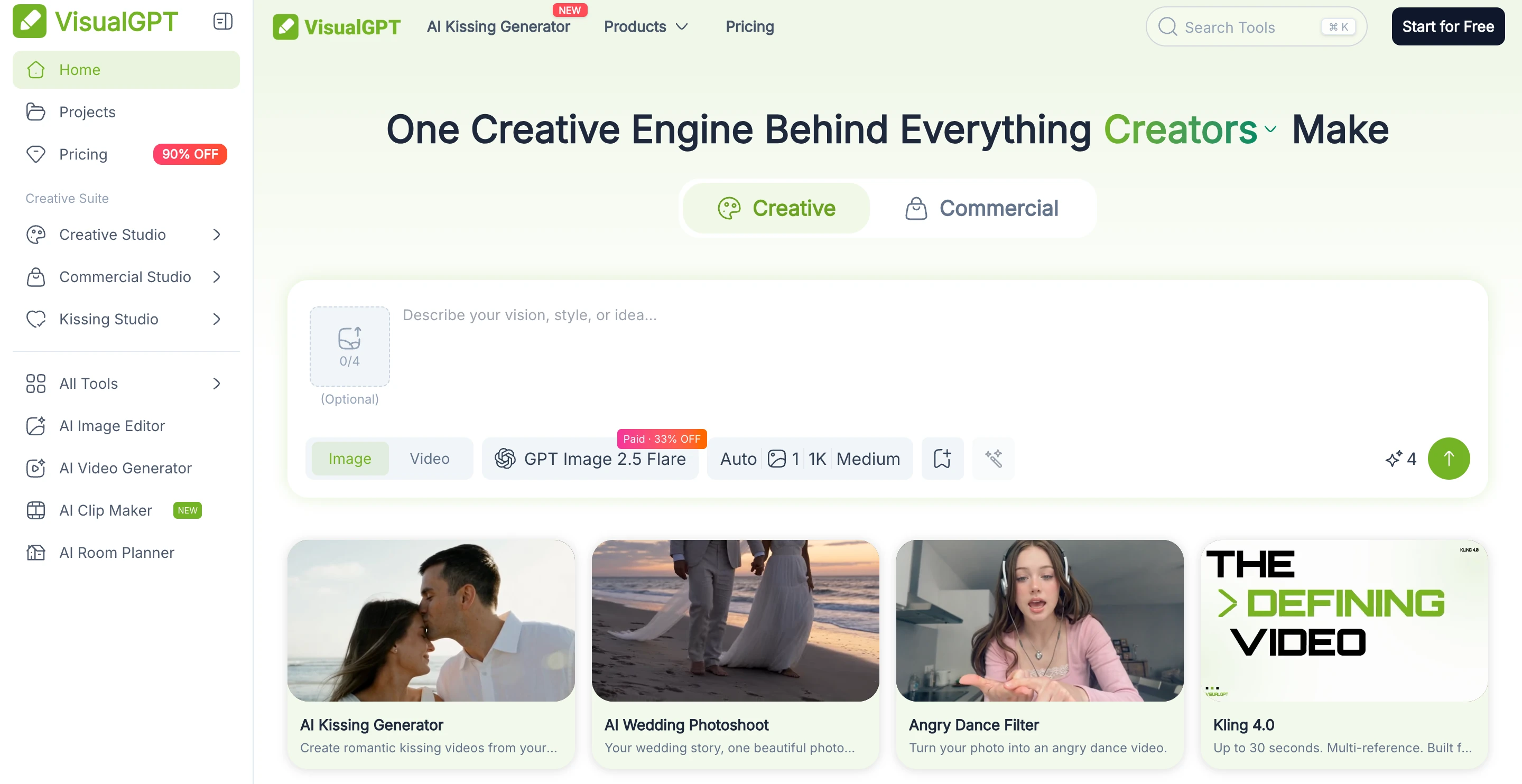
Real capture of the public visualgpt.io homepage on November 6, 2026, cropped to the composer and the first tool row. Not a signed-in session, and no generation was run for this article.
The capture shows the decision surface clearly. The attachment slot accepts up to four images and is marked optional. The model row shows a default of GPT Image 2.5 Flare with a "Paid" badge. Next to it sit four settings shortcuts — Auto, a reference-count control, 1K, and Medium — followed by a circular send button.
The editor page documents the same controls with more detail: JPG, JPEG, PNG, or WebP uploads up to 16 MB per file, a 4,096-character prompt field, and resolution choices of 1K, 2K, or 4K paired with Low, Medium, or High quality. The model can also be changed from that row.
None of those controls is the expensive one. The model and quality row is the price, because VisualGPT bills each generation in credits and the credit cost of the same picture varies by more than tenfold across the list.
Which model you pick decides the cost
The credit policy page publishes a per-feature rate table. Two patterns there matter more than any single number.
First, the same model costs roughly half as much on a paid plan as on the free plan. VisualGPT calls this "member pricing", and it applies to GPT Image 2.5 Flare and Sunburst: at High quality a 2K image is 10 credits for a paying member and 16 credits on the free plan; at 4K it is 14 credits versus 24. Anyone comparing a free allowance with a plan allowance is comparing two different price lists.
Second, the range between the cheapest and most expensive image operation is very wide.
| Operation | Credits per image |
|---|---|
| Background Remover, AI Image Upscaler, AI PNG Maker, Face Swap | 1 |
| MiniMax Image-01, Flux Dev | 1–2 |
| GPT Image 2.5 Flare, Low quality (1K/2K/4K) | 1 / 2 / 4 |
| GPT Image 2.5 Flare, Medium quality (1K/2K/4K) | 2 / 4 / 6 |
| GPT Image 2.5 Flare, High quality (1K/2K/4K) | 6 / 10 / 14 |
| Seedream 5, FLUX Kontext Pro | 5 |
| Nano Banana Pro | 15–25 |
| AI Menu Generator, AI Valentine Day Card Maker | 15 |
Figures are for paid plans, from the credit policy page checked on November 6, 2026. Free-plan rates are higher, and the page itself was last updated on September 15, 2026, so confirm the displayed cost in the editor before a large run.

One form, five finishes. Changing the model row does something similar to a single brief: the object stays, the treatment and the price do not. AI-generated illustration for this article, not a VisualGPT output sample.
Video is charged per second of output, which changes the arithmetic again. The same policy lists Kling 3.0 at 10 credits per second for 720p without audio, 14 for 1080p, and 35 for 4K; Seedance 2.0 image input is 15 credits per second at 480p after a listed 12% discount, 79 at 1080p. A 10-second 1080p Kling clip is therefore 140 credits — more than the whole monthly allowance of the entry plan.
One inconsistency is worth knowing before you budget from that table: the model menu currently advertises Kling 4.0 and Seedance 2.5, while the credit page's latest update lists Kling 3.0 and Seedance 2.0. The rate card lags the catalogue, so read the cost in the editor for the exact model and duration you intend to use.
If your job is a look rather than a new image — grain, grade, a print style, a seasonal treatment — the image effects workflow is the closer comparison, because the effect direction, not the model list, is what you are choosing.
Plans, prices, and what a credit buys
VisualGPT sells four subscription tiers plus one-off credit packs. The pricing page opens on an annual view with promotional badges and a countdown timer; the table below records what the page displayed on November 6, 2026 in both views.
| Plan | Monthly billing | Annual billing | Credits per month | Images per month (site figure) |
|---|---|---|---|---|
| Starter | $8/mo (list $10) | $6/mo, $72/year | 100 | Up to 100 |
| Basic | $19/mo (list $50) | $15/mo, $180/year | 500 | Up to 500 |
| Pro | $39/mo (list $200) | $20/mo, $240/year | 2,000 | Up to 2,000 |
| Ultra | $89/mo (list $600) | $60/mo, $720/year | 6,000 | Up to 6,000 |
Each card also quotes a video allowance (12, 65, 250, and 750 videos per month), a clipping allowance (10, 50, 200, and 600 minutes), and the same feature list: premium models, faster and more stable models, and batch generation. The three cheaper tiers carry 20–70% discount badges in the monthly view and 40–90% in the annual view, so the struck-through figure is the list price and the countdown is a promotion, not the standard rate.
The image counts deserve a second look. The number of images on every card equals the number of credits exactly. That arithmetic only works at one credit per image, which is the rate for a background removal or the cheapest listed model. At GPT Image 2.5 Flare, High quality, 2K — the setting a product image usually needs — a paying member spends 10 credits. So the Starter plan's 100 credits buy about ten images at that setting, and at $0.06 per credit that is roughly $0.60 per finished image. On Basic at $0.03 per credit it is about $0.30.
Credit packs are the second way in, and they never expire:
| Pack | Price | Displayed rate |
|---|---|---|
| 200 credits | $20 | $0.10 per credit |
| 1,000 credits | $39 | $0.04 per credit |
| 2,000 credits | $59 | $0.03 per credit |
| 5,000 credits | $149 | $0.03 per credit |
| 10,000 credits | $299 | $0.03 per credit |
| 50,000 credits | $999 | $0.02 per credit |
Subscription credits and purchased credits behave differently, and the difference is the part people miss: subscription credits are granted monthly, do not roll over, and expire at the end of each monthly cycle even when the plan was paid annually. Purchased packs stay in the account until used, and VisualGPT spends subscription credits first.
There is a refund question attached to the promotion. The credit policy states that refunds are available within 24 hours of the initial purchase, only if no credits were used, and that "purchases made at promotional or discounted rates are final and non-refundable". The pricing page is currently showing discounted rates across every tier. If that matters to your decision, ask support to confirm the refund status of the exact checkout price before you pay.
The free tier is a trial, not a plan
Free access is real, and it is narrower than the "no credit card" line suggests.
| Capability | Free | Subscription | Lifetime credits |
|---|---|---|---|
| Daily credits | Limited | Unlimited | Unlimited |
| Credits validity | 1 day | Monthly | Lifetime |
| Batch editing | Not available | 10 images per task | 10 images per task |
| History storage | 15 days | Unlimited | Unlimited |
| Download quality | Standard | High-quality | High-quality |
| Commercial use | No | Yes | Yes |
| Watermark-free downloads | Yes | Yes | Yes |
| Processing priority and early access | No | Yes | Yes |
Compiled from the plan comparison table on the pricing page, checked November 6, 2026.
The help center fills in the mechanics: daily credits are granted after login, reset 24 hours after your last login, and cannot be accumulated. Sharing once a day earns 5 permanent credits. Purchased credits are permanent and stackable. Login currently works through a Google account only — the help center notes that Yahoo and Outlook addresses will not work — and account deletion is not yet supported.
That combination is fine for evaluating a workflow over a few days. It is not a production allowance: the 15-day history window, the standard-quality download cap, the missing batch option, and the missing commercial licence are exactly the four things a listing or client job needs.
Five checks before you pay
- Price your real setting, not the headline. Decide the model, quality, and resolution for your actual job, then read the credit cost in the editor. Compare that number against the monthly allowance — not against the "up to N images" line.
- Decide whether you need batch. Batch editing is listed at 10 images per task on paid plans and not available on free. A catalogue of 60 SKUs is therefore six tasks minimum, and the credit cost still multiplies by the setting you choose.
- Confirm the commercial position. Commercial use is attached to an eligible paid subscription or lifetime credits; free-plan images are personal use only, and the site says qualifying commercial rights survive cancellation. That is a licence term, not trademark clearance, so a generated logo or product shot still needs your own review before it goes to print.
- Watch the expiry, not just the total. Credits expire at the end of every monthly cycle on subscriptions, including annual plans. A 6,000-credit Ultra allowance does not become a 72,000-credit balance for the year.
- Check the data terms against your material. The help center says images are not stored on the servers after processing, while the same product keeps project history for 15 days on free and indefinitely on paid plans. Those two statements do not describe the same thing. Before uploading client or unreleased product photography, ask support which retention applies to your account.
Boundaries worth knowing
The documentation is specific about plans and credits and quieter about output. It does not publish per-model output dimensions, generation times, or a service-level commitment; "up to 4K" is a plan-level phrase that depends on the model and setting you select. The subscription policies also state that when a result is withheld by content safety checks, the usage still counts toward your limits — a charge that a normal "failed attempt" refund rule does not cover.
Three smaller boundaries matter for a first project. There is no desktop app; the site is mobile-optimised instead. There is no team or brand-kit surface documented on the pricing page. And the models, prices, and rate card change faster than the policy page is updated, which is why every number here carries the date it was read.
Try the same edit in Ottermind
If the decision is "I have a product photo and need a cleaner, listing-ready version", that job does not require a model comparison at all. The brief below is the one the button fills into the composer above: a ceramic pour-over set, a specific correction list, and an explicit instruction to preserve the glaze, handle, and spout.
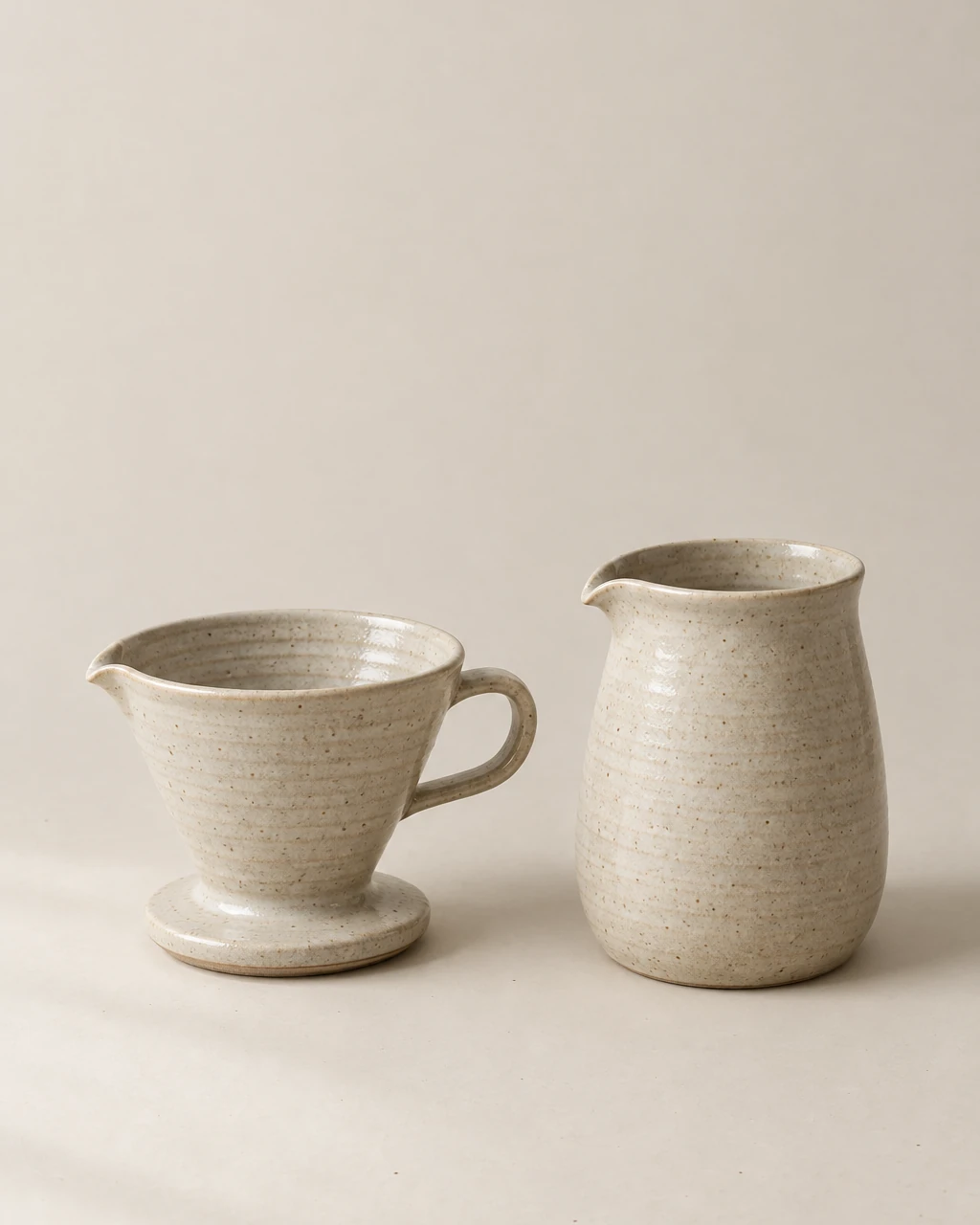
The source photograph this brief describes, generated for the article: glaze, handle, and spout intact, window light from the left, one soft shadow to the right. It is the input the brief assumes — not a VisualGPT result and not an Ottermind result.
Retouch this photograph of a ceramic pour-over coffee set for a product listing. Keep the glaze texture, the handle shape, and the spout exactly as photographed. Lift the exposure slightly, remove the faint dust and lint on the surface around the base, warm the white balance back toward oatmeal, and leave the soft shadow falling to the right of the set. Keep a 4:5 crop with the whole set inside the frame and leave clear space at the top for a headline.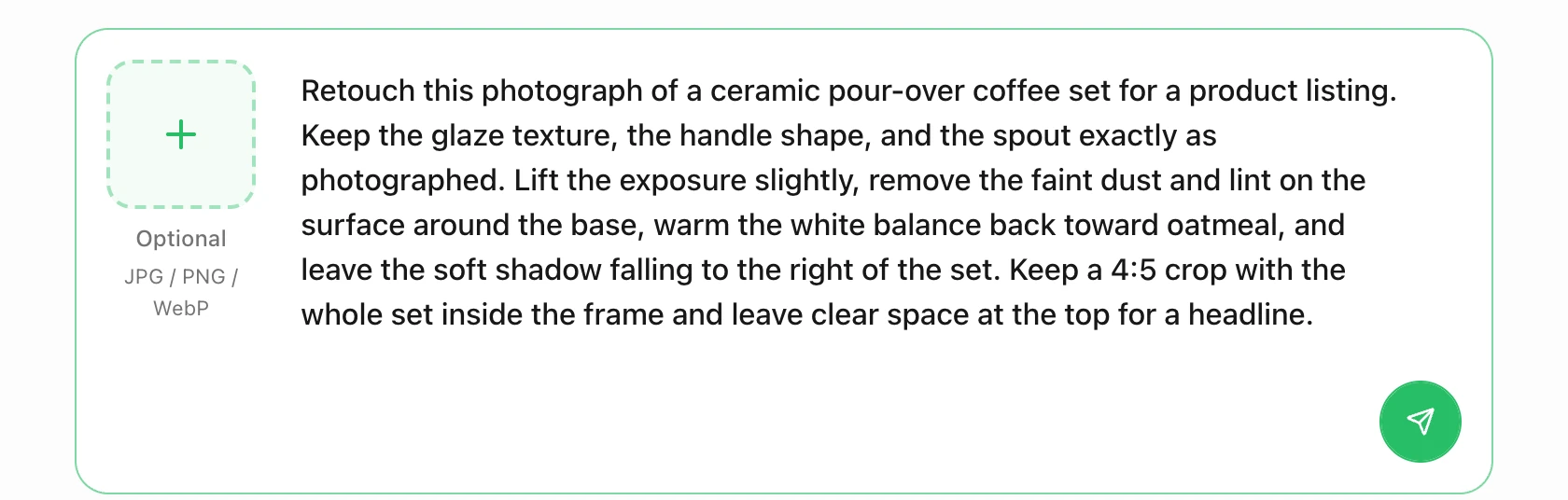
Real capture of this page's Ottermind composer after using the brief above, on November 6, 2026. The send button is active because the prompt has text; nothing was submitted for this capture.
Two separate actions matter. Using the brief only fills the composer and scrolls to it; nothing is sent. Sending stages the text and any reference image you attached, then continues in Ottermind Studio, where the model and the displayed credit cost are confirmed before generation. Attaching the actual product photo gives the brief something concrete to preserve, which is the whole point of specifying what must not change.
Where each task continues:
| Your task | Where to continue | Why that destination |
|---|---|---|
| Clean up a product photo you already own | Photo Retouching | Restrained corrections described against the source file |
| Plan a portrait, product, or travel edit | AI Photo Editor | Turns a change request into a reviewable editing brief |
| Apply a direction, grade, or print look | Image Effects | The effect and the protected details are the brief |
| Start from a sentence instead of a file | AI Image Generator | Text-to-image when there is no source photograph |
None of these links open VisualGPT, run its models, or spend its credits. The honest comparison is about workflow shape rather than a winner: VisualGPT sells one credit pool across a large model catalogue, with batch, commercial licensing, and lifetime packs attached to paid tiers; Ottermind sells a brief-to-Studio path where you review the model and the credits before anything runs. Ottermind does not promise a free tier, unlimited generation, a fixed generation time, a fixed credit cost, a vector master, or ownership of the output's rights.
Where this review stops
The official pages establish the surfaces, the input limits, the model list, the per-feature credit rates, the plan contents, the expiry rules, and the refund conditions. They do not establish how a specific model will treat your photo, how consistent a series of ten will look, how long a queue takes, or whether a 4K export survives print review. We have not run those tests, so this review assigns no score and quotes no output sample.
A reasonable verdict is conditional. VisualGPT is worth paying for if you need several models under one bill, want batch processing on a catalogue, and need commercial-use terms that a free tier does not provide. If you have one photo to fix and a clear idea of the result, a single-workflow editor is a shorter path than learning a model catalogue first.
VisualGPT questions worth answering
Is VisualGPT free?
There is a free tier with daily credits, no card required, and no advertised end date for the account itself. The credits expire after one day, history is kept for 15 days, downloads are standard quality, batch is unavailable, and free-plan images are licensed for personal rather than commercial use. Treat it as a trial of the workflow.
Is VisualGPT one AI model?
No. It is a workspace in front of several third-party models, listed on its own models page. That is also why two people can report very different quality and cost from the same plan: the model, quality, and resolution rows decide both.
Can I use VisualGPT images commercially?
The site attaches commercial use to an eligible paid subscription or lifetime credits, and says qualifying rights continue after cancellation. Read that as a licence from VisualGPT, not as a clearance for logos, trademarks, or likeness rights in the source photo. Print, packaging, and client work still need your own review.
Do I need a subscription to batch-process products?
Yes. Batch editing is listed at 10 images per task on paid plans and is not available on free. The credit cost of each image in the batch is unchanged by batching.
Can I buy credits without subscribing?
Yes. The pricing page sells one-off credit packs from 200 to 50,000 credits, and the policy says they do not expire and can be stacked. They also unlock commercial use and batch, which is the main difference from the free tier.
