Review
Gamma AI Review 2026: Fast Decks, Real Export Tradeoffs
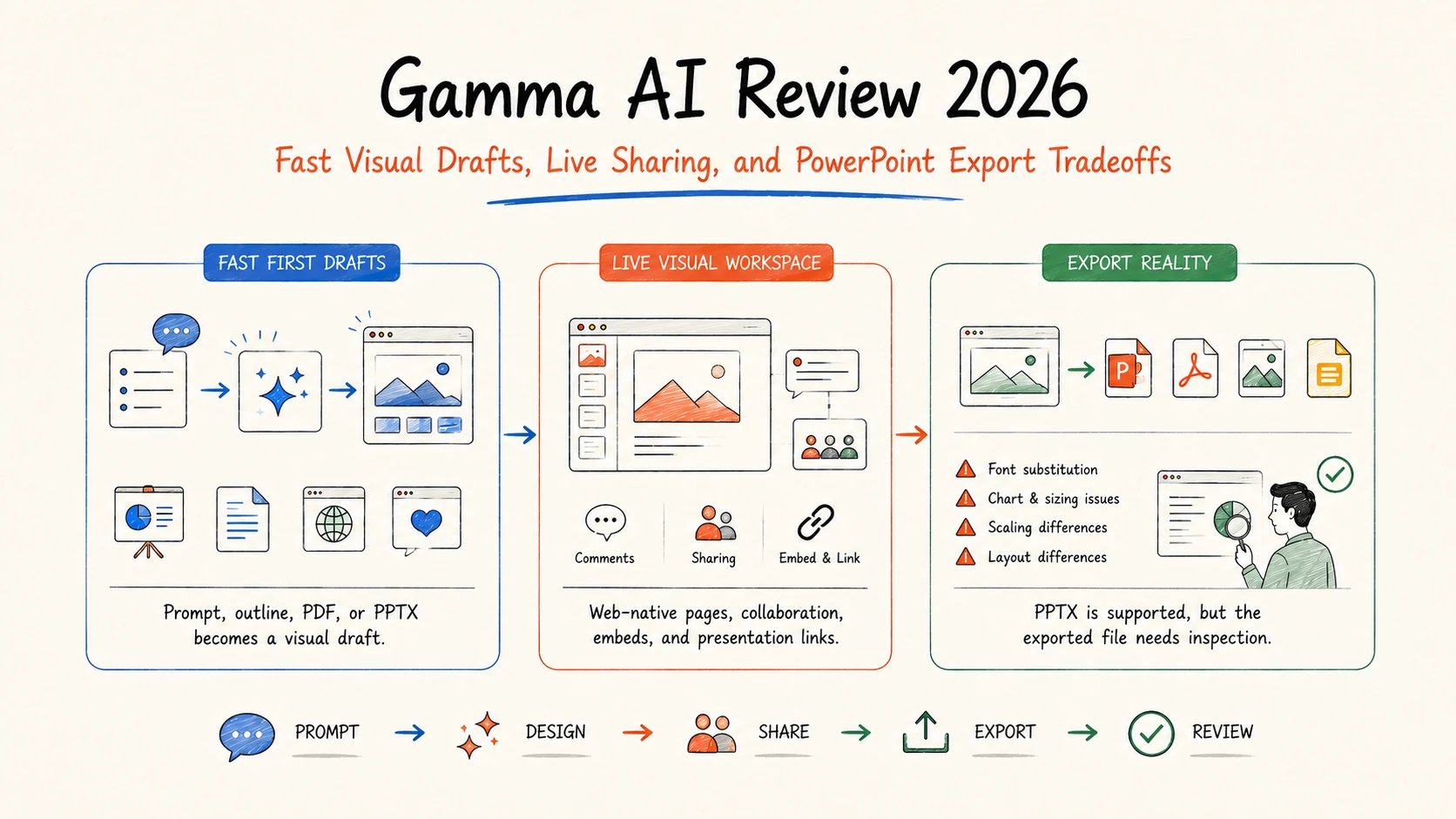
Gamma is one of the fastest ways to turn a prompt, outline, or source document into a polished visual draft. It is especially good at browser-native presentations, lightweight documents, and shareable pages. The tradeoff appears when the finished work must behave like a carefully constructed PowerPoint file: Gamma supports PPTX export, but its own help center documents possible differences in fonts, charts, diagrams, scaling, and layout.
The practical verdict is straightforward. Use Gamma when first-draft speed and a strong live presentation matter most. Test the actual exported file before paying if editable PowerPoint delivery, exact brand fidelity, or repeated stakeholder revisions are the acceptance criteria.
Search demand and research scope: DataForSEO US data accessed August 28, 2026 reported about 110,000 monthly searches for “gamma ai” (keyword difficulty 21) and 140 for “gamma ai review” (difficulty 17). This review uses official Gamma documentation, current search results, independent testing, and public user feedback. Search volumes are estimates, not traffic guarantees.
Gamma AI review: the short answer
| Decision factor | Assessment | Why it matters |
|---|---|---|
| First-draft speed | Strong | A prompt, outline, PDF, or PPTX can become a structured visual draft quickly |
| Browser presentation | Strong | Live sharing, responsive cards, embeds, and analytics suit web-first delivery |
| Content accuracy | Mixed | Generated copy still needs source, audience, and claim review |
| PowerPoint handoff | Mixed | PPTX is supported, but external rendering can differ from Gamma's Present Mode |
| Brand control | Stronger on paid plans | Pro adds custom fonts and branding; team plans add shared controls |
| Cost predictability | Mixed | AI actions consume credits at rates that vary by model and complexity |
Gamma is worth trying for founders, marketers, consultants, educators, and product teams that frequently need a coherent deck or visual page from rough material. It is less convincing as a universal replacement for PowerPoint when other people must make pixel-level edits after export.
What Gamma AI does
Gamma is a browser-based visual content platform for presentations, documents, webpages, social content, and graphics. You can start from a prompt, paste text, import a PDF or PPTX, or build manually. AI can propose an outline, write slide copy, generate or select imagery, change layouts, and revise individual cards.
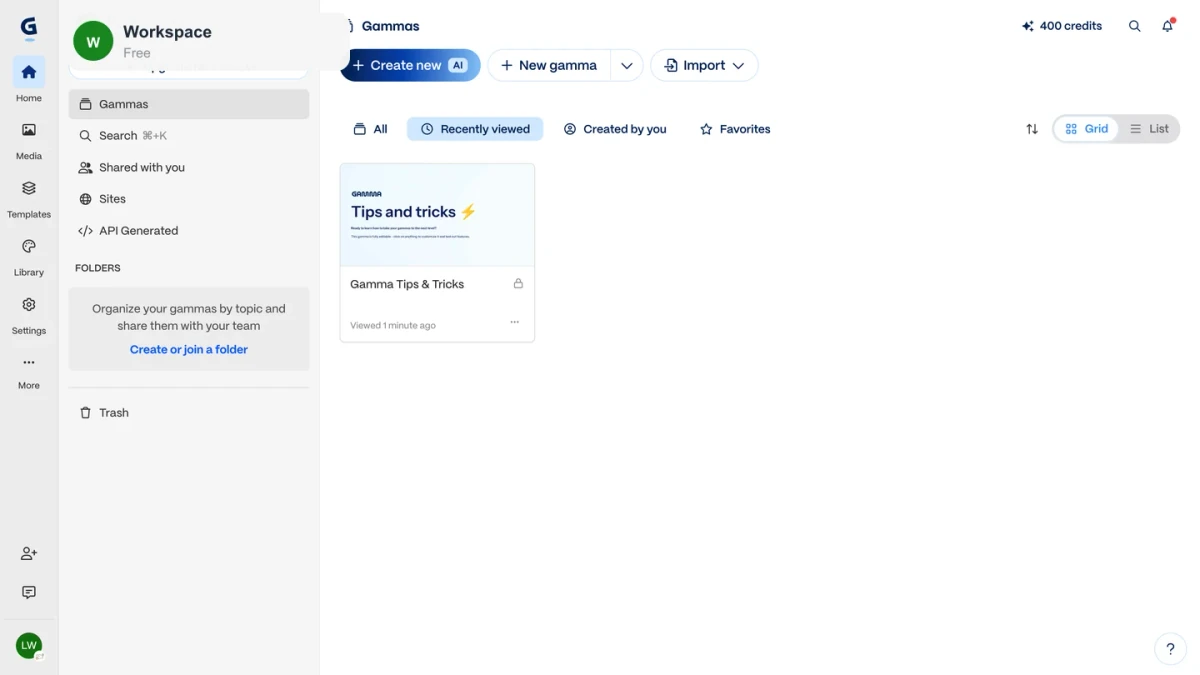
Official product reference: Gamma plans and pricing lists presentations, documents, websites, social content, imports, exports, branding, analytics, custom domains, and API access by plan. Accessed August 28, 2026.
Gamma's distinctive unit is the card rather than a conventional blank slide. Cards can expand vertically, adapt to different screens, and combine text, media, diagrams, and embeds. That makes the live link feel more like a visual webpage than a static slide file. It also explains why a Gamma deck may not map perfectly into PowerPoint's fixed canvas.
Where Gamma is strongest
Turning an outline into a visual story
Gamma removes a large amount of early formatting work. Give it a specific audience, purpose, structure, and source pack, and it can create a readable narrative with a consistent theme. Independent testing by Tom's Guide found the structure and visual design impressive while noting that vague or repetitive AI copy still needed editing.
The best input is not “make a presentation about our company.” Use an approved outline with required claims, numbers, examples, and a clear decision for the audience. Gamma is more reliable as a visual production layer than as the source of the strategy itself.
Sharing a live, interactive version
Gamma supports link sharing, workspace collaboration, commenting, embeds, and web publishing. Pro adds detailed engagement analytics, password protection for supported content, custom fonts, custom branding, and custom domains. This is useful for sales leave-behinds, teaching material, asynchronous updates, and public explainers where a live link is an acceptable final format.
Supporting more than presentations
The same workspace can generate documents, webpages, and social content. That breadth helps when one source outline must become several visual formats. It does not make Gamma a full project workspace: research evidence, decisions, spreadsheets, review notes, and downstream tasks may still live elsewhere.
If your work begins with mixed files and research before it becomes a deck, compare this narrower creation flow with a connected AI agent workspace.
The limitations that matter
PowerPoint export is supported, not identical
Gamma exports to PDF, PNG, PPTX, and Google Slides through PPTX. Its official export guide says exports reflect Present Mode rather than Edit Mode. Tables can export as editable tables, although PowerPoint does not preserve every Gamma styling detail.
Gamma also maintains a dedicated export troubleshooting guide for content scaling, chart or diagram sizing, font substitution, and other visual differences. Public discussions report outcomes ranging from light cleanup to unusable client handoffs. Those reports are anecdotal, but the underlying limitation is confirmed by Gamma's own documentation.
Use a paid test with a representative deck before standardizing on Gamma. Open the PPTX on the same platform your client uses, check fonts and charts, edit several elements, and inspect PDF output separately.
AI copy can look finished before it is correct
Clean design can make generic claims feel more authoritative than they are. Gamma does not know which source is current, which metric is approved, or which legal qualification must stay attached unless you provide and enforce those rules.
Review names, dates, quotations, calculations, citations, customer claims, and generated images. For important decks, create an evidence table before generation and keep unsupported placeholders visibly marked.
Card-based design can resist precise slide conventions
Gamma's automatic layouts are an advantage until a team needs a dense financial slide, an exact corporate master, complex animation, or a strict 16:9 handoff. The live result may be attractive while the PowerPoint workflow remains awkward. Teams with established slide libraries should test import, editing, and export rather than judging only the generated preview.
Gamma pricing and credits in 2026
Gamma currently lists Free, Plus, Pro, Ultra, Teams, and Business plans. The public pricing page can present localized or account-specific prices, so verify the checkout total in your region rather than relying on an old review.
| Plan | Published allowance or capability |
|---|---|
| Free | 400 initial credits, up to 10 slides per prompt, PDF/PPTX/PNG/Google Slides export, Gamma branding |
| Plus | 1,000 monthly credits, up to 100 slides per prompt, no Gamma badge, advanced image models |
| Pro | 4,000 monthly credits, API, premium models, custom fonts and branding, analytics, up to 10 custom domains |
| Ultra | 20,000 monthly credits, advanced models, early features, up to 100 custom domains |
| Teams / Business | Central billing, team controls, higher credit pools, and additional governance features |
Official pricing references: Gamma upgrade guide, credit guide, and team plan guide, accessed August 28, 2026. Features, prices, credit costs, and limits can change.
AI generations, edits, images, and advanced models consume credits at variable rates. Paid monthly credits can roll over up to twice the plan allowance. Paid users can purchase 1,500 additional credits for $6 according to the current help center. Measure credits per accepted deck, not per generation.
Gamma vs Beautiful.ai, Canva, and Ottermind
| Tool | Best fit | Main tradeoff |
|---|---|---|
| Gamma | Fast, web-native visual narratives | PowerPoint fidelity needs testing |
| Beautiful.ai | Structured business slides and brand guardrails | Automatic layouts can limit fine control |
| Canva | Broad visual asset creation and template editing | Presentation reasoning and source workflow are secondary |
| Ottermind | Research and files that must become connected deliverables | Not a dedicated slide-layout editor |
For a wider shortlist, see the best AI presentation makers. If the task is specifically turning source material into a deck, use the AI presentation workflow guide.
Who should use Gamma?
Choose Gamma when you need a fast visual first draft, a live presentation link, a lightweight webpage, or a polished internal narrative. It fits users who can review the substance and accept Gamma as the main presentation environment.
Skip or delay it when the contract requires a fully editable, pixel-stable PPTX; the deck depends on a complex corporate master; sensitive material needs controls your plan has not verified; or the team expects AI to supply accurate research without review.
Frequently asked questions
Is Gamma AI free?
Yes. The Free plan includes an initial credit allowance, generation of up to 10 slides per prompt, imports, and PDF/PPTX/PNG/Google Slides export. Free credits do not refresh automatically, and exported or shared work retains Gamma branding.
Can Gamma export to PowerPoint?
Yes. Gamma exports PPTX files, and tables can remain editable. Gamma also documents possible differences in fonts, charts, diagrams, scaling, and layout. Test the exported file before promising a PowerPoint deliverable.
Is Gamma better than ChatGPT?
They solve different problems. Gamma is stronger at turning content into designed visual pages. ChatGPT is a broader reasoning and writing assistant. A common workflow is to approve the research and outline first, then use Gamma for visual production.
Is Gamma better than Beautiful.ai?
Gamma is usually the more flexible choice for web-native narratives, documents, and sites. Beautiful.ai is more focused on conventional business presentations and Smart Slide guardrails. The better option depends on whether the final artifact lives on the web or in a slide workflow.
Final verdict
Gamma earns its popularity by making the first 70 percent of a visual story feel fast. It can turn rough material into a polished browser presentation with less formatting effort than traditional slide software. The last 30 percent remains the buyer's test: factual review, brand fit, revision behavior, credit usage, and external export.
Try Gamma with one representative project. Use the real source files, required theme, expected reviewers, and final delivery format. If the live link is the product, Gamma is a strong candidate. If the PPTX is the product, judge the exported PPTX.
Sources and disclosure
This review was researched from official Gamma pricing and help documentation, DataForSEO US keyword and SERP data, independent product testing, and public user discussions on August 28, 2026. Ottermind publishes this article and competes in the broader AI workspace category. There is no claim of sponsorship, affiliate placement, or a controlled productivity benchmark.
