Craiyon AI Review: Free Tier, Credits, and What to Check
Craiyon's free tier gives you a watermarked, public image and keeps its finishing tools behind an account. If the job in front of you is a picture you intend to keep and iterate on, write that brief here and continue in Ottermind Studio, where the model and the credits are shown before anything is generated.
Optional
This is Ottermind's composer. It does not open Craiyon, call Craiyon's models or spend Craiyon credits.
November 9, 2026 · 11 min read
Craiyon is the free text-to-image generator that started life as DALL·E mini in 2021, and it is now a small suite rather than a single box. The homepage sells one job — “Turn your words into AI images in seconds” — but the navigation beside it lists five edit tools: photo editor, image to video, background remover, image upscaler, image to SVG. Its own line is that you create, make the result yours, and finish it there.
That matters because most searches for Craiyon are asking a cheaper question: can the free version do this job, and what do I owe when I publish the result? The official pages answer both, and the answers are more specific than the marketing. The free tier produces watermarked, public images. Paid plans remove the watermark, keep images private, unlock HD downloads and an unlimited image count, and add a monthly allowance of edit credits that text-only generation never touches.
If the task in front of you is “turn this description into an image I can actually use,” you can write that brief in the composer above and continue in Ottermind Studio. Below is what Craiyon documents, where its free tier stops being enough, and the checks worth running on your own project before you pay.
How this review was prepared: Craiyon's own pages were read on November 9, 2026: the homepage and composer, the pricing page in both its monthly and yearly views plus its expanded FAQ, the photo editor, image to video, the tutorial, and the Terms of Use. Several sections render client-side, so the figures below come from the rendered page, not from static HTML. This is a documentation review. No Craiyon account was created, no plan was bought and no image or video was generated, so this page assigns no rating and reports no measured quality, speed or per-operation credit cost. The cover background and the two concept illustrations were generated with GPT Image 2.5 Flare for this article; the two interface figures are real captures of the public pages. No Craiyon screen, output or benchmark is fabricated here.
What Craiyon is now
Four surfaces share one account, and each answers a different kind of request.
| Surface | What it actually is | The right entry when |
|---|---|---|
| Create | One prompt box with Public, Style and Shape controls and an “Add a photo to edit it” bar | You have a description and want an image back |
| Edit images | Five separate tools: photo editor, image to video, background remover, image upscaler, image to SVG | You already have a picture and one named operation to perform on it |
| Gallery | Themed collections — Animals, Fashion, Home and Interiors, Games, Fan favorites — where every image shows its prompt | You want a starting point and a proven prompt rather than a blank box |
| Tutorial | A long guide with prompt structure, style definitions, interface walkthrough and use cases | You are teaching someone, or you want the vendor's own vocabulary |
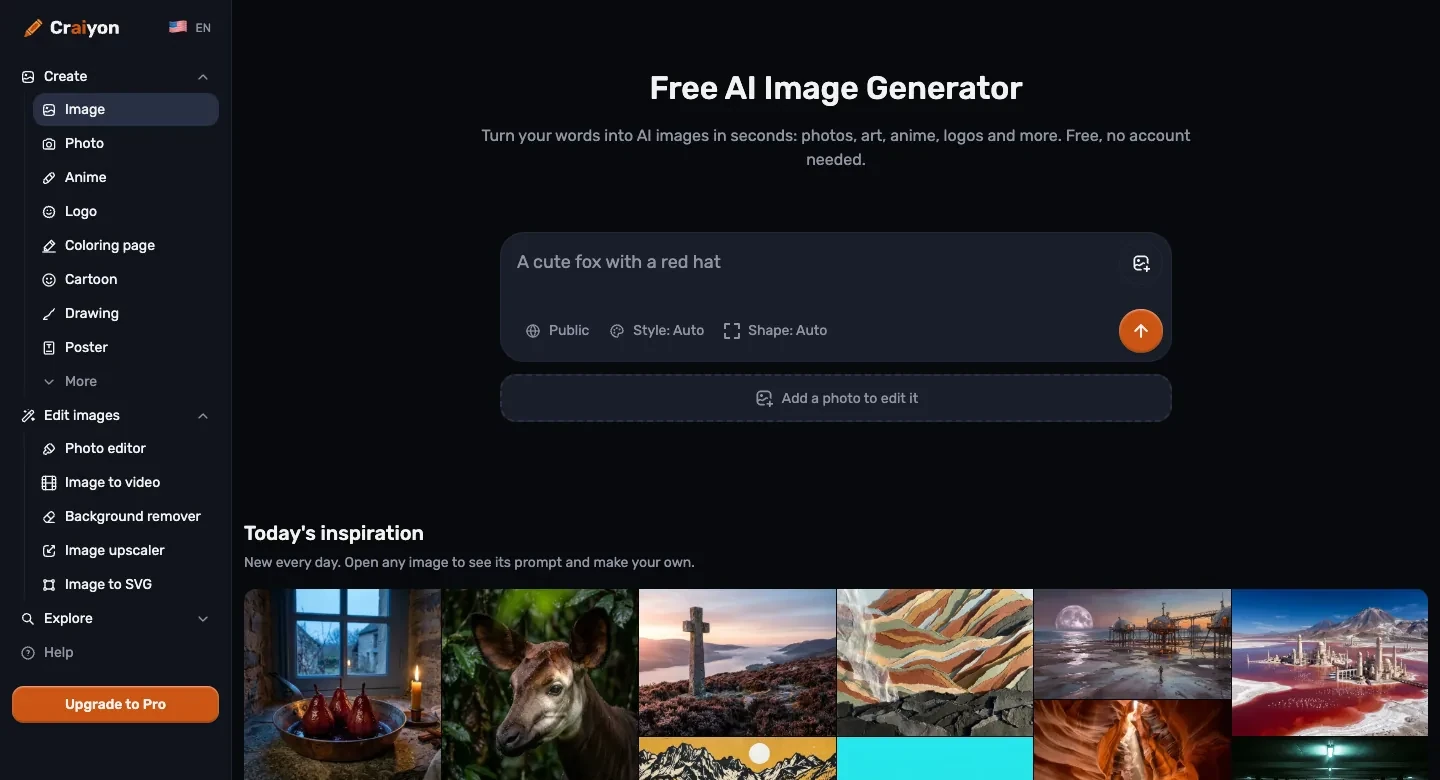
Real capture of Craiyon's public homepage on November 9, 2026. The composer is unauthenticated and states “Free, no account needed”; the same box carries the Public toggle, the style and shape selectors, and the entry to image input. Nothing in this capture was generated for this article.
The lineage is worth knowing because it explains the audience. Craiyon is the renamed DALL·E mini, the 2021 demo that put a free image model in front of everyone with a browser. The homepage still leans on that history — “from the team behind DALL·E mini: more than 5 billion images created since 2021” — and the product still behaves like a consumer toy in the best sense: no model picker to argue with, no prompt syntax, six styles, three shapes, and a prompt written the way you would say it out loud.
The URL structure is the one practical change to note. Pages now resolve under a locale prefix (/en, and equivalents), so older links to /pricing or /tutorial redirect rather than 404. If you are following a guide written before the move, expect the address to change under you.
The free tier and the paid plans are different products
This is the part most searches for “craiyon ai” are really about, and the homepage states it plainly in its pricing block: free gets “images at no cost, within limits,” with a watermark and public images; paid plans get unlimited images, monthly credits, the vendor's best-quality model, no watermark, private images, priority at busy times, and HD downloads.
| Plan | Billed monthly | Billed yearly (per month) | Yearly total | Edit credits per month |
|---|---|---|---|---|
| Free | $0 | $0 | $0 | “Free daily credits” |
| Supporter | $12 | $10 | $120 | 100 |
| Professional | $24 | $20 | $240 | 300 |
| Ultra | $84 | $70 | $840 | 1,200 |
Prices are the ones on the pricing page read on November 9, 2026, in US dollars before tax. The yearly view is labelled “2 months free” and bills the whole term at once; the per-month figure in that view is the total divided by twelve, not a separate monthly rate. Craiyon's terms reserve the right to change pricing at any time, and its FAQ states that purchases are non-refundable.
The feature table on the same page is the honest summary of what the watermark and privacy rows are worth:
| Feature | Free | Supporter | Professional | Ultra |
|---|---|---|---|---|
| Images | Limited | Unlimited | Unlimited | Unlimited |
| Edit credits | Free daily credits | 100 a month | 300 a month | 1,200 a month |
| No watermarks | No | Yes | Yes | Yes |
| Private images | No | Yes | Yes | Yes |
| HD downloads | No | Yes | Yes | Yes |
| No attribution | No | Yes | Yes | Yes |
| Top priority | No | No | Yes | Yes |
| Early access to new features | No | No | Yes | Yes |
Two of those rows decide more than the price. Private images is a commercial requirement, not a convenience: on the free plan the images you create are public, and anyone with the link can open them. No attribution is a licensing requirement, covered below — paid plans drop the credit line that the terms require from everyone else when an image is used commercially.
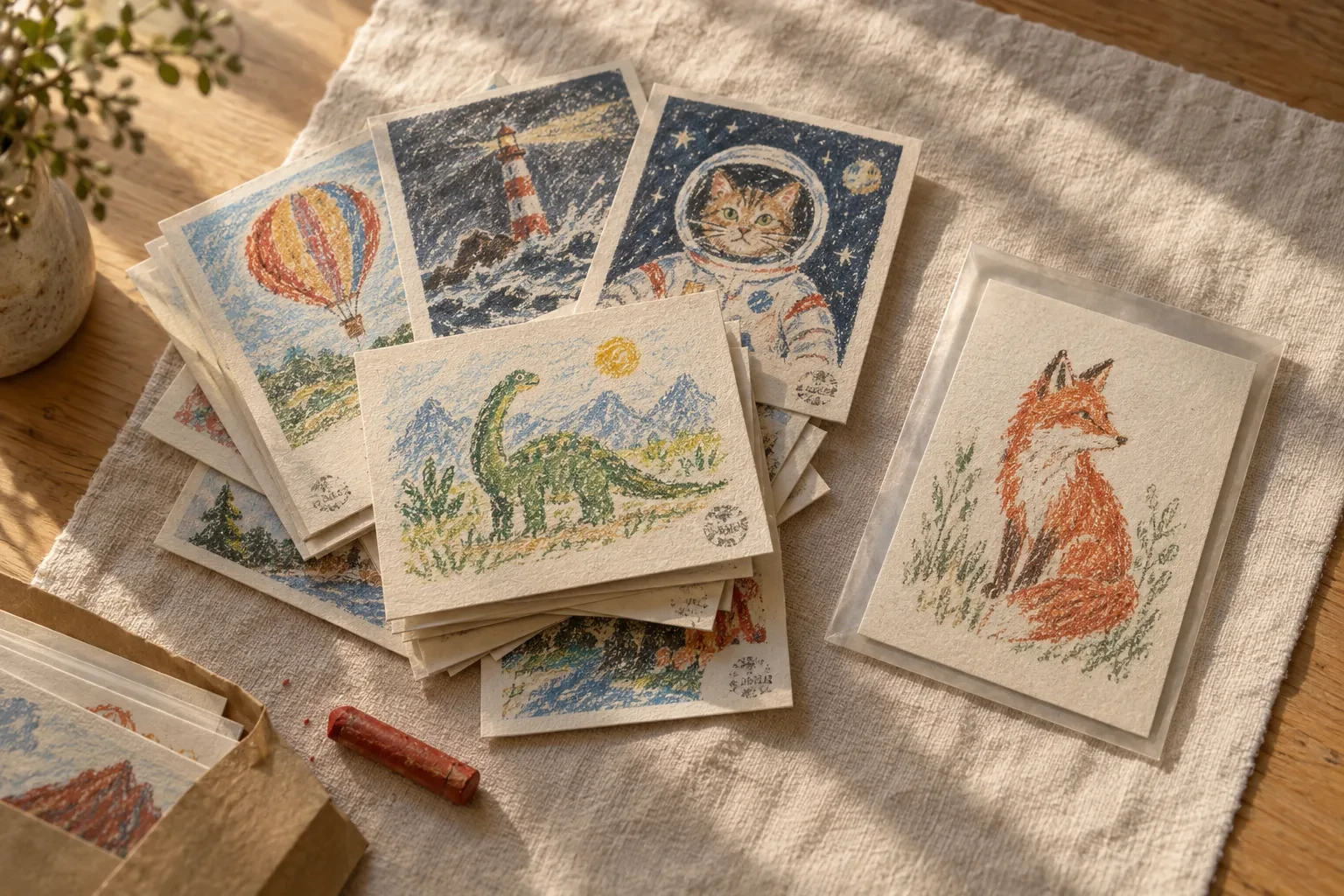
The free tier and the paid tier side by side, in print: a stack of stamped cards and one clean print in a sleeve. AI-generated concept illustration for this article, not a Craiyon screenshot, a Craiyon output or a picture of Craiyon's watermark, which is applied in the product and was not captured.
Credits only pay for image-input work
Craiyon's credit rule is unusual in a useful way. Its FAQ is explicit: edit credits are spent when you retouch an image or supply an image as input; “generating images from text only (without an image input) does not use any credits.”
| Action | Spends edit credits? |
|---|---|
| Generating from a text prompt alone | No |
| Uploading your own photo to the photo editor | Yes |
| Using a reference image in a generation | Yes |
| Retouching an existing image by describing the change | Yes |
| Background removal, upscaling, image-to-SVG conversion | Yes |
| Image-to-video generation | Yes |
That is a different shape from most credit systems, where the headline generation is the expensive part. Here the monthly allowance is effectively a budget for revision and finishing, while the image count is unlimited on every paid plan. If your work is “many fresh images, few edits,” the credit number on the plan card overstates what you need. If your work is “one photo, many rounds of changes,” it understates it badly — and the per-operation costs are not published as a table on the pages we read, so the first real job is the only honest measurement.
Four rules decide what the allowance is worth:
- Credits do not roll over. Unused monthly subscription credits expire at the billing date, on monthly and yearly plans alike, and a yearly plan receives the same monthly allowance rather than a lump sum.
- Text-only generation continues after you run out. The FAQ says subscribers can keep creating from a text prompt when credits are gone; free users are told to upgrade.
- Extra credit packs exist, with no public price. The FAQ confirms packs can be bought from the account, and that purchased credits are consumed before subscription credits. What a pack costs is not published on the pricing page.
- The free “daily credits” figure is not published either. The comparison table says only “Free daily credits,” so the free tier's editing budget is a number you discover after signing in.
Style, shape, and the prompt habit that saves money
The style control offers six named looks plus Auto: Artistic, Photo, Illustration, Anime, Vector, Raw. The tutorial notes that Raw means “no style added, just your words,” and Auto lets Craiyon pick. Shape is Square, Portrait or Landscape, with Square as the default and Auto available.
The “Explore styles” grid on the homepage is a different list — Photo, Anime, 3D, Cinematic, Pencil drawing, Cartoon, Oil painting, Watercolor, Pixel art, Soft pastel, Stained glass, Acrylic — and most of those link into gallery collections rather than the picker. Read them as browsing themes, not as settings you can select in the composer. If a look matters, name it in the sentence: the tutorial's own advice is that “oil painting,” “photorealistic” or “watercolor” in the prompt does the work.
Two more habits are documented rather than discovered:
- Negatives go in the sentence. Craiyon has no negative-prompt field; the documented pattern is “a beach at sunset without people,” “a logo with no text,” “a forest, no animals.”
- Any language works. The FAQ and tutorial both say to write in your own language; the details in the sentence matter more than the language.
What “finish it” covers, and where the chain stops
The homepage's “Finish it right here” block is the clearest statement of what the suite now covers: retouch by describing the change, remove the background, upscale, convert to SVG, or turn the picture into a short video.
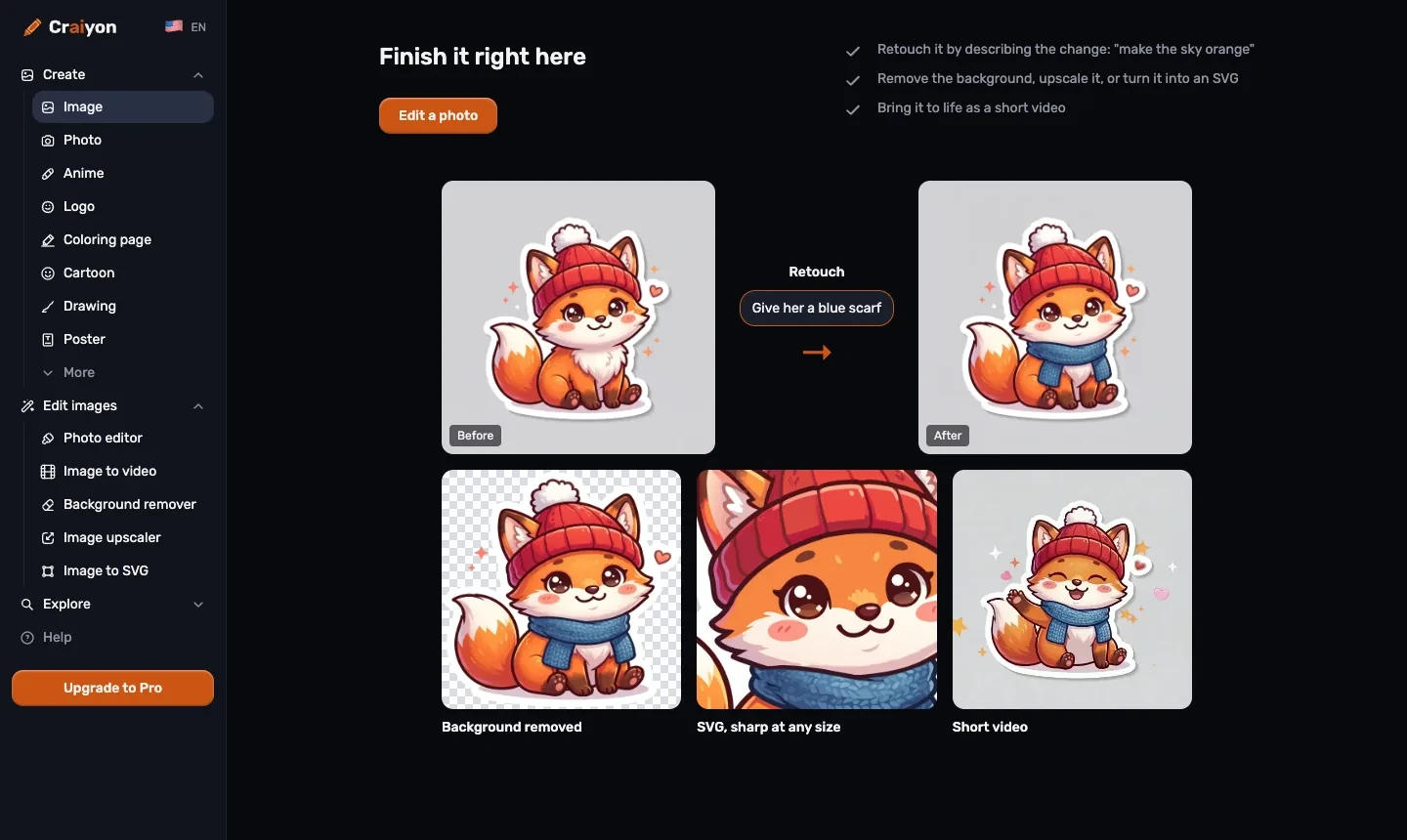
Real capture of the public “Finish it right here” section on November 9, 2026. It shows the four finishing moves Craiyon documents — retouch, background removal, upscale or SVG, and a short video — using the site's own fox example. The tools themselves sit behind an account and were not run for this article.
| Step | What the page promises | What it does not promise |
|---|---|---|
| Retouch | “Describe the change” in plain language, on your own photo or a generated image | That a change is reversible, or that earlier versions are kept |
| Background removal | A transparent result, shown as a checkerboard tile | A layered file or a mask you can edit |
| Upscale | A higher-resolution version of the same picture | A specific output resolution |
| Image to SVG | A vector file that stays sharp at any size | A hand-editable vector drawing with named shapes |
| Image to video | Videos of 5, 10 or 15 seconds, with sound, from one picture plus a sentence | A length, aspect or credit cost outside those three durations |
The video tool is the one to treat cautiously. Craiyon states three durations and that clips carry sound; it does not publish a per-video credit cost on the pages we read, and the terms explicitly disclaim any assurance about generation speed. If a clip is a deliverable rather than a test, run one short paid attempt and check both the credit balance and the file before committing to a format.
Rights: what you can publish, and what you owe
Four clauses in the Terms of Use matter to anyone publishing the output.
Commercial use is allowed for every account type. The FAQ says output can be used commercially “with any account type,” and the terms define Commercial Use as any use intended to generate direct or indirect financial gain.
Attribution is the free tier's price. If you are not a subscriber, you must credit Craiyon in text accompanying any image you use commercially; where text is impossible, placing the Craiyon logo in the corner counts. Subscribers are exempt. This is the clause that most often turns a “free” image into a paid one, because a product page, ad or client deck rarely has room for a permanent credit line.
You grant Craiyon a broad licence. By using the service you grant Craiyon a perpetual, worldwide, non-exclusive, sublicensable, royalty-free and irrevocable licence to reproduce, adapt, display and distribute the prompts you enter and the images produced from them. That survives the end of the agreement.
The service disclaims quality and originality. Craiyon makes no warranty about the accuracy, integrity or quality of the images, states that whether a given image infringes someone else's rights depends on the image and your use, and tells you to take legal advice if you are unsure. Liability is limited to excluding indirect and consequential losses, and disputes go to arbitration in Houston, Texas, under Texas law.
Two operational clauses are easy to miss. One account per person: subscriptions may not be shared between people or accounts, which rules out a single studio login used by a team. And no refunds: subscriptions and one-time credit purchases are final, including partially used billing periods.
Who this fits
The gallery is the tell. Look at the collections Craiyon curates — coloring pages, stickers, memes, tattoos, home design, fan art for games and cartoons — and at the tools it built, which are retouch, background removal and short clips rather than brand asset management. This is a product for making things you will look at and share, often with other people in the house.
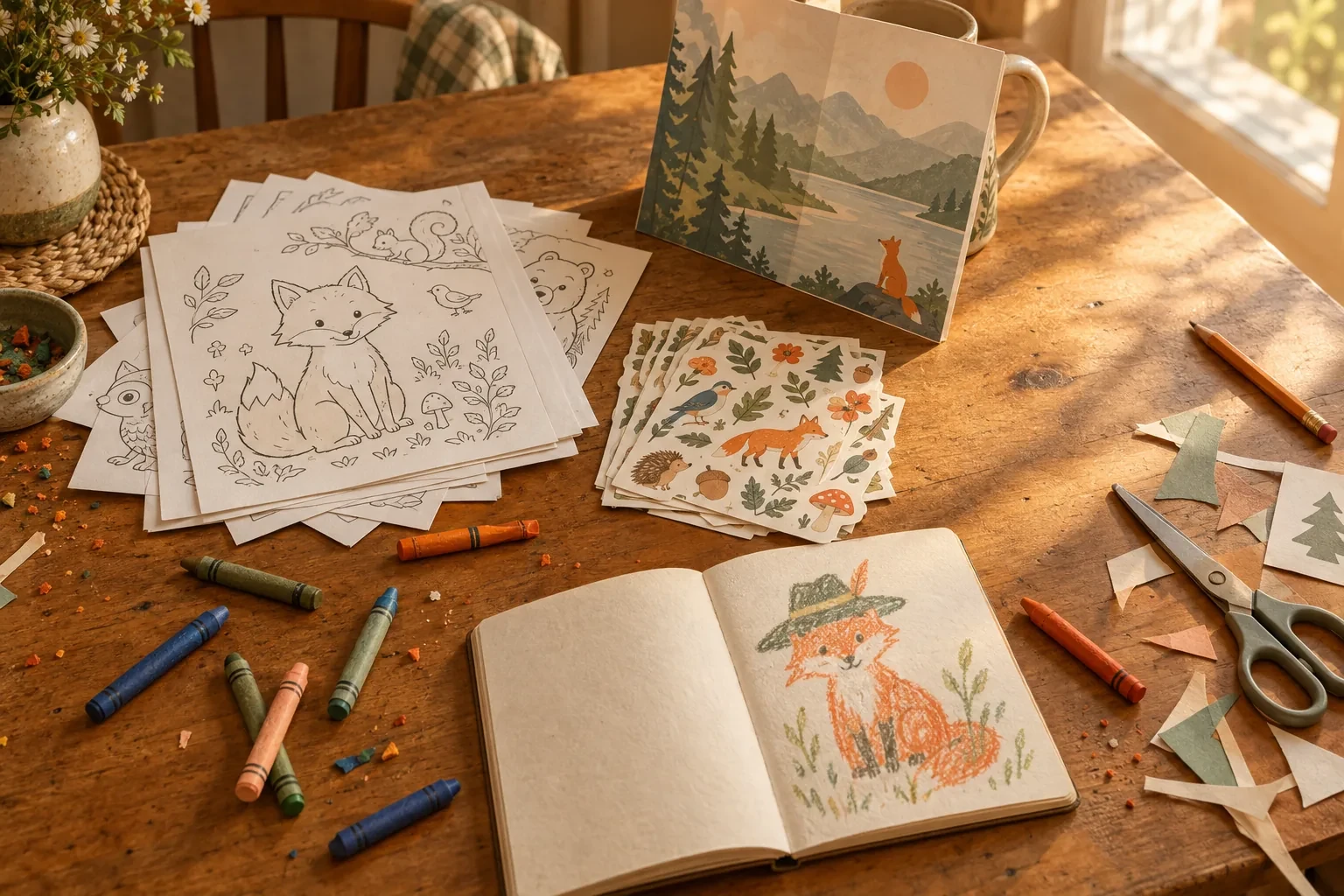
What the catalog is built for: coloring pages, stickers, a poster, a drawing to redo. AI-generated concept illustration for this article; it is not a Craiyon output, and no Craiyon generation was run to produce any object shown.
It is a good fit when the deliverable is a single picture or a small printed set, when the look should be illustrated rather than photographic, and when “close enough, and I can change that bit” beats exact control. Classroom material, party invitations, a sticker sheet for a kid's laptop, a poster for a local club, a tattoo sketch to argue about, a profile picture — all of that is squarely inside the product.
It is a weak fit when the work needs a consistent set of assets, exact typography, or a reproducible style across a campaign. Craiyon's controls are a prompt, a style and a shape; text inside images is a known weakness of image models generally, and nothing on the pages we read promises a model version, seed, or reference-locking mechanism that would keep a character or product identical across ten images. The prompt-led workflow also means a revision is a new generation: you get a different picture, not a version history you can step back through.
Five checks before you subscribe
The price is the last thing to decide, not the first. Run these against real work from your own backlog.
- Will you publish it? If yes, the watermark and the public gallery settle the tier question for you. Both are free-tier limits, and the attribution rule adds a third.
- Is your month mostly generation or mostly editing? Text-only generation is credit-free and unlimited on any paid plan. Editing, image input, upscaling, SVG and video all draw on a monthly allowance that does not roll over.
- Do you need the file, or the file plus its history? Craiyon keeps generation history for logged-in users, but the retouch loop is a chain of new images. If a client may ask for “the version before last,” export as you go.
- Does your job need motion? Video is limited to 5, 10 or 15 seconds from a picture plus a sentence, and costs credits. Check that the format fits before you build a workflow around it.
- Is one login enough for the people doing the work? Subscriptions are single-person by the terms, so a shared studio account is a licence risk rather than a saving.
Run the same brief in Ottermind
If you arrived here to make one image and keep iterating on it, the brief below is the one loaded into the composer at the top of this page. It is written the way Craiyon's own tutorial recommends — subject, setting, style, light, and what to leave out — and it asks for a single clean illustration rather than a sheet of variations.
A single illustrated sticker design of a red fox in a knitted hat, sitting upright and looking slightly to the left, thick clean outlines, flat warm colours with one soft shadow, cream background, generous even margins around the fox so the design reads at small sizes, no text, no border, no background scenery.Two actions matter here, and they are separate. Use the fox brief above only fills the composer and scrolls to it; nothing is sent. When you send, Ottermind stages the brief and any reference image you attached and continues in Studio, where the model and the credits are shown before generation. The attachment is optional — it is what turns a from-scratch prompt into “make it look like this one,” which is the habit Craiyon's photo editor is built around.
Where each task continues:
| Your task | Where to continue | Why that destination |
|---|---|---|
| Start from a written brief and keep the style you asked for | Unrestricted AI Image Generator | Text-to-image where the brief can name styling, wardrobe, light and setting |
| Restyle a photo you already have | AI Art Generator from Image | Keeps the subject and composition while the direction changes |
| Change one part of an existing image | AI Image Editor | Scoped edits with the layout and details you must protect stated up front |
| Turn a finished still into motion | Image to Video | A separate step; check what the page supports today before relying on it |
None of those links open Craiyon, call Craiyon's models, or spend Craiyon credits. They are a separate product for the adjacent step, and the useful comparison is workflow shape rather than quality: Craiyon sells unlimited text generation plus a monthly editing allowance and a one-click finishing chain; Ottermind sells a brief that carries into Studio, where you can keep working on the same intent instead of retyping it. Ottermind does not promise a free tier, unlimited output, a fixed generation time, a fixed credit cost, or a vector master.
Where this review stops
The official pages establish the surfaces, the prices, the credit rules, the watermark and privacy limits, the finishing tools and the licence terms. They do not establish how any of it behaves on your specific picture. No account was created, no plan was bought, and no image, upscale, SVG or clip was generated for this article, so there is no measured quality, queue time or per-operation cost here and no rating.
Three gaps are worth stating plainly. Per-operation credit costs are not published — the plan card gives a monthly total, not a price per retouch, upscale or video, so the allowance only becomes a budget after you spend some of it. The free tier's daily credit number is not published either. And the finishing tools are documented, not demonstrated: the pages describe an SVG that stays sharp and a video that carries sound, but neither was produced here, so treat both as vendor claims to verify on your own file.
A reasonable verdict is conditional. Craiyon is a good answer when the job is a picture or a small printed set, the look is illustrated, and you will either keep it private or pay for the tier that removes the watermark and the attribution requirement. It is a poor answer when you need a repeatable look across many assets, exact lettering, or a file history you can step back through — in those cases the free tier is a taster, and the subscription is paying for finishing tools rather than for control.
Craiyon AI questions worth answering
Is Craiyon free?
Yes, with limits. Free accounts create a limited number of images at no cost, and those images carry a watermark and are public — anyone with the link can view them. Free users also get “free daily credits” for editing, though the amount is not published. Paid plans start at $12 a month (Supporter), or $10 a month billed yearly at $120, and remove the watermark, make images private, enable HD downloads and grant the no-attribution right.
Can I use Craiyon images commercially?
Yes, on any account type, subject to the Terms of Use. The difference is attribution: non-subscribers must credit Craiyon in text accompanying a commercially used image, or place the Craiyon logo in a corner where text cannot accompany it. Subscribers have the no-attribution right. Nothing in the service checks whether a given result resembles an existing work, and the terms disclaim any warranty of quality or non-infringement.
Do credits get used when I just generate an image?
No. Craiyon's FAQ says generating from text alone does not use credits. Credits are spent when an image is used as input: retouching, editing your own photo, using a reference image, background removal, upscaling, SVG conversion, and video. The allowance refreshes on your billing date, does not roll over, and is the same monthly amount on yearly plans.
Is there a Craiyon API?
No public API. The pricing FAQ says there is none “at the moment” and that one is planned. The service is designed around the website, and the terms restrict access to the interface Craiyon provides. If your workflow needs programmatic generation, this is not the tool today.
Is there a Craiyon app?
Not yet. The homepage FAQ says a Craiyon mobile app is “coming soon.” Everything described here runs in a browser.
How is Craiyon related to DALL·E mini?
Craiyon is the renamed DALL·E mini. It started in 2021 as that demo, the same core team has continued it, and the name changed in 2022. The homepage still cites that history and more than five billion images created since 2021.
Does Ottermind use Craiyon's models?
No. The two products are separate. This page offers an Ottermind composer and a matching brief so you can run an adjacent task, and Craiyon's tools stay on Craiyon's site.
