Reve AI Review: Native 4K Images, Layout Edits, and What to Verify
Reve's selling point is a layout you can edit, not one lucky prompt. If your next job is a poster or a product scene that needs legible type, write that brief here and continue in Ottermind Studio, where the model and the credits are shown before anything runs.
Optional
JPG / PNG / WebP
This is Ottermind's composer. It does not open Reve, call Reve's models or spend Reve credits.
November 13, 2026 · 9 min read
Reve is an AI image model and browser editor built around layouts: it plans an image as structured regions, renders at a native 16 megapixels, and lets you change one region without redrawing everything around it. That is a narrower and more useful promise than "better images". Most tools give you whatever a prompt produced and ask you to prompt again to repair it; Reve's pitch is that the image has parts you can address.
It suits people who ship one specific asset and revise it several times: a poster whose headline has to be spelled correctly, a product scene that has to survive four crops, a signage or packaging mock where the type is part of the design. It suits less if you want a cheap one-shot generator, or a print pipeline that needs CMYK conversion, spot colours or a vector master — none of which the official pages claim.
There is one gap you should know about before the rest of this review. Reve does not publish a plan or credit price list that we could read on November 13, 2026. The site's pricing path redirects to the app landing page, and the landing page links only to Model, Training and Blog. So this review separates three things: what Reve documents, what only your account screen can tell you, and what only your own brief can answer.
How this review was prepared: Official Reve pages were checked on November 13, 2026: the site and app entry, the Reve 2.1 model page, and the official blog posts for Reve 2.1 (July 9, 2026), Reve 2.0 (June 3, 2026), Templates (July 20, 2026), the Reve API (July 14, 2026), Reve for Teams (July 17, 2026), shareable references (August 8, 2026), the student offer (May 14, 2026) and the July 27, 2026 company announcement. This is a documentation-based review. We did not create a Reve account, run a generation, print an image, or measure output quality, speed or reliability, so no score is assigned. The cover and the two illustrations were generated with GPT Image 2.5 Flare as original artwork for this article; they are not screenshots of Reve, its editor or its outputs. Ottermind publishes this article and offers the adjacent workflow linked below; it is not connected to Reve.
What Reve is in November 2026
The current model is Reve 2.1, announced on July 9, 2026. Its predecessor, Reve 2.0 (June 3, 2026), was described by the company as replacing "every model that came before it", and the 2.1 post presents 2.1 as the model the product runs on now. Those release notes are the vendor's own account of its own progress, including the leaderboard placement it cites; treat them as claims about direction, not as a measurement on your brief.
Four documented ideas carry most of the product's weight.
- Planning is separated from rendering. The model page describes an image being laid out as structured regions — objects, text, spatial relationships — before pixels are rendered. The 2.1 post frames this as the reason a single region can be changed later.
- Edits are addressable. The 2.0 post says you can "move a subject, rewrite the sign on the wall, or swap a background, and the rest of the scene adjusts around your edit". The 2.1 post calls the result "precision editing" and "lossless editing" in the model page's own section list.
- Output is native 4K. Reve states 4K by 4K, "true 16 megapixels", generated at that size rather than upscaled afterwards.
- Type is treated as design, not as a lucky artefact. Both release posts emphasise legible, positioned text inside the image, including foreign scripts in 2.1.
The same model is reached through several surfaces, and they are not interchangeable in effort:
| Surface | What the official pages describe | When it is the right entry |
|---|---|---|
| Web app | Create and edit in the browser; select an object and its controls appear; results stream into a canvas | One asset you will revise several times |
| Templates | Category templates where you swap the product, text or occasion and the rest updates; aspect ratio chosen up front | A design frame exists and you need your own product in it |
| References | Saved and shared reference boards that hold a look, a subject or a palette across generations | A series that must stay consistent |
| API | REST endpoints for create and edit, plus experimental endpoints that separate layout creation, editing and rendering | Automation or a production pipeline |
| Teams | Shared workspace, projects, albums and admin controls; priced through sales | Several people reviewing the same asset |
Two adjacent facts belong in a buying decision, not in a feature list. The API post opened the model outside the app on July 14, 2026, and the Teams post says video generation models are integrated into the same flow. On July 27, 2026, Reve announced an investment from OpenAI, with members of its AI research team joining OpenAI while Reve continues to operate independently. That is a statement about ownership and staffing, not about output quality — but it is the kind of change worth knowing when you are deciding how much of a workflow to build on one vendor.
How to judge Reve in ten minutes, before you pay
Six checks separate a tool that fits your job from one that merely looks impressive. Run them in this order.
| Check | Question to answer | How to test it quickly |
|---|---|---|
| Text | Is any of the design carried by words inside the image? | Set a headline and a date, then zoom to 200% and read every letter |
| Iteration | Will you revise this asset more than twice? | Edit one region twice, then compare an untouched area before and after |
| Resolution | Does the file have to hold up in print? | Do the pixel arithmetic below, then print one page at final size |
| Consistency | Does a series need the same subject or look? | Reuse a reference across three generations and compare drift |
| Collaboration | Will someone else review or approve it? | Check the Teams surface before assuming a solo plan covers review |
| Cost | Can you see the price before you commit? | Open the plan and credit panel in your own account; do not rely on articles |
The order matters. Text and iteration are the two things Reve is actually selling, so they are the two that should decide the purchase.
The claim worth checking: a layout you can edit
Reve's argument is that prompting an image directly is like compiling an application without ever writing the code: workable, but opaque, and impossible to revise with intent. Its answer is an intermediate representation — a layout — that both the model and you can read, so a change can be local.
In practice, the documented behaviour is worth restating plainly, because it is more specific than "AI editing":
- you change a named region — the sign, the product, the background, one subject;
- the rest of the composition is re-derived rather than pasted back, so perspective, light and occlusion stay coherent;
- because the layout is stored, repeating an edit on the same layout is described as more stable than repeatedly filtering a rendered image.
That last point is where most AI iteration quietly degrades: each pass compounds artefacts from the previous one. Reve claims to resist it with references and to avoid it entirely when no reference image is used. We have not run that test, so the honest reading is "a claim you can verify in twenty minutes with your own asset" — not a guarantee.
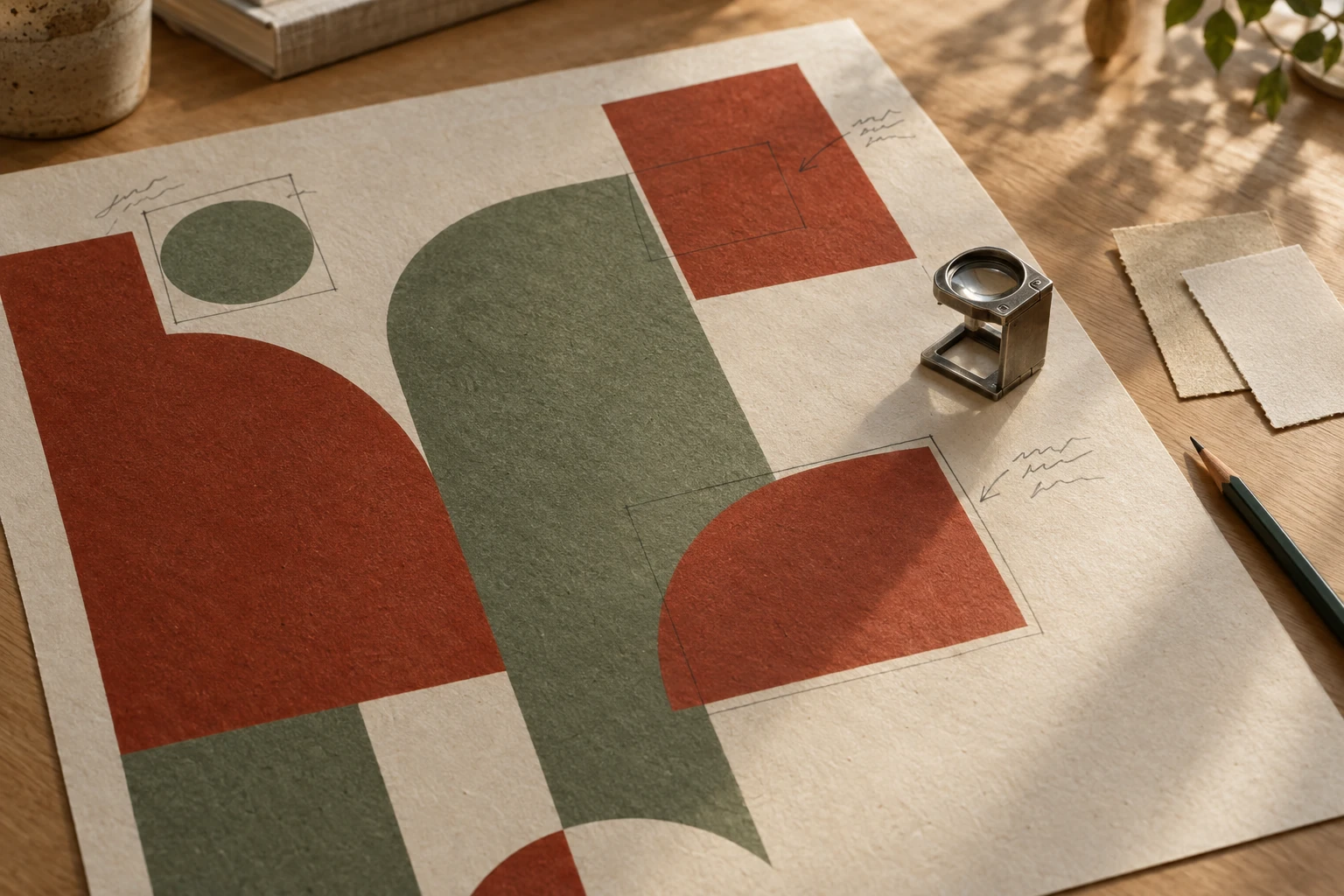
A layout is a plan you can point at: this proof has regions marked out and annotated by hand, which is the mental model Reve's editor formalises. AI-generated concept illustration for this article; it is not a Reve screenshot, and the poster is not a generated result.
16 megapixels, and what that actually prints
Reve's headline number is resolution, and resolution is the easiest claim to translate into your own work. "4K by 4K" means a square frame of roughly 3840 by 3840 pixels, about 16 megapixels. The illustrative maths below is ours, not Reve's.
| Output | Pixels you would want | What a 16MP render covers |
|---|---|---|
| Social post or story | 1080 to 1440 px on the long edge | Large headroom to crop in any direction |
| A4 print at 300 ppi | About 2480 by 3508 px | Comfortable |
| A3 print at 300 ppi | About 3508 by 4961 px | Slightly short at a true 300 ppi, close at 260 to 280 ppi |
| Large-format poster | Depends on viewing distance | Usually adequate, because distance lowers the required ppi |
Two cautions. First, a square 16MP frame is not automatically 16MP at every aspect ratio — the templates documentation lets you pick a ratio, but the pixel count per ratio is not published, so measure the exported file rather than assume it. Second, native resolution is not the same as native detail: a 3840-pixel render of a busy fabric still needs a reference that shows the fabric. Resolution sets the ceiling; your source sets the result.
Plans and pricing: what is published, and what is not
This is the part of the review that most pages skip, so it is worth being blunt. On November 13, 2026, we could not read a public price list for Reve.
| Item | What the official pages state | What you still have to confirm |
|---|---|---|
| Public price list | reve.com/pricing redirected to the app landing page; the landing page links to Model, Training and Blog | The plan and credit screen inside a signed-in account |
| Named plan | "Reve Pro" is named in the May 14, 2026 student post | Its price, included generations and limits |
| Student offer | A free year of Reve Pro with a .edu email, claim window "by the end of May" in 2026; later sign-ups get one free month | Whether any current offer exists in your region |
| Teams | Priced through sales, per the Teams post | Seat pricing, admin and review terms |
| API | Launched July 14, 2026 as the Reve 2.1 API, with a console at api.reve.com | Rate card and per-call pricing; the link resolved to the app landing page for us |
| Free access | Not documented on the pages we could read | The sign-up allowance in your account |
That is not a gap Reve is hiding; it is simply how the product is sold today — through the app and through sales, not through a public table. But it changes how you should plan. Do not budget from a comparison article that quotes a monthly figure, including this one; those numbers age badly and we could not verify any of them.
What to capture instead, in the first ten minutes after signing in:
- The currency and tax shown at checkout, not the headline number.
- Whether the plan is metered in generations, credits or seats — and what one 4K render actually consumes.
- Whether unused allowance rolls over, and what happens on downgrade.
- Any limit on concurrent jobs, references per generation, or team members.
- The commercial terms attached to your plan, and whether they differ for Teams.
Where the editor earns its keep — and where it does not
Three jobs fit the product's documented design.
A poster with real text. The layout is planned before rendering, so a headline and a date are positioned rather than discovered. This is the use case the templates documentation is built around: choose the ratio, swap the product or the message, then refine layout, colour and type.
One hero image with seasonal variants. Swap the product, keep the framing. That is the same idea as a template, applied to a campaign: the scene is the constant, the SKU is the variable.

The variable is the colourway; the framing, plinth, light and shadow direction stay fixed across all three. AI-generated concept illustration for this article; it is not a Reve output.
A signage or packaging mock. Signs, labels, menus and packaging are where generated type usually falls apart, and where a layout-first model has the clearest structural advantage. Check spelling at full size anyway.
Where it does not obviously fit: a workflow that needs CMYK separations, Pantone matching or an editable vector master. Reve documents raster generation and layout-level editing; the pages we read do not describe a prepress export, and no review should pretend otherwise. Nor is it the cheapest route for a hundred throwaway variations, where a plain prompt-and-pick loop is usually enough.
Five failure modes, and the correction
| Failure | What you see | Correction |
|---|---|---|
| One wrong letter | The headline is right except a single glyph | Read at 200%, fix the text region only, and never regenerate the whole scene to repair type |
| Drift between edits | Areas you did not touch shift after a region edit | Keep the layout, change one region per pass, and compare a fixed crop before and after |
| Over-planned clutter | Six regions, three type styles, no focal point | Fewer elements and fewer words; a layout amplifies a simple idea and multiplies a crowded one |
| Sharpness illusion | Crisp at card size, mushy at 100% on fine texture | Inspect at 100% before delivery; add a reference that shows the texture you need |
| Print surprise | Looks right on screen, wrong on paper | Print one page at final size; colour management is yours, not the model's |
Try the same brief in Ottermind
If the job in front of you is a poster with a headline and a date, you can write it here instead of opening Reve. The brief below is the one loaded by the hero composer: a ceramics sale poster with set type, a fixed palette, and a margin rule so the artwork survives a square crop.
Design a 4:5 poster for a late-autumn seconds sale at a ceramics studio called KLIN CERAMICS. Photograph one tall stoneware bottle and two stacked bowls straight on against an off-white plaster wall, lit by soft window light from the left. Set the headline SECONDS SALE in a narrow uppercase grotesque across the top third, and SAT 21 NOV, 10-4 in small caps at the bottom. Attach a small handwritten price tag reading 48 to the bottle neck. Palette: chalk white, iron grey and one rust accent. Keep every element inside a 6% margin, hold the bowl stack off centre, and leave the lower right corner clear so the same artwork survives a square social crop.Two actions stay separate. Use the ceramics brief above only fills the composer; nothing is sent. When you send, Ottermind stages the brief and any reference image you attached and continues in Studio, where the model and the displayed credits are shown before anything runs.
Where each task continues:
| Your task | Where to continue | Why that destination |
|---|---|---|
| A poster or campaign visual from a detailed brief | Unrestricted AI Image Generator | Keeps a specific art direction specific, with permitted references and focused variations |
| Rebuild a scene from an image you already have | AI Art Generator from Image | Starts from your frame instead of describing it again |
None of these links open Reve, call Reve's models or spend Reve credits. Ottermind does not include Reve models, and this page is not an integration. Ottermind also does not promise a free tier, a fixed generation time, a fixed credit cost, a vector master or copyright ownership of what you generate.
Where this review stops
The official pages establish the model version, the layout-first architecture, native 16MP output, the editing model, the surfaces, and the existence of Pro and Teams plans. They do not establish how your specific brief will come out, how long a queue takes, whether your Greek or Arabic signage will be spelled correctly, or what a generation costs. We did not create an account, generate an image or measure anything, so this review carries no score.
Three boundaries deserve to be stated plainly. A "commercial" plan is a licensing term, not a trademark clearance; a generated poster still needs a similarity check and, where it matters, legal review. Native resolution is not native detail; the reference you supply decides what the extra pixels contain. And the company itself changed shape in July 2026, which is relevant to roadmap risk but says nothing about the current model.
A sensible verdict is conditional. Reve is worth paying for if your deliverable depends on layout and legible type, and you will iterate on one asset rather than generate hundreds. If you need one image at a predictable cost, or a print-ready CMYK file, the shorter path is a direct generator plus your own prepress work — and a brief you can run before subscribing is a better first test than a plan comparison.
Reve questions worth answering
Is Reve free?
No free tier is documented on the pages we could read on November 13, 2026. The student offer that gave a free year of Reve Pro ended with its May 2026 claim window, and the same post says later sign-ups receive one free month. Treat that as a historical promotion, not current pricing, and check the sign-up screen for what applies to you.
Is Reve 2.1 different from Reve Image 1.0?
Yes. Reve 1.0 was the 2025 model that established the layout approach; Reve 2.0 replaced every earlier model in June 2026 and introduced the rebuilt editor and native 4K; Reve 2.1 followed on July 9, 2026 with sharper layout planning, more accurate editing and wider foreign-script rendering. The API launched as the Reve 2.1 API.
Can I sell what I generate?
The official pages describe professional and commercial use cases, including teams doing commercial creative work, but licensing terms live in the plan and the terms of service, which we did not verify. Check the terms attached to your account, keep your source references documented, and do not treat a paid plan as trademark clearance or as proof that an output is free of third-party rights.
Does Ottermind use Reve?
No. Ottermind does not include Reve models, and this page is not connected to Reve. The composer above hands your brief to Ottermind Studio; the brief is the same task, not the same model.
