Mage Space Review: Plans, Gems, and What Unlimited Covers
Mage Space puts dozens of image, video and audio models behind one prompt box. If your next task is narrower — one product frame that has to match a photo you already have — write that brief here and continue in Ottermind Studio, where the model and the displayed credits appear before anything is generated.
Optional
JPG / PNG / WebP
This is Ottermind's composer. It does not open Mage Space, call Mage's models, or spend Mage Gems.
November 13, 2026 · 9 min read
Mage Space — "Mage" on its own site — is a browser workspace that runs image, video, and audio models side by side under one account. You write a prompt, attach a reference if you have one, pick a model, and pay in one of two currencies: a membership that makes some models run without spending anything per generation, or Gems, which work on every model including the ones your plan does not include.
That is a different offer from a single-model generator, and it changes what you are evaluating. The question is not only "how good are the images". It is which model the plan lets you run without counting, at what resolution, and how long a clip. Those three numbers move between plans, and the headline "unlimited" is defined per model and per setting rather than per account.
For a product still that needs to match a photo you already have, start with the composer above and review the brief in Ottermind Studio. The same product brief appears below. To animate an approved still, use the Image to Video tool linked later in the article.
How this review was prepared: Mage's own pages were checked on November 13, 2026: the homepage, the membership page, the terms, and the documentation for plans, Gems, Fast Mode, Mango, usage rights, and failed or blocked generations, plus the API reference pages for Mango, GPT Image 2, and Cherry. This is a documentation-based review. We did not create a Mage account, run a generation, or measure output quality, queue time, or reliability, so no rating is assigned. The cover and the two illustrations were generated with GPT Image 2.5 Flare as original artwork for this article; they are not screenshots of Mage, its interface, or its outputs. Ottermind publishes this page and offers the separate image and video workflows linked near the end; it is not connected to Mage.
What you actually get in one account
The site describes Mage as an "AI image, video, and audio generator" and its FAQ counts 36 image, video, and audio model families in one workspace. Some are Mage's own models — Mango, Guava, Cherry, Lemon, Plum, Kiwi, Blueberry, Raspberry, Berry, Melon, SDXL Plus, Magejutsu. Others are run by the lab that built them, such as GPT Image, Nano Banana, Grok, Seedance, Seedream, Wan 3.0, and Eleven audio. That distinction matters twice: for the plan you need, and for whose rules apply to the result.
Three surfaces sit on top of those models.
| Surface | What it is for | What to check before you commit |
|---|---|---|
| Create | Image, video, and audio generation with a model picker. Mango 4 is the default image model; Cherry 2 Pro is the flagship video model. | The model you want is on the plan you are buying, at the resolution you need. |
| Apps | Single-purpose tools built on the models: Magejutsu, Face Swap, Video Face Swap, Character Swap, Inpaint, Refine, Image and Video Enhancer, Video Editor, Lipsync, Music Video, Outfit Swap, Scene Builder, Skin Enhancer, Character Builder, Relight, Angles, Character Sheet, Motion Control. | Whether the app's job is the job in your brief, or only adjacent to it. |
| API / MCP | A REST API, an MCP server for assistants, and TypeScript and Python SDKs. Any signed-in account can create a key. | That every request is charged in Gems, at the model's published rate. |
The apps are the part a model list does not convey. "Inpaint" and "Refine" are local edits rather than new generations; "Angles" and "Relight" are controlled variations of an existing frame; "Character Sheet" turns one character image into a set of views. If your work is retouching a fixed subject rather than inventing a new scene, those apps decide more of your day than which base model is included.
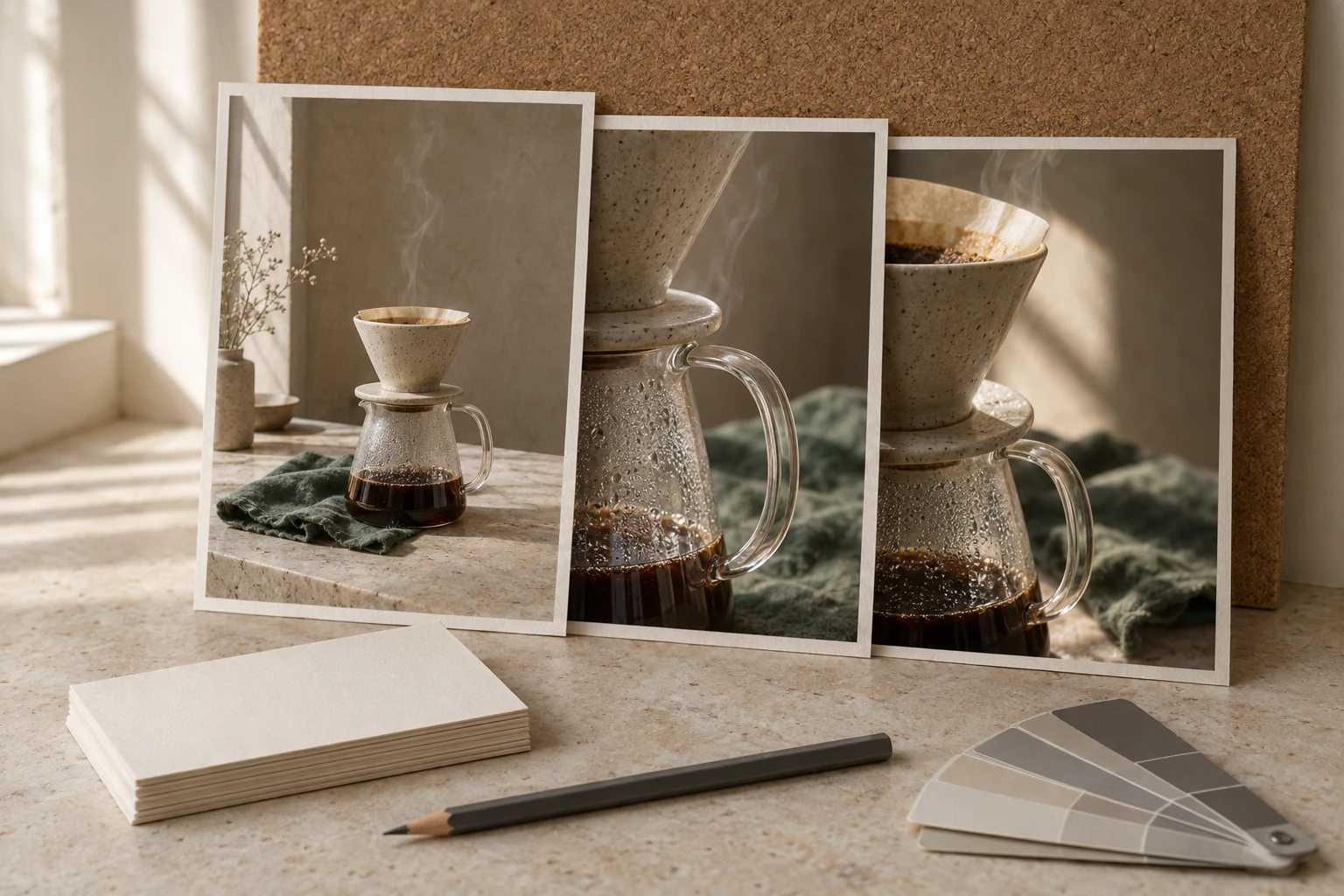
One subject, three crops: the reference-driven workflow that plans and models are usually being compared on. AI-generated concept illustration for this article; it is not a Mage screenshot, a Mage output, or a test result. The ceramic set is the subject used in the brief further down the page.
Mage's reference handling belongs to the same story. Characters and reference inputs work on Mango 2, Mango 3S, Mango 3, Mango 3 Turbo, and Mango 4; the Mango page lists up to 10 reference images and no negative-prompt field. If you need to exclude something explicitly, that page points you to Guava, which does take negative prompts. Two models in the same account therefore have two different prompt languages — worth knowing before you write a template you intend to reuse.
Five checks before you choose a plan
The plans differ by more than price. Run these against your own backlog in order.
- Does the model you would actually use run unlimited on that plan? Unlimited is granted per model. On Basic, Mango is not in the list at all — it costs Gems there. On Pro it is, at 1K and 2K.
- At what resolution does that model stay unlimited? Mango 4 tops out at 2K. Mango 3S reaches 3K and Mango 2 reaches 4K, and both of those wider ceilings start at Pro Plus. For a print or a crop-heavy layout, the resolution row decides the tier.
- How long a clip, at what resolution, do you need without counting? Pro includes unlimited video, but the included settings are short and small — Lemon at 3 seconds and 480p, for example. Longer and larger clips are Gem-priced or Max-plan settings.
- Do you need unlimited character creation? That starts on Pro, and only on models that support Characters.
- Will you pay for Fast Mode? Unlimited runs queue; Gems run at the front, and the docs describe unlimited generation as 2× faster on Basic and 4× faster on Pro and above. A plan alone does not buy queue priority for a given generation.
If two of those answers point to different tiers, the higher one is your floor. Topping up Gems does not move a resolution or a model onto your plan.
The plans, as published
Prices are the monthly list in US dollars from the membership page, read on November 13, 2026. Annual billing, promotions, and regional pricing were not part of this check, so confirm the checkout total before paying.
| Plan | Price / month | Monthly Gems | What runs unlimited | Notable extras |
|---|---|---|---|---|
| Free | $0 | 300 once, not monthly | Nothing — Gems only | Limited to options that cost Gems; no card required |
| Basic | $10 | 500 | Base and open-weights image models (Stable Diffusion, Flux 2, Chroma, Krea 2, MOSS-Image, Z-Image, GPT Image 2 and 2.5 at Low quality) | LoRAs, inpainting, Refine; 2× speed |
| Pro | $30 | 1,500 | Adds Mango, Guava, Grok Image, Seedream, Nano Banana 2.1 and more at 1K–2K; short low-resolution video clips | Unlimited character creation; Enhance 2K; 4× speed |
| Pro Plus | $60 | 3,500 | Wider resolution ceilings (Mango to 4K, MiniMax H3 Image to 4K); Cherry and more video models at short settings | Enhance 4K; custom model import; queue up to 10 generations |
| Max | $200 | 15,000 | Everything above, plus Motion Control, 1080p video, 2K Plum, and longer unlimited durations | Built for video volume; 4× speed |
Three details in that table are easy to miss and expensive to discover later.
- Free is a Gems account, not a limited free tier. The docs are explicit: a free account is limited to options that cost Gems, and the 300 sign-up Gems expire 90 days after they are credited.
- "Unlimited video" is a ladder, not a switch. On Pro the included video settings are seconds long at 480p. Cherry 2 Pro — the flagship, described by Mage as capable of clips up to 30 seconds — runs unlimited on Max at 4 seconds and 480p. The 30-second version exists; it is not what the top plan gives you for free.
- Add-ons can push a run off the unlimited path. LoRAs, extra reference images, reference videos, ControlNet, and hires passes are named by the docs as price raisers that can move a generation to a higher plan or to Gems.
Gems: the second currency, and its two clocks
Gems are how Mage prices anything outside a plan's unlimited settings: models above your tier, resolutions above the ceiling, longer clips, Fast Mode, and every generation on a free account. They are bought in packs, or deposited monthly with a membership.
| Pack | Price | Gems received | Expiry |
|---|---|---|---|
| 10,000 | $10 one-time | 10,000 | 90 days after purchase |
| 20,000 + bonus | $20 one-time | 20,500 | 90 days after purchase |
| 40,000 + bonus | $40 one-time | 42,000 | 90 days after purchase |
| 100,000 + bonus | $100 one-time | 110,000 | 90 days after purchase |
The two clocks are the part worth planning around. Membership Gems expire 30 days after deposit and are renewed each cycle; purchased Gems expire 90 days after purchase. If you hold both, the membership allowance is the one with the shorter deadline, so spend it first. A balance is capped at 300,000 Gems, which the docs describe as a temporary limit.
Four rules settle most disputes:
- A failed generation returns its Gems. The docs state that Gems are added back when a generation fails.
- A cancelled API request does not. The API's cancel endpoint explicitly says Gems are not refunded on cancellation.
- Unlimited plans generally are not refunded. The pricing FAQ says refunds are typically not offered because of the unlimited nature of the plans, and points to support for extraordinary cases.
- Gems do not unlock a model you cannot select. They pay for a generation; they do not change which models or resolutions your plan offers as unlimited.
Two balances with two deadlines: a refilled monthly allowance and a jar that empties on a fixed date. AI-generated concept illustration for this article; it is not a Mage interface, price screenshot, or balance.
For per-generation pricing, the API reference is the most concrete public source Mage publishes. At default settings it lists 42 Gems for Mango, 9 Gems for GPT Image 2, and 618 Gems for Cherry 2 Pro. Those are API defaults, not the app's on-screen quote for your settings, and the reference itself says the exact charge appears in the response's billing.gems_charged field. Treat them as an order of magnitude — a still image is priced in tens of Gems, a default video clip in hundreds — and read the confirmation screen for your own run.
Where the review stops
The official pages establish the surfaces, the plan contents, the resolution and duration ceilings, the Gem rules, and the rights grant. They do not establish how a particular brief will come out, how a queue behaves on a given afternoon, or whether a specific character will hold its likeness across ten generations. We have not run any of that, so this review makes no claim about output quality or speed.
Three boundaries are worth stating plainly. First, the ceiling numbers are plan features, not quality claims: a 2K unlimited Mango 4 run and a 4K unlimited Mango 2 run are different models, and nothing here says which one suits your artwork. Second, "commercial use" is a licence from Mage, not a clearance. The usage-rights page grants commercial use on every plan including Free, with three exceptions worth reading: models run by their own lab carry that lab's terms as well, imported models arrive with their author's licence, and audio you supply is not covered by Mage's grant. A real person's likeness without consent is not permitted in any plan. Third, prices, ceilings, and model rosters change; the numbers above are a snapshot from November 13, 2026, and the checkout screen is the current source.
A conditional verdict, then: Mage Space is a strong fit if you want one login for a wide model roster and you will actually use the unlimited tier on the models your plan includes. If your work is a handful of images a month on one model, a Gems-only account or a single-model tool is a shorter path, and the unlimited ladder is a feature you would be paying for without using.
Try the same task in Ottermind
The decision above is about plans. The task underneath it is usually ordinary: keep one subject consistent while you produce a few frames of it. That task can be run without opening Mage — the narrowest version of the check is a single 4:5 frame with one reference photo and a written brief.
A 4:5 product photograph of the speckled ceramic pour-over set in my reference image, standing on a pale limestone counter. Soft morning window light from the left, one deep-green linen napkin folded beside the carafe, a thin curl of steam above the dripper, shallow depth of field, small specular highlights on the glass. Warm palette of ivory, oat and clay with a single deep-green accent. Keep the dripper, carafe and handle proportions exactly as in the reference. No text, no labels, no props beyond the napkin.Filling and sending are separate actions here. Use the pour-over brief only places the text in the composer above; nothing leaves the page. When you send, Ottermind stages the prompt and any reference image you attached and continues in Studio, where the model and the displayed credits are visible before you generate. The reference is optional, and the brief still works without one — it just becomes a scene description rather than a match.
| What you are doing | Where to continue | Why that destination |
|---|---|---|
| Keeping one product or character consistent across frames | Unrestricted AI Image Generator | Prompt plus reference, then refine the frames you keep |
| Turning an approved still into a moving shot | Image to Video | Direct the motion and camera on your own image instead of starting from a new scene |
| Cleaning up a frame before it goes anywhere else | AI Image Editor | Local fixes on the image you already approved |
None of those links open Mage, call its models, or spend its Gems. They are separate products for the adjacent task. Ottermind does not promise a free tier, a fixed generation time, a fixed credit cost, or output that is unique to you, and a generated likeness still needs the same consent and rights review described above.
Mage Space questions worth answering
Is Mage Space free?
Yes, to start. New accounts receive 300 Gems once, and Gems work on every model, so you can generate without a membership. Two limits matter: those Gems expire 90 days after they are credited, and a free account is restricted to options that cost Gems, so none of the unlimited tiers apply. Membership plans start at $10 per month.
What is the difference between a plan and Gems?
A plan makes named models run without a per-generation charge, at named resolutions and durations, and deposits Gems each month. Gems pay for anything outside that: a model above your tier, a larger resolution, a longer clip, Fast Mode, or a generation on a free account. Buying more Gems never moves a model or a resolution into your plan's unlimited list.
Which plan should a first project start on?
The cheapest tier that clears the resolution and clip length you actually need. If your work is 1K–2K stills on Mango, Guava, or a base model, Pro is the first plan that covers it; if you need 3K–4K unlimited output, 4K enhancement, or custom model imports, that is Pro Plus; if you need Motion Control, 1080p video, or the longer unlimited durations, it is Max. Run one real brief on the smallest tier that fits before committing to a year.
Can I use Mage Space inside Ottermind?
No. They are separate products with separate accounts. This page offers an Ottermind composer and a matching brief so you can run an adjacent task, and Mage's own tools stay on mage.space.
