Technical Guide
Claude Agent SDK: What It Does and How to Evaluate It
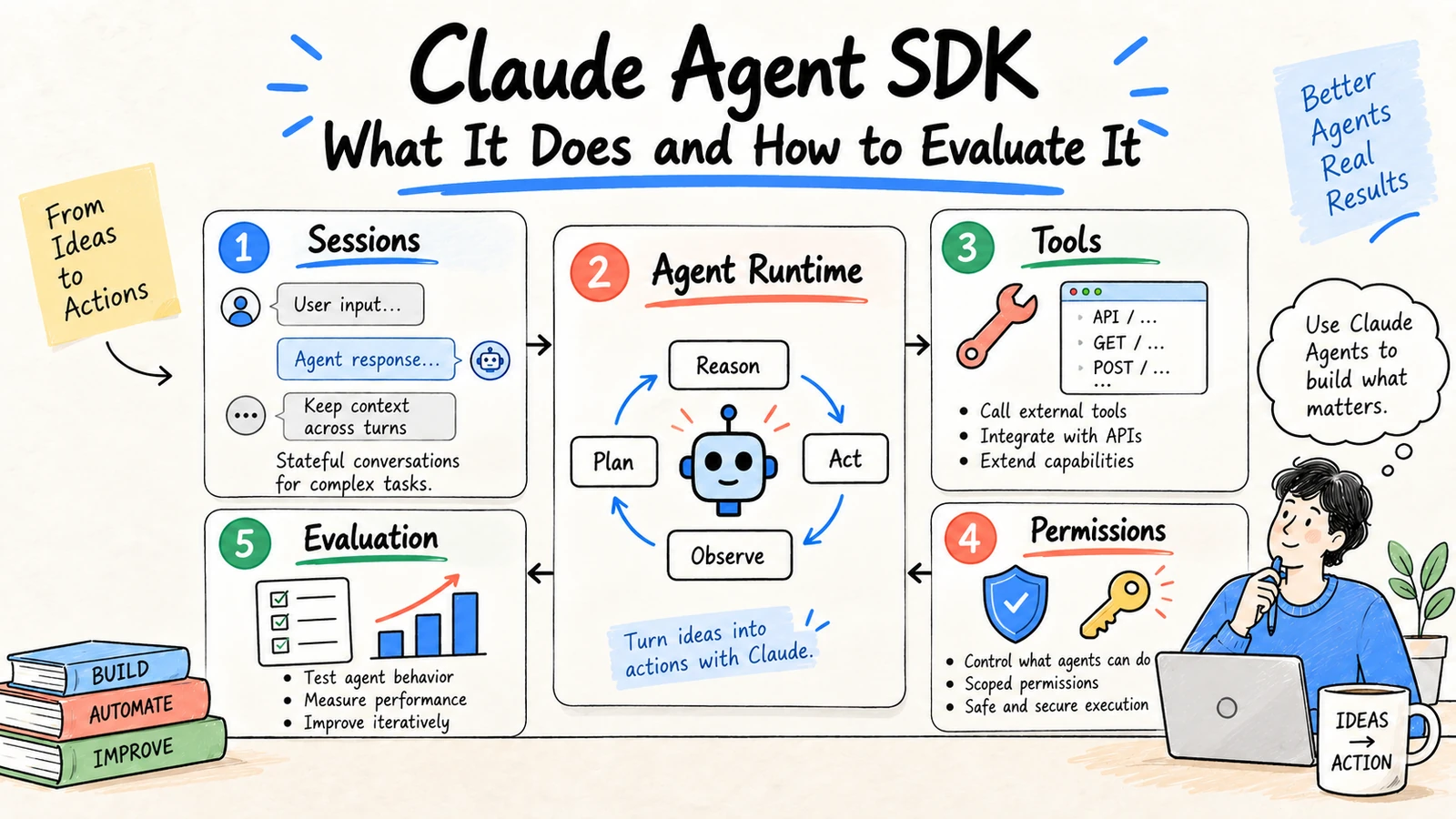
The Claude Agent SDK is a developer surface for building applications that let Claude run bounded, tool-using workflows. The SDK can manage sessions, invoke tools, and coordinate work, but it does not remove the need for application permissions, source controls, evaluation, or human approval. Treat it as an agent runtime component, not a complete production system.
For teams that need to finish source-grounded work without owning an agent runtime, Ottermind provides the managed workspace path: keep files, research context, decisions, and deliverables connected while a person reviews the result. The SDK and a managed workspace solve different operating problems.
Research and disclosure: This guide is based on the Claude Agent SDK repository, Anthropic tool-use documentation, and AWS AgentCore Claude Agent SDK documentation, reviewed September 3, 2026. APIs and limits are evolving; verify the current release before implementation.
The core building blocks
| Building block | Responsibility | Application control |
|---|---|---|
| Session | Maintains a run and its conversation state | Expiration, isolation, and audit record |
| Model | Interprets context and proposes steps | Model version, budget, and output contract |
| Tool | Performs a bounded operation | Schema, timeout, permission, and idempotency |
| Subagent | Handles a genuinely separate role | Scope, budget, and escalation rules |
| Permission mode | Controls what the agent may access or change | Allowlist and human confirmation |
| Result | Returns text, structured data, or artifacts | Validation and reviewer handoff |
Start with one reversible task
Prototype a read-heavy workflow such as turning approved repository files into a change brief. Capture the input set, prompt, model version, tool calls, output, reviewer corrections, and final decision. Add write access only after the trace is understandable and failures are recoverable.
A minimal task contract
Goal: produce a source-grounded implementation brief.
Allowed sources: the attached repository files only.
Allowed tools: list files and read files; no writes or network calls.
Output: findings, proposed changes, evidence, risks, and open questions.
Stop when: a required source is missing or permissions are unclear.
Sessions and subagents
Use a session when the workflow needs continuity across several steps. Use a subagent only when the role, tools, or evaluation criteria genuinely differ. More agents add coordination, latency, and failure paths. Pass the smallest context each role needs and return structured results with status and evidence.
A practical architecture
Keep the SDK behind an application boundary with five responsibilities:
- Request handler: authenticates the user, selects the allowed project, and sets a budget.
- Context loader: retrieves only permitted files and records their identifiers and dates.
- Agent runner: starts the session, supplies tools, and persists each tool request and result.
- Policy layer: validates arguments, blocks disallowed actions, and asks for confirmation.
- Result adapter: validates the returned shape and hands a draft to the reviewer or next system.
This separation matters because the SDK can help the model request a tool, but your application decides whether that request is allowed. Do not place authorization logic in a prompt or assume that a model will preserve tenant boundaries by itself.
Sessions, resumption, and failure
Give every run an explicit identifier and a terminal state such as completed, needs_review, blocked, or failed. Persist the model and SDK version, prompt revision, input sources, tool calls, and reviewer decision. If a network error occurs after a write, use an idempotency key and query the system of record before retrying. If a session resumes after a human edit, include the edited artifact and the reason for the change rather than replaying an opaque conversation.
Tool design examples
Prefer a function such as create_draft_task(title, owner, due_date) over a general-purpose shell tool. The narrow function can enforce date formats, allowed owners, project scope, and a draft-only status. A file search tool should return file identifiers and excerpts, not silently expose an entire drive. A browser tool should use an allowlist and stop before authentication or payment.
Costs and latency
Set budgets before the run begins: maximum model turns, tool calls, tokens, elapsed time, and subagent count. Route extraction to a smaller model when quality permits and reserve complex reasoning for ambiguous steps. Record actual usage with the result so a successful demo cannot hide an uneconomic workflow. Long tasks should be asynchronous, cancellable, and visible to the user.
SDK versus a managed workspace
Build with the SDK when your team needs application-specific tools, deployment control, or a custom runtime and can own security, observability, and maintenance. A managed workspace is a better starting point when the main requirement is to connect files, research, decisions, and deliverables for human review. The choice is about operating responsibility, not which label sounds more autonomous.
Example: a research-to-brief agent
Imagine a team that needs a weekly competitor brief. The request handler checks the analyst's identity and selects the approved project. The context loader retrieves the source list and records the retrieval date. The agent session can call only search_approved_sources and draft_brief. The policy layer rejects requests for arbitrary URLs, external posting, or files outside the project. The result adapter requires sections for findings, citations, uncertainty, and open questions before presenting the draft to a reviewer.
The useful artifact is not just the final prose. It is the trace: which sources were available, which tools were called, what was blocked, what the reviewer changed, and whether the brief was accepted. That trace supports debugging, cost analysis, and a repeatable evaluation set when the model or SDK changes.
Versioning and upgrades
Pin the SDK and model versions in each environment. Read release notes for changes to permission modes, tool schemas, session behavior, and supported models. Run regression cases before upgrading, including a test that confirms forbidden tools remain forbidden. Keep a rollback version available and avoid upgrading in the middle of a long-running workflow without a migration plan.
Production readiness checklist
- Authentication and tenant checks happen before context retrieval.
- Every tool has a narrow schema, timeout, and authorization check.
- Sessions have budgets, cancellation, expiration, and terminal states.
- Outputs are validated before they reach a system of record.
- Sensitive actions require an explicit human approval event.
- Logs contain enough provenance to replay a failure without storing secrets.
- Evaluation cases cover quality, safety, cost, and latency.
Permission and security boundaries
Validate tool arguments in application code. Keep credentials outside prompts, scope filesystem and network access, set timeouts, and require confirmation for sending, deleting, purchasing, or changing access. Log every consequential tool call with the acting identity and approval decision.
Evaluate the workflow, not the demo
Build a test set with normal, incomplete, contradictory, adversarial, and permission-sensitive cases. Measure correct completion, safe escalation, tool errors, latency, cost, and reviewer corrections. Pin model and SDK versions for each evaluation run.
FAQ
Is the Claude Agent SDK the same as Claude API tool use?
No. Tool use is a model interaction pattern. The SDK provides more application-level building blocks for agent sessions and workflows, while your application still owns policy, storage, permissions, and evaluation.
Do I need multiple agents?
Usually not at first. One agent with narrow tools and explicit checkpoints is easier to test and operate.
Can the SDK safely edit files or run commands?
It can be connected to such tools, but safety comes from your sandbox, allowlists, validation, review, and rollback design. Never treat a generated command as pre-approved.
For the broader system boundary, see AI agent architecture and AI agent security.
