Technical Guide
AI Agent Security: A Practical Control Checklist
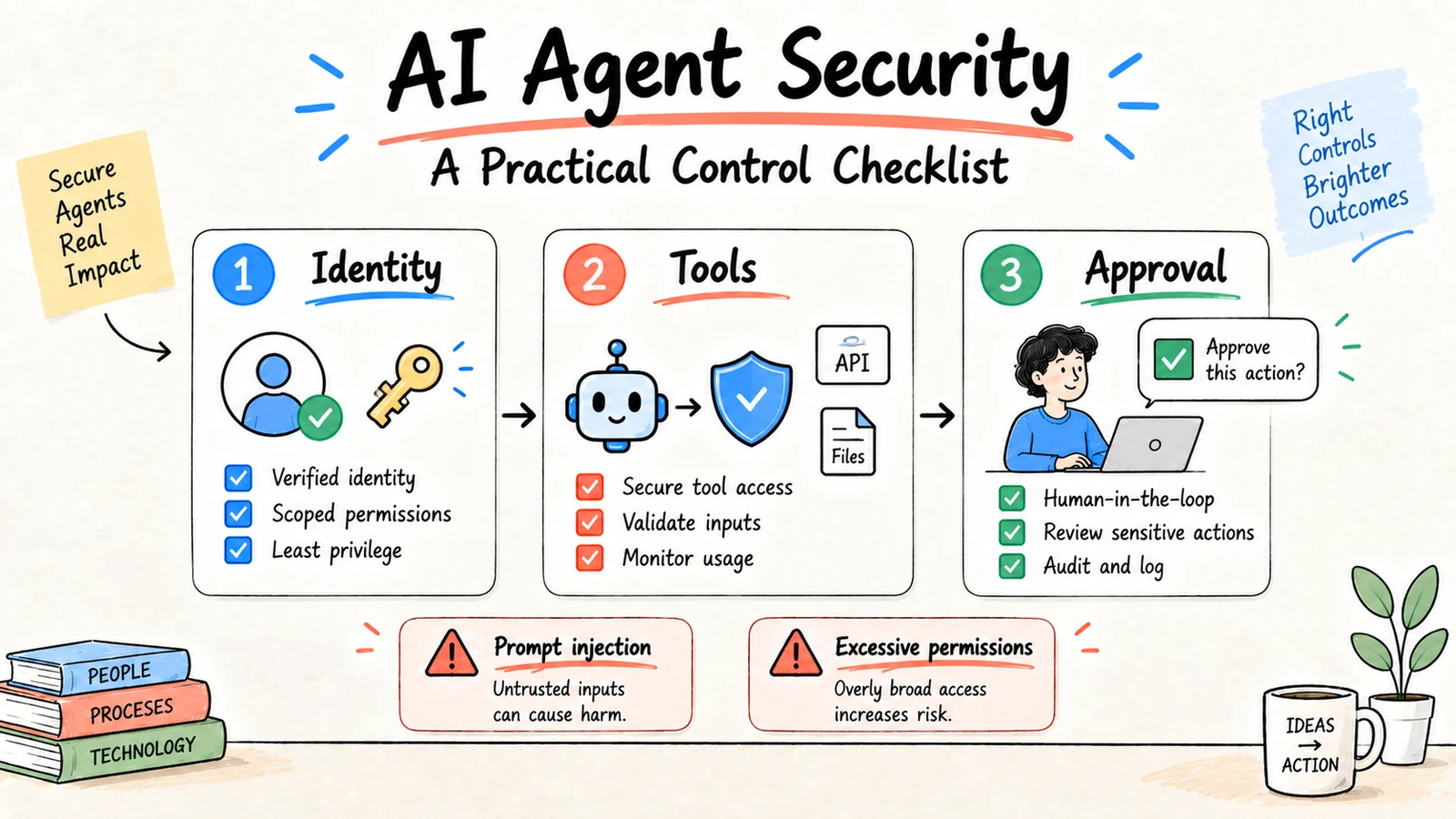
AI agent security is the control system around a model that can read context, choose tools, and act across steps. A secure design assumes that model output, retrieved content, and tool results can be wrong or adversarial. It limits access, validates every action, makes uncertainty visible, and keeps a person responsible for consequential changes.
Ottermind applies this same boundary-first approach to connected work: source context and deliverables stay reviewable, while consequential actions remain subject to permissions and human approval. It is a workspace option, not a substitute for an organization's security review.
Research and disclosure: The checklist draws on the NIST AI Risk Management Framework, OWASP Top 10 for LLM Applications, and Anthropic agent safety guidance, reviewed September 3, 2026.
The five security boundaries
| Boundary | Main risk | Required control |
|---|---|---|
| Identity | Wrong user or tenant context | Strong identity and tenant checks |
| Retrieval | Leaked, stale, or poisoned context | Permission-aware retrieval and provenance |
| Tools | Excessive or malformed actions | Narrow schemas, validation, and timeouts |
| Runtime | Commands, files, or network overreach | Sandbox, isolation, and egress policy |
| Operations | Silent failures or unreviewed changes | Traces, alerts, approvals, and rollback |
Security is distributed across the workflow. A final prompt asking an agent to “be careful” is not a security control.
Threat model before feature design
Write down what the agent can observe, what it can change, and who could benefit from a mistake. Consider a curious user, a compromised connector, malicious text in a retrieved document, a tool returning unexpected data, and a service outage during a write. For each threat, name a prevention control, a detection signal, and a recovery action. This lightweight threat model often reveals that the riskiest feature is an overly broad connector rather than the model itself.
Identity and tenant isolation
Authenticate the person before starting the run and authorize every retrieval and tool call against that identity. Do not assume that a model-visible project ID is trustworthy. Check tenant, project, role, and record-level permissions in the service that owns the data. For multi-user workspaces, test a cross-tenant request explicitly and verify that logs do not expose forbidden filenames, snippets, or tool arguments.
Retrieval integrity
Retrieval systems can leak data, return stale records, or surface instructions embedded in documents. Store provenance with each chunk: source identifier, owner, effective date, and permission decision. Prefer current source-of-truth records and expose conflicts. Treat HTML, PDFs, emails, and issue comments as data, not instructions. A model should never be able to grant itself access because a retrieved paragraph says it should.
Tool and runtime isolation
Use narrow tools that express business intent instead of a general shell or unrestricted HTTP client. Validate arguments, enforce quotas, set timeouts, and make writes idempotent. Run code or browser actions in a sandbox with a disposable filesystem and restricted egress. Separate development credentials from production credentials and rotate short-lived tokens after the run.
Human approval design
Approval should show the proposed action, target, source evidence, side effects, and alternatives. “Approve” should not hide a batch of unrelated writes. Require stronger review for external communication, deletion, payment, access changes, and policy updates. Store the approver, timestamp, decision, and any edits so a retry cannot silently bypass the checkpoint.
Red-team test cases
Build a small regression set that includes prompt injection in a document, a user without access, a tool returning malformed JSON, an expired credential, a changed schema, a duplicate retry, and a request to send or delete. The expected result is not always a completed task; safe refusal, escalation, and a useful error are valid outcomes. Run the set whenever prompts, tools, connectors, or model versions change.
Security operations checklist
- Maintain an inventory of models, tools, connectors, and data stores.
- Review connector scopes and privileged roles on a schedule.
- Alert on unusual tool volume, cross-project retrieval, and blocked actions.
- Retain traces long enough to investigate incidents without storing unnecessary secrets.
- Document how to revoke access, stop a run, and restore the source record.
- Give users a clear way to report an unsafe suggestion or leaked context.
Mapping controls to agent stages
Security reviews are easier when they follow the agent loop. At intake, verify identity, purpose, and allowed data. During retrieval, enforce permissions and attach provenance. During reasoning, constrain the output schema and mark uncertainty. Before a tool call, validate the arguments and side effects. After the call, verify the result and record the transition. Before completion, require the appropriate reviewer and persist the final status. This stage-by-stage map prevents teams from treating security as a single gateway around an otherwise unrestricted agent.
Supply chain and connector risk
An agent's effective capability includes its SDK, plugins, MCP servers, browser extensions, prompt templates, and connector scopes. Inventory these dependencies and review updates before they reach production. Pin versions where practical, sign or verify packages, and keep test credentials separate from customer data. A connector that can read an entire drive may create more exposure than the model provider, even when the model itself is configured correctly.
What a useful security review contains
Record the intended workflow, data classification, identities, tools, model and SDK versions, threat scenarios, controls, test cases, unresolved risks, and accountable owner. Include one example of a blocked action and one example of a safe escalation. Revisit the review when a new connector, tool, model, or autonomy level is introduced; the old approval should not silently cover a materially different action surface.
Least privilege in practice
Give an agent only the sources and tools required for the current task. Separate read and write credentials. Scope files by project and identity, restrict network destinations, and expire temporary access. Test the permission boundary with a user who should not be able to see the source.
Tool-call contract
{
  "tool": "create_draft_task",
  "arguments": {"title": "...", "owner": "...", "due_date": "..."},
  "requires_approval": true,
  "idempotency_key": "project-123:brief-v2"
}
Validate types, allowed values, identity, and side effects in application code. Require confirmation for sending, deleting, purchasing, changing access, or publishing. Make retries safe with idempotency keys.
Retrieval and prompt injection
Treat documents, web pages, emails, and tool results as untrusted data. Delimit them from system instructions, preserve source identifiers, and prevent retrieved text from changing permissions or tool policy. When sources conflict or retrieval is empty, return an escalation state instead of guessing.
Evaluation and incident response
Test normal, incomplete, adversarial, cross-tenant, sensitive, and tool-failure cases. Track blocked actions, unsafe suggestions, data exposure attempts, tool errors, and reviewer corrections. Keep a rollback path and an owner who receives incidents.
FAQ
Can an AI agent be fully autonomous?
Autonomy is a bounded product setting, not a security property. The more consequential the action, the stronger the approval, monitoring, and rollback controls should be.
Does a private model solve agent security?
No. A private model may change data-flow risk, but identity, retrieval, tool permissions, runtime isolation, logging, and human review still matter.
What should teams secure first?
Start with identity, retrieval permissions, and tool write boundaries. A read-only workflow with clear traces is a safer first deployment than broad autonomous access.
For system structure, see AI agent architecture; for implementation details, compare the Claude Agent SDK guide.
