Review
Beautiful.ai Review 2026: Smart Slides, Pricing, and Limits
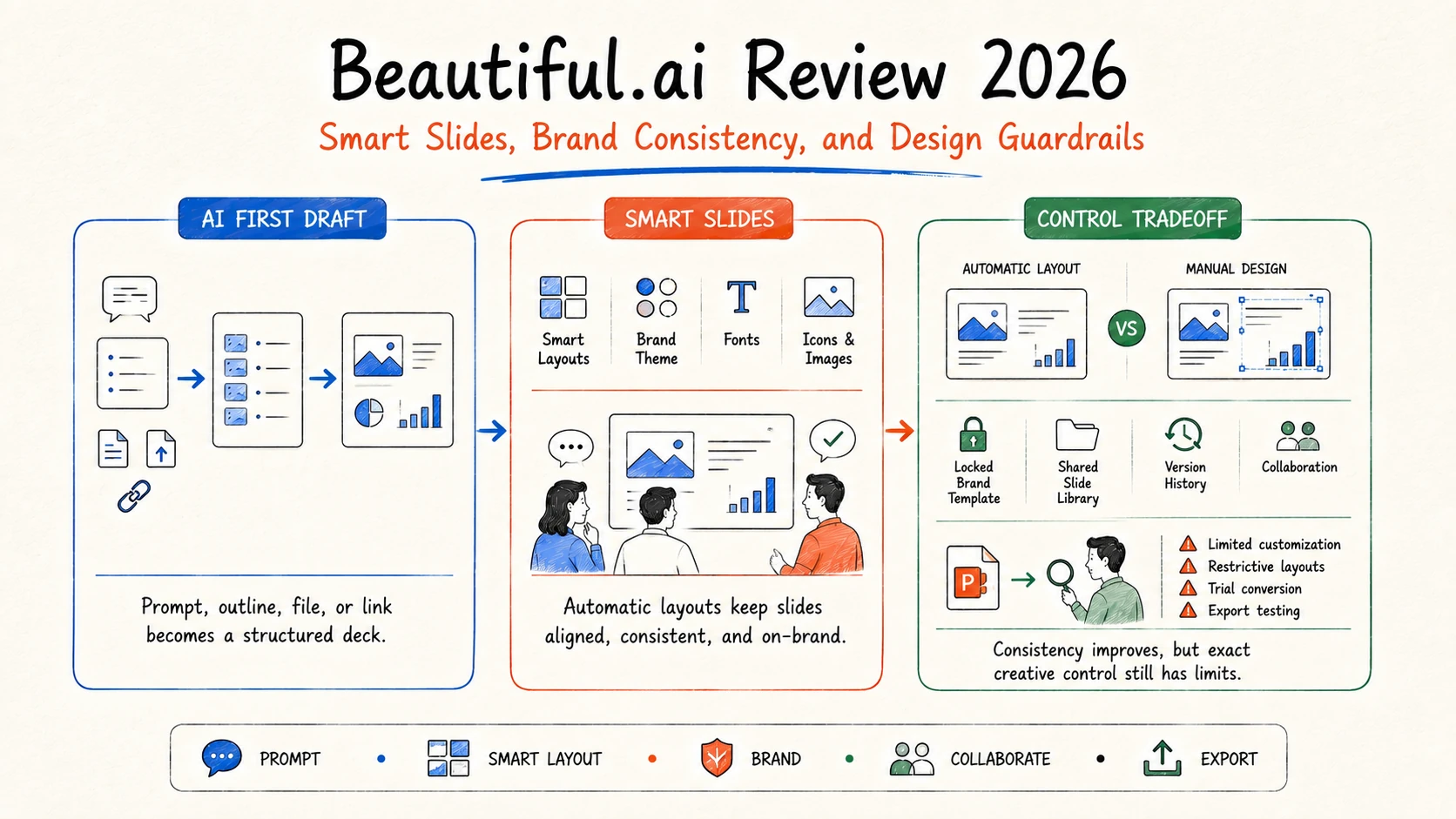
Beautiful.ai is a strong presentation tool for people who want professional layouts without manually aligning every object. Its Smart Slides automatically resize and rearrange content as you edit, while themes and team controls help presentations stay consistent. That design discipline is also the main constraint: users who want pixel-level freedom may find the guardrails restrictive.
The best reason to choose Beautiful.ai is not “AI writes every slide.” It is that the editor keeps ordinary business decks structured after the first draft. The reason to test before buying is the same: confirm that its layout rules, PowerPoint export, subscription model, and brand controls match the way your team actually revises and hands off decks.
Search demand and research scope: DataForSEO US data accessed August 28, 2026 reported about 14,800 monthly searches for “beautiful ai” (keyword difficulty 0) and 320 for “beautiful ai review” (difficulty 10). Beautiful.ai's homepage was estimated to receive about 14,300 monthly organic visits and had 210 newly ranking keywords. These are third-party estimates, not vendor analytics.
Beautiful.ai review: the short answer
| Decision factor | Assessment | Why it matters |
|---|---|---|
| Layout automation | Strong | Smart Slides apply spacing, alignment, and visual rules as content changes |
| Business presentation polish | Strong | Templates and structured layouts suit common professional narratives |
| Fine design control | Mixed | Automatic behavior can resist exact positioning and unusual compositions |
| Brand consistency | Strong | Themes, assets, locked slides, and team libraries support repeatable standards |
| Collaboration | Strong on Team | Shared workspaces, versioning, permissions, and analytics support organizations |
| Pricing flexibility | Mixed | No permanent free plan is advertised; the 14-day trial requires a card |
Beautiful.ai is worth considering for consultants, sales teams, marketers, educators, and internal communications teams that create conventional decks at volume. It is a weaker fit for highly art-directed presentations or teams that insist on editing every element with PowerPoint-native behavior.
What Beautiful.ai does
Beautiful.ai is an AI-assisted presentation platform built around Smart Slides. You can generate a deck from a prompt, outline, file, or link; build slide by slide from more than 300 layouts; or start from a designer template. AI can create or rewrite content, generate images, translate text, and help shape a first draft.
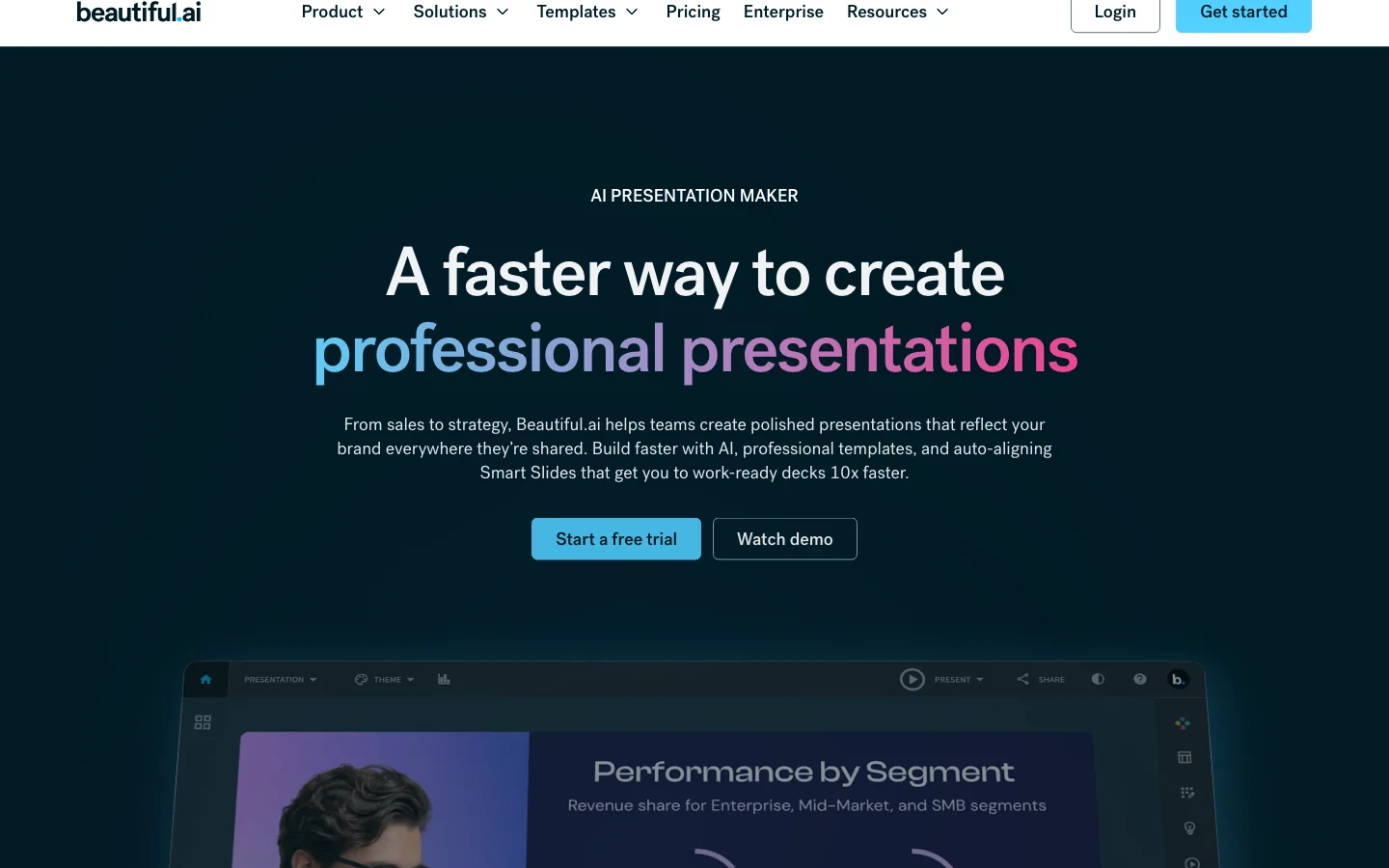
Official product reference: Beautiful.ai for individuals documents AI generation, source context, Smart Slides, data visualization, media, and brand themes. Accessed August 28, 2026.
Smart Slides are the product's core distinction. Add or remove content and the layout adapts. This reduces broken alignment, inconsistent spacing, and the “move one object, fix five others” problem common in manual slide editing.
Classic Slides are available when you need fewer design guardrails. The decision is therefore not fully automatic versus fully manual; it is how often your deck fits one of the structured patterns.
Where Beautiful.ai is strongest
Professional layouts for non-designers
The tool is effective for common business slides: timelines, comparisons, process diagrams, team structures, charts, product overviews, and summary pages. Users can focus on the story while Smart Slides handle much of the composition.
G2 currently summarizes 194 reviews at 4.7 out of 5. Common positive themes include ease of use, presentation quality, templates, and time savings. The same review set names limited customization, template limitations, PowerPoint issues, and cost among recurring negatives. These themes are helpful signals, not proof that every user will have the same experience.
Public review reference: Beautiful.ai reviews on G2, accessed August 28, 2026. Ratings and review counts change over time.
Brand control across a team
Pro supports custom themes with colors, fonts, logos, icons, and footers. Team adds a shared workspace, centralized slide and template libraries, version control, locked slides, shared assets, and live data linking. Enterprise adds SSO, audit logs, provisioning, advanced permissions, and additional security controls.
This matters more than a single attractive AI draft. A reusable theme and approved slide library can reduce inconsistency across sales, marketing, finance, and leadership decks.
Structured collaboration and analytics
Team plans include real-time editing, viewer and slide analytics, engagement alerts, and access controls. Those features fit presentations that remain living assets rather than one-off files.
Beautiful.ai also supports PowerPoint import, editable PowerPoint export, PDF export, and offline playback according to the current plan comparison. As with every cross-editor workflow, test complex layouts, fonts, animations, and charts in the final environment.
Limitations that matter
Smart Slides trade freedom for consistency
Automatic layout is the value proposition and the most common criticism. A Smart Slide may keep content tidy while preventing the exact spacing, overlap, crop, or unconventional composition a designer wants. G2 reviewers describe the system as helpful but sometimes restrictive for precise placement and fine tuning.
Use Classic Slides where appropriate, or decide that a specialist design tool is the final production environment. Do not force every visual idea into a Smart Slide merely because it is available.
Generated content still needs an editor
AI can draft an outline, slide copy, and imagery, but a polished layout does not validate the facts. Generic positioning, invented statistics, weak citations, and repetitive language remain possible. Provide approved source material, define the audience and decision, and review each claim.
For research-heavy work, build the evidence and narrative before slide generation. The AI presentation workflow guide shows how to separate source review, outline approval, visual production, and final QA.
The trial converts unless cancelled
Beautiful.ai advertises a 14-day Pro or Team trial with a credit card. The pricing page says the card is charged if the trial is not cancelled before it ends. Monthly subscriptions are non-refundable; annual subscriptions may qualify for a partial refund only when requested within 24 hours, and processing fees apply.
Set a reminder when starting the trial and evaluate a real deck immediately. Subscription complaints do not tell you whether the editor fits your work, but the published billing terms should be understood before signup.
PowerPoint export is a workflow test, not a checkbox
Beautiful.ai lists editable PowerPoint export on its plans. That is useful, especially for clients and organizations standardized on Office. It does not mean every dynamic layout, custom font, animation, or data connection will behave identically in every PowerPoint environment.
Use the same acceptance test you would use for any slide platform: export a representative deck, open it on another machine, edit the most complex slides, and compare the PDF and presentation modes.
Beautiful.ai pricing in 2026
| Plan | Current published price | Main features |
|---|---|---|
| Pro | $12/month billed annually | AI generation, 300+ Smart Slides, branding, PowerPoint import/export, analytics |
| Pro one-off monthly | $45 for one month | Pro features for an ad hoc project; cancel before renewal |
| Team | $40/user/month annually or $50 monthly, 2-20 seats | Collaboration, shared libraries, version control, brand controls, analytics |
| Enterprise | Custom | SSO, SCIM, audit logs, advanced permissions, onboarding and security controls |
The 14-day trial requires a credit card. Beautiful.ai also advertises a year free for students with a valid .edu address. Taxes, regional availability, seat minimums, and promotional terms may vary.
Official pricing reference: Beautiful.ai pricing, accessed August 28, 2026. Prices and plan features can change; verify the current checkout and cancellation terms.
The annual Pro price is attractive for regular use, but it is a commitment. The $45 monthly option makes more sense for one project. Team is a much larger investment and should be justified by shared brand libraries, collaboration, governance, or analytics rather than by AI generation alone.
Beautiful.ai vs Gamma, Canva, and PowerPoint
| Tool | Best fit | Main tradeoff |
|---|---|---|
| Beautiful.ai | Structured business decks and brand consistency | Smart Slide guardrails can limit precision |
| Gamma | Fast, web-native narratives and shareable pages | PPTX fidelity can need cleanup |
| Canva | Broad visual design and asset production | Less opinionated presentation structure |
| PowerPoint | Native enterprise handoff and precise slide editing | More manual design work without strong templates or add-ins |
Choose Beautiful.ai when repeatable professional structure matters more than unrestricted layout. Choose Gamma when the live web experience is the primary output. Choose Canva when the deck is part of a wider visual campaign. Choose PowerPoint when the native file and established Office workflow are non-negotiable.
See the full AI presentation maker comparison for additional tools.
Who should use Beautiful.ai?
Beautiful.ai fits business users who make sales decks, proposals, reports, training material, project updates, and executive presentations. Teams gain the most when they share themes, approved slides, and brand assets.
Skip or delay it if you need a permanent free plan, unrestricted art direction, deeply custom animation, engineering diagrams, or an exact PowerPoint master workflow that has not passed an export test.
Frequently asked questions
Is Beautiful.ai free?
Beautiful.ai currently advertises a 14-day trial rather than a permanent public free plan. The trial requires a credit card and converts to a paid subscription unless cancelled before it ends. Eligible students can receive a year free with a valid .edu email.
How much does Beautiful.ai cost?
Pro is $12 per month when billed annually. A one-month Pro option is $45. Team is $40 per user per month annually or $50 monthly for 2-20 seats. Enterprise pricing is custom. Verify the current checkout before purchase.
Can Beautiful.ai export to PowerPoint?
Yes. The current plan table lists editable PowerPoint export and PowerPoint import. Test fonts, charts, animations, and complex layouts in the receiving environment before promising a client-ready handoff.
Is Beautiful.ai better than Gamma?
Beautiful.ai is usually stronger for conventional business slides, automatic layout rules, and team brand governance. Gamma is usually stronger for rapid web-native narratives, documents, and lightweight sites. Neither is universally better.
Is Beautiful.ai better than Canva?
Beautiful.ai is more focused on keeping presentations structured. Canva offers a broader design canvas and more asset types. Choose based on whether the bottleneck is slide consistency or general visual production.
Final verdict
Beautiful.ai is a credible presentation system because its most useful feature persists after generation: Smart Slides continue to manage layout as the deck changes. That makes it valuable for users who produce professional business presentations but do not want to become slide designers.
The same guardrails will frustrate users who need exact control. Use the trial to rebuild a representative deck, apply the real brand, invite a reviewer, and export to PowerPoint. If those four steps work, the tool has earned consideration. If they do not, a polished demo deck is irrelevant.
Sources and disclosure
This review was researched from official Beautiful.ai product, pricing, support, and security information; DataForSEO US keyword and page data; G2 review themes; and current search results on August 28, 2026. Ottermind publishes this article and operates in the broader AI workspace category. There is no claimed sponsorship, affiliate relationship, or controlled productivity benchmark.
