How To
AI Assistant vs AI Agent vs Copilot
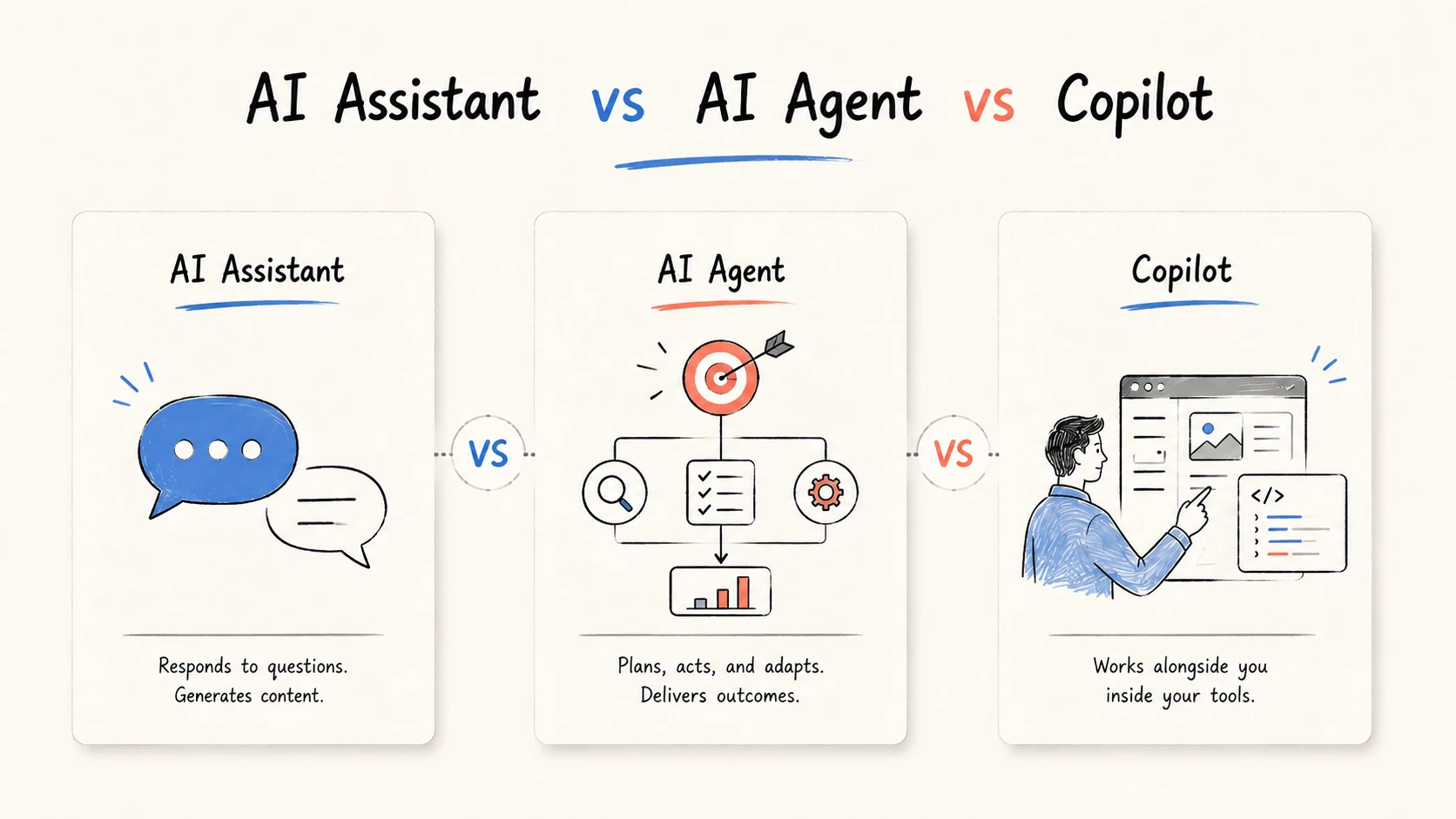
An AI assistant helps a person think or produce something. An AI agent pursues a goal across multiple steps and can use tools to act. A copilot is AI embedded in a person's existing work surface, such as an editor, office suite, or business application. The categories overlap: a copilot can expose assistant features, agent features, or both.
That overlap is why product labels alone are a poor buying guide. The useful comparison is not which term sounds most capable. It is who drives the work, where the AI operates, what it may change, and who approves the result.
Quick comparison
| Dimension | AI assistant | AI agent | Copilot |
|---|---|---|---|
| Primary role | Helps a person answer, analyze, or create | Pursues a defined goal | Helps inside an existing work surface |
| Interaction model | Prompt and response | Goal, plan, actions, feedback | Contextual suggestions, chat, or delegated tasks |
| Who drives the next step? | Usually the user | The system, within limits | Usually the user; agent modes may take over a bounded task |
| Tool use | Optional and often user-directed | Central to completing work | Depends on the host product and enabled mode |
| Working context | Conversation, files, or a knowledge base | Task state, tools, memory, files, and intermediate results | The open document, codebase, inbox, meeting, or application data |
| Typical output | Answer, draft, summary, or recommendation | Completed workflow or reviewable deliverable | A change or suggestion in the current application |
| Best fit | Exploration and individual productivity | Variable, multi-step work | Reducing context switching in an established workflow |
| Main risk | A plausible but incomplete response | Incorrect or excessive action | Overtrust caused by convenient in-context suggestions |
| Human responsibility | Provide context and evaluate the response | Set limits, inspect evidence, and approve consequences | Review changes in the system where the work occurs |
The most important row is not autonomy. It is accountability. None of these labels transfers responsibility away from the person or organization using the system.
Category references and disclosure: Google Cloud defines AI agents as systems that pursue goals and complete tasks with reasoning, planning, memory, and a level of autonomy. Microsoft describes Microsoft Copilot as an AI-powered work tool connected to Microsoft 365 applications and permitted work context. GitHub describes GitHub Copilot as an AI coding assistant with suggestions, chat, command-line help, and task execution. These sources also show why the labels overlap. Ottermind appears as a product example; this article is not an independent benchmark.
The classification layer most comparisons miss
These terms answer different questions.
- Assistant describes the relationship: AI helps a person.
- Agent describes the operating pattern: AI chooses and executes steps toward a goal.
- Copilot describes the product position: AI works beside the user inside another workflow or application.
This means they are not three mutually exclusive boxes. A writing copilot may behave like an assistant when it suggests a sentence. The same product may behave like an agent when it researches a topic, edits several files, checks the result, and returns a package for review.
Use the labels as coordinates rather than a ranking:
| Product behavior | Assistant-like | Agent-like |
|---|---|---|
| Standalone chat or workspace | Answers questions, analyzes files, drafts content | Plans and completes a multi-step project with tools |
| Copilot inside an application | Suggests the next sentence, formula, slide, or code block | Changes several connected artifacts and validates the outcome |
Two products can both call themselves copilots while offering very different levels of tool access and delegated execution. Conversely, a product named "assistant" may include an agent mode. Compare the operating behavior, not the noun on the pricing page.
What is an AI assistant?
An AI assistant is a broad category for systems that support a person through natural-language interaction. The assistant may answer questions, summarize material, generate options, analyze a file, or draft an artifact. In the simplest pattern, the user decides what happens next after every response.
An assistant is a good fit when:
- The task is exploratory or difficult to specify upfront
- A person wants ideas, explanations, analysis, or a first draft
- The result can be judged immediately in the conversation
- The user should control each meaningful next step
- Tool access is unnecessary or should remain tightly supervised
The weakness of an assistant is not necessarily output quality. It is workflow continuity. A strong answer can still leave the user to collect sources, transfer context, create files, reconcile versions, and route the result for approval.
When an assistant is enough
Suppose a product marketer needs positioning ideas from a launch brief. An assistant can summarize the brief, identify audience themes, and propose five messaging directions. If the marketer wants to compare the options and choose the next prompt personally, an assistant is the right level of control.
Do not add agentic execution just to make the system look advanced. Every extra tool and permission creates another failure path.
What is an AI agent?
An AI agent receives an objective, observes relevant context, chooses a next action, uses allowed tools, evaluates what happened, and continues until it reaches a stopping condition or needs human input. Planning and tool use matter because the work is not fully encoded as a fixed sequence.
An agent is useful when:
- The input includes varied files, links, notes, or live information
- The correct next step depends on what the system discovers
- Several outputs must remain consistent with the same evidence
- The task requires iteration, validation, or recovery from errors
- The environment provides narrow permissions and review checkpoints
Good agent design is bounded. The agent needs an explicit goal, allowed tools, data-access rules, escalation conditions, and acceptance criteria. It should preserve sources, assumptions, intermediate work, and a clear record of actions.
An agent should not be treated as a person with unlimited discretion. High-impact actions such as publishing, sending customer communications, changing permissions, spending money, or making regulated decisions require stronger controls and often human approval.
What is a copilot?
"Copilot" usually describes AI placed inside the software where a person already works. Instead of moving to a separate chat, the user can receive suggestions and take actions in the context of a document, repository, spreadsheet, inbox, meeting, CRM record, or design file.
The main benefit is proximity. The copilot can use the active work surface as context, and the result appears where it will be reviewed or edited. That can reduce context switching and copy-and-paste handoffs.
A copilot is a strong fit when:
- The organization already has a primary system of work
- Users need assistance tied to the current file, record, or application state
- The final change should remain visible and editable in that application
- Adoption matters more than creating a separate AI workspace
- Existing permissions and review flows should continue to apply
The term does not guarantee a specific capability level. GitHub Copilot, for example, includes both assistant-style interactions and features that can research, plan, change code, and create a pull request for review. Microsoft Copilot can respond in the context of Microsoft 365 apps and can also use customized agents. "Copilot" tells you where and how the AI is presented; feature documentation tells you what it can actually do.
The same project in three modes
Consider a team preparing a launch package from product notes, customer interviews, competitor links, and approved claims.
Assistant mode
The marketer uploads the brief and asks for positioning options. The assistant returns a summary, audience themes, headlines, and a draft outline. The marketer chooses an option and prompts again for each artifact. This is flexible and easy to supervise, but the person coordinates the project and keeps outputs consistent.
Agent mode
The marketer defines the goal, sources, exclusions, deliverables, and acceptance criteria. The agent creates a plan, inspects the material, builds an evidence table, drafts a campaign brief, checks claims, and prepares connected deliverables. It stops for clarification when evidence conflicts and returns the package with sources for approval.
Copilot mode
The marketer stays in the team's document, project-management, or campaign application. The copilot summarizes research in the open file, suggests edits, fills fields, or updates related records. If the product includes an agent mode, the user may delegate the broader package without leaving the host application.
These modes can be combined. A copilot may be the interface, an agent may perform the variable research, and deterministic automation may create folders, enforce approvals, and publish accepted files.
How to choose
Start with the work, not the product category.
1. Is the primary outcome an answer or completed work?
Use an assistant for explanations, analysis, options, and drafts. Consider an agent when success means finishing a multi-step workflow or producing several reviewable artifacts.
2. Does the work belong in an existing application?
Choose a copilot when the open document, codebase, CRM, inbox, or office suite is the natural source of context and destination for the result. Choose a separate workspace when the project spans many sources and deliverable types that do not belong to one host application.
3. Who should choose the next step?
An assistant keeps that choice with the user. An agent can choose within defined boundaries. A copilot may support either pattern, so inspect its modes and permissions.
4. What can the system change?
List the tools, data, and write permissions before evaluating convenience. Reading a document, drafting a reply, sending the reply, and changing an account are four different risk levels.
5. How will a reviewer verify the result?
For a short answer, direct review may be enough. For agentic work, require sources, action history, intermediate artifacts, and a clear diff between proposed and accepted changes.
6. What happens when the system is uncertain?
The system should ask, stop, or escalate rather than silently inventing missing facts. Define those conditions before granting broader autonomy.
Where Ottermind fits
Ottermind is an AI workspace for projects that start with mixed context and end with connected deliverables. A user can provide a goal, files, links, notes, constraints, and acceptance criteria, then use agentic work to organize research and create artifacts such as a report, brief, landing-page draft, or presentation.
This is different from a copilot designed primarily for one host application. Ottermind is useful when the work crosses sources and formats; an application-specific copilot may be better when the entire task lives in an editor, office suite, CRM, or other established system.
In both cases, people remain responsible for source quality, unsupported claims, consequential decisions, and anything sent or published. The right product is the one that fits the work and leaves an appropriate review path.
For adjacent category boundaries, see AI agent vs chatbot vs automation. Developers comparing application-specific products can also read AI assistants for developers.
A practical evaluation checklist
Before adopting a product, test one real workflow and record:
- Context: What data can it read, and what does it retain?
- Control: Who selects the next action, and can the user interrupt it?
- Tools: Which systems can it query or change?
- Evidence: Does it preserve sources, assumptions, and intermediate results?
- Permissions: Are read, draft, send, publish, and administrative actions separated?
- Review: Can a person inspect a diff or approve the final deliverable?
- Recovery: Can actions be reversed, retried, or handed to a person?
- Measurement: Did it reduce accepted-work time, not only first-draft time?
Run the same task through candidate products. A feature list cannot show how much context users must reconstruct, how often the system needs rescue, or whether the final work is easy to verify.
Bottom line
Choose an AI assistant when a person wants help thinking, analyzing, or drafting and should direct the next step. Choose an AI agent when a bounded goal requires planning, tool use, and decisions across several steps. Choose a copilot when AI should operate inside an existing application and remain close to the user's current work.
Do not treat the labels as a maturity ladder. A copilot can contain an assistant and an agent; an assistant can expose agent mode; an agent can appear through a copilot interface. Compare the actual behavior: context, control, tools, permissions, evidence, and review.
