About this template
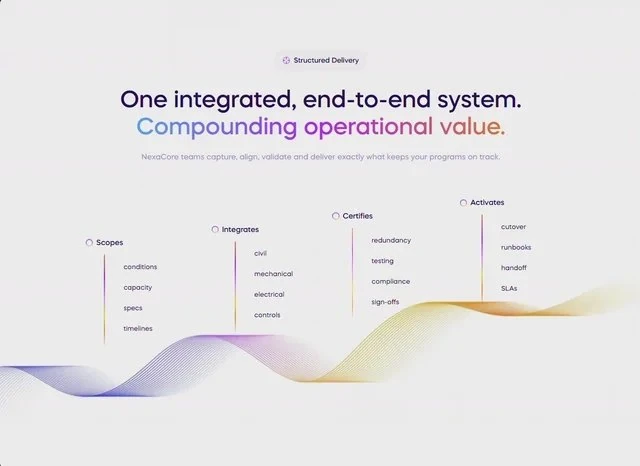
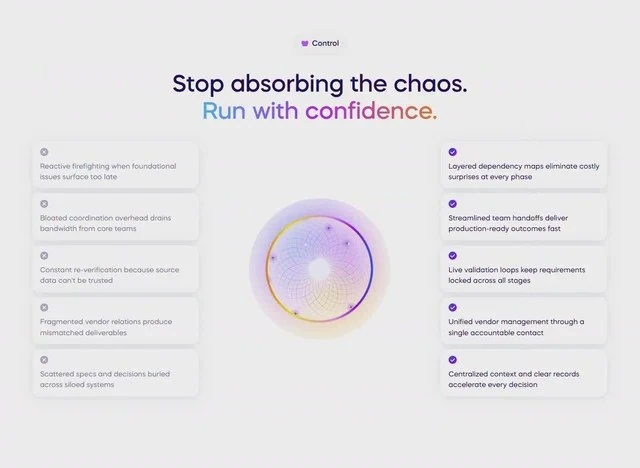
NexaCore Control solves the features section problem for an AI or SaaS product with a single captured brief. The headline reads “Constant re-verification because source data can't be trusted”, and the rest of the features section is arranged around it. The palette is white #EBEBEB underneath, set in Mazzard H. Delivery is React and Tailwind CSS, captured at 640x468 so the frame is fixed before any code is written. Start from the captured brief, then edit the features section rather than rebuilding it from scratch.
Designed for
- In-house squads extending this features section who need a 3-column grid and 18px corners carried into the new blocks unchanged.
- Made for a solo founder shipping one features section for an AI or SaaS product and no design system behind them.
- People who brief a model on a features section will use the 8,666-character prompt as the starting point.
What's included
- Values you can check. Sizes were read off the render at 640x468: a 3-column grid, 18px corners and 12px spacing steps. The brief states values rather than proportions, so the composition keeps its relationships when the copy changes length.
- Numbers on the baseline. The figures are set as type rather than in a card: Mazzard H at the display size with labels one step below. Labels are set at one size, so a long label does not change the height of the row.
- The sizes are in the brief, not in a scale. Spacing is quoted the same way (a 3-column grid, 18px corners and 12px spacing steps), not as a scale that grows on its own.
- A stat strip, not a table. The numbers row is the proof: three or four figures on one line, small labels under each, kept in the same Mazzard H as the interface so it reads as data rather than decoration.
Motion & interaction
Hover, but sparingly
The interactive layer is deliberately small: hover states on the buttons and links rather than on every card. Because the states are simple, they port into any component system. Keep the interactive layer small.
Static by design
There is no scroll library here: the 640x468 composition holds still and only the elements that respond to you move. Motion is treated as feedback rather than as decoration. Stillness is a valid choice.
The order behind the features section
The features section has a stated reading path. From there the eye takes the announcement badge, the stats row, the card grid and the background clip in sequence, which is what keeps a single screen from reading as a list. A SaaS reader gets the offer before the options.
The numbers behind the features section
8,666 characters of brief produce a full specification. The load-bearing part is short: a 3-column grid, 18px corners and 12px spacing steps. Nothing in this features section depends on a default.
Why this composition works for SaaS
The design argues its case on one screen. The media is a still at 640x468. The media carries the atmosphere, the copy carries the offer, and a 3-column grid and 18px corners keep the two apart. It gives a SaaS reader the shortest honest route to the offer.
Frequently asked questions
What do I get when I copy the NexaCore Control brief?
The captured brief runs 8,666 characters and covers the frame, the type scale, the palette and the transitions. Copying it gives you that text, and sending it to Studio stages the same request with the page already described.
Can I rebuild the NexaCore Control features section in a different stack?
NexaCore Control was built in React and Tailwind CSS, and the entry says so for provenance. The brief describes positions, sizes and timings, so it rebuilds in any framework that can set type and place elements.
How do the sub-second transitions in NexaCore Control behave?
Entrances and state changes are in the sub-second range. They are driven by state changes rather than a scroll library, and they never hold up the copy. The reference was captured at 640x468.