Viggle AI Review: Meme Maker, Motion Control, and Plans
Viggle’s routes start from a photo, a reference clip, or a live camera. If your next step is a still image that should move, prepare that request here in Ottermind.
Optional
Ottermind composer. It does not open Viggle or spend Viggle credits.
2026-11-05 · 8 min read
Viggle AI is a character-and-motion platform, not a general video generator. You bring a person — usually one photo — plus a performance: a template clip, a video you shot, or your own webcam feed. Viggle puts that character into the moment. Meme Maker is the front door, Motion Control is the controlled version of the same idea, Viggle LIVE is the real-time version, and PINOC is a separate 3D product with its own bill.
That distinction matters more than the feature list. Two visitors can pay the same price and get very different value depending on whether they need a template swap, a motion transfer, or a live stream — and the plan table is the last thing to decide, not the first.
If the task in front of you is a still photo that should move, you can prepare that request above without leaving this page: attach the image, describe the movement, and continue in Ottermind Studio. The closer mapping between the two platforms is in the task table near the end.
How this review was prepared: The official Viggle pages — homepage, /motion-control, /meme, /viggle-live, /pinoc, /pricing — together with the API documentation and the Terms of Use (last updated August 26, 2026) were checked on November 5, 2026. This is a documentation-based review. We did not create a Viggle account, run a render, or measure output quality, generation speed, or reliability. Ottermind publishes this article and offers the adjacent workflows linked below. The cover and the two illustrations were generated with an AI image model as original artwork for this article; they are illustrations of the situation being described, not screenshots of Viggle or Ottermind.
What Viggle AI is now
The Viggle homepage describes the company as a "spatial GenAI platform" and splits the product into four surfaces: Meme Maker, PINOC, Games, and an API. For short video work, Meme Maker is the relevant one. Inside it, the navigation names four routes: Mix for a single character, Multi-Track for several characters, Motion Control for character plus motion, and Live for real-time swapping.
The site also advertises its own JST-2 model and states that "50M+ people use Viggle." That is the company's own figure; we have not independently verified it, and it does not tell you whether the specific route you need works on your footage.
The Tools index is the honest summary of what the product is tuned for. It lists AI Dance Generator, Face Swap, Brainrot Video Generator, Highlight Video Maker, AI Image Animator, and Image to Video AI. Those are short, social, character-led clips rather than long-form editing projects. If you need a sequence of shots with continuity, this is not that tool.
Which route matches the material you have?
Choose by source material, not by the length of the feature list.
| Your source | Viggle route | What it returns | Access note |
|---|---|---|---|
| One person's photo plus a template or reference clip | Mix (single character) | Your character swapped into that moment | One generation at a time on Free; watermarked there |
| A clip with several people in frame | Multi-Track | Multiple characters tracked and replaced in one pass | Multi-character sessions are limited on Free |
| A character image plus footage whose motion you want to keep | Motion Control | The performance transferred onto your character | Same plan limits as above; see the upload cap below |
| A character image plus your live camera | Viggle LIVE | Real-time character swap for streams or calls | Session length varies by plan: 5 minutes to unlimited |
| A character that must become 3D animation data | PINOC | Rigged character from an image; motion exported as FBX or GLB | Separate product, separate subscription, free tier non-commercial |
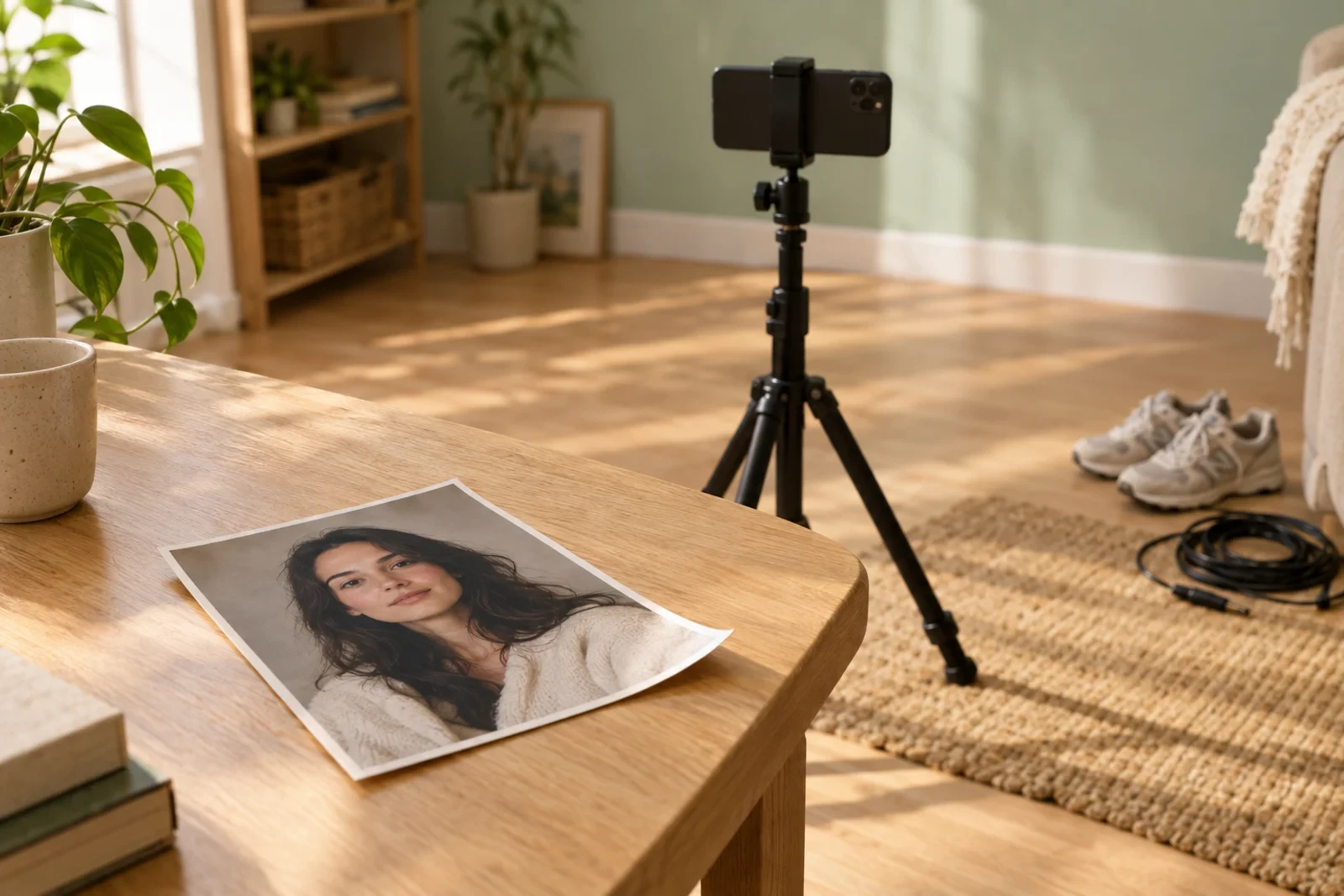
The Motion Control page describes the workflow precisely: "You upload a character image and a source motion (video or motion capture data), and Viggle transfers the motion onto your character." That is a different job from writing a prompt and hoping the model invents movement. If you already have footage of a good performance, this route gives you something to judge against.
Viggle LIVE replaces the reference clip with your webcam. The page says you need only one image, a camera, and a streaming tool such as OBS or another virtual-camera source. Its own FAQ states a 1–2 second delay between your movement and the animated output — slow enough to matter for live conversation, fine for a performance you control. That delay figure is Viggle's own statement, not a measurement we ran.
PINOC is a different purchase and a different output. It turns one image into a rigged 3D character, extracts skeletal motion from a video, or generates motion from text, and exports FBX or GLB on a 65-bone Mixamo-named skeleton. Its FAQ also states that free accounts may use PINOC only for non-commercial purposes. If your goal is animation data for Blender, Unity, or Unreal, evaluate PINOC on its export panel — not on the meme clips that made the brand famous.
The input rules that decide your first test
Three published limits shape almost every first attempt:
- Upload length is plan-dependent. The pricing comparison lists a maximum video upload of 1 minute on Free and 10 minutes on the paid plans. A 90-second reference clip is therefore unusable on the free tier, no matter how many daily credits you have.
- Formats are conventional. Viggle's Motion Control FAQ lists MP4, MOV, and WebM for video input and PNG, JPG, or WebP for character images, with MP4 output. Confirm the accepted formats on the screen where you upload, because this is the kind of detail that changes without a pricing-page update.
- Storage is not permanent on Free. Assets and generations are kept for 7 days on Free and permanently on paid plans, according to the plan comparison. Download anything you intend to keep, and keep your own copy of the source footage regardless.
A first test should change one thing at a time: one subject, one clear movement, one route. Multi-character scenes add variables — tracking, occlusion, who is who — that make a failed result hard to diagnose.
What each Viggle plan includes
The pricing page displays four Viggle AI plans. The lower prices are the 12-month billing option; the higher figure is the monthly list price the page shows beside it. Check both in checkout before deciding.
| Feature | Free | Pro | Live | Max |
|---|---|---|---|---|
| Price (12-month billing) | $0 | $7.99/month | $15.99/month | $63.99/month |
| Price (monthly list) | $0 | $9.99 | $19.99 | $79.99 |
| Monthly credits | 0 | 80 | 200 | 800 |
| Daily free credits | Refreshes daily | 5 | 5 | 5 |
| Watermarked Mix videos | Uses daily credits | Unlimited | Unlimited | Unlimited |
| No watermark | — | Yes | Yes | Yes |
| Simultaneous generations | 1 at a time | 4 | 6 | 10 |
| Real-Time Swap session | 5 min | 30 min | 6 hours | Unlimited |
| Maximum upload | 1 min | 10 min | 10 min | 10 min |
| Asset storage | 7 days | Permanent | Permanent | Permanent |
| Seedance access | Not stated | Excluded | Included | Included |
Three details in that table decide more purchases than the headline price does.
Watermark and concurrency, not credits. The Free column counts Mix videos against your daily credits, and "No watermark" only appears from Pro upward. Free also runs one generation at a time where Pro runs four, Live six, and Max ten. If your work is a batch of short clips, throughput is the constraint you will feel, not the credit count.
Model access is tiered. The plan bullets describe Pro as "all models except Seedance," with Seedance listed for Live and Max; the Free column does not say either way. A model being advertised on the homepage does not mean your plan can select it.
PINOC is billed separately. Viggle's own FAQ answers "Are Viggle AI and PINOC billed separately?" with "Yes… each product has its own plan." The PINOC pricing page shows plans from $12.99/month for 300 credits and $39.99/month for 1,200 credits, with a 20% discount for yearly billing and a free tier of 60 credits.
Credits and access are two different walls
Viggle's pricing FAQ is unusually direct about how credits behave:
- Each feature may use a different number of credits "depending on the model and output."
- Monthly plan credits expire on your billing date.
- Purchased credits do not expire, but can only be used while you are subscribed to a Viggle plan.
- Cancelling is available at any time and takes effect at the end of the current billing cycle.
The practical consequence: topping up credits does not unlock a plan-gated feature. If you need Seedance access, a longer upload, or no watermark, another credit pack will not change that. Separately, the page does not publish a per-video credit rate, so the useful number — the charge for the exact clip you want — only appears once you have selected a route, a model, and a duration.
For developer pricing there is a published number, but it belongs to the API and should not be read across to the app. The API pricing documentation states that 1 API credit equals $0.01, that new API accounts start with 100 free credits, and that Video Remix costs $0.01 per character per finished second — a 10-second single-character render is therefore $0.10. It also states that failed or cancelled jobs release their reservation. Whether app credits and API credits convert at the same rate is not published on either page, and we did not verify it. Treat the API rate as a way to understand how duration and character count scale cost, not as your app price.
A cheap test before you pay
This is a test design, not a result we obtained. It is written for one concrete case: a maker who has a photo of a character and a five-second dance clip they have the rights to use.
- Record the configuration before you generate. Write down the route (Mix or Motion Control), the selected model, the reference length, the displayed credit charge, and your starting balance. Without the pre-generation charge, you cannot tell a cheap failed attempt from an expensive successful one.
- Run the same input twice, changing one variable. Keep the photo and the clip fixed; change only the model or one setting. If the output changes in a way you cannot attribute, you have learned nothing you can reuse.
- Judge against a written standard, then compute the real cost. Check identity drift, extra fingers or hands, background crawling, watermark presence, and whether the movement you asked for is the movement you got. Divide your total credits by the number of clips you would actually publish. If that number is worse than the alternative you already have, the plan is not the problem.

Two outcomes are common and worth naming in advance. A route can be technically available and still produce nothing usable on your specific footage — group shots, heavy occlusion, and low light are the usual causes in any motion-transfer system, and Viggle's own documentation does not promise otherwise. And a result can be acceptable at preview size but unusable once a watermark or a 7-day storage limit is involved.
Commercial use: read past the FAQ
This is the part of a Viggle review that most summaries skip, and it is the part that matters for client work.
The Motion Control FAQ answers "Can I use Viggle output in commercial and client projects?" with "Yes. All content generated with Viggle is cleared for commercial use," and points to the Terms of Service for licensing details. The Terms of Use, last updated August 26, 2026, is more specific but narrower than that answer suggests:
- Section 5(a) says the terms do not assign Viggle any right or title in your input or in the animations generated from it — so Viggle is not claiming ownership of your output.
- Section 5(b) grants Viggle an irrevocable, perpetual, transferable licence to use your content: to train and fine-tune its models, to make uploads available to other users, and to generate revenue through advertising. Section 5(c) adds that this licence relieves Viggle of paying royalties to music rights holders for sound recordings in your upload. That training licence explicitly excludes content from periods when you were a paid user, for which Viggle says it needs prior written consent. On a free account, assume your uploads may be used this way.
- Section 5(a) also states that User Content "will be considered non-confidential and non-proprietary," and Section 5(d) describes an opt-in that lets other users view, download, and reuse your content.
- The explicit commercial terms sit in the product-specific sections: Section 24 gives paid PINOC users ownership of their inputs and outputs and lifts the non-commercial restriction that Section 24(a) applies to free PINOC accounts. Section 25 states that API users may use API outputs for lawful commercial purposes, including client deliverables.
So the safe reading is this: your output is yours, but the licence you grant Viggle depends on your plan, and the clearest commercial language applies to PINOC and the API. For a paid client deliverable through Meme Maker, get written confirmation of the commercial terms that apply to your account, and keep your own records for the source footage, the likeness, and the music — a subscription does not clear rights in material you uploaded.
Where this Viggle review stops
The published documentation establishes routes, plan limits, credit rules, upload caps, and storage windows. It does not establish output consistency, identity preservation, queue times, or whether a specific art style survives the swap. We have not tested those, so this review assigns no quality score and no speed benchmark.
Two things you will see elsewhere deserve a caution. First-party pages make strong claims — Motion Control advertises "100% consistency" and rendering "an order of magnitude faster" — and those are marketing statements from the vendor, not measurements. At the same time, a competing tutorial page that ranks for this query asserts a 720p free-tier cap and server queue delays; we could not confirm either claim on Viggle's own pages, so treat them as unverified.
There is also an unresolved inconsistency on Viggle's own site. The Viggle LIVE page lists live usage at $24.99/month for 133 minutes and $79.99/month for 800 minutes, while the pricing page lists Live at $15.99 (or $19.99 monthly) with real-time sessions of 6 hours, and Max at $63.99 with unlimited real-time swapping. Both pages belong to the same site, checked the same day. Resolve it in the checkout for the exact plan you intend to buy rather than trusting either summary — including this one.
Viggle or Ottermind: choose by the next step
The two platforms overlap on one task — making a still image move — and diverge on the rest. The honest comparison is a task map, not a ranking.
| Your next task | Viggle route to inspect | Ottermind starting point |
|---|---|---|
| Turn an approved photo into a short moving clip | Mix, or Motion Control if you have a reference performance | Image to Video: attach the still and describe the motion, camera, and framing |
| Remake a trending clip with your own product or character | Templates and Multi-Track | Meme Video Generator: upload the reference, review a shot-by-shot breakdown and storyboard, then create your own version |
| Keep a character or product recognizable across several shots | Character refine and multi-track | Keep the references in one Ottermind Studio canvas and reuse them across shots |
| Stream or join a call as a character, live | Viggle LIVE | Not an Ottermind workflow; use Viggle for this |
| Get 3D animation data for Blender, Unity, or Unreal | PINOC | Not an Ottermind workflow; evaluate PINOC's export panel directly |
The Meme Video Generator route is the closest thing Ottermind has to Viggle's remix habit, and it works differently. Instead of replacing a tracked character inside an existing clip, it breaks the reference down shot by shot, builds a storyboard around your product or character, and generates new footage from that plan. That is a remake, not a frame-level swap. If your requirement is "this exact person, in this exact clip, doing this exact move," Viggle's Motion Control is built for it and the Ottermind workflow is not a substitute.
Try the brief in the composer above
The composer at the top of this page is Ottermind's, not Viggle's. It does not open Viggle, call Viggle's API, or spend Viggle credits. The attachment tile accepts a reference image; the round arrow sends your brief and image into Ottermind Studio, where the model, settings, and credit charge for your account are shown. For a reference video rather than a still, start from the Meme Video Generator instead, because that workflow accepts MP4, MOV, and WebM references.
Use the same input you would use for a Viggle trial, so the two attempts are comparable:
Animate my photo with one continuous, clearly readable movement — a slow half-turn and a single wave. Keep the face, hairstyle, clothing and background unchanged. Add no text, no logos and no extra people.Before you send it, decide what would make the result usable: the movement you asked for, a stable background, an unchanged face. After the render, compare the take with the source instead of judging it in isolation. If the motion is too strong, ask for a smaller movement on the same reference rather than starting over — that is the iteration loop both platforms expect you to run.
Viggle AI FAQ
Is Viggle AI free?
There is a free plan with daily credits, but it is watermarked, limited to one generation at a time, capped at a 1-minute upload, and keeps assets for 7 days. A free entry point is not the same as free delivery of a finished clip.
Do Viggle credits roll over?
Monthly plan credits expire on your billing date, according to the pricing FAQ. Purchased credits do not expire, but they can only be used while a subscription is active. Plan credits and purchased credits therefore behave differently.
Is Viggle a face swap tool or a video generator?
It is closer to a character and motion platform. The core action is putting a character into an existing performance or template, with motion control, multi-character tracking, and real-time swapping as variants. Prompt-to-video exists as one route, but it is not the product's center of gravity.
Can I use Viggle output commercially?
Viggle's marketing FAQ says yes. Its Terms of Use do not assign Viggle ownership of your output, but the explicit commercial grants are written for PINOC and the API, and free PINOC accounts are non-commercial. For paid client work, confirm the terms that apply to your account and keep your own rights records.
Is PINOC included in a Viggle subscription?
No. Viggle's own FAQ states that Viggle AI and PINOC are billed separately, each with its own plan. PINOC also has its own pricing page and its own free-credit allowance.
