Vidu AI Review: Models, Credit Costs, and What to Check
Weigh Vidu’s models, credit rates, and delivery rules below. If you already have an approved still, start the motion from a prompt and reference image in Ottermind.
Optional
2026-11-05 · 14 min read
Vidu AI is a video-generation platform from Shengshu, not a single model. It sells one browser product and one API, and behind them sit several model families — Vidu Q4 Preview, the Q3 series, Q2, Q1, and Vidu 2.0 — with different inputs, durations, and resolutions. That is the first thing to understand about it, because almost every question a buyer asks ("is it good?", "what does it cost?", "can it keep my character consistent?") depends on which of those models you actually selected.
The practical starting point is your source material. A single still image, three reference photos of the same subject, a first-and-last frame pair, and a text-only brief are four different Vidu routes, and the published credit rate changes with the model, resolution, and clip length.
If your task is simply to animate a picture you already approve, you can start that job here instead: animate a reference image in Ottermind, attach the photo, describe the motion, and review the take. The Vidu analysis below stands on its own; the composer at the top of this page is Ottermind's, not Vidu's.
How this review was prepared: Every product, model, price, and limit statement below comes from Vidu's own documentation, checked on November 5, 2026: the model map, credit pricing, function list, the image-to-video API reference, terms of use, usage limits, and the official subscription page at vidu.cn/pricing. This is a documentation-based assessment, not a speed or quality benchmark: we did not run comparison renders or measure queue times. Ottermind publishes this article and offers its own video tools. The cover artwork and the two still-life illustrations were generated with GPT Image 2.5 Flare, then set with our series typography; they are concept imagery for the documented routes and billing unit, not Vidu output. The interface screenshot below is a real capture of Ottermind's composer, not Vidu's product.
What does Vidu AI actually provide?
Three layers, and it helps to keep them apart:
| Layer | What it gives you | Where it is documented |
|---|---|---|
| The app | A browser and mobile surface for prompt-led video, image work, and templates | The Vidu site and help center |
| The model families | Q4 Preview, Q3 (pro, turbo, pro-fast, mix, drama, ad), Q2, Q1, Vidu 2.0 | Model map |
| The open platform | The same capabilities as an API with credit billing and per-model rates | API pricing |
The function list runs well past video generation: text-to-image and reference-to-image, image editing, text-to-audio, controllable sound effects, text-to-speech and voice cloning, lip sync, motion sync, video extension, a multi-keyframe mode, an ultra-HD upscaler, digital-human streaming editions, and one-click pipelines for music videos, narrated drama, and ads.
That breadth is the real reason people search for Vidu. It is also the reason a feature checklist is a weak way to evaluate it. Access to a capability does not tell you the model behind it, the duration it allows, or what the render will cost. Those are the three facts that decide a purchase.
Which Vidu model fits your input?
Choose by what you can supply, then by how long and how sharp the result must be.

Concept illustration for the four inputs in the table below, left to right: the blank card and pencil stand for a written brief, the large print for one finished still, the three fanned prints for multi-image reference, and the separated pair for a start and an end frame. Generated with GPT Image 2.5 Flare; these are reference objects, not Vidu renders.
| You have | Vidu route | Length and resolution |
|---|---|---|
| A written brief, no image | Text-to-video: Q3 pro/turbo, viduq2, viduq1 | 1–16 s on Q3; 1–10 s on viduq2; 5 s fixed on viduq1. 540p–1080p. |
| One finished still | Image-to-video: Q4 Preview, Q3 pro/turbo/pro-fast, Q2 pro/turbo, Q1, 2.0 | 1–16 s on Q4 Preview and Q3; 1–10 s on Q2; 5 s on Q1; 4 or 8 s on 2.0. Up to 4K on Q4 Preview, 1080p elsewhere. |
| Several images of one subject or scene | Reference-to-video: Q4 Preview, Q3 mix/turbo/drama/ad, Q2, Q1, 2.0 | 1–16 s on Q3 pro/turbo, 3–15 s on drama/ad; 1–10 s on Q2; 5 s on Q1; 4 or 8 s on 2.0. 720p–1080p on Q3. |
| A first frame and a last frame | Start-end frame: Q3 pro/turbo, Q2 pro/turbo, Q1, 2.0 | 1–16 s on Q3; 1–10 s on Q2; 5 s on Q1; 4 or 8 s on 2.0. 540p–1080p. |
Two distinctions matter more than the model names.
Image-to-video starts from one frame. The image fixes the appearance of the opening moment and the prompt directs what happens next. If the subject's identity has to survive a camera move, this is the route, and it is the one most people mean when they say "Vidu AI video".
Reference-to-video is a different promise. It accepts several images and asks the model to hold the subject or scene across the clip. That is the capability behind character-consistency work, and it is worth checking which model version your account offers, because support is not uniform: the model map lists reference-to-video on viduq3-mix, viduq3-turbo, viduq3-drama, viduq3-ad, the Q4 preview, viduq2 and viduq2-pro, viduq1, and Vidu 2.0 — but not on viduq3-pro or its pro-fast variant, which are image-to-video models.
Start-end frame solves a third problem: you know both the opening and the closing image and want the motion between them. It exists on Q3 pro/turbo, Q2 pro/turbo, Q1, and Vidu 2.0, and it is the cleanest way to control where a shot lands.
The Q3 family also splits by job rather than by quality tier, which is easy to miss. viduq3-drama targets narrative and dialogue, viduq3-ad targets 5–8 second ad spots with tighter pacing, viduq3-mix aims at general work with audio and shot switching, and viduq3-turbo trades some fidelity for speed. Choosing the specialist model for the job usually matters more than picking the "newest" name.
What does a Vidu render cost in credits?
Vidu bills API work in credits and publishes a per-second rate for each model, resolution, and mode. The credit unit price on the open platform is ¥0.03125 per credit (RMB), sold in top-up packages from ¥500 to ¥20,000 per the pricing page.
Here are published rates for common configurations, with a 5-second total and the RMB equivalent of those credits at that unit price:
| Model and resolution | Credits per second | 5-second clip |
|---|---|---|
| viduq4-preview, 540p | 9 | 45 credits ≈ ¥1.41 |
| viduq4-preview, 1080p | 24 | 120 credits = ¥3.75 |
| viduq4-preview, 4K | 78 | 390 credits = ¥12.19 |
| viduq3-pro, 720p | 20 | 100 credits = ¥3.13 |
| viduq3-pro, 1080p | 24 | 120 credits = ¥3.75 |
| viduq3-turbo, 1080p | 13 | 65 credits ≈ ¥2.03 |
| viduq3-pro-fast, 1080p | 15 | 75 credits ≈ ¥2.34 |
| viduq3 (reference-to-video), 1080p | 15 | 75 credits ≈ ¥2.34 |
| viduq1, 1080p (5 s clips only) | 80 per clip | 80 credits = ¥2.50 |

Concept illustration of the billing unit, not a Vidu result: the strip is charged by the segment, so a 5-second clip multiplies the per-second rate five times. The film frames are placeholders for length, not sample output. Generated with GPT Image 2.5 Flare.
Two cautions about reading that table. First, the RMB column is the open-platform API credit price, not the price of a consumer subscription credit; subscription bundles and their per-region pricing are shown in your own checkout, and we are not publishing plan prices we could not read directly. Second, the Q2 series is billed differently — a first-second charge plus a per-second increment — so a Q2 quote cannot be derived by multiplying. The fast variant is the clearest case: at 1080p it costs 16 credits for the first second and 4 for each second after, so a 5-second clip is 32 credits, about ¥1.00.
The same page shows how much off-peak mode can change the arithmetic. Supported models are charged at half the standard rate, with fractional credits rounded up. A 5-second viduq3-pro clip at 1080p drops from 120 credits to 60, or about ¥1.88, if you accept off-peak delivery. Not every configuration qualifies: the documentation says off-peak is unsupported for viduq3-mix, and on Q3 pro/turbo it is available only when the audio parameter is set to true — so the half-price path also buys generated audio, and a silent clip at that rate is not the same order.
How Vidu's credit rules affect a budget
The subscription page's FAQ (vidu.cn/pricing) describes three kinds of credit, and their validity differs:
| Credit type | How you get it | Validity |
|---|---|---|
| Subscription credits | Included in a paid plan | 30 days |
| Purchased credits | Bought on top of a subscription | 2 years |
| Reward credits | Activities, contests, the artist program | 2 years |
The same page adds four rules worth knowing before you top up: buying credits is restricted to paying users; credits cannot be converted into membership, gifted, withdrawn, or refunded; when both exist, subscription credits are consumed before purchased credits; and new accounts receive trial credits at registration, with more available through daily logins and official activities.
The practical consequence is that a subscription's headline credit figure is a monthly allowance with a 30-day clock, not a bank balance. If your work is bursty — one launch film this month, nothing for two — purchased credits are the more forgiving instrument, but only after a paid plan exists.
Four checks before you subscribe
This is the part a feature list cannot answer. Run these against the specific clip you need.
1. Does Vidu accept the input you actually have?
If your source is a client-approved product photo, image-to-video is the route and the question becomes resolution and length. If your source is three angles of a character, you need reference-to-video and a model that supports it. If you only have a script, you are buying text-to-video, and the value of a still-image-first workflow does not apply to you.
Proceed when the model you can access lists your input type, your duration, and your resolution in the same row. A capability that appears elsewhere in the catalog is not available to the model you picked.
2. Are the duration and resolution within the model's limits?
Vidu's published ceilings are model-specific: 16 seconds maximum on Q3 and Q4 Preview, 10 seconds on Q2, a fixed 5 seconds on Q1, and 4 or 8 seconds on Vidu 2.0. Resolutions reach 4K only on Q4 Preview; Q3 and Q2 stop at 1080p.
The input side has its own published limits: an image-to-video upload accepts PNG, JPEG, or WebP up to 50 MB, and an aspect ratio no more extreme than 4:1 in either direction. A prompt can run to 20,000 characters, which is generous until you notice that a long prompt describing four shots still produces one clip.
Proceed when the configuration you need appears in the rate table. A platform maximum is not a guarantee for every model, and a 4K request on a 1080p-only model is not a setting you can negotiate.
3. What is your cost per accepted clip?
Credits are charged per attempt, so a cheap configuration that never passes is more expensive than a pricier one that does. Track accepted results, not renders. As a worked example — arithmetic on the published rates, not a success-rate claim — three 5-second viduq3-turbo 1080p attempts cost 195 credits, about ¥6.09 at the published unit price. If one clip passes, your cost per accepted clip is ¥6.09, three times the ¥2.03 list price of a single render, because two attempts produced nothing you kept.
The good news is that failures are not billed: the pricing page states that videos which fail to generate do not consume credits, including failures caused by content moderation. That does not make iteration free: the attempts that succeed are still billed, and the time spent rephrasing is not refunded. It does mean a genuinely failed task should not create an unexplained deduction. If one does, ask support with the task identifier instead of assuming a refund.
4. Can you live with the delivery rules?
Four operational facts sit outside the price table and are easy to discover late:
| Rule | What the documentation says |
|---|---|
| Result links | API creation URLs are valid for 24 hours, with a watermarked variant alongside |
| Watermark and AI marking | Terms prohibit removing or covering the sign that identifies deep-synthesis output |
| Concurrency | Each organisation can run 5 tasks at once; excess tasks queue in submission order |
| Off-peak | Tasks are generated within 48 hours; unfinished ones are auto-cancelled and refunded |
The 24-hour link is the one that breaks real projects. Save accepted files to your own storage immediately, and keep the settings that produced them; an expiring URL is not an archive.
Rights, account, and regional differences
The terms of use (effective January 23, 2025) are unusually direct on one point: the licence grant states that Vidu does not restrict commercial use. That is broader than many competing services, but it is not a clearance. The same document makes you responsible for the rights in everything you input, forbids removing deep-synthesis markings, requires review before sharing output as fact, prohibits using output to build a competing model, and caps liability at the amount you paid in the prior twelve months. It is governed by Hong Kong law with HKIAC arbitration, and cancellation is generally not refunded pro rata.
Two account-level details are worth verifying in your own region rather than assuming:
- The terms describe account linking through a Google account for the open platform, while the China site's help center documents signing up with a phone number. The two surfaces are marketed separately.
- From our network, vidu.com redirected to vidu.cn, and the pricing page we could inspect displayed plans in that region's currency. Plan names, currencies, and payment methods are shown per region, so confirm them in your own checkout rather than relying on a review — including this one.
We are reporting what the official pages say, not giving legal advice. For a client deliverable, confirm the licence you need against your own contract.
Vidu AI or Ottermind: choose by the next action
Vidu and Ottermind overlap on the image-to-video job and diverge afterwards. The useful comparison is not "which is better" but "which handles the next step from the material I have".
| Your next task | Vidu route to inspect | Ottermind starting point |
|---|---|---|
| Animate an approved still with directed motion | Image-to-video on Q3 or Q4 Preview | Image to Video: attach the reference, describe the motion, review the take |
| Raise the resolution of a finished low-res clip | Smart Ultra HD - Premium | Video Upscaler: prepare a clearer export and check frames for artifacts |
| Hold one subject across several reference images | Reference-to-video on viduq3-mix or viduq3 | Start from the composer above with one reference, then describe what must stay consistent |
| Work from a written creative direction | Text-to-video on Q3 pro or turbo | Ottermind's video workflow: develop the shot list in conversation |
The honest boundary: Vidu's reference-to-video takes multiple input images and its start-end frame mode takes two specific frames. Ottermind's composer here passes a prompt and one reference image into Studio, where you continue the brief. If multi-image subject consistency or a locked closing frame is the requirement, that is a reason to evaluate Vidu's dedicated routes rather than treating the two products as interchangeable.
Try the same task in Ottermind's composer
The composer at the top of this article is a real Ottermind surface, not a mock-up. It takes a text brief and one optional reference image, and the round arrow sends the request into Ottermind Studio, where the model settings, credits, and any plan requirements for your account are displayed before you generate.
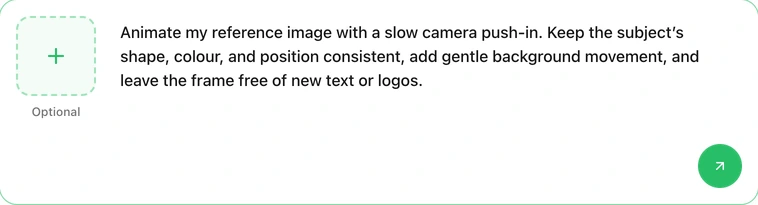
Actual Ottermind composer captured on November 5, 2026: the + tile on the left holds an optional reference image, the field on the right takes the motion brief, and the round arrow at the bottom right hands the request to Studio. The screenshot shows request preparation, not a generated result, and it is not Vidu's interface.
Click below to load a motion brief into that composer, then attach the still you already approve:
Animate my reference image with a slow camera push-in. Keep the subject's shape, colour, and position consistent, add gentle background movement, and leave the frame free of new text or logos.Compare the take against the source you attached: has the subject kept its identity, has the camera moved the way the brief asked, and is the clip usable at your target ratio? If the movement is too strong, request a gentler move on the same reference rather than starting a new brief. If your source still needs work, prepare the still first and approve it before animating — for prompting help beyond this exercise, the image-to-video prompting tutorial covers shot language in more depth.
Choosing Generate hands your request to Studio; it does not call Vidu, and it does not spend Vidu credits. Model availability, resolution, and cost for the Ottermind render appear in Studio for your account.
Vidu AI FAQ
Is Vidu AI free?
There is a free entry point: new accounts receive trial credits, and the pricing FAQ lists daily logins and official activities as additional sources. That is not unlimited access. Every render draws on credits at the rates above, top-up purchases are limited to paying users, and credits are non-refundable. Check the charge for your exact model, resolution, and duration rather than the plan's total.
Is Vidu AI one model?
No. Q4 Preview, Q3, Q2, Q1, and Vidu 2.0 are distinct model families with different inputs, durations, and resolutions, and Q3 alone has specialist variants for drama and advertising. Evaluate the specific model and settings you intend to use.
Can I use Vidu output commercially?
The open-platform terms say Vidu does not restrict commercial use, and place responsibility for input rights on you. You also may not remove the marking that identifies AI-generated output. Read the current terms for your region before committing client work, and confirm any additional restrictions in your own agreement.
How long do Vidu's generated files stay available?
API creation URLs are valid for 24 hours; watermarked variants expire on the same schedule. Download accepted clips immediately and keep your own copies.
Is off-peak mode simply cheaper?
It is cheaper per credit for supported models — half rate — but the task is generated within 48 hours and auto-cancelled with a refund if it does not finish. It suits a batch you can wait on, not a same-day delivery.
Where does this review stop?
The documentation establishes model inputs, published rates, and delivery rules. It does not establish output consistency, motion quality, or whether a particular style will survive animation. We have not produced Vidu clips, so we assign no quality score and claim no speed measurement.
