Dreamina AI Review: Models, Credits, and What to Check
Dreamina runs several image and video models behind one credit balance. Below: which model fits your input, what is actually published about credits, and what the terms allow. If you already have a reference you trust, start the edit from a prompt and one image here.
Optional
2026-11-06 · 15 min read
Dreamina is not one image model. It is a browser studio from the CapCut side of ByteDance that puts several image and video models behind a single account and a single credit balance. Seedream 5.0 Pro, Seedream 5.0 Lite, Seedream 4.5, Nano Banana Pro, Nano Banana, GPT Image 2, Seedance 2.5, Seedance 2.0, Sora 2 and Veo 3.1 all appear in its own navigation. That single fact changes how every other question about the product should be read: "is it good", "what does it cost" and "can I use the result commercially" all depend on the model and mode you picked, not on the brand name you searched.
So the useful question is narrower than a feature list. It is: which route inside Dreamina matches the material you already have, what does that route cost in credits, and what do the terms let you do with the file afterwards?
If your task is to change an image you already approve, you can start that job on this page instead: develop an image from a prompt and a reference in Ottermind, attach the picture, describe the change, and review the result. The Dreamina analysis below stands on its own; the composer at the top of this article is Ottermind's, not Dreamina's.
How this review was prepared: Every product, model, price and limit statement below comes from Dreamina's own pages, checked on November 6, 2026: the homepage and its FAQ, the AI image generator, the image-to-video tool, Seedream 5.0 Pro, Seedance 2.5, the pricing page, and the Terms of Service last updated January 22, 2026. Credit figures use Dreamina's own published cost guide dated October 22, 2026, linked from that site. This is a documentation-based assessment: we did not run Dreamina renders, measure queue times, or score output quality. Ottermind publishes this article and offers its own image and video tools. The cover and the two still-life illustrations were generated with GPT Image 2.5 Flare and then set with our series typography; they illustrate the documented routes and billing unit, and they are not Dreamina output. The interface screenshot farther down is a real capture of Ottermind's composer.
What Dreamina actually is
It is worth separating three layers, because reviews that treat them as one produce advice you cannot act on.
| Layer | What it gives you | Where it is documented |
|---|---|---|
| The studio | A browser workspace with image, video, avatar and template surfaces, plus an AI agent that takes chat instructions | Homepage |
| The model catalog | Named third-party and in-house models you select per generation | The navigation and each model page |
| The subscription | Free daily credits plus paid tiers billed monthly or yearly | Pricing |
The layer that matters first is the model catalog, because Dreamina's own pages describe models that do different jobs. Seedream 5.0 Pro is presented around instruction-precise editing and 2K output, with intelligent layer separation for subjects, backgrounds, text and effects, native text in 14 languages, and optional web search grounding. Seedream 5.0 Lite and Seedream 4.5 sit below it. Nano Banana Pro and Nano Banana are Google's image models offered inside the studio, GPT Image 2 is OpenAI's, and the video side spans Seedance 2.5, Seedance 2.0, Sora 2 and Veo 3.1.
That is a real advantage: you can compare two model families without opening two accounts. It is also where most buyer mistakes happen, because a screenshot of someone else's good result usually came from a model your plan or region does not include, or from a resolution you will not be charged the same way for.
One concrete example of why the detail matters: the AI image generator page advertises a "4K AI image generator", while Seedream 5.0 Pro's own page states 2K output. Both statements can be true of different models and settings. Read the resolution control in the generation screen for the model you actually selected instead of assuming the platform headline applies to it.
Which Dreamina model fits your input?
Choose by the material you can supply, not by which model name sounds newest.
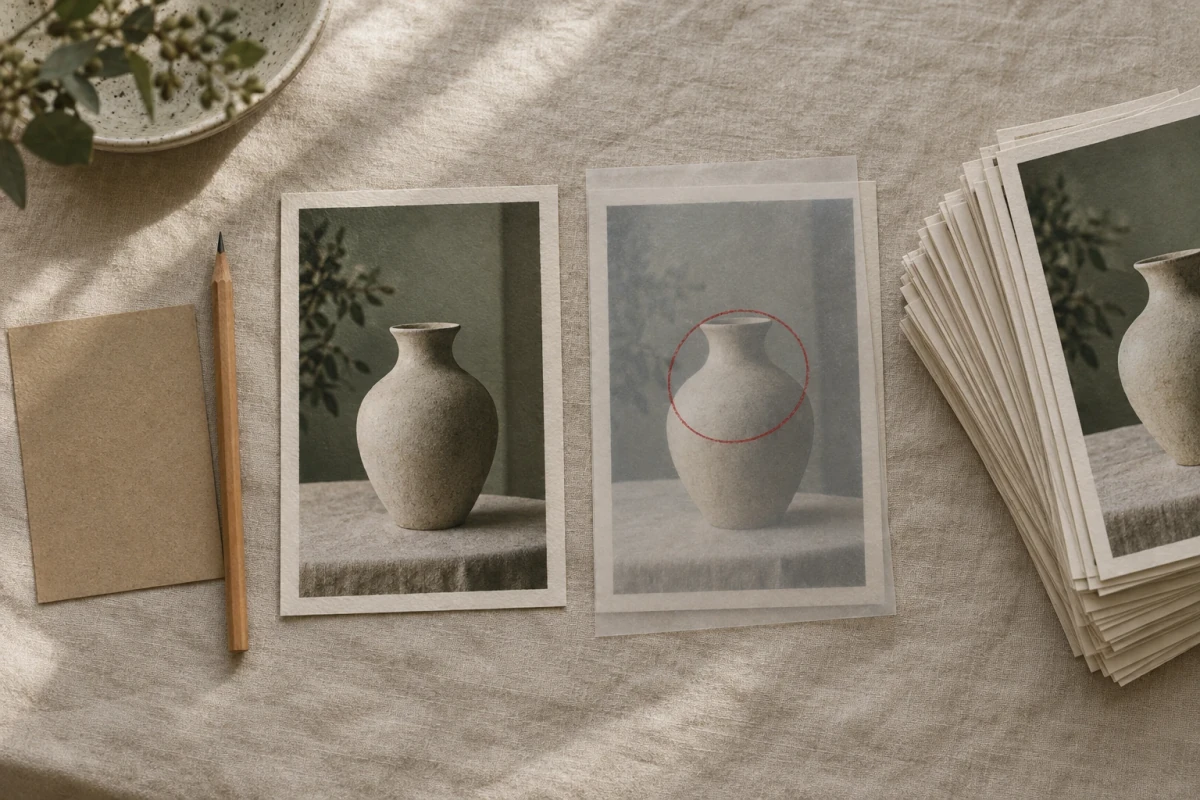
Concept illustration for the four input routes below, left to right: the blank card and pencil stand for a written brief, the single print for one reference photo, the acetate sheet with the red circle for a region-specific edit, and the fanned stack for multi-reference work. Generated with GPT Image 2.5 Flare; these are reference objects, not Dreamina renders.
| You have | Dreamina route to open | What the page says it does |
|---|---|---|
| Only a written idea | Text to image, or the AI agent | Prompt-led generation; the agent can produce up to 40 visual directions from one instruction |
| One photo you want to restyle or extend | Image remix, style transfer, or an editing model | Image-to-image work that keeps the subject and changes the treatment |
| One photo with a specific area to change | Precision editing on Seedream 5.0 Pro | Point, lasso, sketch and region controls; keep the composition, replace one element |
| A product photo with labels or text to correct | Seedream 5.0 Pro layer separation | Separate subjects, background, text and effects, then adjust one layer |
| Several references that must agree | Reference to video, or Seedance 2.5 | Up to 50 multimodal inputs in one request, guided by reference rather than prompt alone |
| A finished still that should move | Image to video | Image-to-video with motion described in the prompt |
Two of those rows deserve a caveat.
Region editing is the strongest reason to pick Dreamina over a plain generator. The image tools accept selections, points, arrows, bounding boxes and coordinates, and the company's own description of Seedream 5.0 Pro adds lasso selection and sketch guidance. For product work — a label that has to change, a shadow that has to move, a hand that has to leave the frame — that is a different job from re-rolling a whole image, and re-rolling is what a prompt-only tool gives you.
Multi-reference is a video feature here, not an image one. Seedance 2.5 accepts up to 50 multimodal inputs and is explicitly built around reference-to-video control; the page also states 30-second clips in standard mode and up to 180 seconds in a beta long-video mode, with clean 4K output and support for major languages including English, Spanish, Japanese, Korean and Arabic. If your requirement is keeping one character consistent across an image series, check the image model's reference support separately; do not assume the video promise transfers.
What Dreamina charges, and what is actually published
This is the part where a careful reader gets more than a list price, because Dreamina publishes its plan structure openly and its exact checkout differently.
On the pricing page the plan names are Free, Basic, Standard and Advanced, with an Ultra tier referenced in the page's own interface strings. Billing is monthly or yearly, subscriptions renew automatically, and the page itself says the checkout shows the latest regional offer. The page also states plainly: sign in to see final pricing, taxes, billing terms and offer details. We are not going to invent numbers for tiers we could not read.
What we can quote is Dreamina's own published cost guide, dated October 22, 2026, which lists one concrete paid plan and the free allowance:
| Item | Published figure | Note |
|---|---|---|
| Free allowance | 120 daily credits in the US, other regions vary | Covers Seedance 2.0 video and Seedream 5.0 Lite images; premium models are separate |
| Basic plan | USD 15 per month for 1,575 monthly credits | Displayed in Dreamina's comparison as a US example |
| Seedream 5.0 Lite generation | 6 credits | Recorded on a free account: 16:9, 2K, one output, no reference image |
| Reference-based image operation | 14 credits | Quoted figure used in the same guide's planning arithmetic |
Those four numbers are enough to do the arithmetic that matters. At 1,575 credits a month, a Lite-only image workflow at 6 credits per generation is roughly 260 generations before corrections. Add one 14-credit reference-guided correction per finished image and the same allowance covers far fewer deliverables: 1,575 divided by 20 credits per finished image is about 78. Neither figure is a promise; both are arithmetic on published debits, and the guide's own assumption is that a task you reject still consumed credits.
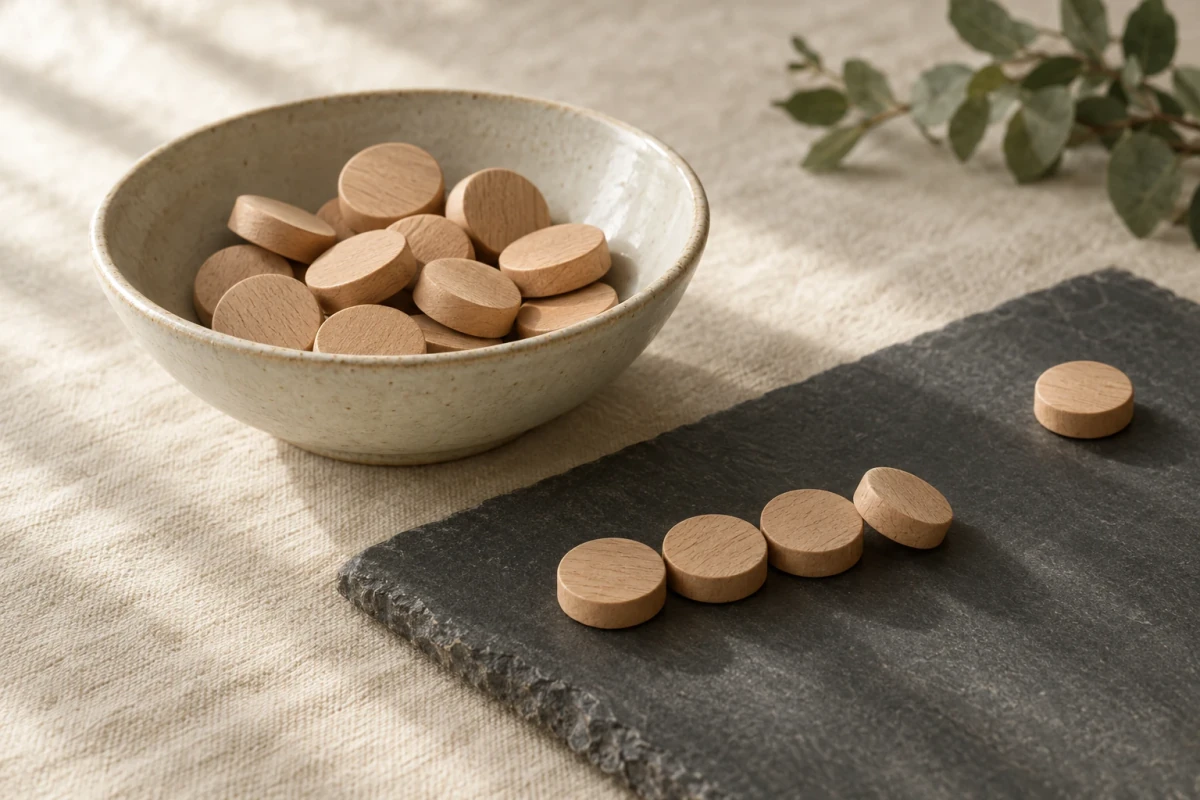
Concept illustration of the billing unit, not a Dreamina result: the bowl is the monthly allowance, the row is a run of attempts, and the single disc set apart is the one file you actually accepted. Generated with GPT Image 2.5 Flare.
Three cautions about reading any Dreamina price table, including this one.
First, the first-month promotion is not the subscription price. During our check the pricing pages displayed offers of "98% OFF" and "start creating for just $0.29/month" for Seedance plans, each with an end date and a line saying the subscription renews automatically. A promotional first month tells you nothing about month two. Budget on the renewal amount, then decide whether the first-month discount changes anything, which it usually does not.
Second, consumption is model- and setting-specific, and Dreamina says so in its own FAQ: credits required "may vary depending on the model, feature, and generation settings you use". A 2K image, a 4K image, a five-second clip and a thirty-second clip are four different products with four different debits. Quoted numbers from an older review, including ours, are not a quote for your screen.
Third, credits and cash are different instruments. Monthly subscription credits are an allowance inside a billing period, not a bank balance you can draw on later. Dreamina's cost guide recommends pricing the whole workflow — generation, corrections, rejected retries and any upscale — rather than one generation, and that is the right unit of budgeting.
What the free tier really covers
Dreamina's free tier is a daily allowance rather than a one-off trial: 120 credits per day in the US at the time of check, with other regions differing. Its own cost guide states that free access covers Seedance 2.0 video and Seedream 5.0 Lite images, and that premium models are priced separately. That combination is more useful than a trial because it lets you come back tomorrow, but it constrains which model you get to evaluate. If the model you actually need is a premium one, the free tier will not tell you whether it suits your work.
The other free-tier detail worth knowing is visual, not numeric. In the same guide's free-account record, the downloaded 2560 × 1440 JPEG "retains its visible AI and Dreamina AI markings". Platform watermarks and AI markings are not something a review should promise away, and the terms forbid removing proprietary notices. If a clean, unmarked master is a requirement for a client deliverable, that is a question for the paid plan and the current terms, not for a free test.
Who owns Dreamina output, and who can use it
Read the Terms of Service yourself before client work; it is short on this topic and the wording is specific. Three clauses decide most real-world cases.
The default is private, non-commercial use. The opening section says the services "are generally provided for private, non-commercial use", and the pricing FAQ answers the commercial question by deferring: eligibility "depends on the applicable Dreamina terms, the content you create, and the models or assets involved". That is not a blanket commercial licence, and it is not a refusal either. It means the answer is conditional, and you should get it in writing for the specific model and use you have in mind.
You own the output, but you also license it broadly. As between you and Dreamina, if you comply with the terms, you own the inputs you upload and the outputs generated in response. In the same section you grant Dreamina and its affiliates a perpetual, irrevocable, worldwide, royalty-free, transferable and sub-licensable licence to use those assets "for any purpose", surviving termination, and you waive moral rights to the extent the law allows. Ownership and exclusivity are different things; this clause gives you the first and takes the second.
Output is not promised to be unique. The same section states that similar outputs may be provided to different users and that outputs may not be faithful to your inputs or accurately depict what you asked for. For a brand asset, that is an argument for reviewing results against your own references rather than accepting the first plausible render.
Two further terms matter for production work. Liability is capped at the higher of what you paid in the previous twelve months or a fixed figure, and disputes are governed by Singapore law and referred to arbitration, so a consumer-scale dispute is unlikely to be worth pursuing. And the file you download may carry AI identification marks that you may not remove.
None of this is legal advice. It is the difference between "the tool let me generate it" and "I can put it in a client campaign", and it is the check most reviews skip.
Five checks before you pay
Run these against the one image or clip you actually need, not against the feature list.
1. Does the selected model accept your input?
The model, not the platform, decides this. If you have one approved product photo, an image-to-image route is fine. If you have four angles of a character that must agree, you need a model with reference support, and on Dreamina that capability is described most clearly on the video side. If you have only a paragraph, you are buying text-to-image and the reference workflows do not apply.
Proceed when the generation screen for your chosen model shows your input type, your aspect ratio and your resolution in the same place.
2. Is the output size the size you need?
Dreamina's marketing mentions 4K images and 4K video on different pages, and its Pro image model page states 2K. Before you commit a project to it, generate one image at the exact settings you intend to ship and open the file: check actual pixel dimensions, not the preview. A 2K preview can look indistinguishable from a 4K export on a laptop screen and very different on a print proof.
3. What is your cost per accepted image?
Track accepted files, not attempts. If three 14-credit corrections produce one usable image, your cost per accepted image is 42 credits, three times the list cost of one edit — because two attempts produced nothing you kept. That arithmetic is the only reliable way to compare Dreamina's tiers with each other, or with a tool that charges a flat subscription.
4. Can the licence cover the way you will use it?
The non-commercial default, the broad licence you grant back, and the conditional commercial answer all point the same way: for a client deliverable or an ad campaign, confirm the specific commercial terms for your model and region before the work starts, and keep the confirmation with the project. Do not treat a subscription as a clearance for a likeness, a logo or a photograph you uploaded.
5. What happens to the files afterwards?
Dreamina's homepage FAQ says uploads and generated content are "automatically removed after a defined period", without stating the period on that page. Whatever the current rule is, an account is not an archive: download accepted files, keep the settings that produced them, and store them somewhere you control.
Dreamina or Ottermind: choose by the next action
The two products overlap on the reference-image job and diverge afterwards. The useful comparison is not "which is better" but "which handles the next step from the material I have".
| Your next task | Dreamina route to inspect | Ottermind starting point |
|---|---|---|
| Restyle or extend a photo you already approve | Image remix or style transfer | AI Image Generator: prompt plus one reference image |
| Change one region of a product shot without rebuilding it | Seedream 5.0 Pro precision edit | Start from the composer above, describe the single change, keep the reference attached |
| Turn an approved still into motion | Image to video, Seedance 2.5 | Image to Video: attach the still and describe the movement |
| Sharpen a finished low-resolution export | AI image upscaler | Image Upscaler; inspect the result for artifacts after enlargement |
| Explore 40 directions from one instruction | The in-studio AI agent | Start with one brief in the composer, then branch inside Studio |
The honest boundary: Dreamina's catalog is wider, and its precision editing and multi-reference video are capabilities this page does not claim for Ottermind. Ottermind's composer takes a text brief and one optional reference image, and carries them into Studio, where the plan, credits and model settings for your account are shown before you generate. If multi-reference character consistency or layer-separated editing is the requirement, that is a reason to evaluate Dreamina's dedicated routes rather than to treat the two products as interchangeable.
Try the same task in the composer above
The composer at the top of this article is a real Ottermind surface, not a mock-up. It has one attachment slot for a reference image on the left, the brief field on the right, and a round arrow that hands the request to Ottermind Studio.
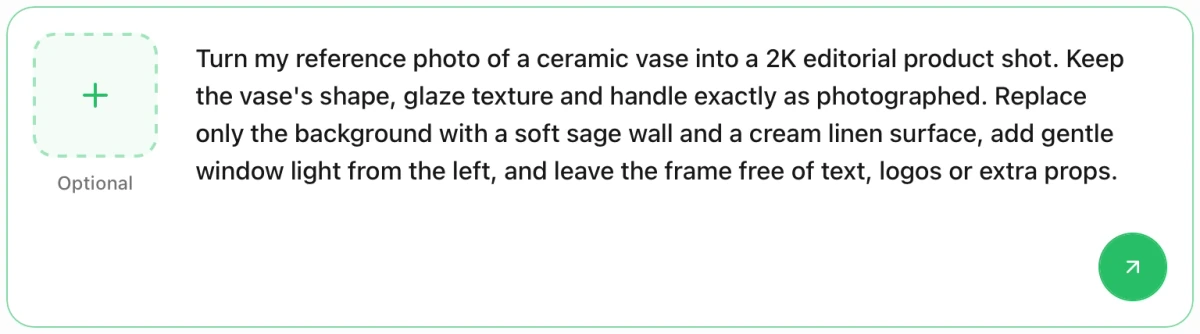
Actual Ottermind composer captured on November 6, 2026. The left tile holds one optional reference image; the round arrow at the bottom right sends the request to Studio. This screenshot shows request preparation, not a generated result, and it is not Dreamina's interface.
Load the product-shot brief into that composer, then attach the photo you already approve:
Turn my reference photo of a ceramic vase into a 2K editorial product shot. Keep the vase's shape, glaze texture and handle exactly as photographed. Replace only the background with a soft sage wall and a cream linen surface, add gentle window light from the left, and leave the frame free of text, logos or extra props.The button only fills the field and moves your cursor there. Nothing is sent until you press the arrow, and the arrow stays inert while the field is empty and no image is attached. Compare the result with the reference you attached: is the glaze the same, has the silhouette survived, did the background change without repainting the product? If one detail drifted, ask for that detail alone instead of restarting the brief. For more on describing changes to an existing picture, the image-to-video prompting tutorial covers shot and motion language that transfers to still-image direction.
Choosing the arrow hands your request to Studio; it does not call Dreamina and it does not spend Dreamina credits. Model availability, resolution and cost for the Ottermind render appear in Studio for your account.
Dreamina FAQ
Is Dreamina free?
There is a free tier with a daily credit allowance — 120 per day in the US when we checked, other regions varying — covering Seedance 2.0 video and Seedream 5.0 Lite images. That is not unlimited access to the catalog: premium models are priced separately, downloads can carry AI markings, and each generation draws on the allowance. Check the quote for your exact model and settings before you start.
Is Dreamina one model or several?
Several, and that is the point of the product. Its navigation lists Seedream 5.0 Pro, Seedream 5.0 Lite, Seedream 4.5, Nano Banana Pro, Nano Banana and GPT Image 2 on the image side, and Seedance 2.5, Seedance 2.0, Sora 2 and Veo 3.1 on the video side. Evaluate the model you will actually use; a result produced by one says little about another.
Can I use Dreamina images commercially?
The terms say the services are generally provided for private, non-commercial use, and the pricing FAQ makes commercial eligibility conditional on the terms and the model involved. You own your inputs and outputs as between you and Dreamina, but you also grant a broad perpetual licence back. For client or advertising work, get the commercial terms confirmed in writing for your case.
How much does a Dreamina image cost in credits?
It depends on model, resolution and settings, which Dreamina states directly. The published anchors are 6 credits for a Seedream 5.0 Lite 2K image on a free account and 14 credits for a reference-based image operation, with 1,575 credits a month on the Basic plan quoted at USD 15. Treat those as arithmetic inputs, not as a quote for your workflow.
Where does this review stop?
The documentation establishes which models exist, what inputs they accept, what is published about credits, and what the terms say. It does not establish output quality, motion stability, or whether a particular style survives an edit. We did not run Dreamina renders, so we assign no quality score and claim no speed measurement.
