Guide
Discord Logo: The Official Mark and the Icon Your Server Needs
Discord owns its mark; your server has to own its icon. Write the brief here, test it in a circle at 48 pixels, and continue in Ottermind Studio — nothing is generated until you do.
Optional
JPG / PNG / WebP
This is Ottermind's composer. Filling the brief and sending are separate actions: nothing is generated here, and no credits are spent until you continue in Studio.
November 14, 2026 · 11 min read
You can use the Discord logo. You cannot use it as your own. Both halves of that sentence matter, and most people arrive at this page holding one of them.
Discord publishes its mark for download and allows it in digital material that says you are on Discord. What its own rules forbid is the thing many people are actually trying to do: take Clyde, or the blurple field, or something close enough to make people look twice, and upload it as the icon that represents their own server, community, bot or small business. A search for the term returns Discord's brand page, several logo-download libraries, a Wikipedia entry and a cluster of logo-history sites (checked November 14, 2026). None of them tells you which of those jobs you have. This page does, and then it walks through making the icon the platform will not lend you.
The second problem is size. Whatever you upload is cropped into a circle and shown in a server rail at roughly the size of a fingernail. A mark that looks finished at 1024 pixels is often unreadable at 48. Both problems are solved before upload, not after.
How this guide was prepared: Discord's brand guidelines page, its Help Center articles on Server Profile, creating a server and Server Boosting, Ottermind's AI Logo Generator and Graphic Design AI pages, and a search for the term on November 14, 2026. Every rule and number quoted here is from one of those pages and is dated. This is a workflow guide, not a legal opinion and not a speed test. The cover, the five icon directions and the crop sheet were generated with an image model for this article; they are illustrations of the briefs below, not product screenshots and not finished identities. The composer figure is a real screenshot of this page, and no generation was run inside Ottermind while writing it.
Two different jobs hide behind one search
Three requests share this query, and they end in completely different files.
| What you actually need | Where it comes from | The mistake to avoid |
|---|---|---|
| Discord's own logo for a "join us" badge, a site footer, an article, a video thumbnail | discord.com/branding — the logo in colour, black or white, the symbol set, and banner assets | Editing, recolouring or rebuilding it to fit your layout |
| An icon that identifies your server, community, bot, event or studio | You, or a generator you brief properly | Uploading a Discord mark, or an imitation close enough to blur the line |
| The logo of some other company, for a comparison table or a review | That company's own brand page | Treating a third-party download site as the rights holder |
The first row is a download. The second row is a design job. The third row is someone else's rules. If you only need the first row, go and get the ZIP and stop reading — but read the restrictions below first, because the first row has conditions that people skip.
What Discord's rules allow, and where they stop
Discord's brand page is unusually plain about this. It offers the logo in colour, black and white, plus a symbol set and banners, then states: "Please do not edit, change, distort, recolor, or reconfigure the Discord logo." The page lists the palette it uses — Blurple #5865F2, Light Blurple #E0E3FF and Black — so you are not meant to be sampling them and building your own version (checked November 14, 2026).
The "don'ts" section is where server owners get caught. In Discord's words, you may not incorporate the Discord Marks, or anything confusingly similar, into:
- the name of a Discord server;
- your brand, company or organisation name, URL or domain name;
- an event or product name, including bots built for the platform;
- your own logo, social media account or trademark.
The same section rules out copying or imitating the look and feel of Discord's site and apps — characters, colour combinations, graphics, sounds, imagery, presence icons, typefaces, stylisation. Use is limited to digital assets, and merchandise is excluded. Allowed use is directional: tell people you are a Discord user or that you have a server, without implying that you are Discord or that Discord sponsors you. The symbol on its own is reserved for cases where "the Discord brand is clearly visible or has been well established elsewhere."
Read together, those lines settle the argument in the server-icon forum threads. A server icon built from Clyde, or a blurple square with a game controller drawn in Discord's own visual language, is not a clever customisation; it is the specific thing the page prohibits. A bot called Discord Helper, with a robed Clyde avatar, has two separate problems. This page is not legal advice and cannot give you permission — Discord's page is the authority, and if your use is commercial or close to the line, ask Discord or a lawyer.
The practical consequence is simple. If the icon has to represent you, it has to be yours — which is a brief, not a download.
What a server icon has to survive
Discord's Help Center answers the size question in its server-creation article: "The minimum size for icons is 128x128. If you'd like to select a specific area from a large image, crop it in multiples of 128 (128X2=256, 128X3=384, etc.)" (checked November 14, 2026). 512 is four times 128, which is why it has become the de facto export size in every size guide published this year. What the Help Center does not publish is a recommended maximum, so if your client shows a different limit when you upload, the client wins.
The same Help Center describes where the icon appears: in the server list and in search results, set through Server Settings → Server Profile → Change Server Icon on desktop or browser (Server Profile, updated October 31, 2026). It also notes that the first banner colour option offered is derived from your icon's colour — a muddy icon gives you a muddy banner. Animated server icons are a Level 1 Server Boost perk, so plan a static mark unless the server is boosted.
| Surface | What you are designing for | What breaks there |
|---|---|---|
| Server rail | Roughly 48 px, inside a circle | Thin strokes, small lettering, fine texture |
| Search results and server profile | Larger, still circle-cropped | Anything in the four corners |
| Invite card and social post | Your own export, often on a coloured field | A mark that only works on its own background |
| Bot or app avatar | A circle in a different frame | Detail that reads at 512 but not in a mention |
| Site badge, where the official asset goes | 24–32 px beside a line of text | Recolouring or adding effects to Discord's mark |
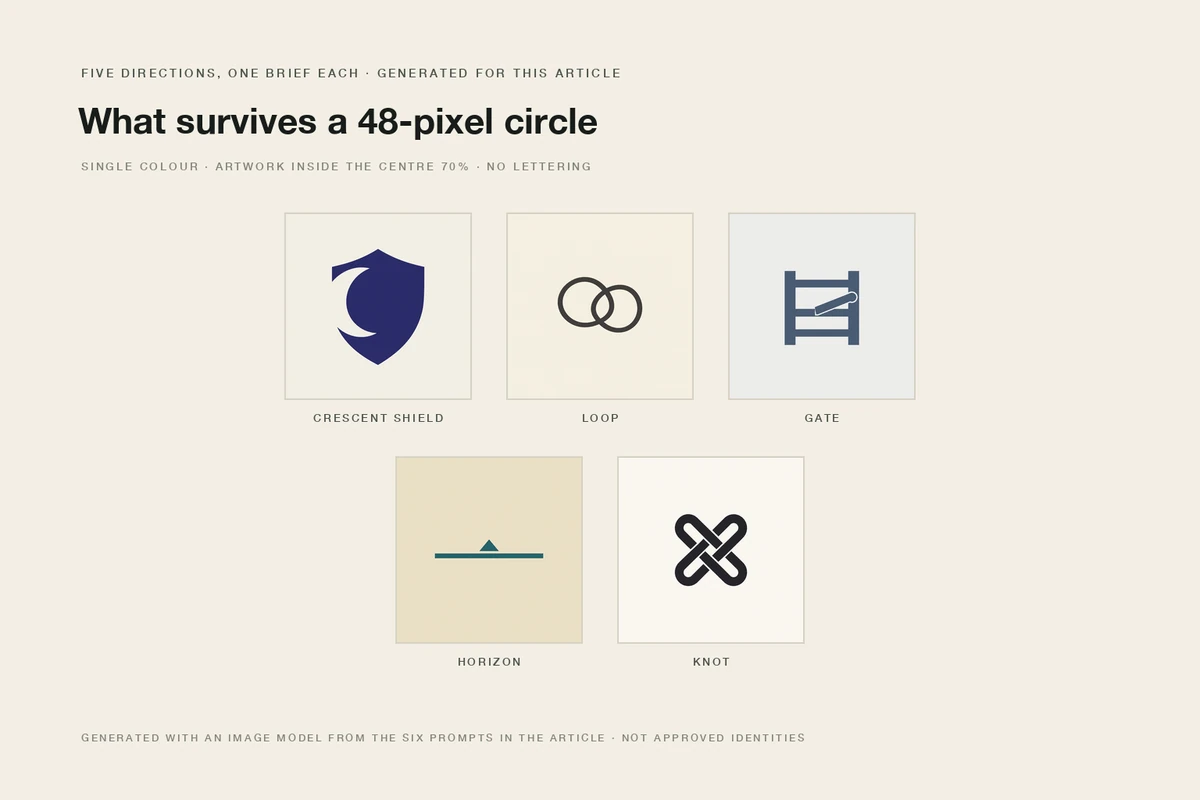
Five directions generated for this article from five different briefs, one per row of the prompt section below. All five are single-colour marks with the artwork inside the centre of the frame, so a circular crop removes only background. They are illustrations of the briefs, not approved identities and not evidence of what any generator will return.
Write the brief in six slots
A brief that survives a circle crop answers six things. Leave one empty and the model fills it with the average choice for the word "logo", which is a swoosh or a circle.
| Slot | What to write | What happens if it is empty |
|---|---|---|
| Exact name and spelling | The letters that must be legible, or the decision that there is no lettering at all | The generator invents lettering, badly |
| What the community is | The subject, the audience, the tone in three adjectives | The mark defaults to a generic gaming or startup shape |
| What it must not resemble | Discord's mark, the obvious clichés, your competitor's icon | You spend generations removing ideas you did not want |
| Mark type | Symbol only, monogram, wordmark, or mark plus wordmark | You get a mix and cannot compare like with like |
| Palette | Two flat colours at most, named | Gradients and photographic texture arrive instead of a shape |
| Frame rule | The safe area, the export size, the one-colour requirement | Corners and detail get clipped by the circle |
Two habits do most of the work. State the frame rule in words — "keep the mark inside the centre 70 percent" beats "well composed", because it is a measurement. And ban the clichés explicitly. A model asked for a gaming community will reach for a controller, a skull and a shield unless you take them away.
Six briefs you can run
Each prompt is complete. Swap the subject and keep the structural instructions; the sentence after each one says what it is controlling, so you can tell which part to change when a result disappoints.
Design a 1:1 server icon for the Discord gaming community NIGHTFALL RAID, which runs late-night co-op sessions for adults with day jobs. One solid shape at 48 pixels: a crescent moon cut into a simple shield, deep indigo on bone white, no gradient, no outline, no texture. Keep the mark in the centre 70 percent so a circular crop only removes background. No lettering, no mascot, no controller, no skull.This one controls shape economy and the crop: one silhouette, one colour pair, and a stated safe area, with three clichés removed by name.
Design three square icon directions for a 400-member study community called FOCUS LOOP. Direction A is a monogram of the letters F and L built from one continuous line. Direction B is an abstract loop that reads like a hand-drawn line tied twice. Direction C is a compact wordmark, FOCUS LOOP, in a geometric sans. All three use warm graphite on cream, one flat colour each, no gradient, no paper texture, no graduation cap, no book. Keep every letter inside the centre 72 percent of the frame.This one controls comparison: three genuinely different mark types from one brief, so you are judging structures instead of variations of the same idea.
Create a square avatar for a Discord moderation bot called WARDEN that logs rule violations and posts weekly summaries. Show a simple geometric gate or latch as one solid shape in slate blue, no eyes, no face, no mascot, no shield with a sword, no text or letters of any kind. Leave the outer 15 percent empty so the avatar survives a circular crop, and keep it flat and high-contrast.This one controls the bot case — and quietly tests the brand rule, because a bot's name and logo may not carry a Discord mark or anything confusingly similar.
Design a square event icon for a one-weekend community tournament called SKYLINE CUP, run inside a flight-sim server. Use one horizon line and a small solid triangle rising just above it, two flat colours — petrol blue and warm sand — with no lettering, no date, no trophy, no wings. Keep the composition symmetrical and centred so it stays legible as a 48-pixel circle.This one controls temporariness: an event mark has a short life, so it should be one idea, not a system, and it must not carry a date that will be wrong next month.
Design a square icon for a small photography community called GRAIN & LIGHT. Explore a compact monogram inside a soft-cornered square: charcoal on paper white, the ampersand reduced to a simple knot of two crossing strokes. No gradient, no camera body, no shutter blades. Keep the monogram inside the centre 70 percent and make sure it still reads as one flat shape at 48 pixels.This one controls the lettering risk deliberately. Monograms are where generated lettering fails most often, and an ampersand is the hardest character in the set — check it letter by letter before you use anything.
Create a coordinated set for the NIGHTFALL RAID server: the square server icon, a 16:9 invite card for social posts, and a wide banner for the server profile header. Same palette — deep indigo, bone white, one signal orange — same shield-and-crescent mark, same flat style. Keep the icon readable on its own at 48 pixels, keep text on the invite card out of the design below 14 pixels, and leave the right third of the banner quiet for the server name.This one controls consistency across placements, which is the part a single icon cannot do. It is the brief to run when the icon is one asset in a family rather than the whole job.
The button fills the first brief into the composer at the top of this page. It only fills. Nothing is sent, and nothing is generated until you continue in Studio.
Five checks before you upload
Judge the draft the way Discord will show it, not the way it looks in your editor at full size.
| Check | How to run it | Fail signal |
|---|---|---|
| 48-pixel test | Shrink the mark to 48 px wide and look at it on a dark background | You can see the shape but not what it means |
| Circle-crop test | Mask the image with a circle and inspect the four corners | The silhouette is clipped, or a letter loses its edge |
| One-colour test | Convert to greyscale, then to a single flat colour | The mark disappears or turns into a blob |
| Similarity check | Search the image, then compare side by side with Discord's symbol and the icons of servers in your niche | It reads as a version of somebody else's mark |
| Lettering audit | Say every character aloud against the source, including symbols and ampersands | A plausible but wrong letter, or a letter that was never meant to be there |
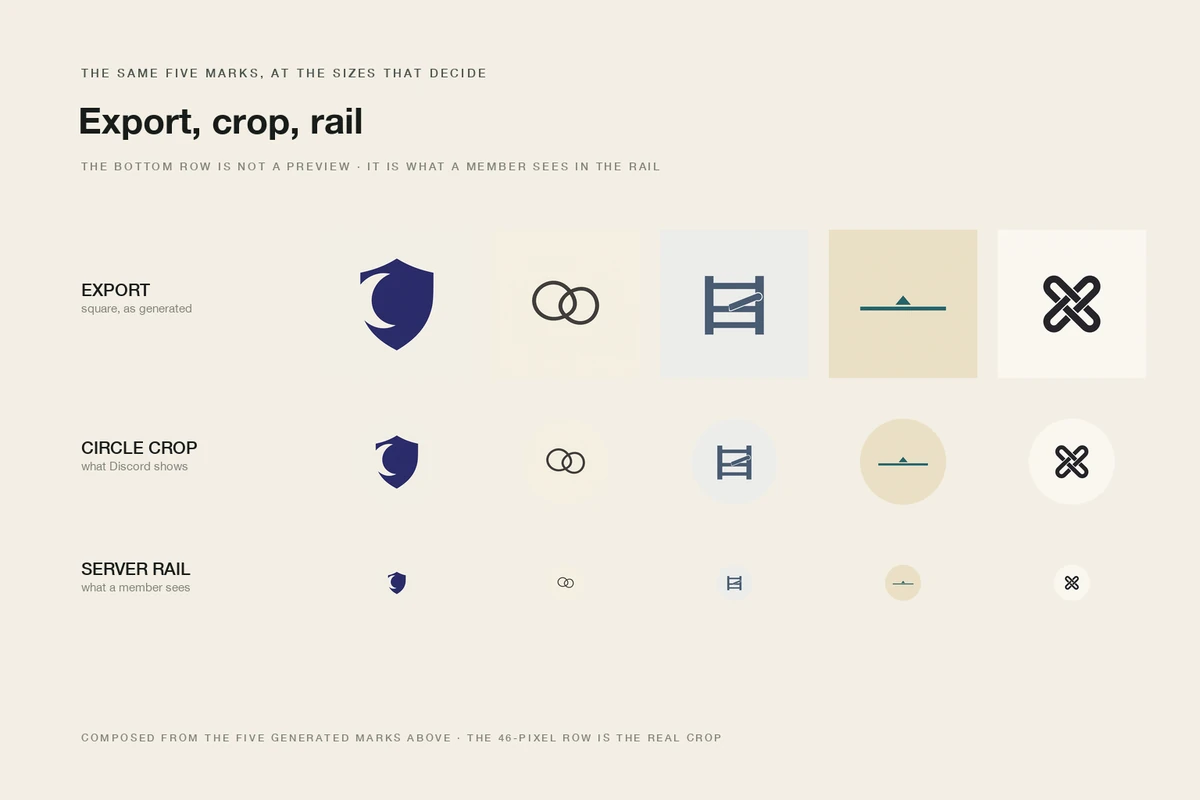
The same five directions at the three sizes that matter: the export, the circle crop Discord applies, and the rail-sized version a member actually sees. The third column is not a degradation you can fix in upload settings; it is what a thin stroke does at that size. Figures composed from the generated marks above for this article.
The similarity check is the one people skip. It is also the one that matters most, because "it looked original to me" is not a defence. Search the image, look at the icon of every server in your category, and look again at Discord's own symbol. If your mark reads as a recolour of it, it is not yours yet.
Where the official mark belongs
When the job really is the first row of the table at the top, the sequence is short and there is nothing to design.
Download from Discord's brand page, not from a logo library, so you get the current file and the current rules. Place it at a size where it is unmistakably the Discord mark, next to words that describe the relationship — "Join us on Discord", "Our Discord server", a link — rather than as the only element on a button that could be read as an official integration. Do not recolour it to match your palette, do not add a shadow or a sticker outline, do not build a fake invite card with the mark at the centre, and do not put it on a shirt or a mug. If a page needs to say that a product works with Discord, Discord's rules still apply to how that is said; a logo is not a certification.
The same logic runs the other way. If you are building a community that already has a name and a colour, the icon is the smallest place that identity has to work — smaller than the site favicon you will export from it, smaller than the invite card. Design it there first and the rest is arithmetic.
What an AI icon still cannot finish
Generated marks are a strong starting point and a poor finishing service. Ottermind's own tool pages are explicit about the boundary, and it is worth repeating rather than discovering.
- A vector master. Do not assume a generated image is a vector file, a layered source, a transparent asset or a full logo package. Production use may mean redrawing the approved shape in vector software. Check the download options in Studio for your account instead of planning around them.
- Accurate lettering. Generated images still produce misspelled, malformed or invented characters. Every letter, number and symbol gets read against the source, and critical wording belongs in a layout tool.
- Rights. Generation does not establish ownership, originality, registrability or freedom to use a mark. Similarity to existing identities is a real risk, and a trademark search plus qualified advice is the only way to settle it. Nothing on this page is legal advice.
- Uniqueness. Two people can brief the same idea and get comparable marks. That is another reason the similarity check is not optional.
- The animated version. Animated server icons are a Server Boost perk and are built in Discord's own flow, not exported from a generator.
From brief to file in Ottermind
The workflow that produces a usable icon is short, and most of it happens before a model is involved.
- Pick the job and the mark type. Server icon, bot avatar, event mark, or part of a family. Then symbol, monogram, or wordmark. If you cannot choose, you are not ready to brief.
- Fill the six slots and name the frame rule. The safe area, the export size and the one-colour requirement are part of the brief, not a later fix.
- Generate a small set and compare like with like. Three to five directions with the same palette and different structures. Judge them in a circle, at 48 pixels and in greyscale before you judge them at full size.
- Refine the survivor, then check it. Ottermind's AI Logo Generator takes a brand brief and optional references, and carries the chosen direction into Studio for refinement; the logo prompt patterns guide goes deeper on wording. When the icon is one piece of a set — invite card, banner, profile header — Graphic Design AI is the better start than repeating one icon prompt six times.
- Run the five checks, then export. 512 px square, the mark centred, nothing important outside the middle, one flat colour version kept for small placements.
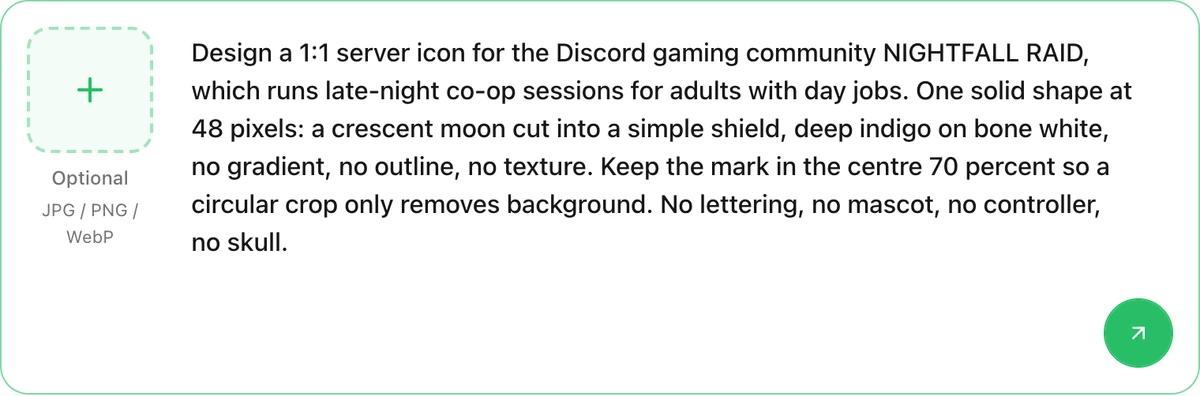
The composer on this page after filling the first brief. This is request preparation, not a generated icon: the screenshot shows the text staged, and sending is a separate action that continues the brief into Studio.
Two boundaries are worth stating plainly, because a marketing page is a bad place to discover them. Nothing here promises free, unlimited or no-sign-up generation, a fixed number of credits, a fixed model, a fixed output resolution or a fixed turnaround. Studio owns authentication, plan eligibility, model access and any credit requirement, and the download options depend on your account and the method you used.
Discord logo questions worth answering
Can I use the Discord logo as my server icon?
No. Discord's brand guidelines prohibit incorporating its marks, or anything confusingly similar, into your own logo, server name, product name, account or trademark. The icon that represents your community has to be your own mark.
What size should a Discord server icon be?
Discord's Help Center states a 128 × 128 minimum and suggests cropping in multiples of 128; 512 is four times 128 on each side, and it is the usual export target. Whatever you upload is displayed inside a circle, so the corners are never safe.
Is it legal to use the Discord logo on my website?
Discord permits some digital use — telling people you are a user or that you have a server — under its published guidelines, and prohibits editing the mark, implying sponsorship, and merchandise. That is Discord's permission, not a legal ruling on your situation; commercial use deserves advice.
Why does my icon look blurry after upload?
Usually because the source was at or near the 128-pixel minimum, or the mark depended on detail that the rail-sized circle cannot carry. Export at 512, keep the artwork in the centre, and test at 48 pixels before uploading.
Do I need a reference image to generate an icon?
No, but it changes what the brief means. A colour card says "keep these colours", a sketch says "keep this structure", a photo of a mascot says "keep this character". Say which one the reference controls, and only upload material you have the right to use.
Can I get a transparent or vector file from a generator?
Do not count on it. Check the current download options in Studio for your account, and plan to redraw an approved mark in vector software when production needs a scalable master.
If the icon is going to sit next to a full identity, the logo prompt patterns guide covers wordmarks, monograms and revision wording. If you only need the brief in front of you, the AI Logo Generator is where it turns into directions, and Graphic Design AI covers the invite card and banner around it.
